
1. Киришүү
Thank you for choosing the EasySMX T37 Wireless Switch Pro Controller. This manual provides detailed instructions for setting up, operating, maintaining, and troubleshooting your controller. Please read this manual carefully before use to ensure optimal performance and longevity of your device. This controller is compatible with Nintendo Switch, Switch Lite, and Switch OLED consoles.
2. Продукт бүтүп калдыview
The EasySMX T37 is a wireless gamepad designed for an enhanced gaming experience on Nintendo Switch systems. It features an ergonomic design, dual turbo vibration, and 6-axis gyro motion control.

Сүрөт 2.1: Алдыңкы view of the EasySMX T37 Wireless Switch Pro Controller, showcasing its ergonomic shape and button layout.
3. Орнотуу
3.1 Nintendo Switch менен жупташтыруу
- Nintendo Switch консолуңузду күйгүзүңүз.
- HOME Менюсунан тандаңыз Контроллер > Катуу/Тартипти өзгөртүү.
- On the EasySMX T37 controller, press and hold the SYNC баскычы (located on the top edge of the controller) for 3 seconds until the LED indicators start flashing rapidly.
- Once the controller is successfully paired, the player LED(s) on the bottom of the controller will light up solid.
3.2 Контроллерди заряддоо
Connect the provided USB-C charging cable to the USB-C port on the controller and the other end to a USB power source (e.g., Switch dock, USB wall adapter, computer USB port). The LED indicators will show charging status and turn off when fully charged.
4. Иштөө нускамалары
4.1 Негизги башкаруу каражаттары
The controller features standard button layouts for Nintendo Switch compatibility:
- A/B/X/Y баскычтары: Аракет баскычтары.
- D-Pad: Багыттуу киргизүү.
- Сол/оң аналогдук таякчалар: Кыймыл жана камера башкаруу.
- Сол/Оң/Жалгыз/Жалгыз баскычтар: Ийин жана триггер баскычтары.
- Үй баскычы: Returns to the Switch HOME Menu.
- CAPTURE Button: Скриншотторду тартат.
- PLUS (+) / MINUS (-) Buttons: Start/Select functions.

Image 4.1: A user holding the EasySMX T37 controller, demonstrating the comfortable grip and accessible button placement during gameplay.
4.2 Турбо функциясы
The Turbo function allows for rapid, automatic pressing of a button, useful in action or arcade games.
- Турбону иштетүү: Press and hold the desired action button (A/B/X/Y/L/R/ZL/ZR), then press the Турбо баскычы (T button). The button will now auto-fire.
- Турбо ылдамдыгын жөндөө: кармап жатканда Турбо баскычы, жылдырыңыз Оң аналогдук таякча өйдө же ылдый to cycle through three speeds: 5 shots/s, 12 shots/s, and 20 shots/s.
- Турбо режимин өчүрүү: Repeat the activation step (hold the action button, then press the Turbo button) or press and hold the Турбо баскычы for 5 seconds to clear all Turbo settings.
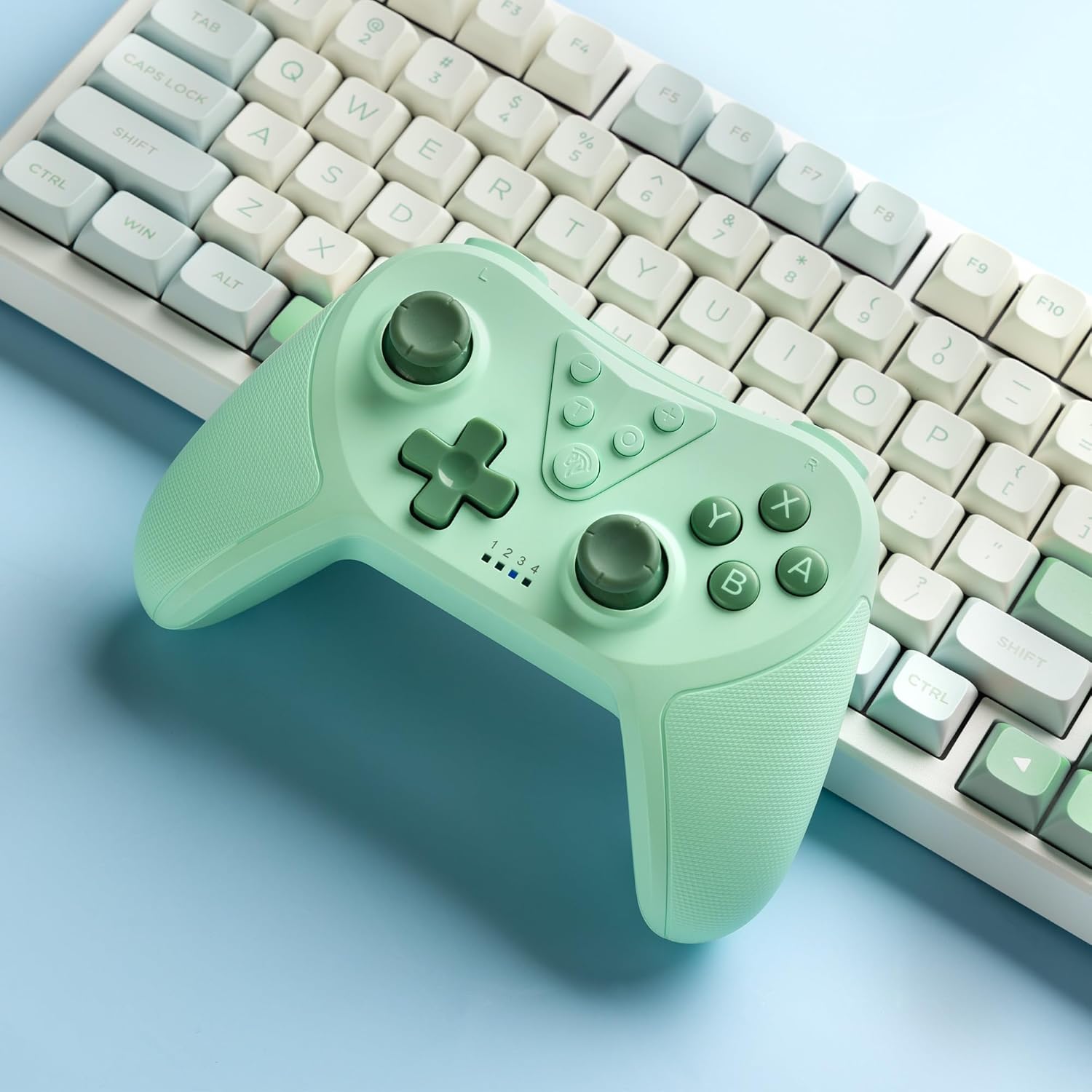
Image 4.2: Illustration of the Turbo function on the EasySMX T37 controller, showing the three adjustable speeds: 5, 12, and 20 shots per second.
4.3 Вибрацияны тууралоо
The controller features dual motors for adjustable vibration feedback, enhancing immersion in games.
- Дирилдөөнүн интенсивдүүлүгүн тууралоо: басып, кармап туруңуз Турбо баскычы, андан кийин жылдырыңыз Сол аналогдук таякчаны өйдө же ылдый to cycle through four vibration levels: 0% (off), 30%, 70%, and 100%.

Image 4.3: Visual representation of the Dual Vibration feature on the EasySMX T37 controller, indicating four intensity levels from 0% to 100%.
4.4 6-Axis Gyro Motion Control
The built-in 6-axis gyroscope provides precise motion sensing, allowing for intuitive control in games that support motion input.

Image 4.4: Illustration depicting the 6-Axis Gyro Motion Control feature of the EasySMX T37 controller, showing how it interacts with a game on the Nintendo Switch screen.
5. Техникалык тейлөө
- Тазалоо: Контроллерди тазалоо үчүн жумшак, кургак чүпүрөктү колдонуңуз. Катуу химиялык заттарды же абразивдүү материалдарды колдонуудан алыс болуңуз.
- Сактагыч: Контроллерди түз күн нурунан жана экстремалдык температурадан алыс салкын, кургак жерде сактаңыз.
- Батареяга кам көрүү: Батареянын иштөө мөөнөтүн узартуу үчүн, контроллерди тез-тез толук зарядсыздандырбаңыз. Аны көпкө чейин колдонбосоңуз да, үзгүлтүксүз кубаттап туруңуз.
- Тамчылардан качуу: Контроллерди тамчылардан жана таасирлерден коргоңуз, бул ички компоненттерге зыян келтириши мүмкүн.
6. Кыйынчылыктарды
6.1 Контроллер туташпай жатат
- Контроллер заряддалганын текшериңиз.
- Verify the Switch console is updated to the latest system version.
- Try re-pairing the controller by following the steps in Section 3.1.
- If issues persist, try resetting the controller by inserting a thin object into the small reset hole (if present, usually on the back) for a few seconds.
6.2 Buttons Unresponsive or Lagging
- Контроллердин толук заряддалганын текшериңиз.
- Move closer to the Switch console to ensure a strong wireless connection.
- Баскычтардын айланасында кандайдыр бир физикалык тоскоолдуктарды же таштандыларды текшериңиз.
- Re-pair the controller.
6.3 Controller Not Charging
- USB-C кабелинин контроллерге да, кубат булагына да бекем туташканын текшериңиз.
- Башка USB-C кабелин же кубат адаптерин колдонуп көрүңүз.
- Кубат булагынын иштешин текшериңиз.
7. Техникалык шарттар
- Модел: T37
- Байланыш: Зымсыз (Bluetooth)
- Шайкештик: Nintendo Switch, Switch Lite, Switch OLED
- Өзгөчөлүктөрү: Dual Turbo Function, Adjustable Vibration, 6-Axis Gyro Motion Control, Ergonomic Design
- Product Identifier (ASIN): B0CTTWN84L
8. Кепилдик жана колдоо
For warranty information, technical support, or further assistance, please refer to the official EasySMX webсайтка же түздөн-түз кардарларды колдоо менен байланышыңыз. Кепилдик дооматтар үчүн сатып алуу дүмүрчөгүңүздү сактаңыз.