
NZXT CM-H72FB-01
NZXT H7 Flow 2024 Mid-Tower ATX Airflow PC Case Instruction Manual
Бренд: NZXT | Модел: CM-H72FB-01
Introduction
The NZXT H7 Flow 2024 is a mid-tower ATX PC case designed for optimal airflow and efficient cooling. This manual provides essential information for assembling, operating, and maintaining your PC build within this chassis. It highlights key features, specifications, and important considerations for a smooth user experience.

Figure 1: NZXT H7 Flow 2024 Mid-Tower ATX Airflow PC Case (Black)
Негизги өзгөчөлүктөрү
- Dedicated GPU Cooling: Supports up to three 120mm fans at the bottom for direct airflow to the graphics card, enhancing cooling performance.

Figure 2: Dedicated GPU Cooling Fan Mounts
- Out-of-the-Box Performance: Includes three pre-installed 120mm fans in the front for immediate and effective cooling.

Figure 3: Pre-installed Front Fans
- Optimized for Airflow: Features high-performance mesh panels on the front and top to maximize air intake and exhaust, while also acting as dust filters.

4-сүрөт: Оптимизацияланган аба агымынын дизайны
- Large Radiator Support: Accommodates radiators up to 420mm in the front and 360mm in the top, providing extensive liquid cooling options.

Figure 5: Radiator Mounting Locations
- Жеңил кабелдик башкаруу: An intuitive cable management system with wide channels, built-in hooks, and included straps simplifies cable routing and organization.

Figure 6: Cable Management System
- 10-Fan Capacity: Supports up to 10 fans in total: three at the top, three in the front, three at the bottom, and one in the rear for comprehensive cooling.

Figure 7: Fan Mounting Options
- Top I/O Ports: Conveniently located top panel with 2x USB-A and 1x USB-C ports for easy access to peripherals.

Figure 8: Top I/O Ports
- Tool-less Panel Access: Front, top, and side panels can be removed without tools, simplifying the building and upgrading process.
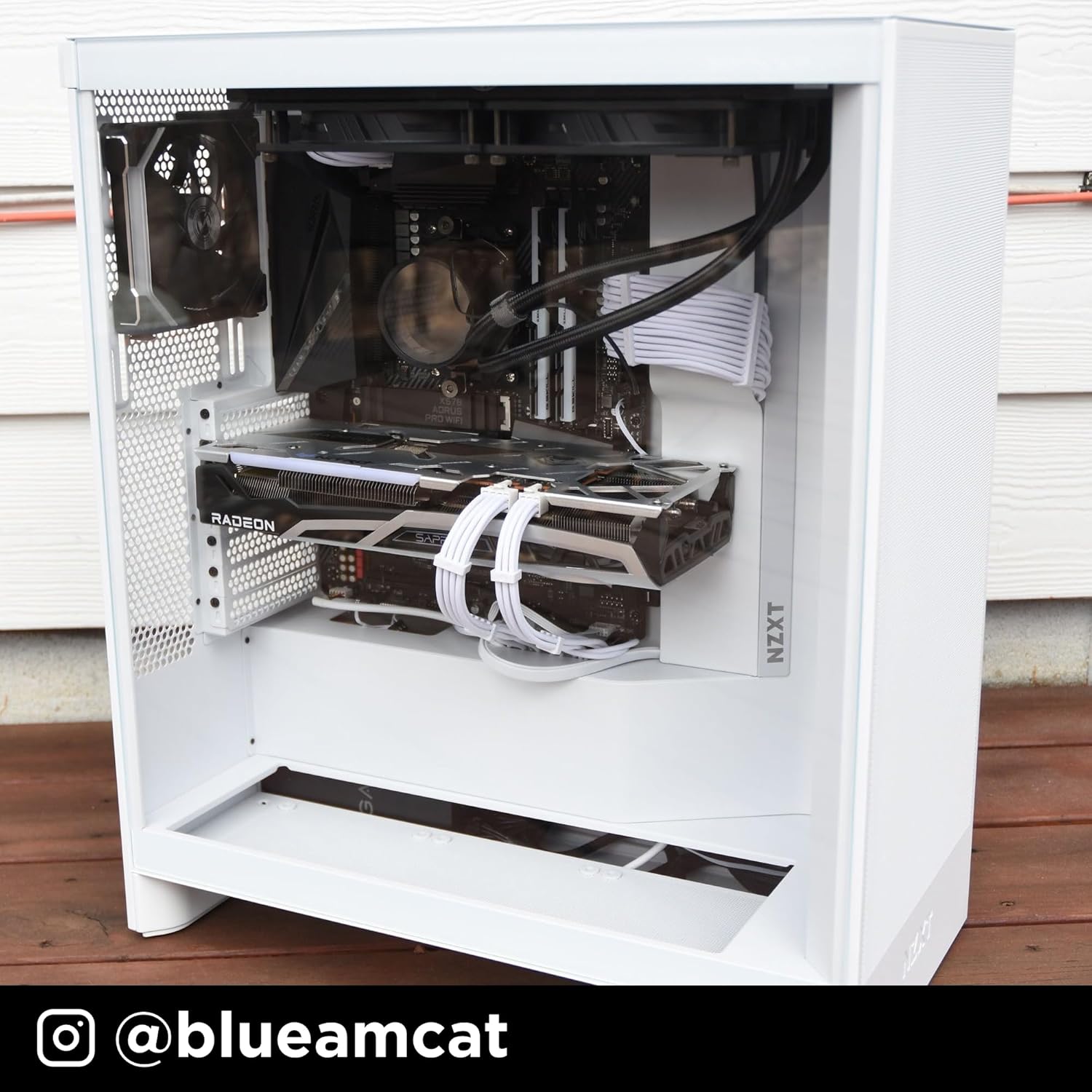
Figure 9: Tool-less Panel Removal
Орнотуу нускамалары
- Пакеттен чыгаруу: Carefully remove the case from its packaging. Remove any protective films from the tempered glass panels.
- Панелди алып салуу: Access the interior by gently pulling off the side panels, front panel, and top panel. These are designed for tool-less removal.
- Motherboard орнотуу: Install your ATX motherboard. Ensure standoffs are correctly aligned. The case supports ATX motherboards.
- Электр менен жабдууну орнотуу: Mount your power supply unit (PSU) in the bottom compartment.
- Сактагыч дискти орнотуу: Install 3.5-inch hard drives or 2.5-inch solid-state drives into the designated bays.
- Графикалык картаны (GPU) орнотуу: Install your graphics card into the appropriate PCIe slot. Consider installing up to three 120mm fans at the bottom of the case for direct GPU cooling.
- желдеткич жана радиатор орнотуу: Install additional fans or liquid cooling radiators as needed. The case supports up to 420mm radiators in the front and 360mm in the top.
- Кабелдик башкаруу: Utilize the integrated cable routing channels, hooks, and included straps behind the motherboard tray to organize and secure cables.
- Панелдерди кайра чогултуу: Once all components are installed and cables are managed, reattach the side, front, and top panels.
Компьютериңиздин корпусун иштетүү
The NZXT H7 Flow 2024 is designed to provide optimal airflow for your PC components. Ensure that all fans are correctly oriented for intake and exhaust to maintain proper internal temperatures. The pre-installed front fans act as intake, drawing cool air into the system. The mesh panels facilitate unrestricted airflow, contributing to efficient cooling.
Video 1: NZXT H7 Flow 2024 Overview. This video demonstrates the key features and design of the NZXT H7 Flow 2024 PC case, including its airflow capabilities and internal layout.
Техникалык тейлөө
Үзгүлтүксүз тейлөө сиздин PC компоненттеринин оптималдуу иштешин жана узак иштөөсүн камсыз кылууга жардам берет.
- Чаңды тазалоо: Periodically remove the mesh panels (front and top) and clean them to prevent dust buildup. Use compressed air or a soft brush to clean fans and internal components.
- Панелди кайра орнотуу: Ensure all panels are securely reattached after cleaning or maintenance to maintain structural integrity and airflow.
Видео 2: Продукт бүттүview. Бул видео жалпы маалымат беретview of the product, which can be helpful for understanding its components and how to access them for maintenance.
Проблемаларды чечүү
- High Component Temperatures:
- Verify all case fans are spinning and correctly oriented for optimal airflow (intake at front/bottom, exhaust at rear/top).
- Clean any dust buildup on mesh panels, fans, and heatsinks.
- Корпустун ичиндеги аба айлануу жолдоруна эч кандай кабелдер тоскоол болбогонун текшериңиз.
- Ашыкча желдеткич ызы-чуу:
- Check if fan screws are tightened properly.
- Эч кандай кабелдер желдеткичтин калактарына тийбегенин текшериңиз.
- Consider replacing noisy fans if they are old or damaged.
- Difficulty Removing Panels:
- Apply gentle, even pressure when pulling panels. They are designed for tool-less removal but may require a firm pull.
- Ensure no internal components or cables are snagging the panels.
Техникалык шарттар
| Өзгөчөлүк | Деталь |
|---|---|
| Бренд | NZXT |
| Модель аты | CM-H72FB-01 |
| Иштин түрү | Ара Tower |
| Motherboard шайкештиги | ATX |
| Түс | Кара |
| Материал | Металл, пластик |
| Кубат менен камсыздоону орнотуу түрү | Төмөнкү тоо |
| Муздатуу ыкмасы | Аба |
| Fan Size | 120 миллиметр |
| Total Expansion Slots Quantity | 7 |
| Total USB 2.0 Ports | 2 |
| Total USB 3.0 Ports | 3 |
| Катуу диск форма фактору | 3.5 дюйм |
| Internal Bays Quantity | 1 |
| Number of Fans (Included) | 3 |
| Элемент Салмагы | 11.35 килограмм |
| Элементтин өлчөмдөрү (D x W x Y) | 18.43"D x 9.6"W x 21.42"H |
| Өзгөчөлүктөр | Triple front fan, large radiator backing plate, dedicated GPU cooling |
Кепилдик жана колдоо
The NZXT H7 Flow 2024 PC case comes with a 2 жылдык өндүрүүчү кепилдик. For technical support, product information, or warranty claims, please visit the official NZXT store or contact their customer service.
Official NZXT Store: Amazon'догу NZXT дүкөнү
Ask a question about this manual
Ask about setup, troubleshooting, compatibility, parts, safety, or missing instructions. Manuals+ will review the question and use this page’s manual context to help answer it.