
1. Киришүү
The Minolta MND60V VLOG Camera Kit is designed for capturing high-quality photos and videos. This kit includes a 64MP camera capable of 4K Ultra HD video at 60 frames per second, along with essential accessories such as a tripod, external microphone, LED light, and wide-angle/macro lenses. This manual provides instructions for setting up, operating, and maintaining your camera kit to ensure optimal performance.

Image 1.1: The Minolta MND60V VLOG Camera Kit, showcasing its core capabilities for high-resolution photography and video recording.
2. Пакеттин мазмуну
Баштоодон мурун, төмөндө көрсөтүлгөн бардык буюмдар пакетиңизде бар экенин текшериңиз:
- Minolta MND60V Camera
- Accessory Mount Arms
- LED Video Light
- Ташуу кутусу
- Tripod Pouch
- Стерео микрофон
- Погон
- 32 ГБ эстутум картасы
- Алыстан башкаруу менен штатив
- Литий-иондук батарейка
- AC адаптер
- Wide-angle + Macro Lens
- USB кабелдери
- Колдонуучунун Колдонмосу (бул документ)
- Кепилдик картасы

Image 2.1: All components included in the Minolta MND60V VLOG Camera Kit.
3. Орнотуу
3.1 Батареяны заряддоо
- Insert the Lithium-Ion Battery into the camera.
- Connect the AC Adaptor to the camera's USB port and plug it into a power outlet.
- Кубаттоо көрсөткүчү күйөт. Толук заряддалгандан кийин, жарык өзгөрөт же өчөт.
3.2 Эстутум картасын салуу
The camera supports Micro SD cards. A 32GB card is included.
- Locate the memory card slot on the camera (refer to the camera diagram).
- Micro SD картаны алтын түстүү контакттары ылдый каратып, ордуна чыкылдаганча салыңыз.
- Алып салуу үчүн, картаны ал чыгып кеткенче акырын басыңыз.
3.3 Аксессуарларды тиркөө
The kit includes various accessories to enhance your recording experience.

Image 3.1: Minolta MND60V camera with all accessories mounted.
- Трипод: Attach the camera to the tripod's mounting screw. The tripod can be used as a stand, a selfie stick, or a power source with its built-in 2,500mAh battery.
- Тышкы микрофон: Mount the stereo microphone onto one of the accessory mount arms and plug its cable into the camera's microphone input jack.
- LED Video жарыгы: Mount the LED light onto another accessory mount arm. Ensure it is charged or has fresh batteries if applicable.
- Wide-angle + Macro Lens: Screw the desired lens onto the front of the camera's main lens.
4. Камераны иштетүү
4.1 Күйгүзүү/өчүрүү
Press and hold the power button located on the camera body to turn the camera on or off.
4.2 Basic Photo and Video Recording
- Режим тандоо: Use the mode dial or menu to select between photo and video modes.
- Кадрлоо: Use the 3-inch LCD screen to compose your shot. The screen can be flipped for self-recording.
- Жаздыруу/Жапкыч: Press the dedicated record button for video or the shutter button for photos.
4.3 Using the LCD Screen
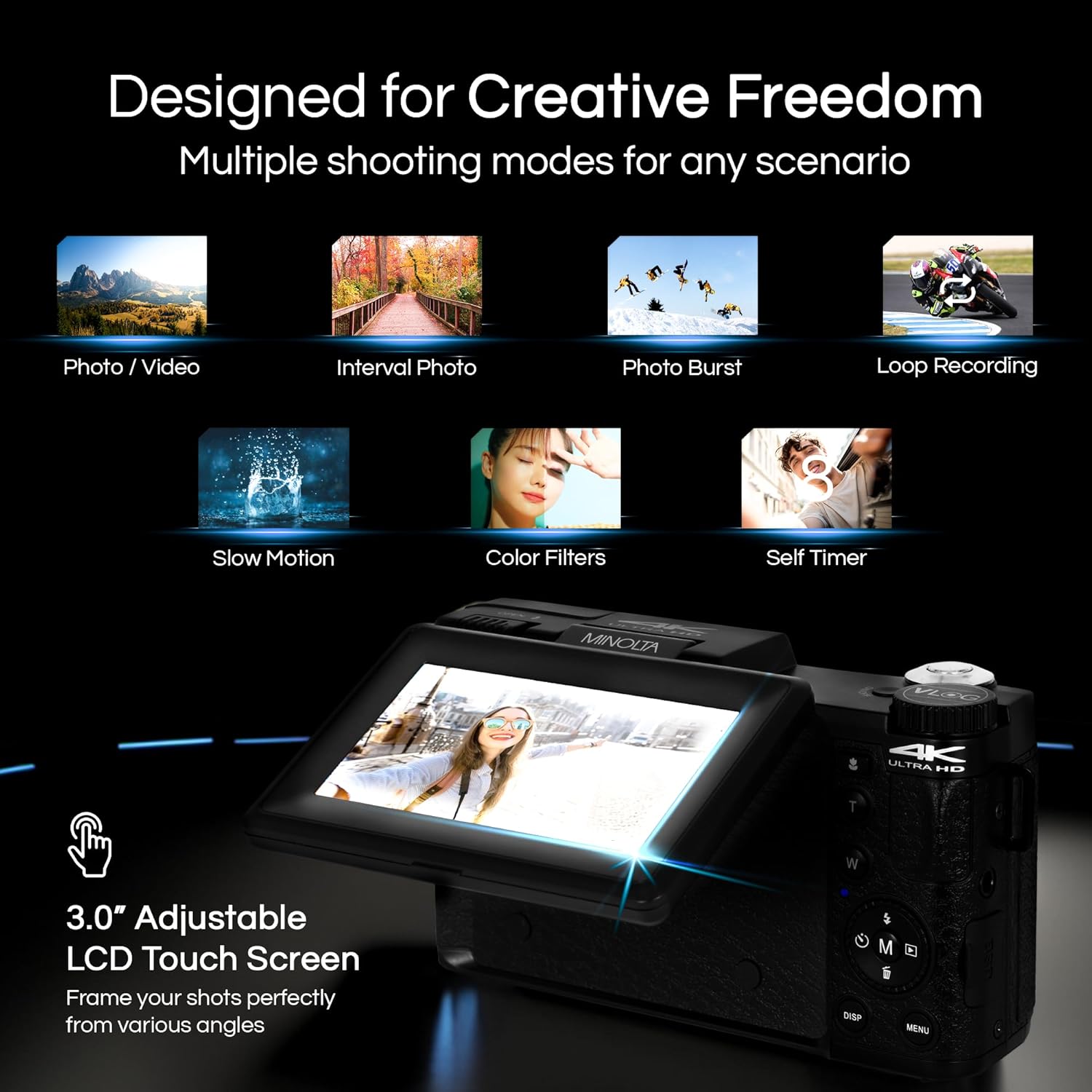
Image 4.1: The adjustable LCD screen showing various shooting modes.
3 дюймдук LCD экран түз эфирди камсыз кылат view, access to menus, and playback options. It can be rotated and flipped, making it suitable for vlogging and shooting from various angles. Navigate menus using the touch screen or physical buttons.
4.4 Чоңойтуу функциясы
The camera features 16x digital zoom. Use the zoom lever (often marked 'W' for Wide and 'T' for Telephoto) to adjust the focal length. Note that digital zoom may reduce image quality compared to optical zoom.

Сүрөт 4.2: Мисample of using digital zoom to capture distant details.
4.5 Special Features and Modes

Image 4.3: Icons illustrating the camera's creative modes.
The MND60V offers several creative modes:
- Жай кыймыл: Жай кыймылда ойнотуу үчүн видеону жогорку кадр ылдамдыгы менен жазат.
- Цикл жаздыруу: Continuously records video, overwriting the oldest fileэстутум картасы толгондо.
- Убакыттын өтүшү: Captures a series of photos at set intervals and combines them into a video.
- Сахна тандоо: Pre-set modes optimized for specific shooting conditions (e.g., portrait, landscape).
- Авто таймер: Delays the shutter release for a few seconds, allowing you to get into the shot.
4.6 Алыстан башкарууну колдонуу
The included tripod features a built-in wireless remote. This allows you to start/stop recording or take photos from a distance, ideal for group shots or vlogging.
4.7 Өткөрүп берүү Files
Connect the camera to a computer using the provided USB cable. The camera will appear as a removable drive, allowing you to copy photos and videos to your computer.
5. Техникалык тейлөө
5.1 Камераны тазалоо
- Камеранын корпусун тазалоо үчүн жумшак, кургак чүпүрөктү колдонуңуз.
- Линза үчүн атайын линзаны тазалоочу чүпүрөктү жана эритмени колдонуңуз. Линзанын бетине манжаларыңыз менен тийүүдөн качыңыз.
- Катуу химиялык заттарды же абразивдүү материалдарды колдонбоңуз.
5.2 Батареяга кам көрүү
- Биринчи жолу колдонуудан мурун батарейканы толук кубаттаңыз.
- Батареяны колдонбогондо салкын, кургак жерде сактаңыз.
- Батареяны экстремалдуу температурага тийгизүүдөн сактаңыз.
5.3 Сактоо
When not in use, store the camera and its accessories in the provided carrying case to protect them from dust, moisture, and physical damage.
6. Кыйынчылыктарды
If you encounter issues with your Minolta MND60V camera, refer to the following common problems and solutions:
| Көйгөй | Мүмкүн себеп | Чечим |
|---|---|---|
| Камера күйбөйт. | Battery is drained or incorrectly inserted. | Батарея толук заряддалганын жана туура салынганын текшериңиз. |
| Photos/Videos are blurry. | Autofocus issue, insufficient light, or camera shake. | Ensure proper lighting. Allow camera to focus before capturing. Use the tripod for stability. Avoid excessive digital zoom in low light. |
| Батарея бат эле түгөнөт. | Frequent use of screen/LED light, cold environment, or aging battery. | Reduce screen brightness. Turn off LED light when not needed. Keep battery warm in cold conditions. Consider a replacement battery if performance significantly degrades. |
| Эстутум картасынын катасы. | Карта толгон, бузулган же шайкеш келбейт. | Format the memory card (this will erase all data). Try a different compatible Micro SD card. |
| No audio in video recordings. | External microphone not connected or faulty. | Ensure the external microphone is securely plugged into the camera's microphone input. Check microphone settings in the camera menu. |
7. Техникалык шарттар
Key technical specifications for the Minolta MND60V VLOG Camera Kit:
| Өзгөчөлүк | Спецификация |
|---|---|
| Модель номери | MND60V |
| Натыйжалуу дагы эле чечим | 64 депутат |
| Video Resolution | 4K (3840 Pixels Effective Video Resolution) |
| Видео кадр ылдамдыгы | 60 FPS (4K үчүн) |
| Фото сенсор технологиясы | CMOS (2/3-inch Photo Sensor Size) |
| Дисплей | 3 дюймдук LCD экран |
| Фокус түрү | Автофокус |
| Digital Zoom | 16x |
| Линзанын түрү | Wide Angle (Minimum/Maximum Focal Length: 3.95 mm) |
| Максималдуу диафрагма | 1.8 f |
| Image Stabilization | Санарип |
| Flash эс тутум түрү | Микро SD |
| Байланыш технологиясы | USB |
| Видео тартуу форматы | MP4 |
| Колдоого алынган аудио формат | AAC |
| Колдоого алынган сүрөт форматы | JPEG |
| Power Source | Lithium-Ion Battery (1 AAA battery required for remote, included) |
| Элемент Салмагы | 3.5 фунт |
| Түс | Кара |
| Өзгөчөлүктөрү | Anti-Shake, Built-In Flash, Microphone Input, Remote Control, Slow Motion, Time Lapse, Timer |
8. Кепилдик маалыматы
The Minolta MND60V VLOG Camera Kit comes with a Чектелген 1 жылдык өндүрүүчүнүн кепилдиги. Please refer to the included Warranty Card for detailed terms and conditions, including coverage, limitations, and how to make a claim.
9. Кардарларды колдоо кызматы
For further assistance, technical support, or inquiries regarding your Minolta MND60V VLOG Camera Kit, please visit the official Minolta website or contact their customer service department. Contact information can typically be found on the warranty card or the manufacturer's webсайт.