
1. Продукт бүтүп калдыview
The Maxell MXH-BTW401 True Wireless Earbuds are designed for comfort and convenience. Featuring a lightweight and compact design, they offer a secure fit that minimizes protrusion from the ear, making them suitable for use even while lying down. The stick-type charging case is slim and customizable, allowing users to personalize it with stickers.
These earbuds support Bluetooth 5.3 for stable connectivity, hands-free calling, and multi-pairing with up to four devices. Enjoy clear audio for music, calls, and web конференциялар.

Image: Maxell MXH-BTW401 earbud shown in a person's ear, emphasizing its lightweight design and comfortable fit. The text "Light weight" is visible.

Image: A person lying down comfortably, using the Maxell MXH-BTW401 earbuds. This illustrates the earbuds' design for minimal protrusion, allowing for use in various relaxed positions.
2. Пакеттин мазмуну
Пакетте бардык буюмдар бар экенин текшериңиз:
- Maxell MXH-BTW401 True Wireless Earbuds (Left and Right)
- Заряддоо кутусу
- Earpieces: 3 sizes (S, M, L), 2 pieces each. (M size is pre-installed on the earbuds)
- Charging Cable: USB-A to Type-C (approx. 45 cm)
- Көрсөтмө (бул документ)

Image: A flat lay of the included accessories, showing the different sizes of earpieces and the USB-A to Type-C charging cable.
3. Орнотуу жана заряддоо
3.1 Алгачкы заряддоо
- Кулакчындарды заряддоо кутусуна салыңыз.
- Connect the provided USB-A to Type-C charging cable to the charging case and a USB power adapter (not included).
- The indicator light on the charging case will show charging status. A full charge for the case takes approximately 2 hours.
- The charging case can fully recharge the earbuds approximately 2 times.
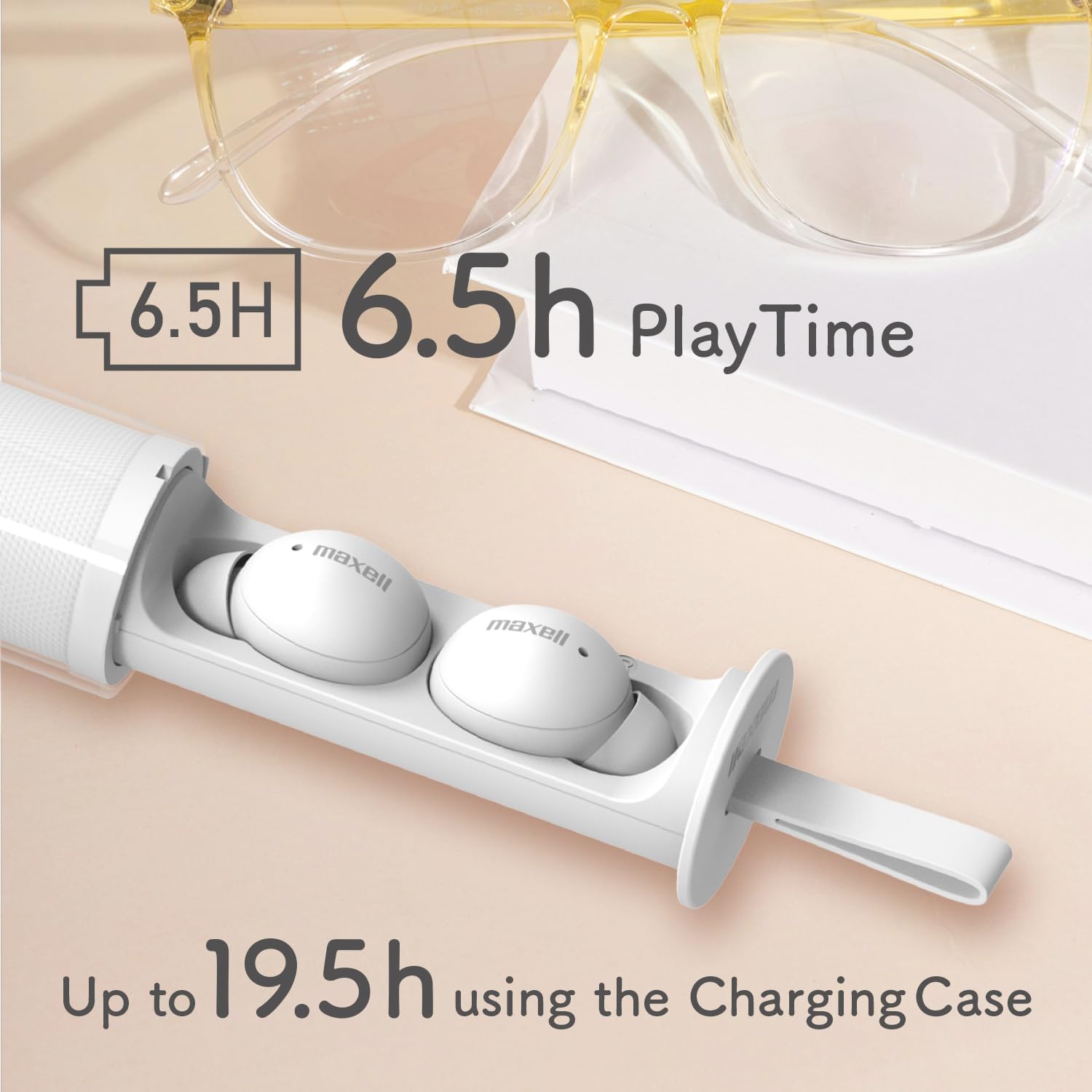
Image: The Maxell MXH-BTW401 earbuds inside their stick-type charging case. The image highlights the battery life: 6.5 hours of continuous playback for the earbuds and up to 19.5 hours total with the charging case.
3.2 Түзмөк менен жупташтыруу
- Заряддоо кутучасын ачыңыз. Кулакчындар жупташтыруу режимине автоматтык түрдө кирет.
- Түзмөгүңүздө (смартфон, планшет ж.б.) Bluetooth иштетиңиз жана жеткиликтүү түзмөктөрдү издеңиз.
- Select "MXH-BTW401" from the list of found devices to connect.
- Once connected, a confirmation sound will play from the earbuds.
Multi-pairing: The earbuds support multi-pairing with up to 4 devices. To switch between paired devices, simply connect from the desired device's Bluetooth settings.
4. Иштөө нускамалары
4.1 Basic Controls (Touch Control)
Кулакчындарда түрдүү функциялар үчүн сенсордук башкаруулар бар:
- Ойнотуу/тындыруу: Кулакчындарды бир жолу таптаңыз.
- Кийинки трек: Оң кулакчынды эки жолу таптаңыз.
- Мурунку трек: Сол кулакчынды эки жолу таптаңыз.
- Чалууга жооп берүү/аяктоо: Кирүүчү чалуу учурунда гарнитураны бир жолу таптаңыз.
- Чакырууну четке кагуу: Кирүүчү чалуу учурунда кулакчындын бирин 2 секунд басып туруңуз.
- Үн Жардамчысын жандыруу: Кулакчындарды үч жолу таптаңыз.
- Үндү көзөмөлдөө: Press and hold the right earbud to increase volume, press and hold the left earbud to decrease volume.
Эскертүү: If the case is difficult to remove, twist it approximately 90 degrees until it detaches. If you experience accidental touches, ensure the earbuds are properly seated in your ear.
4.2 Single-Ear Mode
You can use either the left or right earbud independently. Simply remove one earbud from the charging case, and it will automatically connect to your paired device. The other earbud can remain in the case or be turned off.
4.3 Hands-Free чалуу
The built-in microphone allows for clear hands-free calls and participation in web conferences. Ensure the earbuds are connected to your device via Bluetooth.
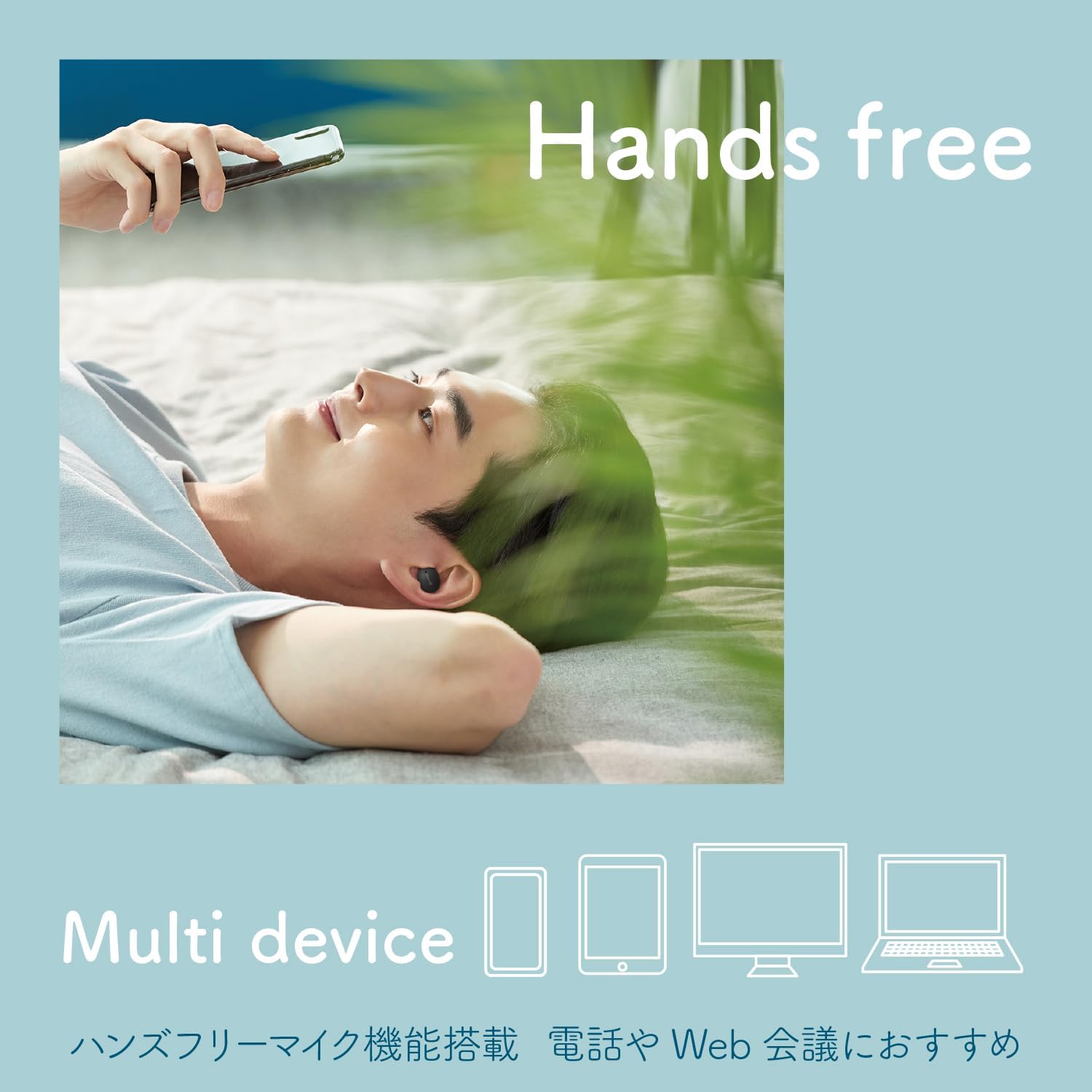
Image: A person using the earbuds for hands-free communication, with icons representing multiple devices (smartphone, tablet, laptop, desktop) to illustrate multi-device compatibility.
5. Customization (Sticker Application)
The transparent outer case of the charging case can be customized with stickers. This allows you to create a unique and personalized look for your earbuds.
Important: The thickness of the sticker must be 0.12mm or less to ensure the case closes properly.
- Twist the outer case approximately 90 degrees to separate it from the inner earbud holder.
- Apply your desired sticker(s) to the inner surface of the transparent outer case.
- Reattach the outer case by aligning and twisting it back into place.

Image: Three stick-type charging cases, each customized with different stickers, demonstrating the personalization feature.

Image: A step-by-step diagram illustrating how to remove the outer case, apply stickers, and reassemble the charging case for customization.
Video: A short demonstration showing how to apply stickers to the charging case and highlighting the lightweight design and hands-free calling features of the Maxell MXH-BTW401 earbuds.
6. Техникалык тейлөө
- Тазалоо: Regularly clean the earbuds and charging case with a soft, dry cloth. Do not use liquids or abrasive cleaners.
- Кулакчындар: Remove earpieces and clean them with a damp зарыл болсо, кездеме. Кайра жабыштыруудан мурун алар толугу менен кургатылганын текшериңиз.
- Сактагыч: Колдонулбаганда, кулакчындарды коргоо жана кубаттоо үчүн кубаттоочу кутучага сактаңыз.
- Суу таасири: These earbuds are not waterproof. Avoid exposure to water, moisture, or excessive humidity.
7. Кыйынчылыктарды
- Үн жок:
- Кулакчындардын кубатталганын текшериңиз.
- Check if Bluetooth is enabled on your device and connected to "MXH-BTW401".
- Түзмөгүңүздөгү жана гарнитураңыздагы үндү тууралаңыз.
- Жупташуу мүмкүн эмес:
- Ensure earbuds are in pairing mode (indicator light flashing).
- Түзмөгүңүздөгү Bluetooth'ду өчүрүп, күйгүзүңүз.
- Try resetting the earbuds (refer to the full manual for specific reset instructions if needed).
- Кулакчындар кубатталбай жатат:
- Заряддоо кабели корпуска да, кубат булагына да бекем туташтырылганын текшериңиз.
- Кулакчындардагы жана корпустун ичиндеги заряддоо контакттары таза экенин текшериңиз.
- Accidental Touch Controls:
- Кулакчындар кулагыңызга туура орноштурулганын текшериңиз.
- Avoid touching the touch-sensitive area unnecessarily when adjusting the earbuds.
For further assistance, please refer to the full product manual or contact Maxell customer support.
8. Техникалык шарттар
| Модел | MXH-BTW401 |
| Type | Жабык динамикалык |
| Айдоочу бирдиги | Диаметри 6 мм |
| Frequency Response | 20 - 20,000 Гц |
| Power Source | Камтылган кайра заряддалуучу литий-иондук батарейка |
| Continuous Playback Time (Earbuds) | Болжол менен 6.5 саат |
| Үзгүлтүксүз күтүү убактысы | Болжол менен 70 саат |
| Заряддоо убактысы (капка) | Болжол менен 2 саат |
| Наушниктин салмагы (ар бири) | Болжол менен 3.3г |
| Заряддоо кутусунун салмагы | Болжол менен 35г |
| Көп жупташтыруу | 4 түзмөккө чейин |
| Зымсыз түрү | Bluetooth 5.3 |
| Суу өткөрбөйт | Жок |
| Келип чыккан өлкө | Кытай |

Image: An exploded diagram of the earbud, illustrating its internal components, including the 6mm driver for clear sound quality.
9. Кепилдик жана колдоо
The Maxell MXH-BTW401 True Wireless Earbuds come with a 1 жылдык өндүрүүчүнүн кепилдиги сатып алынган күндөн тартып.
For warranty claims, technical support, or any inquiries regarding your product, please contact Maxell customer service. Keep your proof of purchase for warranty validation.
Please visit the official Maxell webэң акыркы колдоо маалыматы жана байланыш маалыматтары үчүн сайт.