
Introduction
This manual provides detailed instructions for the setup, operation, maintenance, and troubleshooting of your Keychron K13 Max Low-Profile Wireless Mechanical Keyboard. Please read this manual thoroughly before using the product to ensure proper functionality and longevity.
Кутуда эмне бар
Пакетте бардык буюмдар бар экенин текшериңиз:
- 1x Толугу менен чогултулган клавиатура
- 1x Type-C кабели
- 1x Type-A to Type-C адаптер
- 1x Type-A 2.4GHz кабылдагыч
- 1x Баскыч капкагын тарткыч
- Additional set of customized keycaps for both Windows and macOS systems

Image: Contents of the Keychron K13 Max package, showing the keyboard, USB-C cable, USB-A to USB-C adapter, 2.4GHz receiver, and a keycap puller.
Жайгашуу
Системанын шайкештигин которгуч
The Keychron K13 Max is designed for compatibility with macOS, Windows, and Linux operating systems. Use the system toggle switch located on the back of the keyboard to select the appropriate operating system mode.

Сүрөт: Арткы view of the Keychron K13 Max keyboard, highlighting the toggle switch for Windows/Android and Mac/iOS compatibility. Additional keycaps for different operating systems are also shown.
Байланыш режимдери
The keyboard supports three connection modes: 2.4 GHz wireless, Bluetooth 5.1, and wired USB-C.
- 2.4 ГГц зымсыз: For optimal performance and a rapid 1000 Hz polling rate, use the included 2.4 GHz USB dongle. Plug the dongle into an available USB port on your computer.
- Bluetooth 5.1: For seamless multitasking, the keyboard can connect to up to 3 devices via Bluetooth. To pair, switch the keyboard to Bluetooth mode and follow your device's pairing instructions.
- Зымдуу USB-C: Connect the keyboard directly to your computer using the provided USB-C cable for a stable wired connection and charging.

Image: The Keychron K13 Max keyboard showcasing its versatile connectivity options: Bluetooth 5.1, 2.4 GHz wireless via a USB dongle, and wired USB Type-C connection.
Иштөө нускамалары
Key Remapping with QMK/VIA
The Keychron K13 Max supports QMK/VIA for extensive key remapping and macro commands. This allows for a highly customized workflow.
- Download the Keychron Launcher software from the official Keychron webсайт.
- Connect your K13 Max keyboard to your device using the USB-C cable.
- Open Keychron Launcher. You can then drag and drop your favorite keys or macro commands to remap any key on any supported system (macOS, Windows, or Linux).
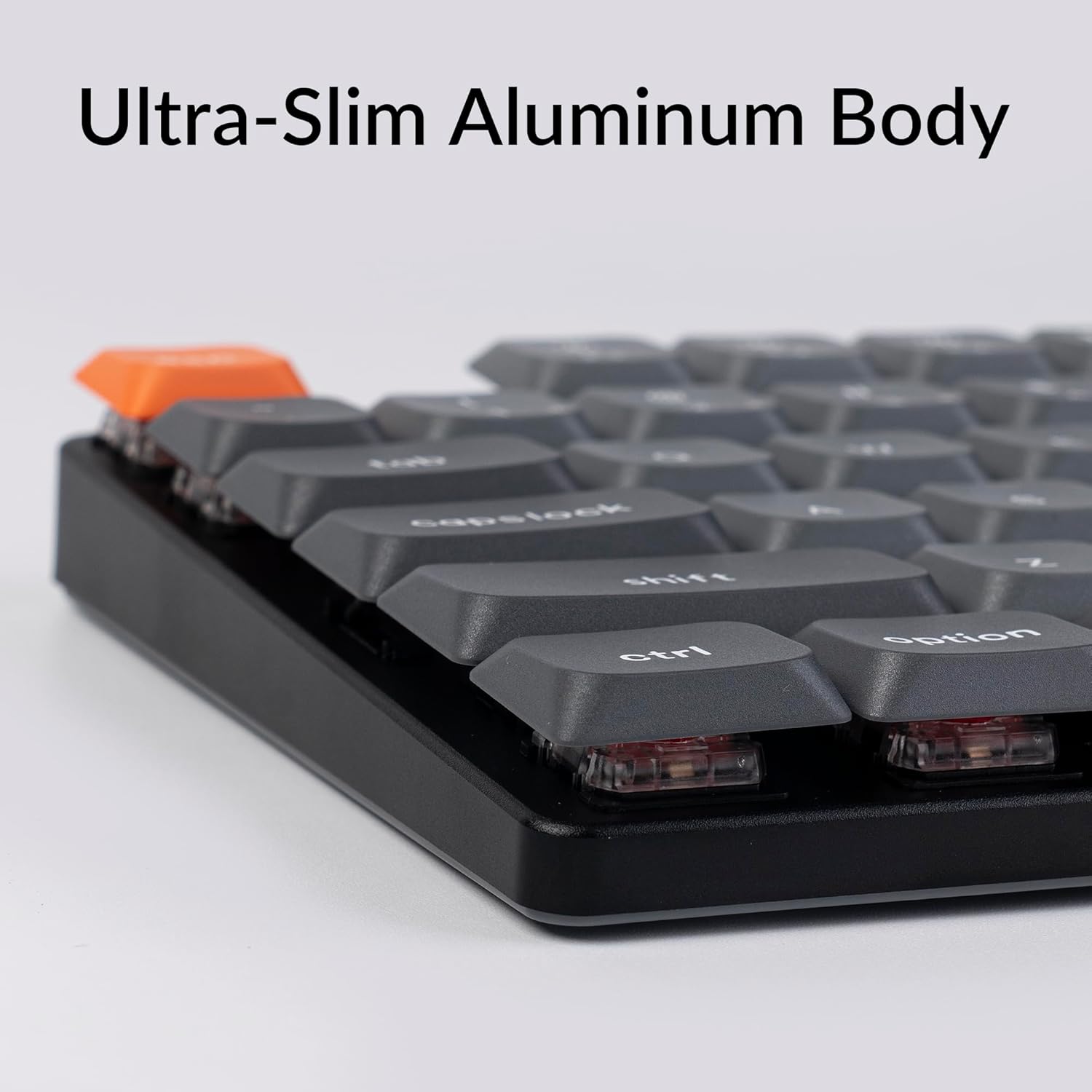
Image: A visual representation of the QMK/VIA software interface, demonstrating how users can remap individual keys and assign macro commands to customize their Keychron K13 Max keyboard.
Арткы жарыкты башкаруу
The keyboard features a white backlight. You can adjust the brightness and lighting effects using dedicated function keys or through the QMK/VIA software.

Сүрөт: жакын план view of the Keychron K13 Max keyboard, highlighting the white backlight feature that illuminates the keys for improved visibility in various lighting conditions.
Эргономикалык колдоо
The K13 Max offers three levels of adjustable typing angle to provide long-lasting ergonomic wrist support. Adjust the feet on the underside of the keyboard to your preferred height.

Сүрөт: Side profile of the Keychron K13 Max keyboard, illustrating its adjustable feet that allow for three different typing angles to enhance ergonomic comfort.
Техникалык тейлөө
Баскычтопту тазалоо
- Тазалоодон мурун клавиатураны бардык кубат булактарынан ажыратыңыз.
- Бир аз жумшак, түксүз кездемени колдонуңуз dampбаскычтоптун капкактарын жана алкагын суу же жумшак тазалоочу эритме менен сүртүңүз.
- Ачкычтардын ортосундагы чаң жана таштанды үчүн кысылган абаны колдонуңуз.
- Катуу химиялык заттарды же абразивдүү материалдарды колдонуудан алыс болуңуз.
Keycap Removal and Replacement
The K13 Max comes with low-profile PBT keycaps that are durable and oil-resistant. You can remove and replace keycaps using the included keycap puller.
- Баскыч капкагын тарткычты алып салгыңыз келген баскычка акырын бекитиңиз.
- Pull straight up with even pressure to detach the keycap.
- Алмаштыруу үчүн, баскычтоптун капкагын которгучтун сабы менен тегиздеп, ордуна чыкылдаган үн чыкканча бекем басыңыз.

Сүрөт: деталдуу view of the Keychron K13 Max keyboard, emphasizing its low-profile double-shot PBT keycaps, known for their durability and resistance to oil.
Проблемаларды чечүү
| Көйгөй | Мүмкүн себеп | Чечим |
|---|---|---|
| Баскычтоп жооп бербей жатат (зымдуу) | Кабель туташуу бош, USB порту туура эмес. | USB-C кабелинин бекем туташканын текшериңиз. Башка USB портун же кабелин колдонуп көрүңүз. |
| Keyboard not responding (wireless 2.4 GHz) | Dongle not plugged in, out of range, interference, low battery. | Ensure 2.4 GHz dongle is plugged in. Move keyboard closer to dongle. Recharge keyboard. |
| Клавиатура жооп бербей жатат (Bluetooth) | Not paired, out of range, low battery, interference. | Ensure keyboard is in Bluetooth mode and paired. Recharge keyboard. Re-pair if necessary. |
| Баскычтар эки жолу терилип жатат же катталбай жатат | Dust/debris under keycap, switch issue, software glitch. | Clean under keycaps with compressed air. Try factory reset via QMK/VIA. Contact support if issue persists. |
| Арткы жарык иштебейт | Backlight turned off, low battery, software setting. | Press backlight control keys. Recharge keyboard. Check QMK/VIA settings. |
For further assistance, please refer to the official Keychron support resources or contact customer service.
Техникалык шарттар
| Өзгөчөлүк | Деталь |
|---|---|
| Модель номери | K13M-A1 |
| Байланыш технологиясы | Bluetooth 5.1, 2.4 ГГц зымсыз, USB-C зымдуу |
| Добуш берүү көрсөткүчү | 1000 Hz (2.4 GHz wireless and wired) |
| Шайкеш түзмөктөр | macOS, Windows, Linux |
| Баскыч капкактары | Low-Profile Double-Shot PBT |
| Которгучтар | Low-Profile Gateron кызыл которгучу |
| Арткы жарык | White Backlight (Single Color) |
| Ачкычтардын саны | 90 |
| Материал | ABS + Aluminum frame |
| Элемент Салмагы | 2.25 фунт |
| Пакеттин өлчөмдөрү | 14.48 x 6.26 x 1.54 дюйм |
| Батарея | 1 Литий Полимердик батарейка (кошулган) |
| Батареянын иштөө мөөнөтү | Up to 80 hours (estimated, based on typical usage) |

Image: An illustration highlighting the estimated battery life of up to 80 hours for the Keychron K13 Max keyboard on a single charge.
Кепилдик жана колдоо
Keychron products are designed for durability and performance. For specific warranty information, please refer to the warranty card included with your product or visit the official Keychron webсайт.
For technical support, troubleshooting not covered in this manual, or general inquiries, please contact Keychron customer support through their official channels. You can often find support contact information on the Keychron webсайтында же продуктунун таңгагында.
Расмий Keychron Webсайт: www.keychron.com
Колдонуучунун колдонмосу (PDF): Колдонуучунун колдонмосун жүктөп алыңыз
Колдонуучунун колдонмосу (PDF): Колдонуучунун колдонмосун жүктөп алыңыз