
Introduction
Thank you for choosing the eufy LR20 Robot Vacuum. This manual provides essential information for the safe operation, maintenance, and troubleshooting of your device. Please read it thoroughly before using the product and retain it for future reference.
Маанилүү коопсуздук нускамалары
Before using this product, read all safety instructions. Failure to follow these instructions may result in electric shock, fire, or serious injury.
- Бул шайманды 8 жаштан жогорку балдар жана физикалык, сезүү же акыл-эс жөндөмү начар же тажрыйбасы жана билими жок адамдар колдонсо болот, эгерде алар көзөмөлгө алынган же шайманды коопсуз колдонуу боюнча нускама алган болсо жана келтирилген коркунучтарды түшүнсө. .
- Балдар шайман менен ойнобошу үчүн аларды көзөмөлгө алуу керек.
- Тазалоо жана колдонуучу тейлөөнү балдар көзөмөлсүз жасабашы керек.
- Өндүрүүчү тарабынан берилген оригиналдуу кубат адаптерин гана колдонуңуз.
- Do not use the appliance in wet environments or on wet surfaces.
- Чачты, кенен кийимдерди, манжаларды жана дененин бардык бөлүктөрүн тешиктерден жана кыймылдуу бөлүктөрдөн алыс кармаңыз.
- Тамеки, ширеңке, ысык күл сыяктуу күйүп жаткан же чылым чеккен нерселерди албаңыз.
- Чаң урнасы жана/же чыпкалары жок колдонбоңуз.
- Шайманды үйдүн ичинде сактаңыз.
Пакеттин мазмуну
Пакетте бардык компоненттер бар экенин текшериңиз:
- eufy LR20 Robot Vacuum
- Заряддоо базасы
- Кубаттуу адаптер
- Каптал щеткалары (x2)
- Тазалоо куралы
- User Manual
Продукт бүттүview
Familiarize yourself with the components of your eufy LR20 Robot Vacuum.
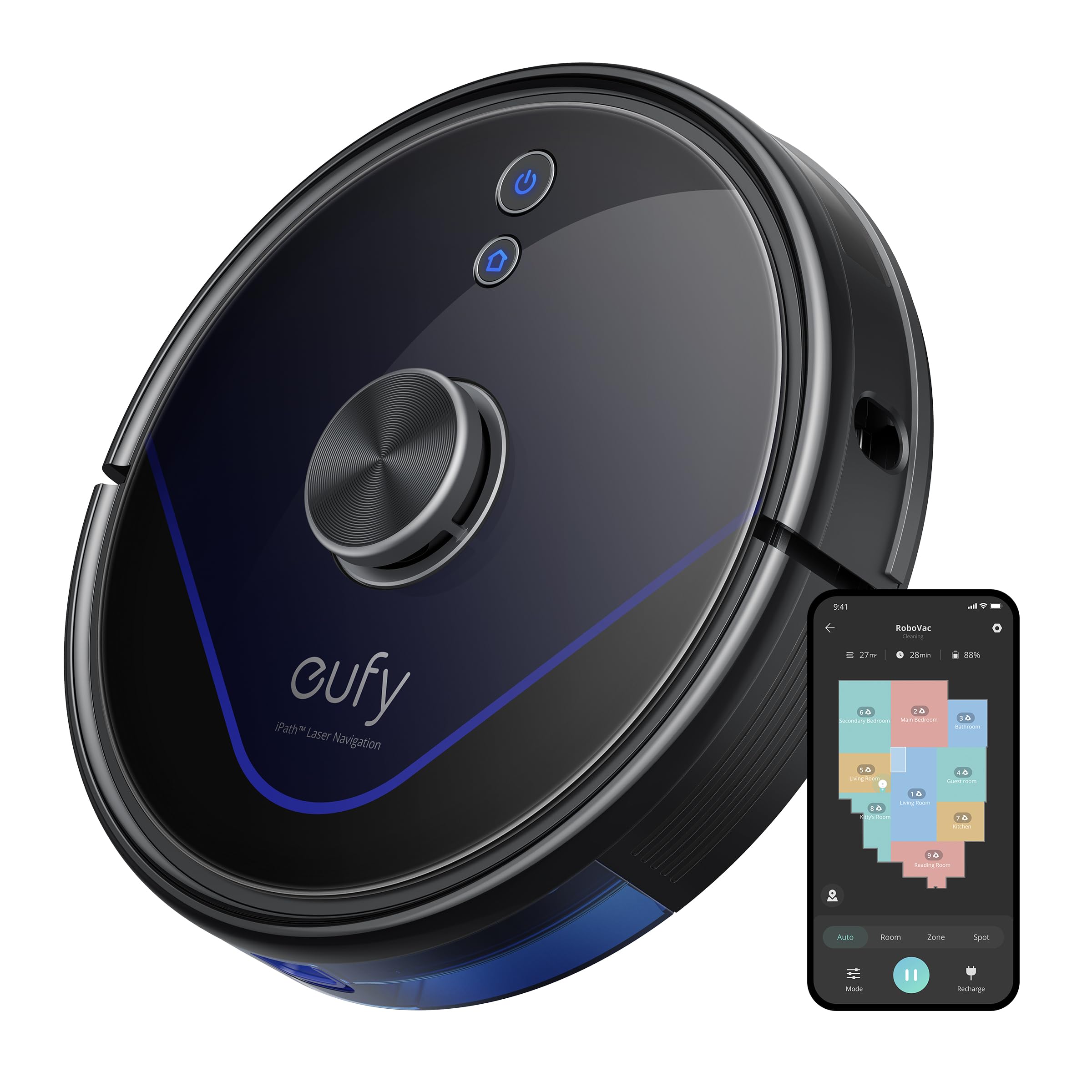
Image: The eufy LR20 Robot Vacuum shown with its charging base. The robot is black, circular, and features a laser navigation dome on top. The charging base is compact and designed for the robot to dock automatically.
Робот чаң соргучтун компоненттери:
- Жогорку: Laser Navigation Sensor (LiDAR), Power/Clean Button, Wi-Fi Indicator.
- Алдыңкы: Bumper Sensor.
- Төмөнкү: Side Brushes, Main Brush, Driving Wheels, Universal Wheel, Drop Sensors, Charging Contacts.
- Чаң урнасы: Located under the top cover, includes a filter.
Charging Base Components:
- Заряддоо Pins
- Power Indicator
- Power Port
Жайгашуу
1. Prepare the Cleaning Area
- Remove power cords, small objects, and anything that could entangle the robot.
- Fold tasseled edges of area rugs underneath to prevent tangling.
- Avoid placing the robot on very dark-colored carpets or surfaces, as this may interfere with drop sensors.
2. Каптал щеткаларды орнотуңуз
- Каптал щеткаларды роботтун астыңкы жагындагы мамыларга алар ордуна чыкылдаганча басыңыз.
3. Place the Charging Base
- Заряддоочу негизди дубалга такап, катуу, тегиз жерге коюңуз.
- Ensure there is at least 3 ft (1 m) of clear space to the front and 1 ft (0.3 m) to each side of the charging base.
- Connect the power adapter to the charging base and plug the other end into a wall outlet.
- Do not place the charging base near stairs or open doorways.
4. Баштапкы заряддоо
- Place the robot onto the charging base, ensuring its charging contacts align with the pins on the base.
- The robot will automatically turn on and begin charging. The LED indicator on the robot will breathe orange while charging and turn solid blue when fully charged.
- Роботту биринчи жолу колдонуудан мурун толук заряддаңыз (болжол менен 5-6 саат).
5. Download the EufyHome App
- Download the "EufyHome" app from the App Store (iOS devices) or Google Play (Android devices).
- Open the app and follow the on-screen instructions to create an account and add your LR20 robot vacuum.
- Ensure your Wi-Fi network is 2.4GHz, as the LR20 only supports 2.4GHz Wi-Fi.
Робот вакуумду иштетүү
Тазалоо циклин баштоо
- Робот аркылуу: Press the Power/Clean button once to start cleaning in Auto mode. Press again to pause.
- Колдонмо аркылуу: Open the EufyHome app, select your LR20, and tap "Start" or choose a specific cleaning mode.
Тазалоо режимдери
- Автоматтык тазалоо: The robot cleans automatically using iPath Laser Navigation, following a Z-shaped path for efficient coverage.
- Таза так: Cleans a specific area intensely. Place the robot in the center of the desired area and select Spot Clean in the app.
- Таза аймак: Define a specific area on the map in the EufyHome app for the robot to clean.
BoostIQ технологиясы
The LR20 automatically increases suction power within 1.5 seconds when it detects extra vacuuming strength is needed, such as on carpets.
Multi-Floor Mapping and No-Go Zones
- The robot can recognize and store up to three different floor maps.
- Use the EufyHome app to set virtual boundaries or "No-Go Zones" on your map to prevent the robot from entering specific areas.
Пландаштыруу
Set cleaning schedules through the EufyHome app for automated cleaning at preferred times.
Техникалык тейлөө
Regular maintenance ensures optimal performance of your eufy LR20. Always turn off the robot and disconnect it from the charging base before performing any maintenance.
Emptying the Dust Bin (After each use)
- Чаң кутучасын чыгаруу баскычын басып, чаң кутучасын сууруп алыңыз.
- Чаң урнасынын капкагын ачып, ичиндегилерин таштанды челекке бошотуңуз.
Cleaning the Filter (Weekly)
- Чаң урнасынан чыпканы алып салыңыз.
- Tap the filter to remove dust and debris. Do not wash the filter with water.
- Колдонууга жараша чыпканы ар бир 3-6 ай сайын алмаштырып туруңуз.
Cleaning the Main Brush (Weekly)
- Бошотуу тилкелерин басып, щетканын коргоочусун алып салыңыз.
- Негизги щетканы көтөрүңүз.
- Use the cleaning tool to remove hair and debris wrapped around the brush.
- Reinstall the main brush and brush guard.
Cleaning the Side Brushes (Monthly)
- Pull the side brushes off their posts.
- Ар кандай чачты же таштандыларды алып салыңыз.
- Бузулган же эскирген болсо алмаштырыңыз.
Cleaning Sensors and Charging Contacts (Monthly)
- Wipe the drop sensors, bumper sensor, and charging contacts on both the robot and the charging base with a dry cloth.
Проблемаларды чечүү
If the robot vacuum encounters an issue, refer to the following table for common problems and solutions.
| Көйгөй | Чечим |
|---|---|
| Робот күйбөйт. | Ensure the robot is fully charged. Check if the power switch is ON. |
| Робот заряддай албайт. | Verify the charging base is powered on. Clean the charging contacts on both the robot and the base. |
| Робот бат-баттан тыгылып калат. | Clear obstacles from the cleaning path. Use No-Go Zones in the app for problematic areas. Clean driving wheels. |
| Соруу күчү начар. | Empty the dust bin. Clean or replace the filter. Clean the main brush. |
| Робот Wi-Fi'га туташа албайт. | Ensure your Wi-Fi is 2.4GHz. Restart your router and the robot. Follow app instructions for re-pairing. |
| Робот адаттан тыш үндөрдү чыгарат. | Check the main brush and side brushes for tangled hair or debris. Inspect the universal wheel for obstructions. |
Техникалык шарттар
| Өзгөчөлүк | Спецификация |
|---|---|
| Модел | LR20 |
| Соруу күчү | 3200Pa (Ultra-strong) |
| Навигация системасы | iPath Laser Navigation (LiDAR) |
| Чаң урнасынын сыйымдуулугу | 600 миллилитр |
| Батарея түрү | Литий ион |
| Батареянын иштөө мөөнөтү | 145 мүнөткө чейин |
| Ызы-чуу деңгээли | 57.9 децибел |
| Wi-Fi колдоо | 2.4 ГГц гана |
| Башкаруу ыкмасы | App Control, Alexa, Google system |
| Өзгөчөлүктөр | BoostIQ Technology, Multi-Floor Mapping, HEPA Filtration |
Кепилдик жана колдоо
eufy provides a limited warranty for this product. For detailed warranty information, please refer to the warranty card included in your package or visit the official eufy webсайт.
For technical support, troubleshooting assistance, or to purchase replacement parts, please contact eufy customer service:
- Webсайт: www.eufylife.com
- Электрондук почта: Кепилдик картаңызды караңыз же webбелгилүү бир байланыш электрондук почтасы үчүн сайт.
- Телефон: Кепилдик картаңызды караңыз же website for specific contact number.
Please have your model number (LR20) and purchase information ready when contacting support.