
1. Киришүү
Thank you for choosing the AOFAR HX1000 Hunting Laser Rangefinder. This device is designed to provide accurate distance, angle, and speed measurements for hunting and outdoor activities. Featuring a high-transparency multi-coated lens with 6x magnification, a measurement range of up to 1000 yards, and a durable IPX4 waterproof design, the HX1000 offers reliable performance in various conditions. This manual provides essential information for the proper setup, operation, maintenance, and troubleshooting of your device.
2. Коопсуздук маалыматы
The AOFAR HX1000 is a Class 1 laser product. Please read and adhere to the following safety guidelines:
- Лазердик нурга тике карабаңыз. Direct exposure to the laser beam may cause eye damage.
- Аппаратты эч кимдин көзүнө багыттабаңыз.
- Avoid disassembling or modifying the device. Unauthorized modifications can lead to laser radiation exposure and void the warranty.
- Аппаратты экстремалдык температурадан, түз күн нурунан жана жогорку нымдуулуктан алыс кармаңыз.
- Handle the device with care to prevent drops or impacts that could damage internal components.
- Балдар жетпеген жерде сактаңыз.
3. Пакеттин мазмуну
Пакетиңизде бардык буюмдар бар экенин текшериңиз:
- AOFAR HX1000 Laser Rangefinder (x1)
- Handbag (x1)
- Карабин (x1)
- Lanyard (x1)
- Тазалоочу чүпүрөк (x1)
- USB Type-C заряддоо кабели (x1)
- Колдонуучунун колдонмосу (x1)

Figure 3.1: Included accessories with the AOFAR HX1000 Laser Rangefinder.
4. Продукт бүтүп калдыview
Familiarize yourself with the components of your AOFAR HX1000 Laser Rangefinder.
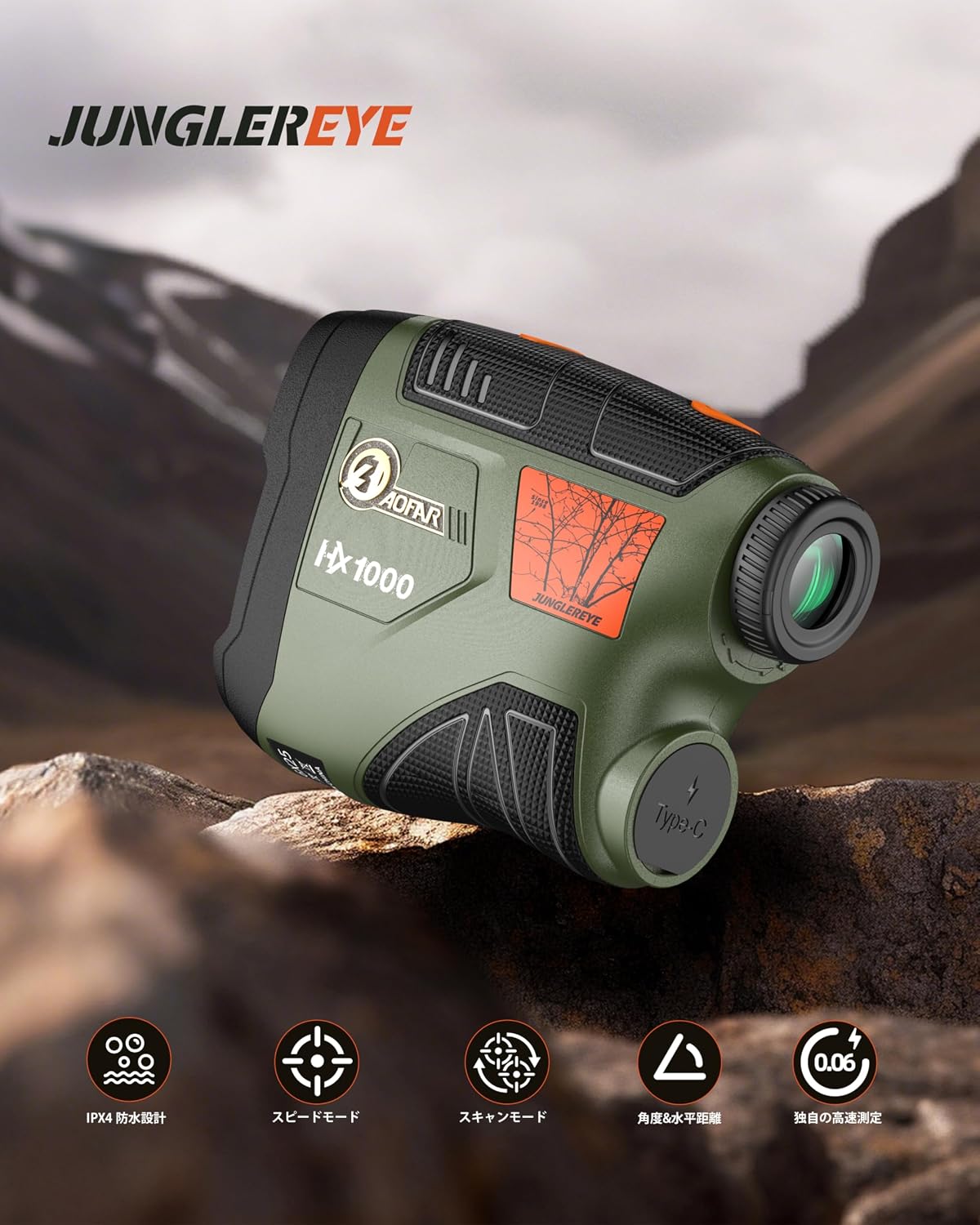
Сүрөт 4.1: Алдыңкы view of the AOFAR HX1000 Laser Rangefinder.
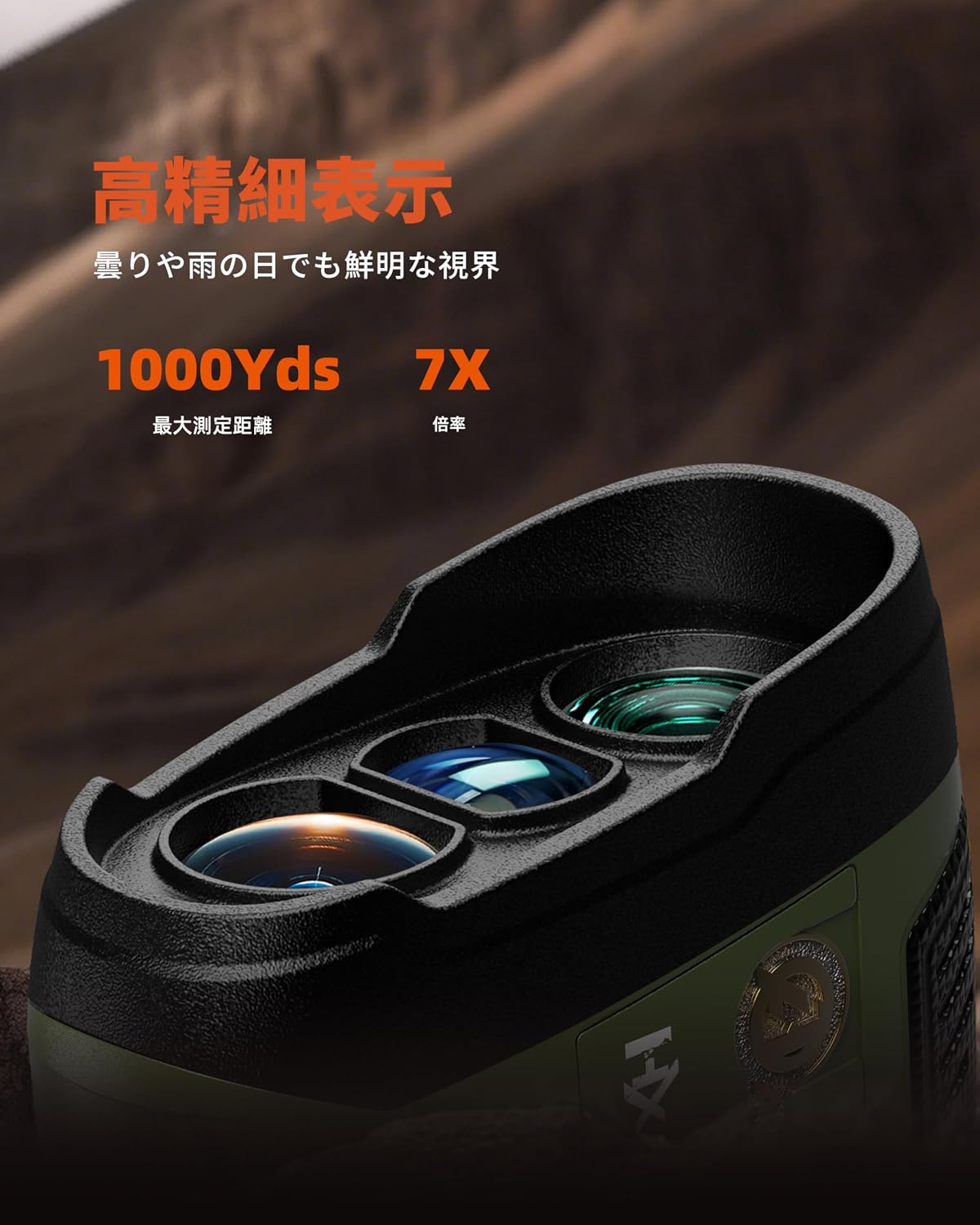
Figure 4.2: Close-up of the objective and eyepiece lenses.
Негизги компоненттер:
- Объективдүү линза: Лазер нуру чыгарылып жана кабыл алынып турган алдыңкы линза.
- Окуляр: Сиз карап турган линза view максат жана дисплей.
- Кубат/Өлчөө баскычы: Түзмөктү күйгүзүү жана өлчөөлөрдү баштоо үчүн колдонулат.
- Режим баскычы: Used to switch between different measurement modes.
- USB Type-C заряддоо порту: Ички батареяны кайра заряддоо үчүн.
- Диоптрияны жөндөө шакеги: Located on the eyepiece, used to adjust focus for clear viewing.
5. Орнотуу
5.1 Аппаратты заряддоо
The AOFAR HX1000 features a built-in rechargeable lithium-ion battery. Before first use, fully charge the device.
- Locate the USB Type-C charging port on the side of the rangefinder.
- Connect the provided USB Type-C cable to the rangefinder and the other end to a compatible USB power source (e.g., computer, wall adapter).
- The charging indicator will show the charging status. A full charge provides approximately 12,000 measurements.
- Avoid charging in high-temperature environments. Do not use the device while charging.
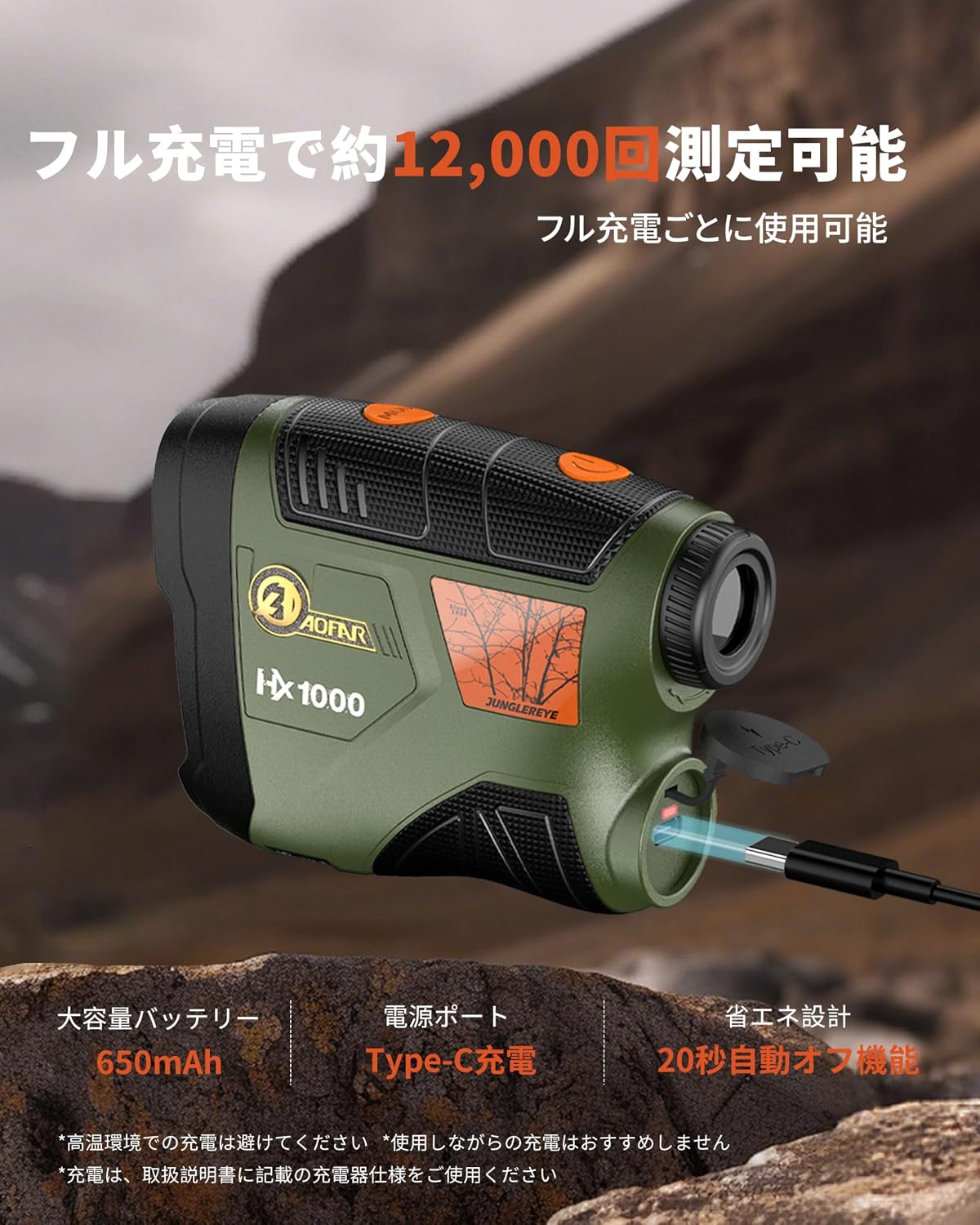
Figure 5.1: Charging the AOFAR HX1000 via USB Type-C.
5.2 Окулярды тууралоо
Ачык үчүн viewing, adjust the diopter:
- Окуляр аркылуу кара.
- Rotate the diopter adjustment ring until the display and target appear sharp and clear.
5.3 Күйгүзүү/өчүрүү
- Күйгүзүү: Press the Power/Measurement button once. The display will activate.
- Өчүрүү: The device will automatically power off after 20 seconds of inactivity to conserve battery. You can also press and hold the Power/Measurement button to manually turn it off.
6. Иштөө нускамалары
The AOFAR HX1000 offers multiple measurement modes to suit various needs.

Figure 6.1: ашыкview of measurement modes.
6.1 Basic Measurement (Distance Mode)
This is the default mode for measuring linear distance to a stationary target.
- Power on the device by pressing the Power/Measurement button.
- Крест сызыктарын каалаган бутага багыттаңыз.
- Press the Power/Measurement button again. The measured distance will be displayed instantly.
6.2 Режимди тандоо
To switch between measurement modes, press the Mode button while the device is powered on.
6.3 Ылдамдыкты өлчөө режими
This mode allows you to measure the speed of a moving target.
- Press the Mode button until 'Speed Mode' is indicated on the display.
- Aim at the moving target.
- Press the Power/Measurement button. The speed of the target will be displayed.
Video 6.1: Demonstration of AOFAR rangefinder operation, including speed measurement. Note: The model shown in this video is HX2000, but the general operational principles apply to the HX1000.
6.4 Скандоо режими
For continuous measurement of multiple targets or a moving target, use the scanning mode.
- Press the Mode button until 'Scanning Mode' is indicated.
- Press and hold the Power/Measurement button while sweeping the rangefinder across different targets.
- The display will continuously update with real-time distances to objects in the field of view.
6.5 Multi-functional Measurement
The HX1000 can automatically calculate horizontal distance and angle. These values are displayed alongside the linear distance in certain modes.
6.6 Unit Switching (Meter/Yard)
To switch between meters (m) and yards (yd):
- While the device is powered on, press and hold the Mode button for a few seconds until the unit changes.
7. Техникалык тейлөө
Proper care ensures the longevity and accuracy of your rangefinder.
- Тазалоочу линзалар: Use the provided cleaning cloth or a soft, lint-free cloth to gently wipe the lenses. Avoid using abrasive materials or harsh chemicals.
- Тазалоочу орган: Денени жумшак менен сүртүңүз, гamp cloth. Do not use solvents or immerse the device in water.
- Сактагыч: Store the rangefinder in its protective handbag in a cool, dry place when not in use. Avoid prolonged exposure to direct sunlight or extreme temperatures.
- Батареяга кам көрүү: Батареянын ден соолугун сактоо үчүн, аппарат көп колдонулбаса да, батареяны үзгүлтүксүз толтуруңуз.
8. Кыйынчылыктарды
If you encounter issues with your AOFAR HX1000, refer to the following common problems and solutions:
| Көйгөй | Мүмкүн себеп | Чечим |
|---|---|---|
| Түзмөк күйбөйт. | Батареянын заряды аз же түзмөк өчүк. | Charge the battery using the USB Type-C cable. Press the Power/Measurement button to turn on. |
| Туура эмес өлчөө. | Unstable grip, dirty lenses, or target is too small/reflective. | Ensure a steady grip. Clean the lenses. Aim at a larger or less reflective part of the target. |
| Дисплей бүдөмүк. | Диоптр туура эмес туураланган. | Rotate the diopter adjustment ring on the eyepiece until the display is clear. |
| Режимдерди которуштуруу мүмкүн эмес. | Mode button not pressed correctly or device is frozen. | Ensure a firm press on the Mode button. If unresponsive, power off and on the device. |
If the problem persists after attempting these solutions, please contact AOFAR customer support.
9. Техникалык шарттар
Detailed technical specifications for the AOFAR HX1000 Laser Rangefinder:
| Өзгөчөлүк | Спецификация |
|---|---|
| Модел | HX1000 |
| Өлчөө диапазону | 5 - 1000 ярд |
| Өлчөө тактыгы | ±1 ярд |
| Чоңойтуу | 6X |
| Линза каптоо | Multi-coated LCD lens |
| Батарея түрү | Кайра заряддалуучу литий-ион (650 мАч) |
| Заряддоо порту | USB Type-C |
| Суу өткөрбөйт деңгээл | IPX4 (чачууга каршы) |
| Өлчөмдөрү (L x W x Y) | 10.5 x 2.5 x 7.5 см |
| Салмагы | 140г |
| Материал | ABS, резина |
| Түс | Аскердик жашыл |
10. Кепилдик жана колдоо
The AOFAR HX1000 Laser Rangefinder comes with a 2 жылдык кепилдик сатып алынган күндөн тартып. Бул кепилдик өндүрүштүк кемчиликтерди камтыйт жана кадимки колдонууда ишенимдүү иштөөнү камсыз кылат.
For any questions, technical assistance, or warranty claims, please contact AOFAR customer support. When contacting support, please have your order number ready for faster service.
Байланыш маалыматы: Please refer to the contact details provided on the AOFAR official webэң акыркы колдоо маалыматы үчүн сайтка же сатып алуу платформаңызга кайрылыңыз.