
1. Киришүү
Thank you for choosing the VCHICS Digital Audio Amplifier Receiver Module. This device is designed to provide versatile audio playback options, including Bluetooth, USB, TF card, and FM radio, with adjustable bass and treble controls. This manual will guide you through the setup, operation, and maintenance of your ampөмүр модулу.
2. Негизги өзгөчөлүктөрү
- MP3 music playback from TF card, USB disk, and Bluetooth.
- Adjustable Treble, Bass, and Master Volume controls.
- Integrated Bluetooth receiver for wireless audio streaming.
- Кыналган FM радио функциясы.
- AUX port for connection to PC, phone, or CD players.
- Supports AC 110-220V or DC 12-24V input voltage.
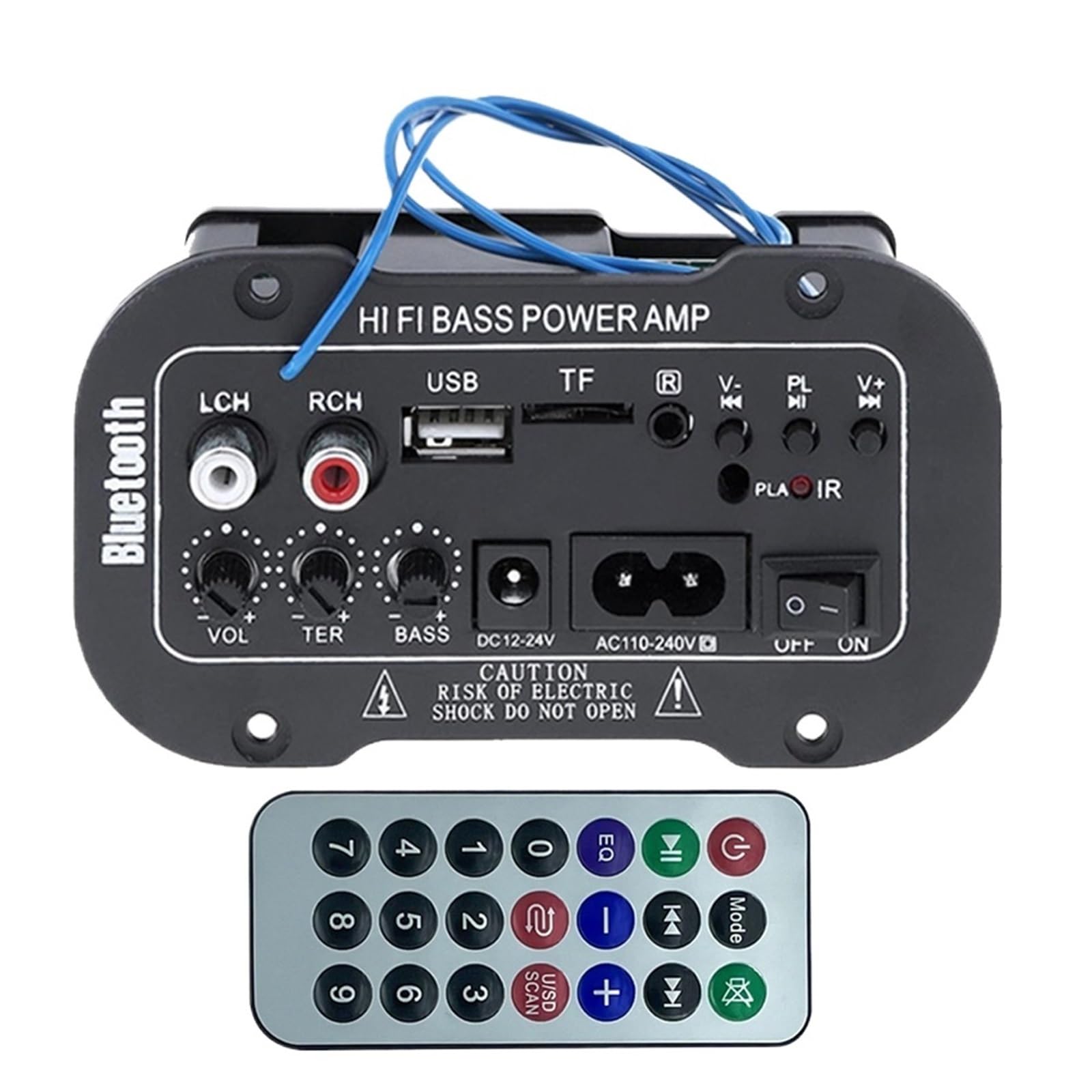
Figure 1: ашыкview of the VCHICS Digital Audio Amplifier Receiver Module.
3. Техникалык шарттар
| Спецификация | Нарк |
|---|---|
| Bluetooth версиясы | 2.1+EDR |
| Operating Voltage | 9-20 В DC |
| Иштөө күчү | 25-30 Вт |
| Codec | SBC |
| Импеданс | 4 Ом |
| Динамиктин өлчөмү | 133 мм |
| Сезимталдуулук | 200hv |
| Frequency Response | 20-20000 Гц |
| Элемент Салмагы | 400 грамм |
| Каналдардын саны | 1 |
| Модель номери | 1005005454581585 |

Figure 2: Product dimensions (11.7cm x 6.5cm x 4.5cm / 10cm x 4cm).
4. Башкаруу элементтери жана байланыштар
Familiarize yourself with the various controls and connection ports on your ampкөтөргүч модулу:

3-сүрөт: Детальдуу view of controls and connection points.
- LCH / RCH (Audio Input): Left and Right channel audio input for external devices.
- USB слоту: MP3 ойнотуу үчүн USB флэш-дисктерди туташтыруу үчүн.
- TF Slot: For inserting TF (MicroSD) cards for MP3 playback.
- Previous / Next (V- / V+): Navigate tracks or adjust volume in certain modes.
- Play / Pause (PL/IR): Play/pause audio, or initiate FM scan. IR indicates Infrared Sensor for remote control.
- Көрсөткүч: Статус жарыгы.
- Инфракызыл сенсор: For receiving signals from a remote control (if included or compatible).
- ӨЧҮРҮҮ / КҮЙҮК: Power switch for the module.
- AC110-240V: AC кубаттуулугун киргизүү.
- DC12-24V: DC кубат киргизүү.
- Басс тууралоо: Rotary knob to adjust bass levels.
- Үч ырды жөндөө: Rotary knob to adjust treble levels.
- Үндү тууралоо: Rotary knob to adjust master volume.
- Bluetooth баскычы: Bluetooth режимин иштетет.
5. Орнотуу
5.1 Кубат туташтыруу
- камсыз кылуу amplifier module is switched OFF.
- Connect the appropriate power supply to either the AC110-240V киргизүү же DC12-24V input. Use only the specified voltagзыяндын алдын алуу үчүн диапазону.
5.2 Динамиктин туташуусу
Connect your speakers to the output terminals of the amplifier module. Ensure correct polarity (+/-) for optimal sound quality.
5.3 Antenna Connection (for FM Radio)
If using the FM radio function, connect the provided FM antenna to the designated antenna port for better reception.
6. Иштөө нускамалары
6.1 Күйгүзүү/өчүрүү
которуштуруу ӨЧҮРҮҮ / КҮЙҮҮ switch to power on or power off the module.
6.2 Bluetooth байланышы
- басыңыз РЕЖИМ button (or the Bluetooth button if labeled) to switch the amplifier to Bluetooth mode.
- On your mobile phone or Bluetooth device, open the Bluetooth settings and search for available devices.
- тандаңыз amplifier's Bluetooth device name (usually "Bluetooth" or similar) from the list to connect.
- Once successfully paired, you can play audio from your device through the ampөмүрлүү.
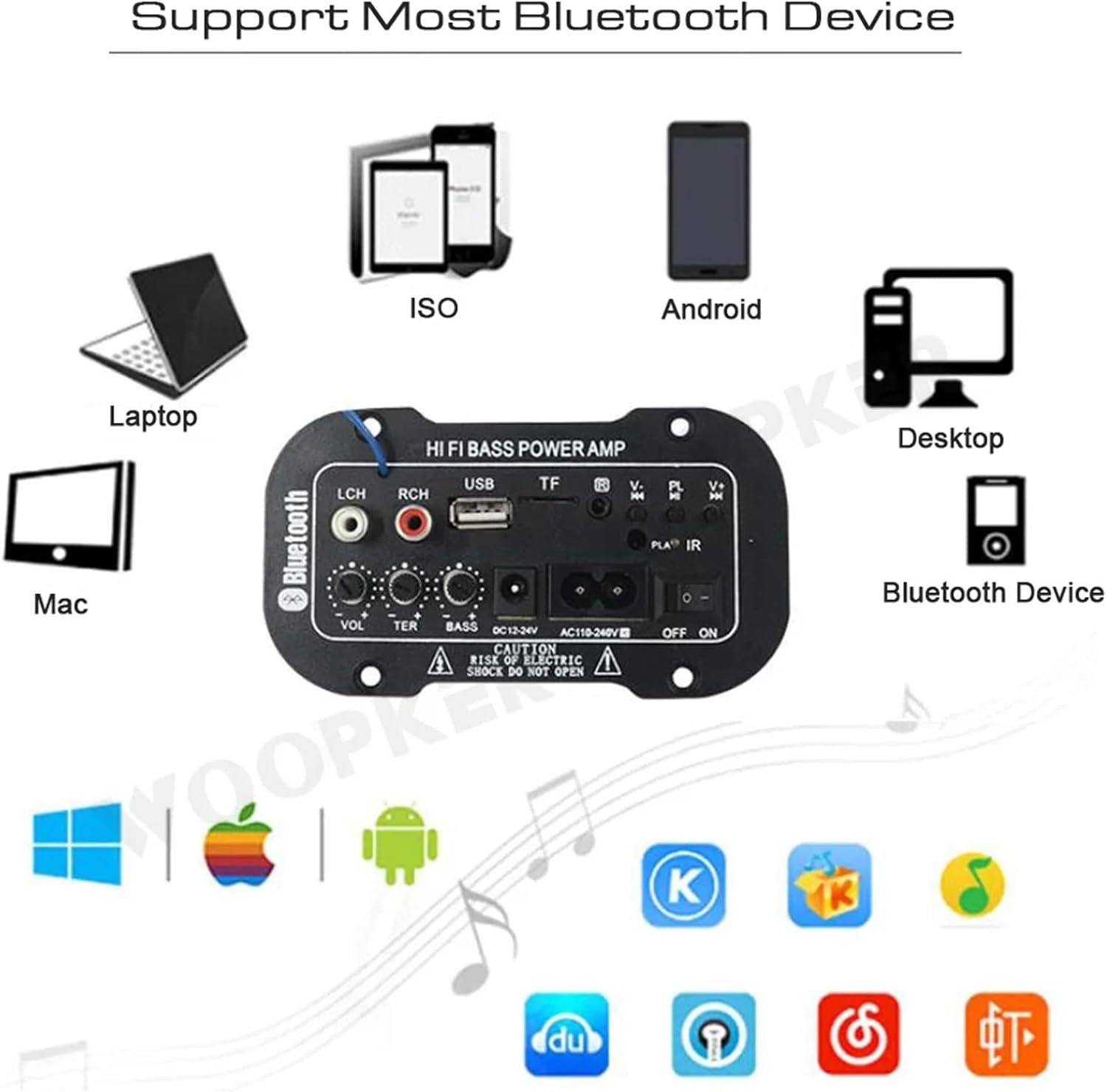
4-сүрөт: The amplifier module supports various Bluetooth devices including laptops, phones, and desktops.
6.3 FM радиосунун иштеши
- Ensure the radio antenna is properly connected.
- басыңыз РЕЖИМ которуштуруу үчүн баскыч amplifier to FM radio mode.
- басыңыз Ойнотуу / Тыныгуу button to initiate an automatic scan for all available FM channels. The module will save them automatically.
- колдонуу Мурунку кийинки buttons to switch between saved radio stations.
6.4 USB / TF картасын ойнотуу
- USB флэш-дискти салыңыз USB уячасы же TF (MicroSD) картасын TF Slot.
- The module should automatically detect the storage device and begin playing MP3 fileс. Болбосо, басыңыз РЕЖИМ button to cycle through input sources until USB or TF mode is active.
- колдонуу Мурунку кийинки buttons to change tracks and the Ойнотуу / Тыныгуу ойнотууну башкаруу үчүн баскыч.
6.5 AUX киргизүү
Connect an external audio source (e.g., PC, phone, CD player) to the LCH / RCH (Audio Input) ports using an appropriate audio cable. Press the РЕЖИМ button to select the AUX input source.
6.6 Adjusting Audio
колдонуу Көлөмүн жөндөө, Treble Adjust, жана Басс тууралоо rotary knobs to fine-tune your audio output to your preference.
7. Кыйынчылыктарды
- Кубат жок: Ensure the power cable is securely connected and the power switch is in the ON position. Verify the power source is active and providing the correct voltage (AC 110-240V or DC 12-24V).
- Үн жок: Check speaker connections for correct polarity. Ensure the volume is turned up. Verify the correct input mode (Bluetooth, FM, USB, TF, AUX) is selected. Test with a different audio source.
- Bluetooth туташпай жатат: текшериңиз amplifier is in Bluetooth mode. Ensure your device's Bluetooth is enabled and within range. Try restarting both the ampкөтөргүч жана Bluetooth түзмөгүңүз.
- FM кабыл алуу начар: Ensure the FM antenna is properly connected and extended. Try repositioning the antenna or the amplifier for better signal.
- USB/TF Card Not Playing: Ensure the USB drive or TF card contains compatible MP3 audio files. Check that the storage device is inserted correctly and not corrupted.
8. Техникалык тейлөө
- сактаңыз amplifier module clean by wiping it with a soft, dry cloth.
- Түзмөктү нымдуулукка, өтө жогорку температурага же түз күн нуруна дуушар кылбаңыз.
- Do not attempt to disassemble or repair the module yourself, as this may void any warranty and cause damage.
9. Кепилдик жана колдоо
Кепилдик маалыматы жана техникалык колдоо үчүн, сатып алуу учурунда берилген документтерди караңыз же сатуучуга кайрылыңыз. Ар кандай кепилдик дооматтары үчүн сатып алганыңыздын далилин сактаңыз.