
Introduction
This manual provides detailed instructions for the setup, operation, maintenance, and troubleshooting of your ZTE MC888 Ultra 5G Router. The MC888 Ultra is a high-performance 5G router designed to deliver fast and reliable internet connectivity. It supports download speeds up to 3.8 Gbps and upload speeds up to 280 Mbps, features dual Gigabit LAN/WAN ports, and includes an RJ11 port for voice calls via VoIP, VoLTE, or VoNR.
Коопсуздук маалыматы
- Аппаратты колдонуудан мурун бардык нускамаларды кылдат окуп чыгыңыз.
- Do not open or modify the device. Unauthorized modifications can void your warranty and create safety hazards.
- Use only the power adapter and accessories supplied with the router.
- Аппаратты суудан, нымдан жана экстремалдык температурадан алыс кармаңыз.
- Ашыкча ысып кетүүнүн алдын алуу үчүн роутердин айланасында жакшы желдетүүнү камсыз кылыңыз.
- Маршрутизаторду күчтүү электромагниттик талаалардын жанына коюудан алыс болуңуз.
Пакеттин мазмуну
Пакетиңизде бардык буюмдар бар экенин текшериңиз:
- ZTE MC888 Ultra 5G роутери
- Кубаттуу адаптер
- Ethernet кабели
- Ыкчам баштоо колдонмосу (бул колдонмодо камтылган эмес)
Түзмөк бүттүview
Familiarize yourself with the ports and indicators on your ZTE MC888 Ultra 5G Router.
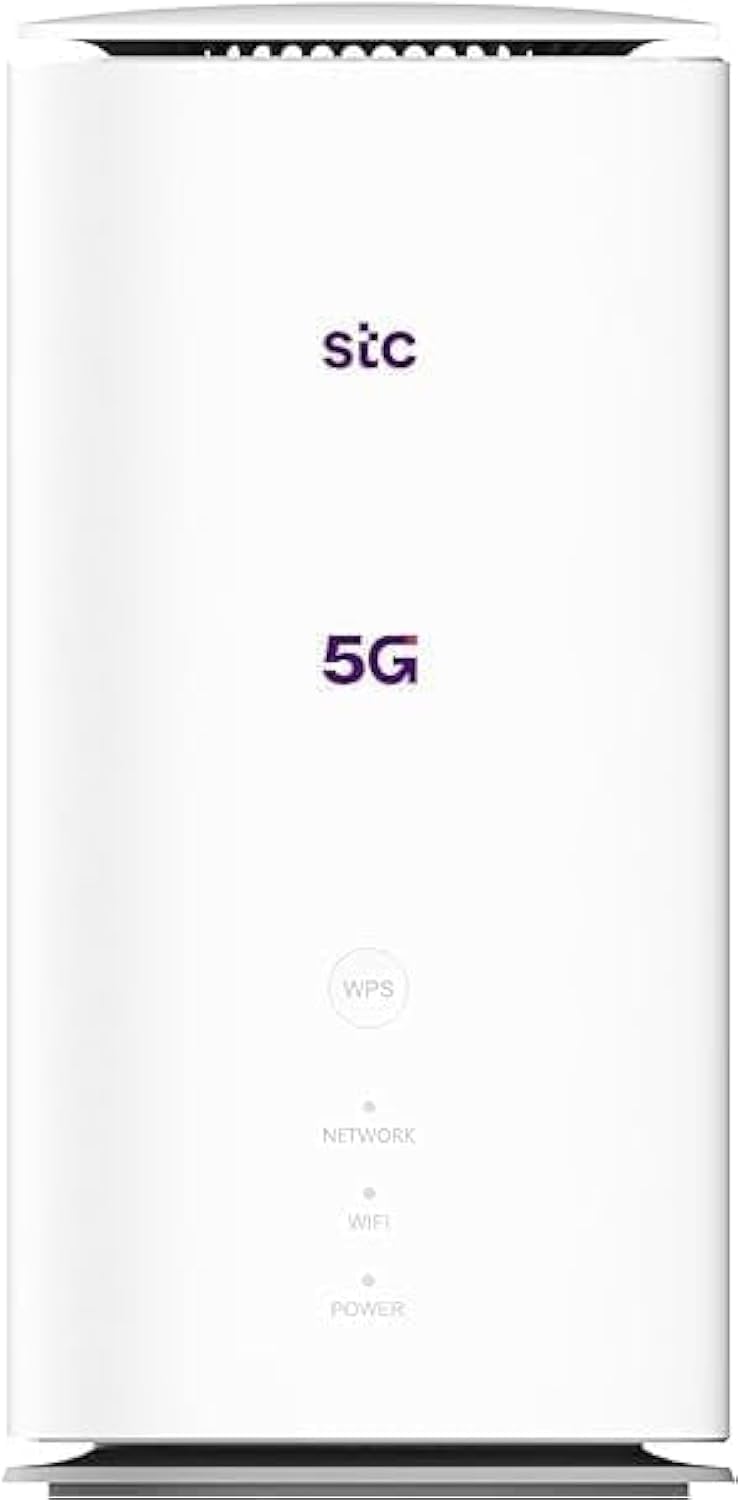
Сүрөт: алдыңкы жана арткы view of the ZTE MC888 Ultra 5G Router, showing LED indicators, SIM card slot, power port, LAN/WAN ports, and RJ11 port.
Алдыңкы панелдин көрсөткүчтөрү:
- Power LED: Кубаттын абалын көрсөтөт.
- Тармак LED: 5G/4G тармак байланышынын абалын көрсөтөт.
- Wi-Fi LED: Wi-Fi аракетин көрсөтөт.
Арткы панелдин порттору:
- Электр порту: Кубат адаптерине туташат.
- LAN/WAN Ports (x2): Gigabit Ethernet ports for wired connections or WAN input.
- RJ11 Порт: For connecting a telephone for VoIP, VoLTE, or VoNR calls.
- SIM карта слоту: 5G/4G SIM картаңызды салуу үчүн.
- Калыбына келтирүү баскычы: Заводдун демейки жөндөөлөрүн калыбына келтирүү үчүн колдонулат.
Жайгашуу
1. SIM картаны кыстарыңыз
- Роутер өчүрүлгөнүн текшериңиз.
- Арткы панелдеги SIM картанын уячасын табыңыз.
- Стандарттуу Nano-SIM картаны алтын түстүү контакттары ылдый каратып жана оюк бурчун туура каратып уячага салыңыз. Ал ордуна чыкылдаган үн чыкканча басыңыз.
2. Кубатты туташтырыңыз
- Connect the supplied power adapter to the router's power port.
- Кубат адаптеринин экинчи учун розеткага сайыңыз.
3. Күйгүзүү
- The router will automatically power on. Wait for the Power LED to turn solid, and the Network LED to indicate a stable 5G/4G connection. This may take a few minutes.
4. Түзмөктөрдү туташтырыңыз
- Wi-Fi туташуусу: Find the Wi-Fi network name (SSID) and password printed on the label at the bottom of the router. Select this network on your device (smartphone, laptop, etc.) and enter the password.
- Ethernet туташуусу: Use the provided Ethernet cable to connect your computer or other network device to one of the LAN/WAN ports on the router.
Иштеп жатат
кирүү Web Интерфейс
- ачуу а web browser on a device connected to the router.
- Enter the router's default IP address (e.g., 192.168.0.1 or 192.168.1.1) into the address bar and press Enter. The exact IP address is usually found on the router's label.
- Кирүү үчүн демейки колдонуучу атын жана сырсөздү киргизиңиз (роутердин этикеткасында да бар).
Wi-Fi жөндөөлөрүн өзгөртүү
From web interface, navigate to the Wi-Fi settings section to change your SSID, password, security type, or enable/disable guest networks.
RJ11 Voice Call Functionality
The RJ11 port allows you to connect a standard analog telephone. You can manage sending and receiving calls via a configured VoIP account, or through VoLTE or VoNR, depending on your mobile operator's compatibility and SIM card support. Refer to your service provider for specific setup details.
Кирүү чекитинин режими
The router supports Access Point (AP) mode, allowing it to extend an existing wired network wirelessly. This feature can be configured through the web тармак жөндөөлөрүнүн астындагы интерфейс.
Техникалык тейлөө
Орнотулган программаны жаңыртуу
Мезгил-мезгили менен роутерди текшерип туруңуз web interface for available firmware updates. Keeping your firmware up-to-date ensures optimal performance, security, and access to new features. Follow the on-screen instructions for safe updating.
Тазалоо
Clean the router with a soft, dry cloth. Do not use liquid cleaners or aerosols. Ensure the device is powered off before cleaning.
Заводдук абалга кайтаруу
If you experience persistent issues or forget your login credentials, you can perform a factory reset. With the router powered on, use a pin to press and hold the Reset button on the rear panel for approximately 5-10 seconds until the indicators flash. The router will restart with default settings.
Проблемаларды чечүү
- Интернет байланышы жок: Check the Network LED. If it's off or red, ensure the SIM card is correctly inserted and has an active data plan. Try restarting the router.
- Жай Wi-Fi ылдамдыгы: Ensure your devices are within range. Reduce interference from other electronic devices. Try changing the Wi-Fi channel in the web интерфейс.
- Кирүү мүмкүн эмес Web Интерфейс: Verify your device is connected to the router via Wi-Fi or Ethernet. Double-check the IP address and login credentials. Try clearing your browser's cache.
- Wi-Fi ажыратуулары: Update router firmware. Ensure the router is placed in a central location. Check for conflicting Wi-Fi networks.
Техникалык шарттар
| Бренд | ZTE |
| Модель аты | MC888 Ultra |
| Модель номери | MC888 ULTRA |
| Байланыш технологиясы | Wi-Fi, 5G/4G Cellular |
| Зымсыз стандарт | 802.11ac |
| Жыштык тилкесинин классы | Кош тилкелүү |
| Макс жүктөө ылдамдыгы | 3.8 Гбит/сек |
| Максималдуу жүктөө ылдамдыгы | 280 Мбит/сек |
| LAN портунун өткөрүү жөндөмдүүлүгү | 1000 Мбит/с (Гигабит) |
| Порттардын саны | 2 x Gigabit LAN/WAN, 1 x RJ11 |
| Антенна түрү | Ички |
| Коопсуздук протоколу | WPS |
| Өзгөчөлүктөр | Access Point Mode, RJ11 for VoIP/VoLTE/VoNR |
| RAM | 4 ГБ |
| Шайкеш түзмөктөр | PC, Laptop, Smartphone, Tablet, Gaming Console, Smart TV, Surveillance Camera, Printer, Ethernet-enabled devices |
| Камтылган компоненттер | Router, Ethernet Cable, Charger |
Кепилдик жана колдоо
Кепилдик маалымат
The ZTE MC888 Ultra 5G Router comes with a 2-year agent warranty. Please retain your proof of purchase for warranty claims. The warranty covers manufacturing defects and malfunctions under normal use. It does not cover damage caused by misuse, accidents, unauthorized repairs, or acts of nature.
Кардарларды колдоо
For technical assistance, warranty service, or further inquiries, please contact your local ZTE authorized service center or the retailer from whom you purchased the product. You may also visit the official ZTE webколдоо булактары жана көп берилүүчү суроолор үчүн сайт.