
1. Киришүү
Thank you for choosing the GEPRC GEP-DS20 Frame. This manual provides essential information for the proper assembly, integration, and maintenance of your new drone frame. Please read these instructions carefully before proceeding with any installation to ensure optimal performance and longevity of your product.
2. Продукт бүтүп калдыview
The GEPRC GEP-DS20 is a lightweight and modular frame designed for micro FPV drones, specifically suited for 2-inch propellers. Its integrated protective frame enhances durability and safety, making it an excellent choice for various flight applications.
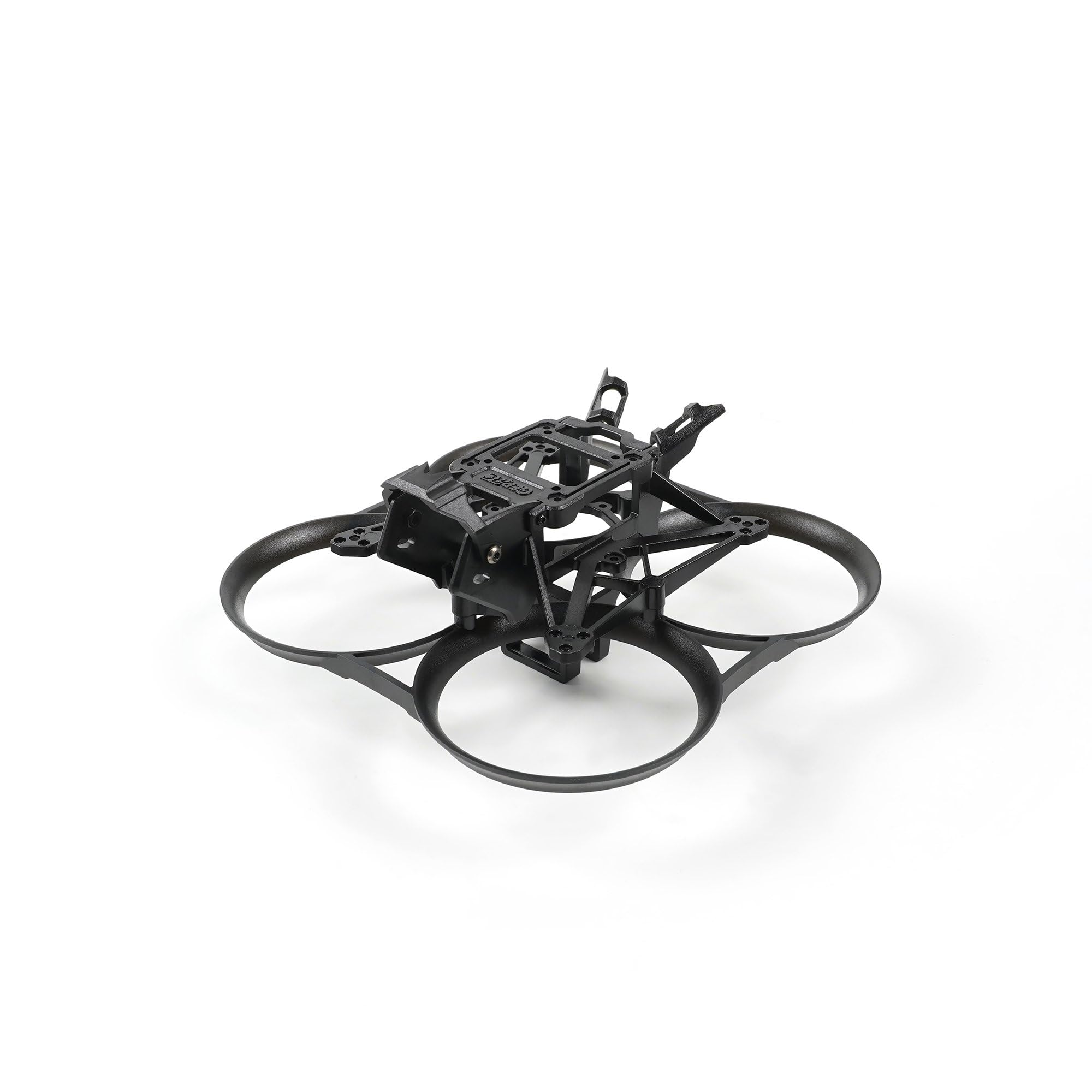
This image shows the GEPRC GEP-DS20 Frame from the front, highlighting its integrated protective ducts and central mounting area.
3. Пакеттин мазмуну
Сиздин пакетиңизде төмөнкү компоненттердин бардыгы камтылганын текшериңиз:
- 1 x Integrated Protective Frame
- 1 x Негизги кадр
- 1 x VTX Mounting Plate
- 1 x Camera Protective Cap
- 1 x Screw Pack (various screws for assembly)
- 2 x VTX Antenna
- 1 x 1.5mm L-type Screwdriver
- 1 x Torx Screwdriver
4. Чогултуу жана орнотуу
Follow these general steps for assembling your GEP-DS20 Frame and integrating your electronic components. Specific component installation may vary based on your chosen parts.
4.1. Рамка монтажы
- Attach the main frame to the integrated protective frame using the provided screws. Ensure all connections are secure.
- Install the VTX mounting plate onto the main frame.
- Secure the camera protective cap to the designated area.

Жогортон ылдый view of the GEPRC GEP-DS20 Frame, illustrating the layout for flight controller and video transmitter mounting.
4.2. Компонентти орнотуу
- Flight Controller (FC) / Electronic Speed Controller (ESC) Stack: Mount your FC/ESC stack using the 25.5mm x 25.5mm mounting pattern. Use appropriate standoffs and screws from your FC/ESC kit.
- Video Transmitter (VTX): The frame supports 20mm x 20mm or 25.5mm x 25.5mm VTX mounting. Secure your VTX to the VTX mounting plate. Connect the VTX antennas.
- Камера: The frame is designed for 19mm/20mm cameras. Carefully install your camera into the camera mounting bracket and secure it.
- Моторлор: Attach your motors to the motor mounting points using the 3-M1.4-6.6mm pattern. Ensure motor wires are routed safely and securely.
- Пропеллер: Once all electronics are installed and tested, attach the 2-inch propellers. Ensure they are oriented correctly for your flight controller's motor direction settings.

Бул сүрөт бир тарабын көрсөтөт view of the GEPRC GEP-DS20 Frame, showing the camera mounting bracket and overall profile.

Бурчтуу view of the GEPRC GEP-DS20 Frame, detailing the motor mounting points and propeller guard structure.

A rear angled view of the GEPRC GEP-DS20 Frame, showing the battery strap slot and rear component access.
5. Иштөөнү эске алуу
As the GEP-DS20 is a frame, its 'operation' is directly tied to the electronic components you install. Ensure all components are correctly wired, configured, and tested according to their respective manuals before flight. Always perform a pre-flight check to verify propeller direction, motor function, and control surface response.
6. Техникалык тейлөө
Regular maintenance will extend the life of your GEP-DS20 Frame:
- Текшерүү: Periodically inspect the frame for cracks, stress marks, or loose screws, especially after any hard landings or crashes.
- Тазалоо: Clean the frame with a soft, dry cloth. Avoid using harsh chemicals that could damage the plastic material.
- Компонентти текшерүү: Ensure all mounted components (FC, VTX, camera, motors) remain securely fastened.
- Алмаштыруу: If any part of the frame is significantly damaged, replace it immediately to prevent further issues during flight.
7. Кыйынчылыктарды
While the frame itself has few points of failure, issues often arise from improper assembly or component integration. Consider the following:
- Вибрациялар: Excessive vibrations can indicate loose motor screws, unbalanced propellers, or a damaged frame arm. Inspect and tighten/replace as necessary.
- Component Movement: If a component (e.g., camera, VTX) is loose, re-secure it with appropriate screws or mounting hardware.
- Cracked Frame: A cracked frame can lead to instability and component damage. Replace any cracked or broken frame parts immediately.
For issues related to electronic components, refer to their respective instruction manuals or manufacturer support.
8. Техникалык шарттар
| Өзгөчөлүк | Спецификация |
|---|---|
| Модел | GEP-DS20 Frame |
| Frame Dimension | 126мм x 126мм x 57мм |
| Wheelbase | 90мм |
| FC Mount | 25.5мм x 25.5мм |
| VTX Mount | 20 мм x 20 мм / 25.5 мм x 25.5 мм |
| Мотор ташуу | 3-M1.4-6.6mm |
| Камера Көлөм | 19мм / 20мм |
| Battery Slot Width | 17.3мм x 13.5мм |
| Пропеллер | 2 дюйм |
| Салмагы | 26г |
| Материал | Пластик |
| Түс | Кара |
| Продукциянын өлчөмдөрү | 4.9 x 4.9 x 2.2 дюйм |
9. Кепилдик жана колдоо
GEPRC products are manufactured to high-quality standards. For warranty information or technical support, please refer to the official GEPRC webсайтка же ыйгарым укуктуу дилериңизге кайрылыңыз. Сатып алганыңыздын далили катары сатып алуу дүмүрчөгүңүздү сактаңыз.