
1. Киришүү
This manual provides detailed instructions for the setup, operation, and maintenance of your JKZTJOF MR23GA Magic Remote Control. Please read this manual thoroughly before using the remote control to ensure proper functionality and to maximize your viewing experience with compatible LG Smart TVs.
2. Продукт бүтүп калдыview
The MR23GA Magic Remote Control is designed to enhance your interaction with compatible LG Smart TVs. It features an intelligent upgraded chip for quick response times, voice control capabilities, and dedicated shortcut buttons for popular streaming services.
Негизги өзгөчөлүктөрү:
- Үн менен издөө: Үн буйруктарын колдонуп, телевизоруңузду башкарып, мазмунду издеңиз.
- Тез жооп: Operations are processed rapidly, ensuring a smooth user experience.
- Жарлык баскычтары: Популярдуу агымдык тиркемелерге түз жетүү.
- Cursor, Click, and Scroll Function: Navigate menus and content intuitively.
- Туруктуу дизайн: Constructed from durable ABS material with an ergonomic design and soft, resilient buttons.

Сүрөт 2.1: алдыңкы жана каптал view of the MR23GA Magic Remote Control, showcasing анын эргономикалык дизайны жана баскычтардын жайгашуусу.

Image 2.2: The MR23GA remote control highlighting its sensitive and durable build, TV control capabilities, quick response, and simple setup.
3. Шайкештик
This remote control is compatible with the following 2023 LG Smart TV series:
- LG Z3 Series Smart TVs
- LG G3 Series Smart TVs
- LG C3 Series Smart TVs
- LG B3 Series Smart TVs
- Most 2023 LG LCD, LED, HDTV, UHD, OLED, HD, 4K, and 8K Smart TVs.
It is designed to replace original LG Magic Remote models such as MR650A, MR19BA, MR20GA, MR21GA, MR22GA, AKB75095307, AKB76037601, and AKB76037603.

Image 3.1: Visual representation of the MR23GA remote control's compatibility with several LG Magic Remote models.
4. Орнотуу нускамалары
Follow these steps to pair your MR23GA Magic Remote Control with your LG Smart TV:
- Батареяларды салыңыз: Open the battery compartment on the back of the remote control and insert two (2) AAA batteries (included). Ensure correct polarity.
- Алыстан башкарууну баштапкы абалга келтирүү: басып, кармап туруңуз [ҮЙ] жана [КАЙРА] buttons simultaneously for approximately 10 seconds. This action resets the remote control.
- Сыналгы менен жупташуу: Point the remote control towards your LG Smart TV. Press the [Wheel (OK)] button. A "Connected" message should appear on your TV screen, indicating successful pairing.
Once paired, the remote control will function as a direct replacement for your original LG Magic Remote.

Image 4.1: Step-by-step visual guide for pairing the MR23GA remote control with an LG Smart TV, showing the reset and connection steps.
5. Иштөө нускамалары
5.1 Негизги навигация
- Кубат баскычы (⏻): Телевизорду күйгүзөт же өчүрөт.
- Сан баскычтары (0-9): Канал номерлерин түз киргизиңиз.
- Үнүн жогорулатуу/төмөндөтүү: Телевизордун үнүн тууралайт.
- Канал өйдө/төмөн: Телеканалдарды өзгөртөт.
- Үй баскычы (⌂): Accesses the TV's home screen or main menu.
- Арткы баскыч (↶): Мурунку экранга же менюга кайтат.
- Дөңгөлөк (ОК) баскычы: Confirms selections and acts as a scroll wheel for navigation.
5.2 Үн менен башкаруу
The MR23GA remote supports voice commands for convenient control. Press and hold the [Microphone] button and speak clearly into the remote. Release the button when finished speaking.
- Example commands: "Start music," "Volume set to mute," "Find a romance movie," "Play the next episode."

Image 5.1: Illustration of the voice interaction feature, showing example commands and the microphone button on the remote.
5.3 Cursor, Click, and Scroll Function
The remote features a motion-sensing cursor that allows you to point and click on your TV screen, similar to a computer mouse. Use the scroll wheel for quick navigation through lists and web барактар.
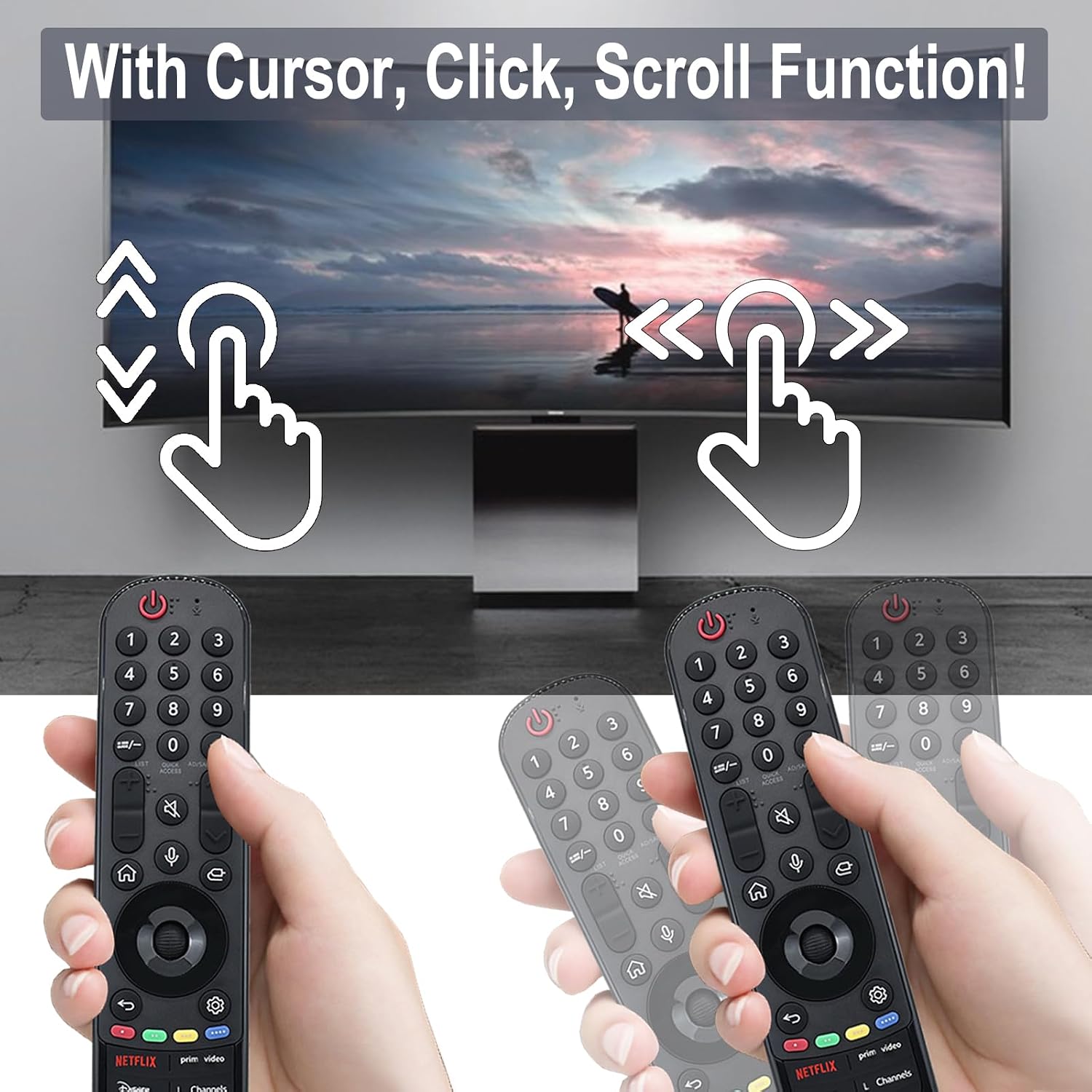
Image 5.2: Depiction of the cursor, click, and scroll functions of the remote control on a TV screen.
5.4 Жарлык баскычтары
The remote includes six dedicated shortcut buttons for quick access to popular streaming services and functions:
- NETFLIX
- Prime Video
- Disney+
- L Channels
- Sling
- Alexa
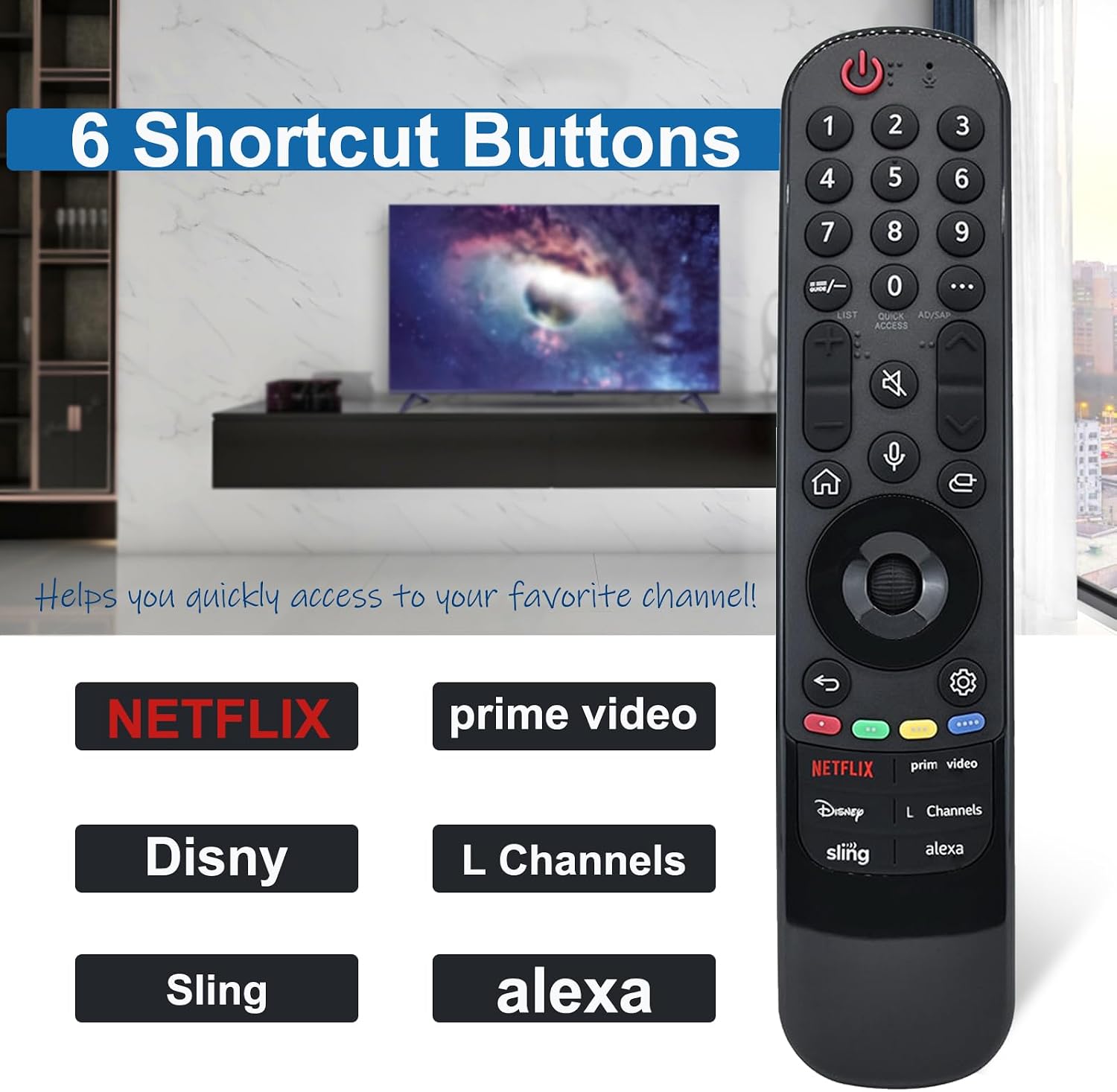
Image 5.3: Close-up of the MR23GA remote control highlighting the six dedicated shortcut buttons for various streaming services and functions.
6. Техникалык тейлөө
- Тазалоо: Пультту жумшак, кургак чүпүрөк менен сүртүңүз. Суюк тазалагычтарды же абразивдүү материалдарды колдонбоңуз.
- Батареяны алмаштыруу: Replace batteries when the remote's response becomes slow or inconsistent. Always replace both batteries at the same time with new AAA batteries.
- Сактагыч: Пультту күн нурунан жана экстремалдык температурадан алыс, салкын, кургак жерде сактаңыз.
- Тамчылардан качуу: While durable, avoid dropping the remote control to prevent damage.

Image 6.1: Features of the MR23GA remote control emphasizing its durable ABS material, lightweight ergonomic design, and soft, resilient buttons.
7. Кыйынчылыктарды
| Көйгөй | Мүмкүн болгон себеп / Чечим |
|---|---|
| Пульт жооп бербей жатат. |
|
| Үн менен башкаруу иштебей жатат. |
|
| Cursor is not appearing or moving. |
|
8. Техникалык шарттар
| Өзгөчөлүк | Деталь |
|---|---|
| Модел | MR23GA |
| Бренд | JKZTJOF |
| Байланыш технологиясы | Инфракызыл |
| Өзгөчө өзгөчөлүк | Үн менен издөө |
| Колдоого алынган түзмөктөрдүн максималдуу саны | 1 (Телевидение) |
| Control Distance | 10 метрге / 32 футка чейин |
| Баскычтын иштөө мөөнөтү | 30 000ден ашык чыкылдатуу |
| Power Source | 2 x AAA Батареялар (кошулган) |
9. Кепилдик жана колдоо
JKZTJOF provides a 30-day return and refund service. If you receive an incorrect or damaged product, please contact the seller directly for assistance. For further support or inquiries, refer to the seller's contact information on the purchase platform.