
1. Киришүү
Welcome to the user manual for your Tuanzi Soyes S10 MAXo 4G Mini Rugged Smartphone. This device is designed for durability and performance, featuring IP68 waterproofing, dust resistance, and shock protection. It operates on Android 11 and includes a Push-to-Talk (PPT) walkie-talkie function, making it suitable for various environments and uses. Please read this manual carefully to ensure proper use and maintenance of your device.

Image: The Tuanzi Soyes S10 MAXo smartphone demonstrating its waterproof capabilities.
2. Продукт бүтүп калдыview
2.1 Негизги өзгөчөлүктөрү
- Катуу дизайн: IP68 waterproof, anti-dust, anti-shock for enhanced durability.
- Компакт өлчөмү: Dimensions of 108mm*53mm*17.5mm, making it highly portable.
- Операция системасы: Android 11 for a modern and efficient user experience.
- Процессор: Octa-core processor for smooth performance.
- Эстутум: Available in 6GB+128GB or 8GB+256GB configurations.
- Дисплей: 3.5 дюймдук HD экран.
- Батарея: 2400mAh Lithium-Ion battery.
- Байланыш: 4G network support, NFC, Bluetooth, WiFi, Hotspot sharing.
- Коопсуздук: Face Recognition.
- Атайын функциялар: PPT Walkie Talkie (public network intercom), Flashlight, OTG function.
2.2 Аппараттын компоненттери
Familiarize yourself with the physical components of your S10 MAXo smartphone.
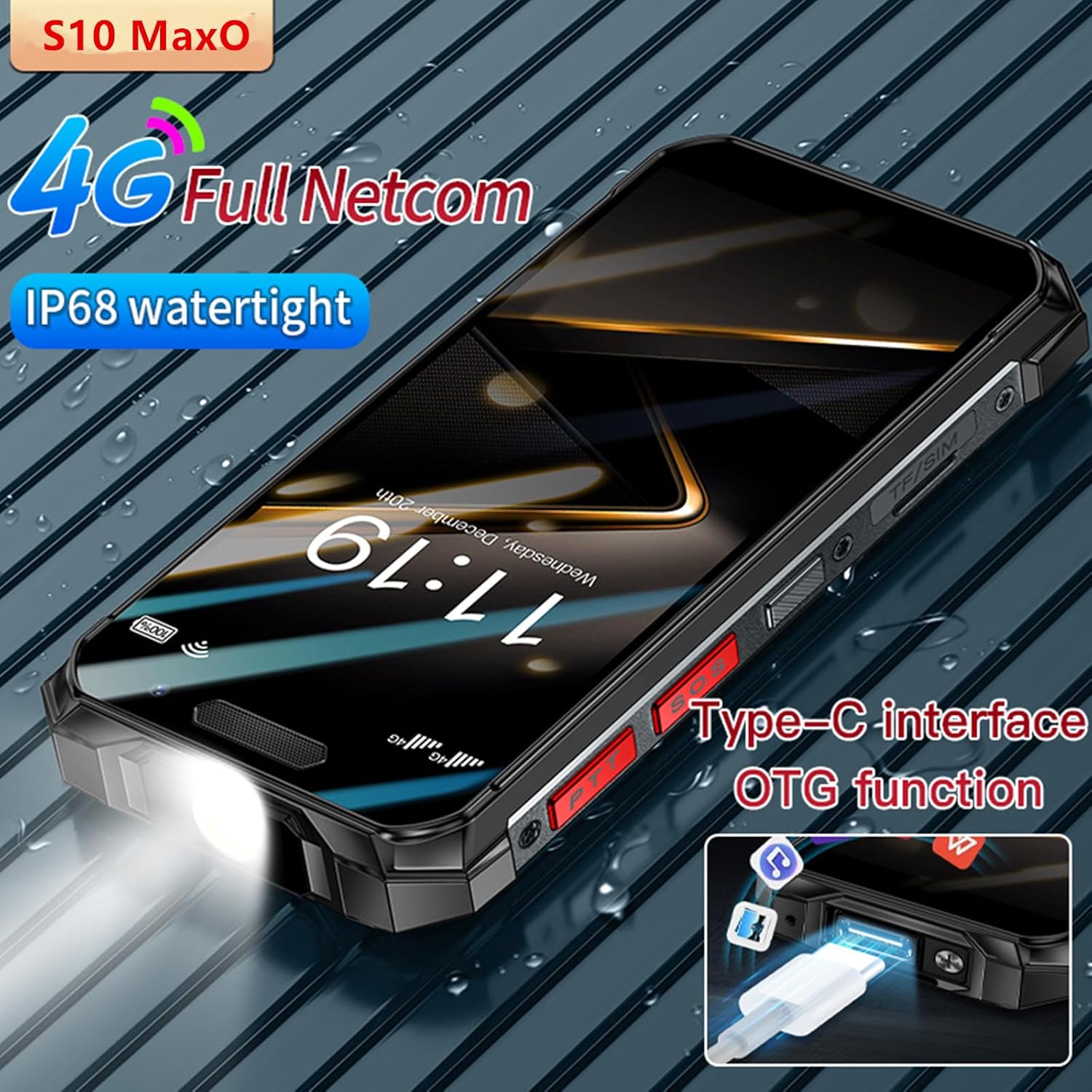
Image: The Type-C charging port and its OTG (On-The-Go) data transfer capability.

Image: The dedicated Push-to-Talk (PTT) buttons located on the side of the device.

Image: The rear camera setup of the S10 MAXo smartphone.
3. Орнотуу
3.1 Inserting SIM Card and SD Card
- SIM/SD карта салгычты телефондун капталынан табыңыз.
- Салгычты ачуу үчүн берилген SIM чыгаруучу куралды колдонуңуз.
- Nano-SIM картаңызды жана/же microSD картаңызды белгиленген уячаларга этияттык менен салыңыз. Туура багытты текшериңиз.
- Аспаптын корпусуна туура келгенче, лотокту акырын кайра телефонго түртүңүз.
3.2 Баштапкы күйгүзүү жана негизги орнотуу
- Экран күйгүчө кубат баскычын басып, кармап туруңуз.
- Тилиңизди тандоо, Wi-Fi тармагына туташуу жана Google аккаунтуңузду орнотуу үчүн экрандагы көрсөтмөлөрдү аткарыңыз.
- You may be prompted to transfer data from an old device or set up Face Recognition.
4. Иштөө нускамалары
4.1 Телефондун негизги функциялары
- Чалууларды жасоо: Телефон колдонмосун ачып, номерди териңиз жана чалуу сөлөкөтүн таптаңыз.
- Кабарларды жөнөтүү: Кабарлар колдонмосун ачып, жаңы сүйлөшүүнү баштаңыз, алуучуну жана билдирүүңүздү киргизиңиз.
- Сенсордук экранды колдонуу: Tap to select, swipe to navigate, pinch to zoom.
4.2 Жүздү таануу
To set up Face Recognition for unlocking your device:
- барыңыз Орнотуулар > Коопсуздук жана купуялык > Жүзүнөн ачуу.
- Жүзүңүздү каттоо үчүн экрандагы нускамаларды аткарыңыз.
- Каттоо учурунда жакшы жарыктандырылган жерде экениңизди текшериңиз жана телефонду көзүңүздүн деңгээлинде кармаңыз.

Image: Demonstrating the face recognition feature for secure unlocking.
4.3 Фонардын функциясы
The S10 MAXo features a dedicated flashlight. To activate it, press the designated flashlight button on the side of the device, or access it via the quick settings panel.

Image: The integrated flashlight on the S10 MAXo.
4.4 NFC (Near Field Communication)
NFC allows for quick, short-range wireless communication. To enable NFC:
- барыңыз Орнотуулар > Туташкан түзмөктөр > Туташуу артыкчылыктары > NFC.
- Toggle NFC to 'On'.
- You can now use NFC for contactless payments, pairing with accessories, or sharing content by tapping your phone to another NFC-enabled device.

Image: Using the NFC function for quick interactions.
5. Walkie Talkie Function (PPT Intercom)
The S10 MAXo supports a public network intercom function, allowing for Push-to-Talk (PPT) communication. This feature enables 'one-to-one', 'one-to-many', and 'many-to-many' communication modes.
5.1 Activating PPT Intercom
- Ensure your device has an active 4G network connection.
- Locate the dedicated PPT buttons on the side of your phone.
- Access the pre-installed intercom application (if applicable) or download a compatible public network intercom app from the Google Play Store.
- Follow the app's instructions to set up your intercom channel or group.
- Press and hold the PPT button to transmit your voice, and release to listen.
This function supports voice, photo, video, and data transmission over the public network.
6. Техникалык тейлөө
To ensure the longevity and optimal performance of your Tuanzi Soyes S10 MAXo, follow these maintenance guidelines:
- Тазалоо: жумшак колдонуу, damp аппаратты тазалоо үчүн чүпүрөк. Катуу химиялык заттардан же абразивдүү материалдардан алыс болуңуз.
- Суу каршылык: While IP68 rated, ensure all port covers are securely closed before exposing the phone to water or dust. Avoid prolonged submersion or high-pressure water jets.
- Температура: Do not expose the phone to extreme temperatures (very hot or very cold) as this can affect battery life and internal components.
- Заряддоо: Use only the provided charger and cable or certified compatible accessories to prevent damage to the battery.
7. Кыйынчылыктарды
Эгерде сиз түзмөгүңүздө көйгөйлөргө туш болсоңуз, төмөнкү чечимдерди колдонуп көрүңүз:
- Түзмөк күйбөй жатат: Батарея заряддалганын текшериңиз. Заряддагычты туташтырыңыз жана кайра күйгүзүү аракетинен мурун бир нече мүнөт күтүңүз.
- Тармак сигналы начар: SIM картаңыз туура салынганын текшериңиз. Тармактык камтуусу жакшыраак аймакка көчүңүз.
- Колдонмолор бузулуп/тоңуп жатат: Close the problematic app and reopen it. If the issue persists, restart the phone. Consider clearing the app's cache or reinstalling it.
- Батареянын бат түгөнүп калышы: Колдонулбай турганда экрандын жарыктыгын азайтыңыз, колдонулбаган колдонмолорду жабыңыз, GPS же Bluetooth сыяктуу керексиз функцияларды өчүрүңүз.
- Сенсордук экран жооп бербейт: Restart the device. If the issue continues, contact customer support.
8. Техникалык шарттар
| Өзгөчөлүк | Спецификация |
|---|---|
| Бренд | Туанзи |
| Модел | S10 MAXo |
| Операция системасы | Android 11 |
| Дисплей өлчөмү | 3.5 дюйм |
| Display Resolution | 640 x 480 (Max 640 x 360) |
| Процессор | Octa Core |
| Эстутум (RAM+ROM) | 6GB+128GB / 8GB+256GB |
| Батарея сыйымдуулугу | 2400 мАч литий-ион |
| Суу өткөрбөйт рейтинги | IP68 |
| Биометрикалык коопсуздук | Жүздү таануу |
| Камеранын өзгөчөлүктөрү | Front Camera, Video Capture Resolution 1080p |
| Байланыш | 4G, NFC, Bluetooth, WiFi, Hotspot |
| Атайын функциялар | PPT Walkie Talkie, Flashlight, OTG |
9. Кепилдик жана колдоо
For any problems or concerns regarding your Tuanzi Soyes S10 MAXo smartphone, please contact the seller directly via the messaging system on the platform where you purchased the device. The seller aims to reply with a solution within 12 hours.
Сураныч, кепилдик дооматтар үчүн сатып алуу далилиңизди сактап коюңуз.