
Introduction
Thank you for choosing the litokam 2.5K 4MP QHD Outdoor PTZ Security Camera. This manual provides detailed instructions for setting up, operating, and maintaining your camera to ensure optimal performance and security for your home. This camera features 2.5K 4MP QHD resolution, 360° pan/tilt monitoring, AI motion detection, color night vision, and two-way audio communication.
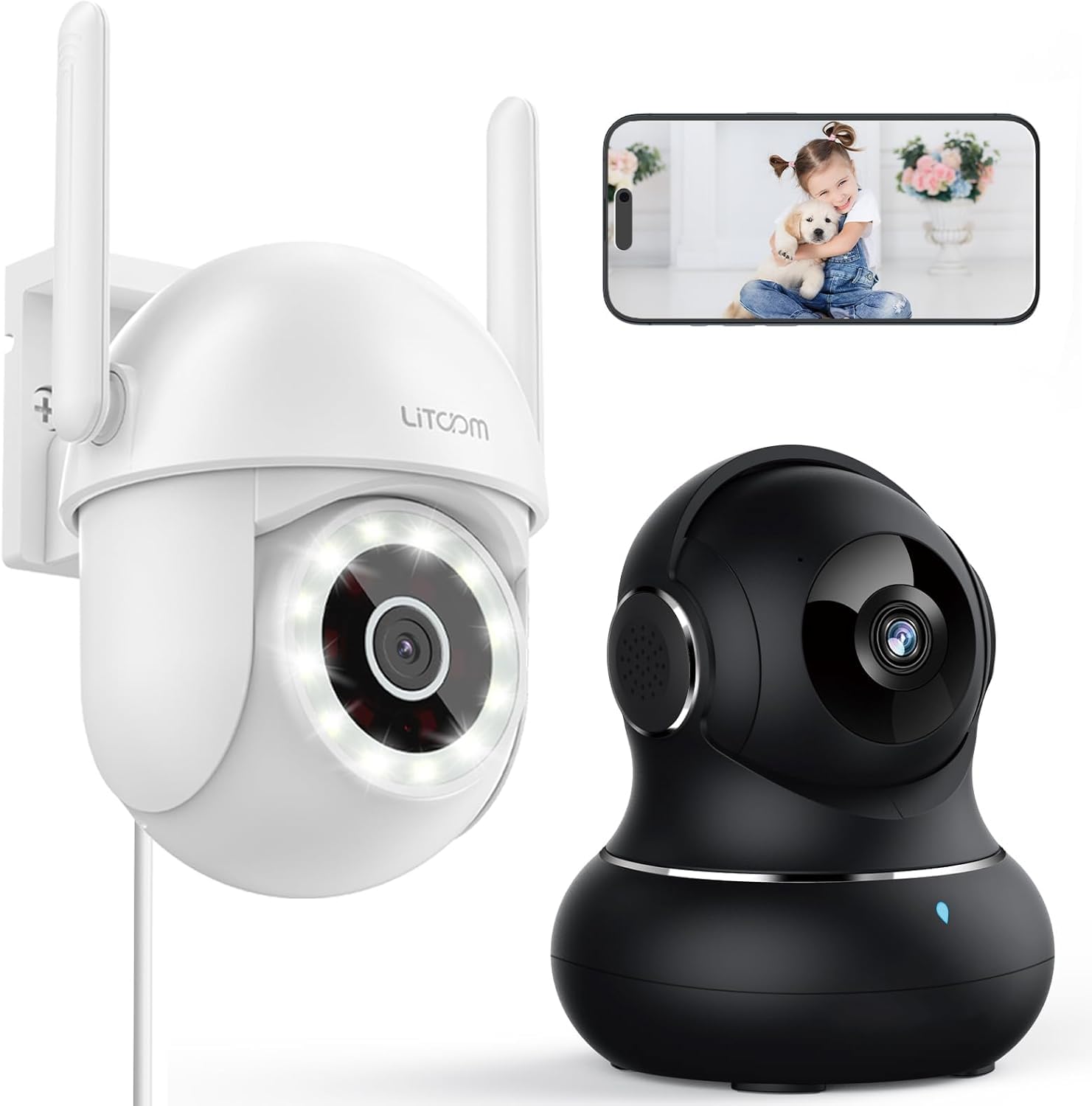
Сүрөт: бүттүview of the litokam 2.5K 4MP QHD Outdoor PTZ Security Camera.
Орнотуу колдонмосу
1. Пакеттин мазмуну
Before installation, please ensure all components are present:
- litokam 2.5K 4MP QHD Outdoor PTZ Security Camera
- Кубаттуу адаптер
- Монтаждоо бурамалар жана анкерлер
- Колдонуучунун Колдонмосу (бул документ)
2. Камераны кубаттоо
The camera requires a direct power supply. Connect the provided power adapter to the camera's power input port and then plug it into a standard electrical outlet. Ensure the power source is stable.
3. Камераны орнотуу
Камера дубалга орнотуу үчүн иштелип чыккан. Каалаганды камсыз кылган ылайыктуу жерди тандаңыз viewing angle and is within range of your 2.4GHz Wi-Fi network. Use the included screws and anchors to securely mount the camera.
- Үлгү катары камеранын негизин колдонуп дубалга бургулоо жерлерин белгилеңиз.
- Белгиленген жерлерге тешиктерди бургула.
- Бургуланган тешиктерге пластикалык анкерлерди салыңыз.
- Align the camera base with the holes and secure it with the screws.
4. Колдонмону орнотуу жана Wi-Fi туташуусу
To operate the camera, you need to download the litokam app on your smartphone (compatible with Android and iOS). The camera only works with 2.4GHz Wi-Fi networks.
- Download the litokam app from your device's app store.
- Каттоо же өз эсебиңизге кирүү.
- Follow the in-app instructions to add your new camera. This typically involves scanning a QR code on the camera or manually selecting the device type and entering Wi-Fi credentials.
- Орнотуу процессинде телефонуңуз 2.4 ГГц Wi-Fi тармагына туташкандыгын текшериңиз.
Иштөө нускамалары
1. Түз эфир View жана панорамалоо/кыйшайтуу башкаруусу
Access the live video feed through the litokam app. The camera offers 360° pan and tilt functionality, allowing you to remotely adjust the viewing angle. Use the on-screen controls in the app to pan horizontally and tilt vertically.

Image: Remote Pan/Tilt/Zoom (PTZ) control via the mobile application, showing 360° horizontal viewing angle and 3X digital zoom.
The camera also supports 3X digital zoom to view details more closely within the live feed.
2. AI Motion Detection and Alerts
The camera features PIR motion detection and advanced AI analytics to accurately identify and differentiate between people and vehicles, significantly reducing false alarms. When motion is detected, real-time alerts are sent to your phone.

Image: AI analysis detecting a vehicle in the surveillance area, reducing false alarms.

Image: The camera detecting motion, with options for real-time alerts and app notifications.
You can customize alert settings, including siren activation and flashing white light, to deter unwanted visitors.
3. Эки тараптуу аудио байланыш
With a built-in microphone and speaker, the camera enables two-way audio. Use the app to speak with visitors, family members, or pets directly through the camera, or to warn intruders.

Image: Demonstrating two-way audio, allowing communication with a person at the door.
4. Түнкү көрүү режимдери
The camera offers three night vision options for clear monitoring up to 33 feet in low-light conditions:
- Infrared режими: Инфракызыл светодиоддорду колдонгон стандарттуу ак-кара түнкү көрүү.
- Толук түстүү режим: Utilizes the built-in LED spotlight to provide full-color video even at night.
- Smart Mode: Automatically switches between infrared and full-color mode based on detected motion or light conditions.

Image: Comparison of standard night vision (left) and full-color night vision (right) with LED spotlight activated.

Image: Visual representation of 4MP HD resolution for clearer images, comparing it to lower resolution.
5. Көп колдонуучу менен бөлүшүү
The litokam app allows you to share camera access with multiple users, such as family members. This enables several people to view the live feed and receive alerts simultaneously.

Image: The litokam app interface showing multi-user access and sharing capabilities across different devices (Android, iOS, Tablet, PC Software).
Техникалык тейлөө
1. Камераны тазалоо
Сүрөттүн сапатынын тактыгын камсыз кылуу үчүн, камеранын линзасын жана корпусун мезгил-мезгили менен тазалап туруңуз. Жумшак, damp чаңды жана кирди сүртүү үчүн чүпүрөк колдонуңуз. Линзага же каптамага зыян келтириши мүмкүн болгон катуу химиялык заттарды же абразивдүү материалдарды колдонуудан алыс болуңуз.
2. Микропрограмманы жаңыртуу
Keep your camera's firmware updated to benefit from the latest features and security enhancements. Check for available updates within the litokam app and follow the on-screen instructions to install them.
3. Аба ырайына туруктуулук
The camera has an IP65 rating, indicating it is protected against dust and water jets. This allows for efficient, all-weather operation, withstanding rain, snow, and harsh conditions. No special weather-related maintenance is typically required beyond ensuring the power connection remains secure and protected.
Проблемаларды чечүү
If you encounter issues with your litokam security camera, refer to the following common solutions:
- Камера оффлайн:
- Ensure the camera is properly powered and the power adapter is securely connected.
- Verify your Wi-Fi router is working and the camera is within range of a 2.4GHz Wi-Fi signal.
- Кубат адаптерин розеткадан сууруп, кайра сайып, камераны өчүрүп-күйгүзүңүз.
- Check the litokam app for any network status indicators or troubleshooting guides.
- Wi-Fi'га туташуу мүмкүн эмес:
- Confirm your Wi-Fi network is 2.4GHz. The camera does not support 5GHz Wi-Fi.
- Туура Wi-Fi сырсөзүн киргизип жатканыңызды текшериңиз.
- Move the camera closer to your Wi-Fi router during the setup process.
- Reset the camera (refer to the app for specific reset instructions, usually a small button).
- Сүрөттүн сапаты начар:
- Камера линзасын жумшак чүпүрөк менен тазалаңыз.
- Линзанын алдында эч кандай тоскоолдуктар жок экенин текшериңиз.
- Интернетке туташуу ылдамдыгын текшерүү; жай байланыш агымдын сапатына таасир этиши мүмкүн.
- Кыймылды аныктоо иштебей жатат:
- Verify motion detection settings are enabled in the litokam app.
- Зарыл болсо, сезгичтик деңгээлин тууралаңыз.
- Камераны камсыз кылыңыз view тоскоол болбойт.
For further assistance, please contact litokam customer support or refer to the FAQ section within the litokam app.
Техникалык шарттар
| Өзгөчөлүк | Деталь |
|---|---|
| Модел | 2.5K 4MP QHD Outdoor PTZ Security Camera |
| Видео тартуунун резолюциясы | 2.5K, 4 MP (2560*1440) |
| Digital Zoom | 3X |
| Pan/Tilt Coverage | 360° |
| Connectivity Protocol | Wi-Fi (2.4 ГГц гана) |
| Power Source | Wired (Direct Power Supply) |
| Motion Detection | PIR Motion Detection, Advanced AI Analytics (Person/Vehicle Differentiation) |
| Түнкү көрүнүш | Full-Color, Infrared, Smart Mode (up to 33ft visible range) |
| Аудио | Эки тараптуу аудио (орнотулган микрофон жана динамик) |
| Аба ырайына каршылык | IP65 рейтинги |
| Шайкеш түзмөктөр | Smartphone (Android, iOS), PC Software |
| Монтаж түрү | Дубалга орнотуу |
| ASIN | B0CX91MDJ4 |
Кепилдик жана колдоо
Кепилдик маалымат
For detailed warranty information, please refer to the warranty card included with your product or visit the official litokam webсайт. Кепилдиктин шарттары жана шарттары аймакка жана сатып алуу күнүнө жараша өзгөрүшү мүмкүн.
Кардарларды колдоо
If you require technical assistance, have questions about your product, or need to report an issue, please contact litokam customer support. You can typically find contact information (email, phone, or support portal) on the official litokam website or within the litokam mobile application.
Please have your product model and ASIN (B0CX91MDJ4) ready when contacting support for faster service.