
1. Продукт бүтүп калдыview
The Awei T25 Wireless Earphones are designed for an immersive audio experience, featuring Bluetooth 5.3 connectivity, touch controls, and a comfortable in-ear design. These earbuds are suitable for various activities, including sports, and offer noise reduction capabilities.

The Awei T25 wireless earbuds are shown in their translucent pink charging case. The earbuds are also pink with the 'awei' logo visible.
2. Пакеттин мазмуну
- Awei T25 Wireless Earphones (Left and Right)
- Заряддоо кутусу
- USB Type-C кубаттоочу кабель
- Кулактын учтары (S/M/L өлчөмдөрү)
- User Manual
3. Орнотуу жана биринчи колдонуу
3.1 Наушникти жана капты заряддоо
- Connect the provided USB Type-C cable to the charging port on the case.
- Кабелдин экинчи учун USB кубат булагына туташтырыңыз (мисалы, дубал адаптери, компьютердин USB порту).
- The indicator lights on the charging case will show the charging status. Ensure the earphones are placed inside the case for them to charge.
A full charge provides approximately 4 hours of earbud usage, with the charging case extending total battery life up to 20 hours.
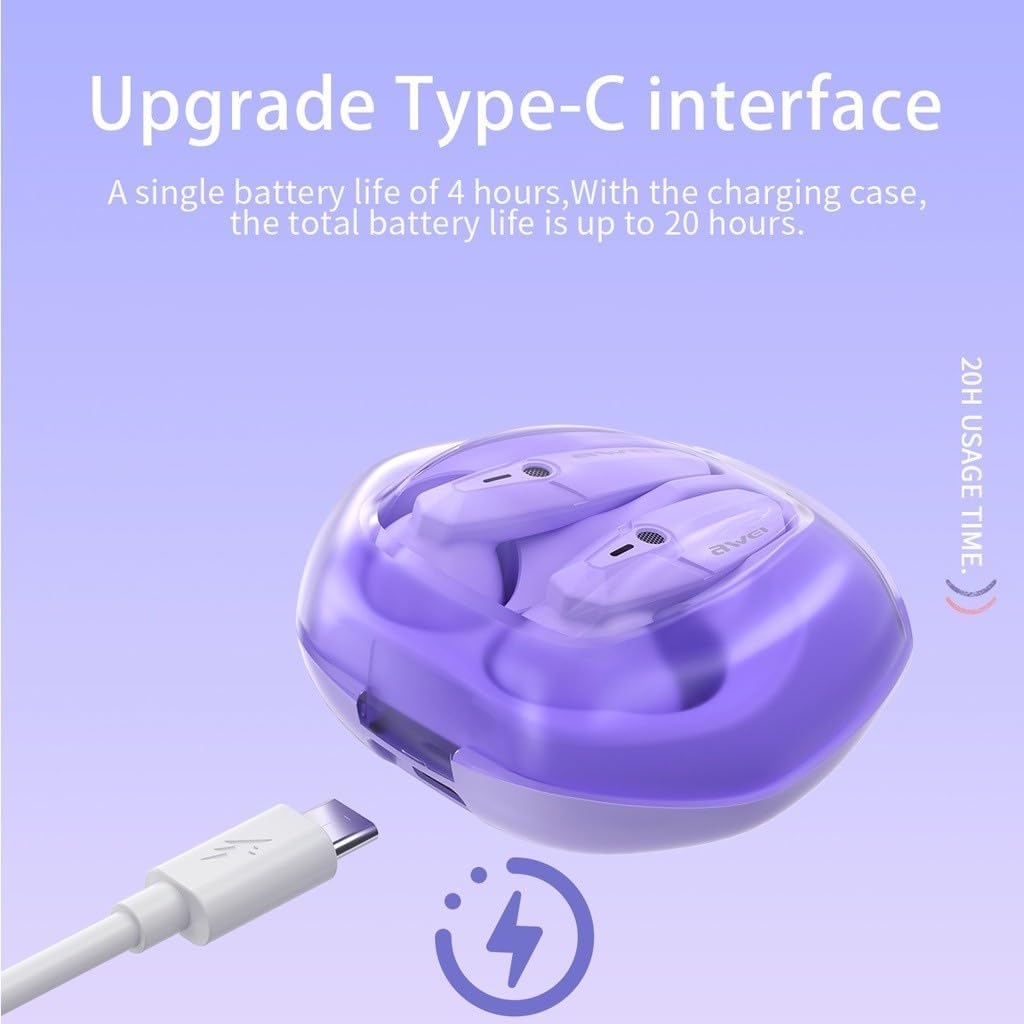
The Awei T25 charging case is shown with its Type-C charging port, indicating a single earbud battery life of 4 hours and a total battery life of up to 20 hours with the charging case.
3.2 Түзмөк менен жупташтыруу
- Кулакчындардын заряддалганын текшериңиз.
- Кубаттоочу кутучанын капкагын ачыңыз. Кулакчындар автоматтык түрдө күйүп, жупташтыруу режимине өтөт.
- Түзмөгүңүздө (смартфон, планшет ж.б.) Bluetooth иштетиңиз жана жеткиликтүү түзмөктөрдү издеңиз.
- Select "Awei T25" from the list of found devices to connect.
- Once successfully paired, the earphones will automatically connect to your device when the case lid is opened for subsequent uses.
3.3 Кулак учтарын тандоо
The Awei T25 earphones come with three sizes of ear tips (S/M/L). Choose the size that provides a secure and comfortable fit for optimal sound quality and noise isolation.
4. Наушниктерди иштетүү
4.1 Сенсордук башкаруу
The Awei T25 earphones feature intuitive touch controls located on the side of each earbud. Specific functions may vary slightly depending on your device and application.
- Ойнотуу/тындыруу: Кулакчындарды бир жолу таптаңыз.
- Кийинки трек: Оң кулакчынды эки жолу таптаңыз.
- Мурунку трек: Сол кулакчынды эки жолу таптаңыз.
- Чалууга жооп берүү/аяктоо: Кирүүчү чалуу учурунда гарнитураны бир жолу таптаңыз.
- Чакырууну четке кагуу: Кирүүчү чалуу учурунда кулакчындын бирин 2 секунд басып туруңуз.
- Үн Жардамчысын жандыруу: Кулакчындарды үч жолу таптаңыз.

The Awei T25 earbuds are presented within a frosted transparent charging case, illustrating features like stereo sound, auto-connect functionality, touch control, and Bluetooth 5.3.
4.2 Sound Experience and EQ Modes
The earphones are equipped with 13mm large moving coil drivers for a rich audio experience. They also feature an in-ear design with 3 EQ switch options:
- Демейки: Тең салмактуу үн проfile.
- Бас: Enhanced low frequencies.
- Вокал: Таза вокал үчүн оптималдаштырылган.
Refer to the detailed instructions for switching between EQ modes, typically involving a specific touch gesture.
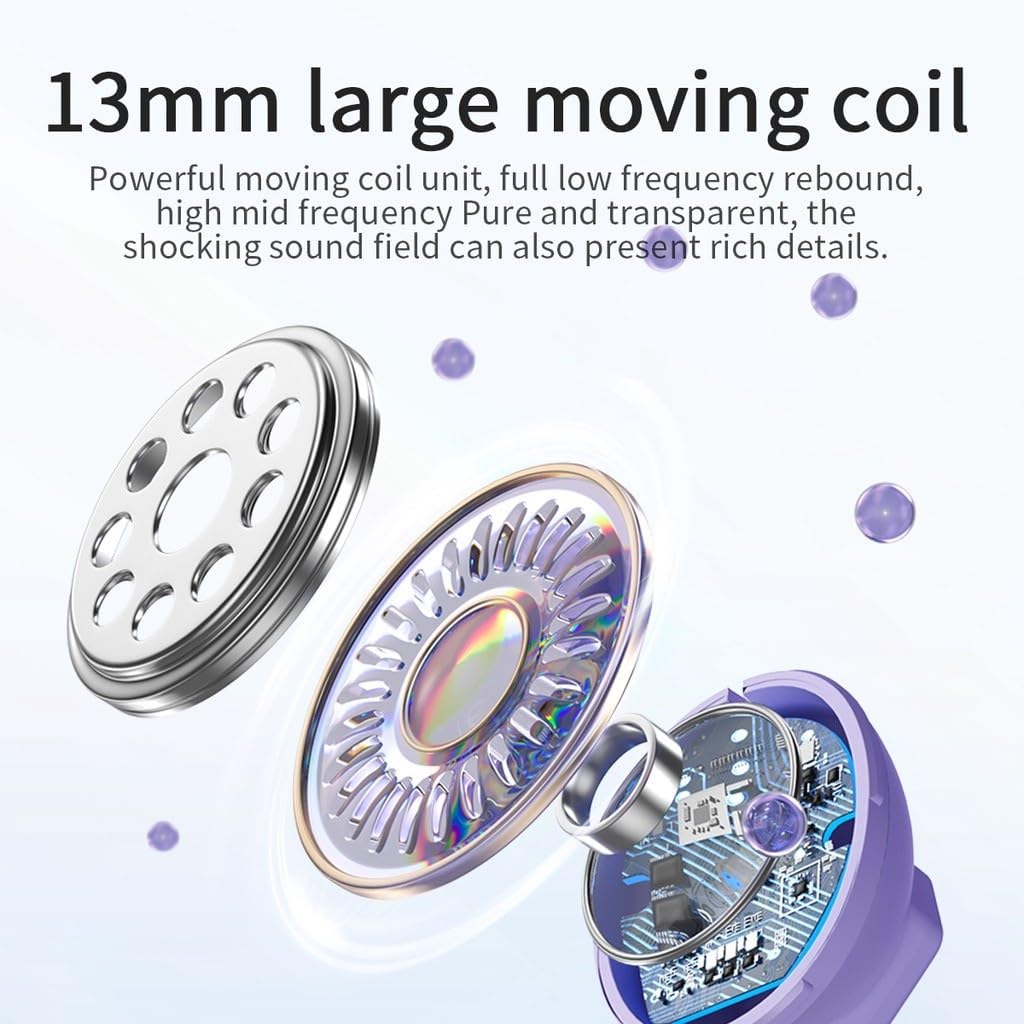
А жарылды view diagram highlights the 13mm large moving coil unit, responsible for sound production, emphasizing its role in delivering powerful low frequencies and clear mid-high frequencies.
4.3 RGB дем алуучу чырактар
The earphones feature colorful breathing lights that display the Awei logo, adding a visual element to your listening experience.

This image highlights additional features of the Awei T25 earbuds, including colorful breathing lights, an ergonomic in-ear design with 3 EQ switch options (default, bass, vocal), and the convenience of charging by simply placing them in the compartment.
5. Техникалык тейлөө жана кам көрүү
- Тазалоо: Кулакчындарды жана кубаттоочу кутучаны жумшак, кургак чүпүрөк менен үзгүлтүксүз тазалап туруңуз. Абразивдүү материалдарды же катуу химиялык заттарды колдонуудан алыс болуңуз.
- Суу каршылык: The earphones are IPX5 waterproof, meaning they are resistant to splashes and sweat. They are not designed for submersion in water. Dry them thoroughly if they get wet.
- Сактагыч: Колдонулбаганда, кулакчындарды коргоо жана кубаттоо үчүн кубаттоо кутусуна сактаңыз.
- Температура: Кулакчындарды узак убакыт бою өтө жогорку температурага (ысык же суук) же түз күн нуруна дуушар кылбаңыз.
6. Кыйынчылыктарды
- Кулакчындар жупташкан жок: Ensure both earbuds are charged and placed in the case. Open the case lid to initiate pairing mode. If issues persist, try forgetting the device from your phone's Bluetooth settings and re-pairing.
- Бир кулакчындан үн чыкпайт: Check if both earbuds are charged. Try placing them back in the case, closing the lid, and then reopening it.
- Заряддоо маселелери: Verify the charging cable and adapter are working correctly. Ensure the charging contacts on the earbuds and inside the case are clean and free of debris.
- Үн сапаты начар: Ensure the ear tips provide a good seal in your ear canal. Try different sized ear tips. Check your device's volume settings and the earbud's EQ mode.
- Тийүү башкаруулары жооп бербейт: Ensure your fingers are clean and dry. A single tap should be quick and precise.
7. Техникалык шарттар
| Модел | T25 |
| Бренд | Awei |
| Байланыш | Bluetooth 5.3 |
| Суу каршылык | IPX5 |
| Наушниктин батареясынын иштөө мөөнөтү | Болжол менен 4 саат |
| Батареянын жалпы иштөө мөөнөтү (корпус менен) | Болжол менен 20 саат |
| Башкаруу ыкмасы | тийүү |
| Кулак жайгаштыруу | In-Ear |
| Материал | Пластик |
| Айдоочунун өлчөмү | 13мм |
| Камтылган компоненттер | User Manual, USB Type-C Cable, Ear Tips |
8. Кепилдик жана колдоо
Specific warranty information for the Awei T25 Wireless Earphones is not provided in the available product data. Please refer to the warranty card included with your purchase or contact the retailer/manufacturer directly for details regarding warranty coverage and customer support.