
1. Киришүү
Thank you for choosing the kurdene P3+ Wireless Bluetooth Earbuds. These earbuds are designed to provide a high-quality audio experience with advanced features such as Bluetooth 5.3 connectivity, HiFi stereo sound, and a noise-cancelling microphone. This manual will guide you through the setup, operation, and maintenance of your new earbuds.
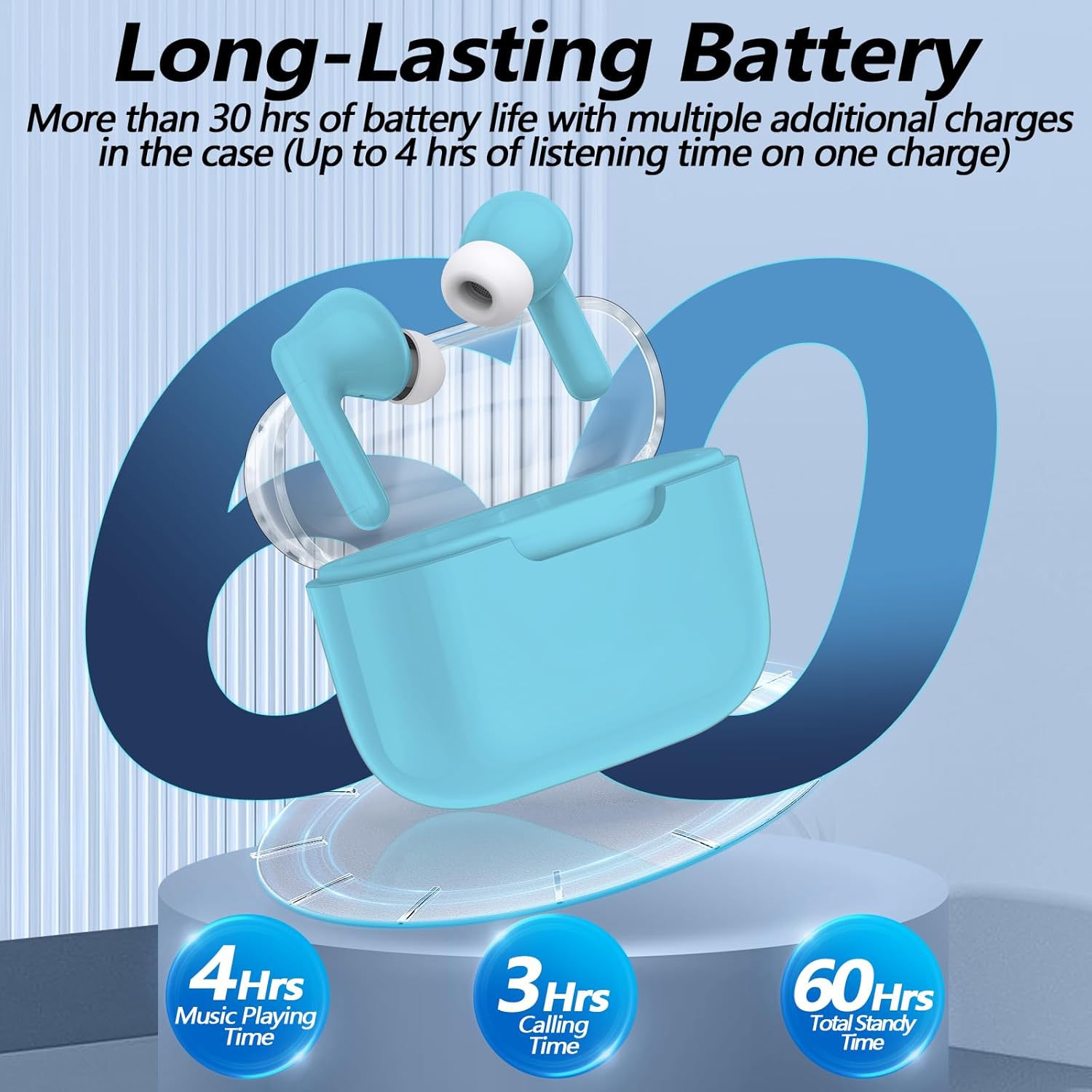
Image: kurdene P3+ Wireless Bluetooth Earbuds and their charging case.
2. Пакеттин мазмуну
Сураныч, пакеттин мазмунун текшерип, бардык буюмдар бар экенин текшериңиз:
- kurdene P3+ Wireless Earbuds (Left and Right)
- P3+ Charging Case
- USB-C заряддоо кабели
- User Manual
- Ear Caps (Small, Medium, Large sizes)

Image: A visual representation of the items included in the kurdene P3+ earbud package.
3. Орнотуу
3.1 Кулакчындарды жана кутучаны заряддоо
Биринчи колдонуудан мурун, кулакчындарды жана заряддоо кутучасын толук заряддаңыз.
- Кулакчындарды заряддоо кутусуна салыңыз. Алардын туура отурганын текшериңиз.
- Connect the USB-C charging cable to the charging port on the case and plug the other end into a USB power source.
- The indicator lights on the case will show the charging status. A full charge typically takes approximately 1 hour for the earbuds and 1 hour for the charging case.

Image: The earbuds in their charging case, illustrating the battery life and charging process.
The earbuds provide up to 4 hours of music playing time on a single charge, with the charging case extending total usage to 30 hours.
3.2 Сиздин аппаратыңыз менен жупташуу
The kurdene P3+ earbuds feature one-step auto-pairing for convenience.
- Ensure Bluetooth is enabled on your smartphone or other audio device.
- Заряддоо кутучасын ачыңыз. Кулакчындар жупташтыруу режимине автоматтык түрдө кирет.
- On your device, search for Bluetooth devices and select "P3+" from the list.
- Туташкандан кийин, сиз үндүү ырастоону угасыз жана кулакчындар колдонууга даяр болот.
- After the initial pairing, the earbuds will automatically connect to your device when the case is opened, provided Bluetooth is active on your device.

Image: A smartphone screen showing "P3+" available for Bluetooth connection, next to the open earbud charging case.

Image: The earbuds and charging case with a visual representation of a 10-meter barrier-free transmission range.
3.3 Кулакчындарды орнотуу
For optimal sound quality and comfort, choose the correct size ear caps.
- The earbuds come with liquid silicone ear caps in Small (S), Medium (M), and Large (L) sizes.
- Try each size to find the one that provides a secure and comfortable fit, creating a good seal in your ear canal.
- Gently insert the earbuds into your ears and twist slightly to ensure a snug fit.

Image: The kurdene P3+ earbuds displayed with various sizes of ear tips (S, M, L) to illustrate fit options.
4. Иштөө нускамалары
4.1 Smart Touch Controls
The kurdene P3+ earbuds feature intuitive touch controls for managing music and calls.
| Акция | Функция |
|---|---|
| Бир таптоо (Сол/Оң гарнитура) | Музыканы ойнотуу/тындыруу, чалууга жооп берүү |
| Эки жолу таптаңыз (Сол кулакчын) | Мурунку ыр |
| Эки жолу таптаңыз (оң кулакчын) | Кийинки ыр |
| Үч жолу таптап (сол кулакчын) | Үндү төмөндөтүү |
| Үч жолу таптап (оң кулакчын) | Үндү көтөрүү |
| Узак басуу (2 секунд) | Чалууну четке кагуу, Үн жардамчысын иштетүү (Siri/Google Assistant) |

Image: A visual guide to the touch control functions on the earbuds, including play/pause, call management, and volume adjustment.
4.2 Чалууларды кабыл алуу жана кабыл алуу
The built-in noise-cancelling microphone ensures clear communication.
- Чалууга жооп берүү: Кулакчындарды бир жолу таптаңыз.
- Чалууну аяктоо: Чалуу учурунда кулакчындардын бирин бир жолу басыңыз.
- Чалуудан баш тартуу: Кулакчындын бирин 2 секунд басып туруңуз.

Image: A user making a call with the earbuds, demonstrating the noise reduction feature for clear conversations.
4.3 Аудио ойнотуу
Enjoy high-quality stereo sound with deep bass and clear mid-range frequencies.
- Музыка ойнотуу: Туташкандан кийин, түзмөгүңүздөн аудиону ойнотуп баштаңыз.
- Pausing Music: Кулакчындарды бир жолу таптаңыз.
- Тректерди өткөрүп жиберүү: Double tap the right earbud for the next song, double tap the left earbud for the previous song.
- Үндү тууралоо: Triple tap the right earbud for volume up, triple tap the left earbud for volume down.

Сүрөт: жарылган view diagram of a 10mm speaker driver, highlighting the components responsible for HiFi stereo sound quality.
Video: An official product video demonstrating the features and usage of the Kurdene P3 Wireless Bluetooth Earbuds, including pairing, sound quality, and design aspects.
5. Техникалык тейлөө
Туура тейлөө кулакчындардын узак мөөнөттүү иштешин жана жакшы иштешин камсыз кылат.
- Тазалоо: Кулакчындарды жана заряддоо кутусун жумшак, кургак, түксүз чүпүрөк менен дайыма тазалап туруңуз. Катуу химиялык заттарды же абразивдүү материалдарды колдонбоңуз.
- Кулак капкактары: Remove and clean the silicone ear caps periodically with water and mild soap. Ensure they are completely dry before reattaching.
- Сактагыч: Колдонулбаганда, кулакчындарды чаңдан жана бузулуудан коргоо үчүн кубаттоочу кутуга салып сактаңыз.
- Суу каршылык: Кулакчындар суу өткөрбөйт, бирок суу өткөрбөйт. Аларды сууга чөмүлтпөңүз же катуу жамгырда калтырбаңыз. Эгер суу болуп калса, жакшылап кургатыңыз.
6. Кыйынчылыктарды
If you encounter issues with your kurdene P3+ earbuds, try the following solutions:
- Кулакчындар жупташкан жок:
- Эки кулакчындын тең кубатталганын текшериңиз.
- Түзмөгүңүздөгү Bluetooth'ду өчүрүп, күйгүзүңүз.
- Forget "P3+" from your device's Bluetooth list and try pairing again.
- Place earbuds back in the case, close, then open to reset pairing mode.
- Үн жок же үнү төмөн:
- Түзмөгүңүздөгү жана кулакчындардын үнүнүн деңгээлин текшериңиз.
- Кулакчындар түзмөгүңүзгө туура туташтырылганын текшериңиз.
- Кулакчын динамиктериндеги калдыктарды тазалаңыз.
- Заряддоо маселелери:
- Заряддоо кабели жана адаптер туура иштеп жатканын текшериңиз.
- Корпустун заряддоо порту таза жана таштандыдан таза экенин текшериңиз.
- Кулакчындар кубаттоо кутучасына туура орнотулганын текшериңиз.
- Бир кулакчын иштебей жатат:
- Эки кулакчынды тең кубаттоочу кутуга кайра салып, капкагын жаап, бир нече секунд күтүп, андан кийин кайра ачыңыз.
- Try resetting the earbuds (refer to specific reset instructions if available in a full manual, otherwise, the above step is a common soft reset).
7. Техникалык шарттар
| Өзгөчөлүк | Деталь |
|---|---|
| Модель аты | P3+ |
| Байланыш технологиясы | Зымсыз (Bluetooth 5.3) |
| Аудио драйвер түрү | Динамикалык драйвер |
| Аудио драйверинин өлчөмү | 12 миллиметр |
| Батареянын иштөө мөөнөтү (наушник) | 4 саатка чейин |
| Батареянын жалпы иштөө мөөнөтү (корпусу менен) | 30 саатка чейин |
| Заряддоо порту | USB-C |
| Сууга туруктуулук деңгээли | Сууга чыдамдуу |
| Башкаруу ыкмасы | тийүү |
| Элемент Салмагы | 0.03 килограмм (1.13 унция) |
| Шайкеш түзмөктөр | Bluetooth-enabled devices (iPhone, Android, etc.) |
| Материал | Резина, силикон |
8. Кепилдик жана колдоо
kurdene products are designed for reliability and performance. For warranty information, technical support, or customer service inquiries, please refer to the contact details provided on the product packaging or visit the official kurdene webсайт.
Кепилдик дооматтары үчүн сатып алганыңыздын далилин сактап коюңуз.