
1. Introduction and Overview
Thank you for choosing the aosu 5MP Outdoor Security Camera, Model C5E2CH11. This advanced security camera is designed to provide comprehensive surveillance for your outdoor spaces. It features 5-megapixel high-resolution video, 24/7 continuous recording, intelligent auto-tracking, and precise human, pet, and vehicle detection. With its full-color night vision, 360-degree panoramic view, IP65 waterproof rating, and 2.4GHz WiFi connectivity, the C5E2CH11 offers reliable and smart protection. This manual will guide you through the setup, operation, and maintenance of your new security camera.
2. Продукциянын өзгөчөлүктөрү
2.1 High-Resolution Imaging with Enhanced Night Vision
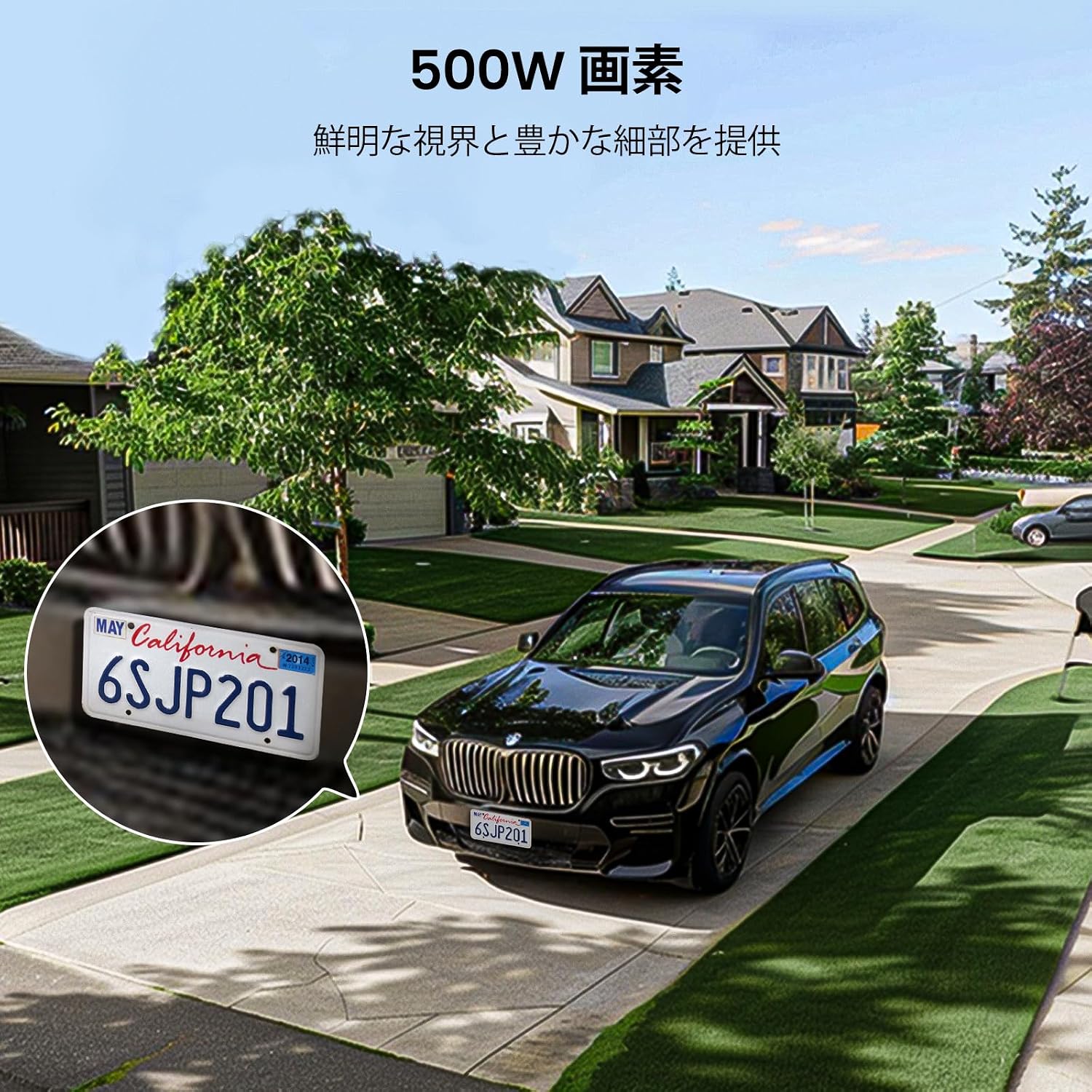
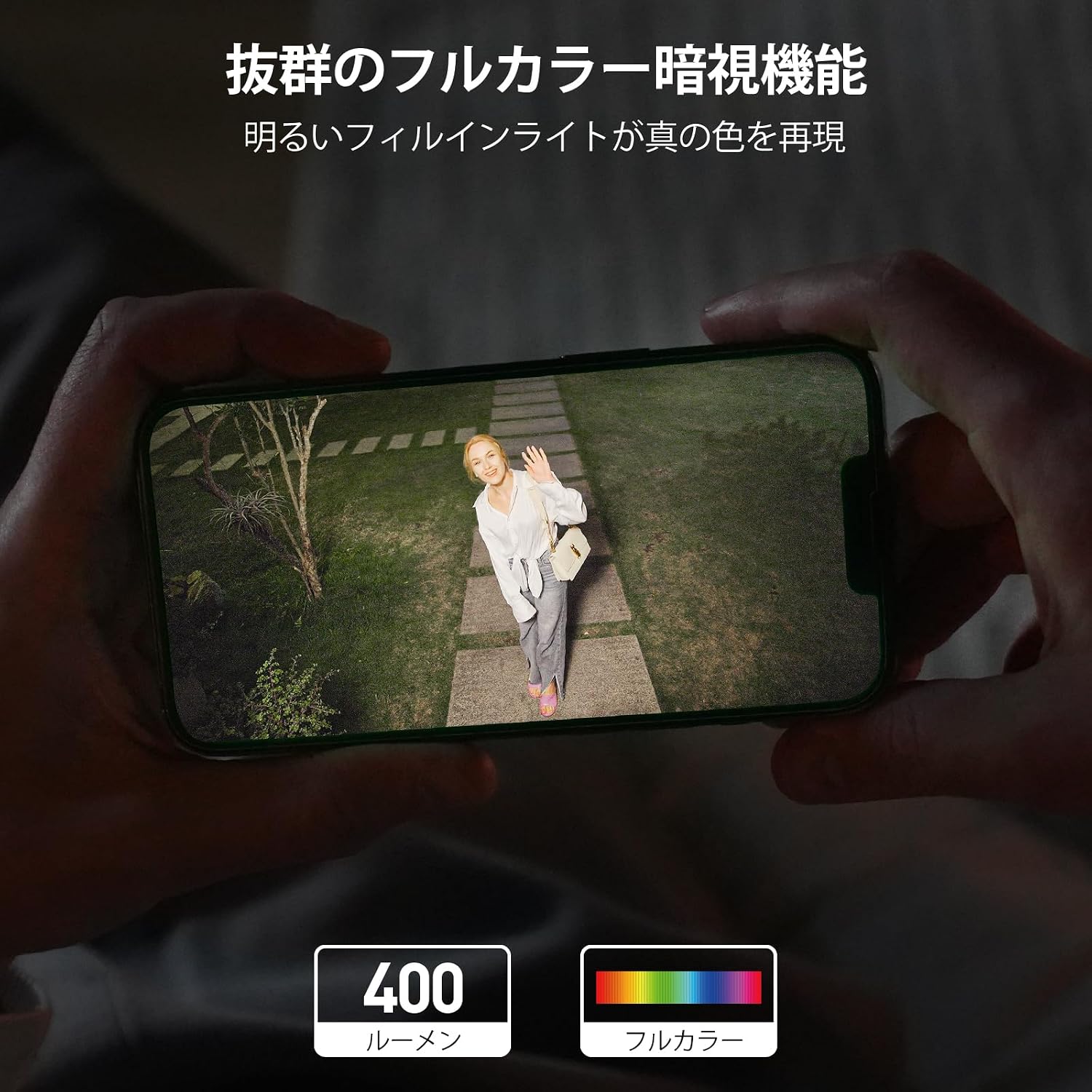
The camera features a 5-megapixel sensor and high-transparency optics, providing ultra-high resolution for clear and detailed images with accurate colors. Equipped with a full LED light strip, it delivers 400 lumens of brightness, extending the illuminated area and enabling full-color night vision that appears as bright as daytime.
2.2 Continuous Recording, Automatic Patrol, and Weatherproof Design
This Wi-Fi security camera operates with a single power cable, simplifying installation. It supports 24-hour continuous recording with stable signal transmission. The camera can be set to automatically patrol 360 degrees hourly for a week, monitoring all surrounding changes. Its IP65 waterproof rating ensures reliable outdoor performance.
2.3 Intelligent Human Detection and 360-Degree Auto-Tracking
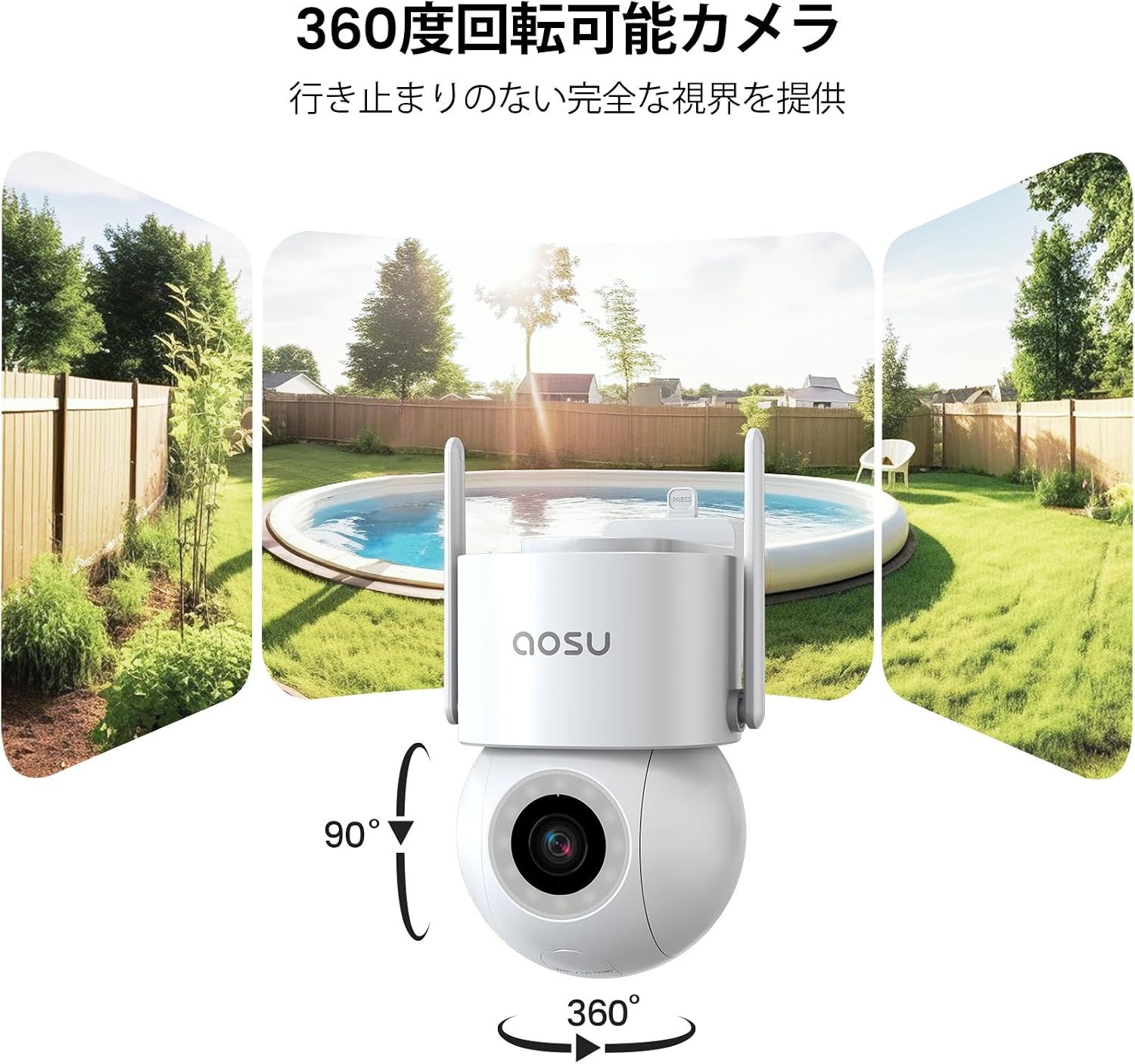
The camera automatically detects and tracks human subjects as they approach, continuing until they leave the monitored area. With 360-degree horizontal and 90-degree vertical rotation, it eliminates blind spots, ensuring complete event capture. Manual rotation and angle adjustment are also available via the app.
2.4 Audible and Visual Alarms with Instant Notifications
The security camera offers multiple deterrents against unauthorized access. During active protection periods, if an intruder is detected, the camera activates a bright light and an audible alarm. Simultaneously, it sends immediate notifications to your smartphone app and saves the video footagд далил катары.


2.5 Flexible Recording Storage and Dedicated App Support
Камераны башкарыңыз жана view recordings using the dedicated "aosu" app. Videos are stored chronologically for easy searching and playback. Storage options include cloud storage and local microSD card storage (up to 128GB, sold separately). For any inquiries before or during use, please contact customer support via Amazon's "Order History" -> "Purchase History" -> "Question" section. Support is available weekdays from 10:30 AM to 7:30 PM JST, with responses typically within one business day.
3. Орнотуу колдонмосу
Follow these steps to set up your aosu 5MP Outdoor Security Camera. Ensure you have downloaded the "aosu" app and created an account before proceeding.
- Кутудан чыгаруу: Carefully remove all components from the packaging. Verify that all included accessories (screws, expansion pipes, mounting sheet, power adapter, manual) are present.
- Күйгүзүү: Connect the camera to a power source using the provided power adapter. The camera will perform a self-test, indicated by its lights and automatic rotation. This is normal.
- Колдонмо орнотуу: Download the "aosu" app from your smartphone's app store (iOS or Android). Register for an account if you haven't already.
- Түзмөк кошуу: Open the aosu app and follow the on-screen instructions to add a new device. You will typically scan a QR code on the camera or in the app to initiate pairing.
- WiFi туташуусу: Connect the camera to your 2.4GHz WiFi network. Ensure your smartphone is also connected to the same 2.4GHz network during setup.
- Монтаждоо: Choose a suitable outdoor location for installation. Use the mounting sheet to mark drill holes, then secure the camera using the screws and expansion pipes. Ensure the camera has a clear field of view and is within WiFi range.
Орнотуу видеолору:
4. Иштөө нускамалары
The aosu security camera is primarily controlled via the dedicated "aosu" smartphone application. Ensure your camera is powered on and connected to your WiFi network.
4.1 Live View жана Ойнотуу
- Open the aosu app and select your camera from the device list to access the live view.
- Кайраview foo жазылганtage, navigate to the playback section within the app. Videos are organized chronologically for easy access.
4.2 Панорамалоо, эңкейтүү жана масштабдоо (PTZ) башкаруусу
- Түз эфирде view, use the on-screen controls to manually adjust the camera's horizontal (pan) and vertical (tilt) angles.
- The camera supports digital zoom. Pinch to zoom in or out on the live or recorded video.
- Set up automatic patrol routes within the app to have the camera periodically scan predefined areas.
4.3 Кыймылды аныктоо жана сигнализациялар
- Configure motion detection sensitivity and detection zones in the app settings.
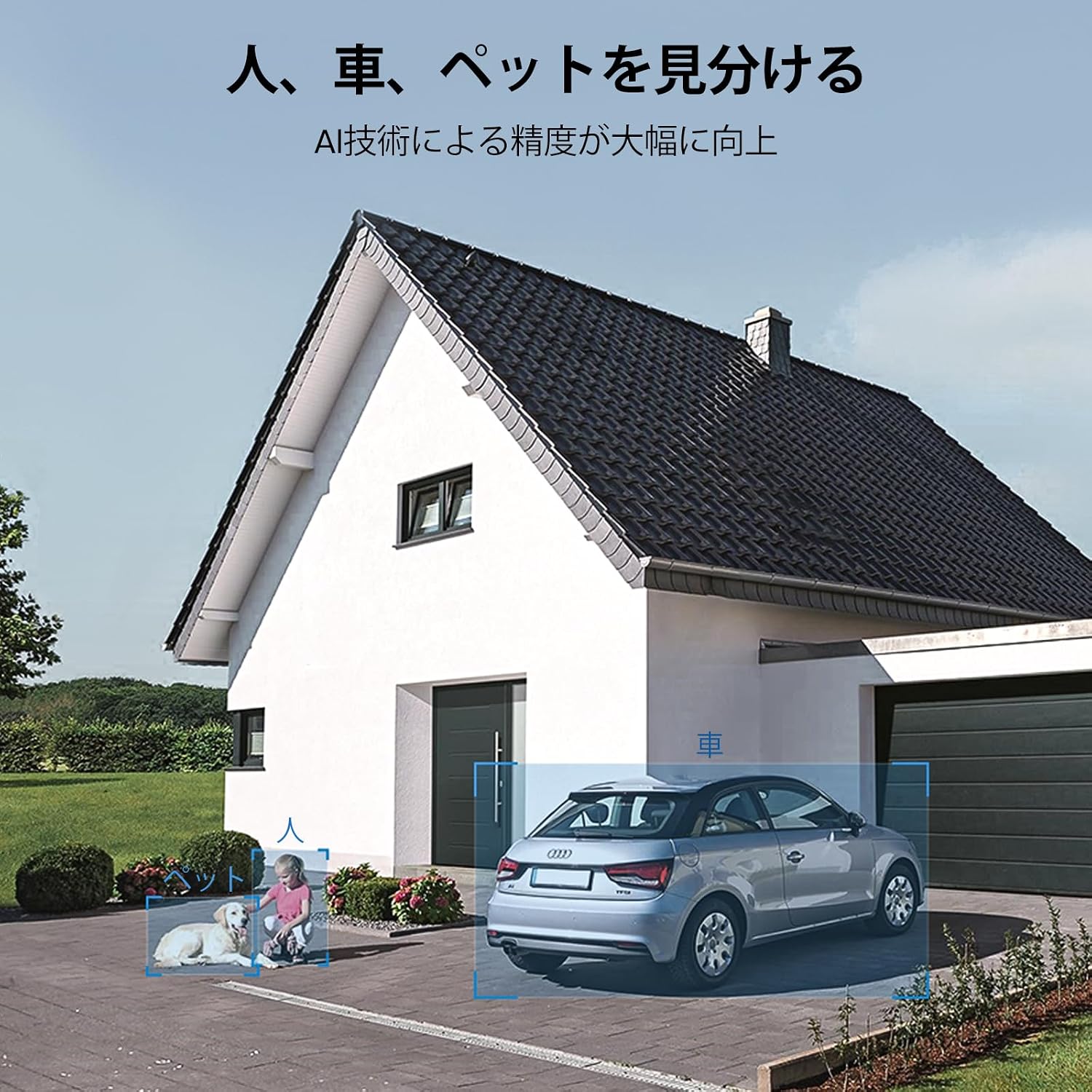
- Enable human, pet, and vehicle detection for more precise alerts.
- Customize alarm settings to activate the built-in light and siren when an intruder is detected.
- Ensure app notifications are enabled on your smartphone to receive instant alerts.
4.4 Эки тараптуу аудио
- Түз эфирде микрофон сүрөтчөсүн колдонуңуз view камеранын динамиги аркылуу сүйлөө.
- Камеранын орнотулган микрофоны сизге камеранын жайгашкан жеринен аудио угууга мүмкүндүк берет.
4.5 Сактагычты башкаруу
- Access cloud storage options and manage your subscription through the aosu app.
- If using a microSD card (up to 128GB, sold separately), insert it into the designated slot. The app will allow you to format and manage the card.
4.6 Family Sharing and Smart Home Integration
- Share camera access with family members through the app's sharing features.
- The camera is compatible with Alexa, allowing for voice control and integration into your smart home ecosystem.
5. Техникалык тейлөө
To ensure optimal performance and longevity of your aosu security camera, follow these maintenance guidelines:
- Линзаны тазалоо: Regularly clean the camera lens with a soft, lint-free cloth to remove dust, dirt, or smudges that may affect image clarity. Avoid abrasive cleaners.
- Турак жайды тазалоо: Wipe the camera's exterior housing with a damp аны таза кармоо үчүн зарыл болгон кездеме.
- Туташуу текшерүү: Periodically inspect the power cable and mounting hardware to ensure they are securely connected and free from damage.
- Программалык камсыздоо жаңыртуулары: Keep the aosu app and camera firmware updated to the latest versions to benefit from new features, improvements, and security patches. Check the app regularly for update notifications.
- Экологиялык эске алуулар: While the camera is IP65 waterproof, avoid directing high-pressure water jets directly at the device. Ensure proper drainage around the installation area.
6. Кыйынчылыктарды
If you encounter issues with your aosu security camera, please refer to the following common troubleshooting steps:
- Камера Wi-Fiга туташпай жатат:
- WiFi тармагыңыз 2.4 ГГц экенин текшериңиз. Камера 5 ГГц тармактарды колдобойт.
- Check the WiFi signal strength at the camera's location. Move the camera closer to the router if necessary.
- Колдонмого киргизилген WiFi сырсөзү туура экенин текшериңиз.
- Роутериңизди жана камераңызды өчүрүп күйгүзүңүз.
- Сүрөттүн сапаты начар:
- Камера линзасын тазалаңыз.
- Камеранын талаасында эч кандай тоскоолдуктар жок экенин текшериңиз view.
- Интернет байланышыңыздын ылдамдыгын текшериңиз. Жай байланыш түз эфирдин сапатына таасир этиши мүмкүн.
- Кыймылды аныктоо иштебей жатат:
- Колдонмонун жөндөөлөрүндө кыймылды аныктоо иштетилгенин текшериңиз.
- Adjust the detection sensitivity and detection zones.
- Камеранын микропрограммасы жаңыртылганын текшериңиз.
- Эскертмелер жок:
- Check your smartphone's notification settings for the aosu app.
- Ensure the camera has an active internet connection.
- Verify that alarm settings are correctly configured in the app.
- MicroSD Card Not Recording/Recognized:
- microSD картасы туура салынганын текшериңиз.
- microSD картасын тиркеме аркылуу форматтаңыз.
- Check if the microSD card is faulty or exceeds the maximum supported capacity (128GB).
Маанилүү эскертүү: According to aosu statistics, only about 3% of all after-sales cases are due to hardware defects. The majority are software-related issues that can be resolved by adjusting software settings. If you are unable to resolve an issue, please contact customer support.
7. Техникалык шарттар
| Өзгөчөлүк | Спецификация |
|---|---|
| Сунушталган колдонуу | Тышкы коопсуздук |
| Бренд | aosu |
| Модель аты | C5E2CH11 |
| Байланыш технологиясы | 2.4 ГГц WiFi гана |
| Өзгөчөлүктөр | PTZ Technology, Two-Way Audio, Night Vision |
| Ички/тышкы колдонуу | Ички, сырткы |
| Шайкеш түзмөктөр | Смартфон |
| Power Source | Электр кабели |
| Туташуу Протоколу | Wi-Fi |
| Монтаж түрү | Дубалга орнотуу, бурама менен бекитүү |
| Түс | Ак |
| Сырткы материал | Пластик |
| Waterproof Type | Сууга чыдамдуу (IP65) |
| Бөлмө түрү | Office, Kids Room, Hallway, Classroom |
| Жарык булагы түрү | LED |
| Still Image Effective Resolution | 5 депутат |
| Суу өткөрбөйт рейтинги | IP65 |
| Сүрөт сенсорунун чечилиши | 3 депутат |
| Башкаруу ыкмасы | Колдонмо |
| Зымсыз түрү | Wi-Fi |
| Video Pixels | 5 депутат |
| талаасы View | 360 градус |
| Мотор түрү | Digital Zoom |
| Zoom Magnification (Digital) | 6x |
| Product Body Size | 13.4 x 16.8 x 19.8 см |
| Бирдиктердин саны | 1.00 Сан |
| Өндүрүүчүнүн аты | aosu |
| Камтылган компоненттер | Screws and Expansion Pipes, Mounting Sheet, Instruction Manual, Security Camera Body, Power Adapter |
| Келип чыккан өлкө | Кытай |
| Special Purpose | Көзөмөл |
| UPC | 783970046079 |
| Тtage | 100 вольт |
| Батареялар талап кылынат | Жок |
| Видео тартуу форматы | MPEG-4 |
| Түнкү көрүү диапазону | 20 метр |
| Түнкү көрүнүш | Түнкү көрүнүш |
| Инфракызыл диоддордун саны | 4 |
| Ички эс тутумдун түрү | microSD |
| Max Flash Memory Supported Size | 128 ГБ |
8. Кепилдик жана колдоо
aosu provides dedicated customer support to ensure your satisfaction with the product.
8.1 Кепилдик маалыматы
The aosu 5MP Outdoor Security Camera comes with a бир жылдык кепилдик from the date of purchase. This warranty covers hardware issues that are confirmed by our online customer service as irreparable through software adjustments.
8.2 Кардарларды колдоо
For any questions or issues regarding your camera, whether before or during use, please contact aosu customer support through Amazon:
- Сиздин багытыңызга өтүңүз "Order History" Amazon боюнча.
- Select the relevant purchase from your "Purchase History".
- дегенди басыңыз "Question" option to send a message to our support team.
Колдоо сааттары: Weekdays, 10:30 AM to 7:30 PM (Japan Standard Time).
We aim to respond to all inquiries within one business day.