
1. Киришүү
Thank you for choosing the ProtoArc XK01 Foldable Bluetooth Keyboard. This manual provides essential information for the proper setup, operation, and maintenance of your device. Please read it thoroughly before use to ensure optimal performance and longevity.
The ProtoArc XK01 is a full-size, portable AZERTY Bluetooth keyboard designed for seamless connectivity with up to three devices across various operating systems, including Android, Windows, and iOS. Its foldable design and long-lasting rechargeable battery make it ideal for travel and flexible work environments.

Image 1.1: The ProtoArc XK01 keyboard unfolded, showcasing its full AZERTY layout and compact design.
2. Пакеттин мазмуну
Пакетте бардык буюмдар бар экенин текшериңиз:
- ProtoArc XK01 Катталма Bluetooth баскычтоп
- USB-C заряддоо кабели
- Колдонуучунун Колдонмосу (бул документ)
3. Продукт бүтүп калдыview
The ProtoArc XK01 features a 105-key AZERTY layout, including a numeric keypad, designed for comfortable and efficient typing. Its scissor-switch keys provide a quiet and responsive typing experience.

Сүрөт 3.1: Детальдуу view of the keyboard layout, showing the function keys and numeric pad.

Image 3.2: Illustration of the scissor-switch key structure, ensuring a pleasant and comfortable typing feel.

Image 3.3: Dimensions of the keyboard, indicating its full size when open and compact size when folded.
4. Орнотуу жана туташуу
4.1 Баскычтопту заряддоо
Before initial use, fully charge the keyboard using the provided USB-C cable. Connect the cable to the USB-C port on the keyboard and a power source (e.g., computer USB port, USB wall adapter).

Image 4.1: The USB-C charging port located on the side of the keyboard.
4.2 Күйгүзүү/өчүрүү
To power on the keyboard, simply unfold it. The keyboard will automatically power on. To power off, fold the keyboard. The magnetic design ensures it stays closed and powers off automatically.
4.3 Bluetooth жупташтыруу
The ProtoArc XK01 can connect to up to three devices simultaneously via Bluetooth. Follow these steps to pair your devices:
- Баскычтопту жазыңыз аны иштетүү үчүн.
- Select a Bluetooth channel: басыңыз BT1, BT2, же BT3 key to choose a channel. The corresponding indicator light will flash slowly.
- Жупташтыруу режимине кириңиз: басыңыз жана кармап туруңуз Fn + BT1 (or BT2/BT3) key for 3-5 seconds until the indicator light flashes rapidly. This indicates the keyboard is in pairing mode.
- Түзмөгүңүздө Bluetooth'ду иштетиңиз (smartphone, tablet, laptop, etc.) and search for available devices.
- Select "ProtoArc XK01" жеткиликтүү түзмөктөрдүн тизмесинен.
- Жупташтырууну ырастаңыз: Your device may prompt you to enter a code on the keyboard and press Enter. Follow the on-screen instructions.
- Once successfully paired, the indicator light will stop flashing and remain solid for a few seconds before turning off.
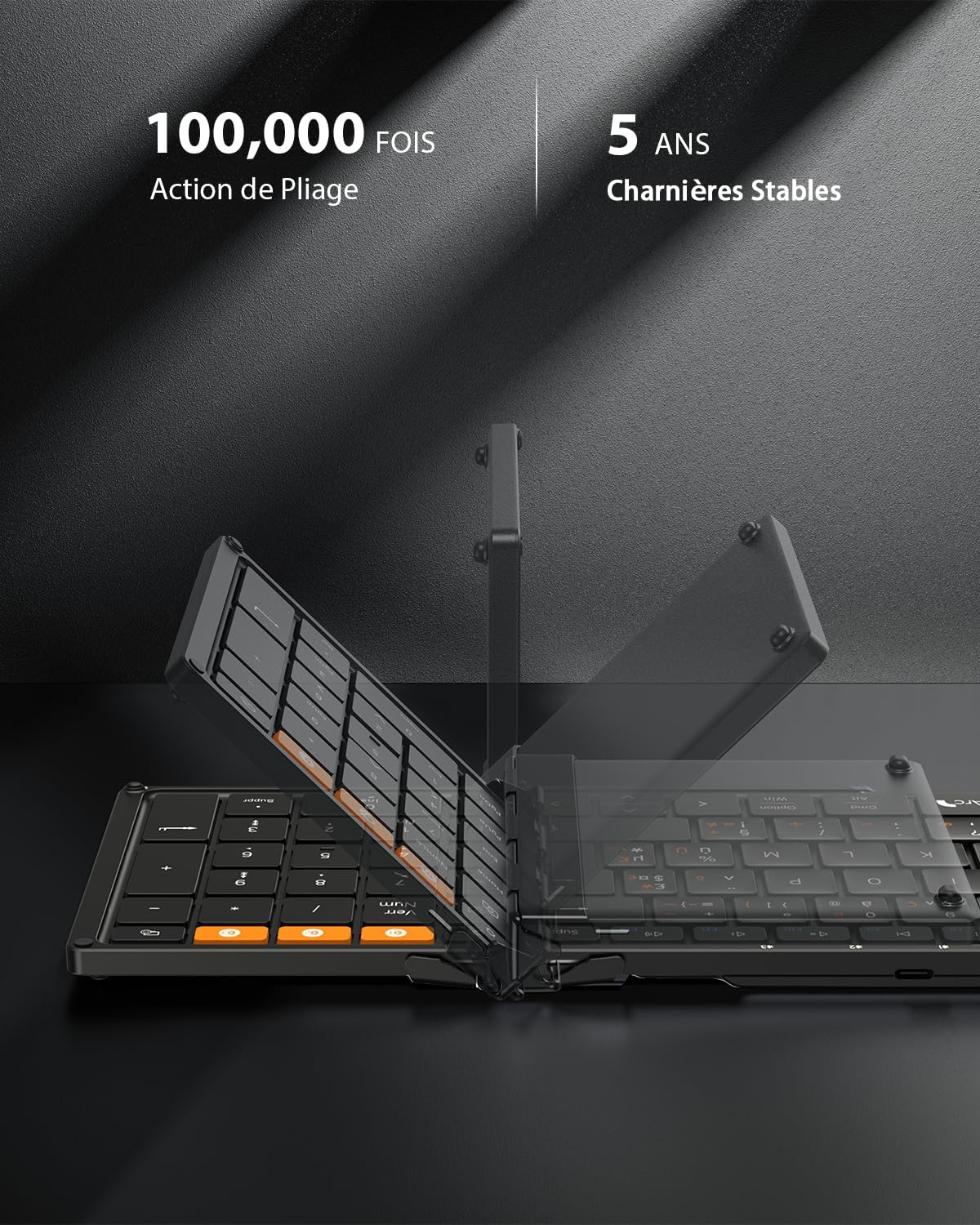
Image 4.2: The dedicated Bluetooth channel keys (BT1, BT2, BT3) for connecting multiple devices.
4.4 Түзмөктөрдүн ортосунда которулуу
To switch between paired devices, simply press the corresponding BT1, BT2, же BT3 key. The keyboard will automatically connect to the last paired device on that channel.
4.5 Android Language Setting
For Android users, it is necessary to set the keyboard language to French (AZERTY) on your device before use. Navigate to: Settings > More settings > Language & Input > Physical keyboard > ProtoArc XK01 > Set keyboard layouts > Choose French (AZERTY).
Video 4.1: A short video demonstrating the ProtoArc XK01 keyboard's features, including its foldable design, thin profile, scissor-switch keys, and multi-device connectivity.
5. Иштөө нускамалары
5.1 Мультимедиялык кыска жол баскычтары
The keyboard features 12 multimedia shortcut keys for quick access to various functions. These keys are typically located on the F1-F12 row.

Image 5.1: Illustration of the 12 multimedia shortcut keys.
5.2 Fn Key Functionality
To activate the secondary functions (F1-F12) of the multimedia keys, press Fn + ESC. Басыңыз Fn + ESC again to toggle back to the multimedia functions.
5.3 Typing Special Characters
For instructions on typing special characters, refer to the detailed layout provided in the physical manual included in the box, as layouts can vary by operating system.
6. Техникалык тейлөө
6.1 Тазалоо
Баскычтопту тазалоо үчүн бетти жумшак, г менен акырын сүртүңүзamp cloth. Avoid using harsh chemicals or abrasive materials. Ensure the keyboard is powered off before cleaning.
6.2 Сактоо
When not in use, fold the keyboard to protect the keys and conserve battery life. The robust hinges and magnetic closure ensure durability and secure storage. Store in a dry place away from extreme temperatures.

Image 6.1: The keyboard in its folded state, ready for transport or storage.
7. Кыйынчылыктарды
If you encounter issues with your ProtoArc XK01 keyboard, please refer to the following common solutions:
- Баскычтоп туташпай жатат: Ensure Bluetooth is enabled on your device and the keyboard is powered on and in pairing mode (rapidly flashing indicator). Try re-pairing the keyboard.
- Ачкычтар жооп бербейт: Check the battery level. If low, charge the keyboard. Ensure the keyboard is properly connected to your device.
- Incorrect characters typing (Android): Verify that the keyboard layout is set to French (AZERTY) in your Android device's settings as described in Section 4.5.
- Кечигүү же байланыш үзүлүүлөрү: Ensure the keyboard is within the effective Bluetooth range (typically 10 meters) and there are no significant obstructions or interference sources.
- Keyboard not folding properly: Ensure no debris is obstructing the hinges. The keyboard is designed to fold easily with magnetic assistance.
Бул кадамдарды жасагандан кийин көйгөй чечилбесе, кардарларды колдоо менен байланышыңыз.
8. Техникалык шарттар
| Өзгөчөлүк | Спецификация |
|---|---|
| Бренд | ProtoArc |
| Модель номери | XK01 |
| Байланыш технологиясы | 3 * Bluetooth |
| Keyboard Description | AZERTY - Foldable Bluetooth Keyboard |
| Өзгөчөлүктөр | AZERTY Layout, Ergonomic, Foldable, Portable, Rechargeable |
| Түс | Кара |
| Продукциянын өлчөмдөрү (ачылган) | 38.6L x 11.9W x 2.0H см (болжол менен 15.19 x 4.68 x 0.78 дюйм) |
| Материал | Пластик |
| Шайкеш түзмөктөр | Game Console, Laptop, PC, Smartphone, Tablet |
| Power Source | Батарея менен иштейт (210 мАч) |
| Которуу түрү | Scissor Switch |
| Ачкычтардын саны | 105 |
| Шайкеш келген ОС үй-бүлөсү | Android, iOS, Mac OS, Windows |
9. Кепилдик жана колдоо
9.1 Кепилдик маалыматы
The ProtoArc XK01 Foldable Bluetooth Keyboard comes with a 12 айлык кепилдик сатып алынган күндөн тартып. Бул кепилдик кадимки колдонуудагы өндүрүштүк кемчиликтерди жана материалдык кемчиликтерди камтыйт. Ал туура эмес колдонуудан, кырсыктардан, уруксатсыз өзгөртүүлөрдөн же кадимки эскирүүдөн келип чыккан зыянды камтыбайт.
9.2 Кардарларды колдоо
For technical assistance, warranty claims, or any questions regarding your ProtoArc XK01 keyboard, please contact ProtoArc customer support through the retailer where you purchased the product or visit the official ProtoArc webбайланыш маалыматы үчүн сайт.