
1. Киришүү
This manual provides detailed instructions for the proper use and maintenance of your OSALO Scientific Calculator, model OS-82ES PLUS II. This calculator is designed for secondary school students and professionals, offering 252 functions, a 2-line display, and dual solar and battery power for reliable operation. Please read this manual thoroughly to ensure optimal performance and longevity of your device.

Figure 1: OSALO Scientific Calculator OS-82ES PLUS II. This image shows the calculator from an angled perspective, highlighting its black body, white keys, and the solar panel at the top. The display shows a complex mathematical integral.
2. Продукт бүтүп калдыview
Familiarize yourself with the various components and keys of your OSALO Scientific Calculator.

Figure 2: Key components of the OSALO Scientific Calculator. This diagram labels the solar panel, extra large display, control keys, SHIFT key, Mode key, Power on button, Function keys, Delete key, and Last answer key.
- Күн панели: Provides power in well-lit environments.
- Өтө чоң дисплей: 2-line LCD for clear viewing of equations and results.
- Башкаруу баскычтары: Navigation and directional input.
- SHIFT баскычы: Accesses secondary functions printed above keys in yellow.
- ALPHA Key: Accesses alphabetic characters and variables printed above keys in red.
- Режим ачкычы: Changes calculation modes (e.g., COMP, STAT, TABLE).
- ON баскычы: Powers on the calculator.
- Функция баскычтары: Perform various mathematical and scientific operations.
- DEL (Delete) Key: Deletes the last entered character.
- AC (All Clear) Key: Clears all calculations and memory (except independent memory).
- ANS (Answer) Key: Мурунку эсептөөнүн жыйынтыгын эске салат.
3. Орнотуу
3.1. Power Supply and Battery Installation
The OSALO Scientific Calculator is powered by both solar energy and an LR44 button cell battery. The battery is included and pre-installed.
- Калькулятор өчүрүлгөнүн текшериңиз.
- Калькулятордун артындагы батарея бөлүкчөсүн табыңыз.
- Батарея бөлүкчөсүнүн капкагын ачуу үчүн кичинекей бурагычты колдонуңуз.
- If replacing, remove the old LR44 battery.
- Жаңы LR44 батареясын оң (+) тарабын өйдө каратып салыңыз.
- Батарея уясынын капкагын ордуна коюңуз жана аны бурама менен бекитиңиз.
Note: The solar panel provides supplementary power and extends battery life, but a functional battery is required for consistent operation, especially in low-light conditions.
3.2. Баштапкы күйгүзүү
басыңыз ON button to turn on the calculator. The display will show "0" or the last calculated result.
3.3. Turning Off the Calculator
Калькуляторду өчүрүү үчүн басыңыз SHIFT анда AC (OFF). The calculator will also automatically power off after a period of inactivity to conserve battery life.
4. Иштөө нускамалары
4.1. Негизги эсептөөлөр
Enter numbers and operators as you would write them. Press = натыйжаны алуу үчүн.
- Кошумча: 1 + 2 =
- Кемитүү: 5 - 3 =
- Көбөйтүү: 4 × 6 =
- Бөлүм: 10 ÷ 2 =
4.2. 2-Line Display and Natural Input/Output
The calculator features a 2-line LCD display, allowing you to view both the input expression and the result simultaneously. It supports natural input and output, displaying fractions, roots, and other expressions as they appear in textbooks.
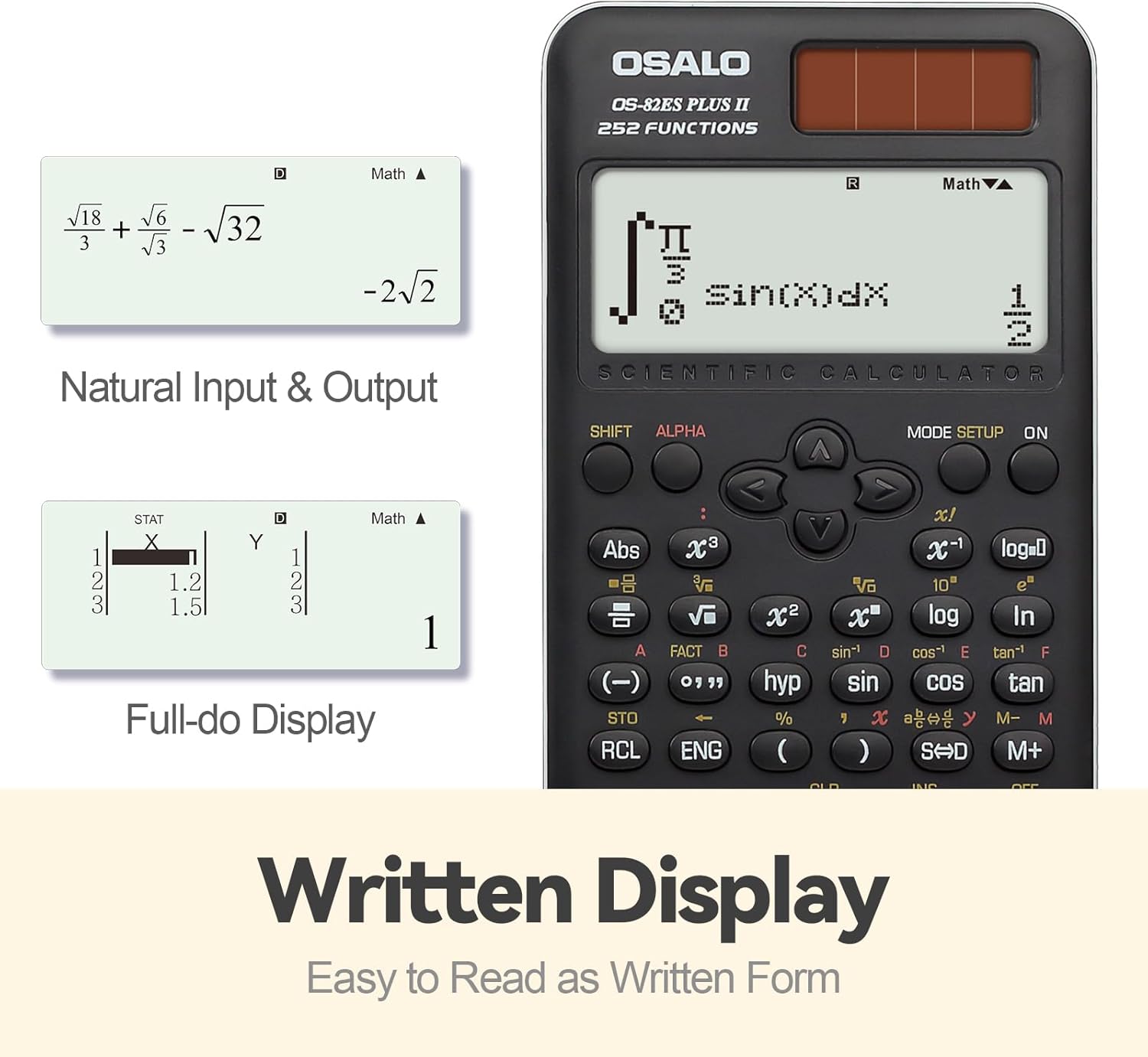
3-сүрөт: Мисamples of Natural Input & Output and Full-do Display. The image shows how complex fractions and roots are displayed in a natural, written form, and how statistical data can be viewed in a full-dot matrix display.
4.3. Using Scientific Functions (252 Functions)
The calculator provides 252 functions, including trigonometric, logarithmic, exponential, power, root, fraction, permutation, combination, and statistical calculations.
- Экинчи функциялар: Басыңыз SHIFT followed by the desired key to access the yellow-printed function above it.
- Alpha Functions: Басыңыз ALPHA followed by the desired key to access the red-printed character or variable above it.
- Тригонометриялык функциялар: Колдонуу күнөө, cos, тан keys. Inverse functions are accessed via SHIFT.
- Логарифмдик функциялар: Колдонуу журнал (10-база) жана ln (натуралдык логарифм) ачкычтары.
- Бөлчөктөр: колдонуу ab/c Бөлчөктөрдү киргизүү жана конвертациялоо ачкычы.
- Статистика: Басыңыз РЕЖИМ and select STAT mode. Refer to the calculator's on-screen menu for specific statistical calculations (e.g., standard deviation, linear regression).
- Эстутум функциялары: Колдонуу СТО (Дүкөн) жана RCL (Recall) keys to store and retrieve values from independent memory.
4.4. Brightness Adjustment Function
The calculator features a brightness adjustment function to optimize display visibility and reduce visual fatigue.

Figure 4: Brightness Adjustment Function. This image illustrates the difference between a 'Dark' display setting (to relieve visual fatigue) and a 'Bright' setting (for clear and intuitive viewing), demonstrating the calculator's adjustable screen brightness.
To adjust brightness, navigate through the РЕЖИМ settings or use specific key combinations as indicated in the on-screen menu.
5. Негизги өзгөчөлүктөрү
The OSALO Scientific Calculator OS-82ES PLUS II is equipped with several features designed to enhance usability and functionality for academic and professional use.

Figure 5: ашыкview of 252 Functions. This image highlights key capabilities such as Multi-replay function, Combination and Permutation, Statistics (STAT-data editor, Standard deviation, Regression analysis), Fraction Calculation, 9 variable memories, and the inclusion of a slide-on hard case.
- 252 Функциялар: Comprehensive set of mathematical, statistical, and scientific functions.
- 2-Line Large Display: Clear and simultaneous display of input and results, supporting natural textbook display.
- Сезимтал баскычтар: Premium induction buttons provide quick and accurate response to input.
- Hard Sliding Cover: Ergonomically designed cover protects the calculator from damage and provides a comfortable grip.
- Dual Power (Solar & Battery): Ensures reliable operation in various lighting conditions.
- Көп кайталоо функциясы: Тез кайра иштетүүгө мүмкүндүк беретview and editing of previous calculations.
- STAT-data Editor: Facilitates statistical calculations including standard deviation and regression analysis.
- 9 Variable Memories: Store and recall up to 9 different values for complex calculations.
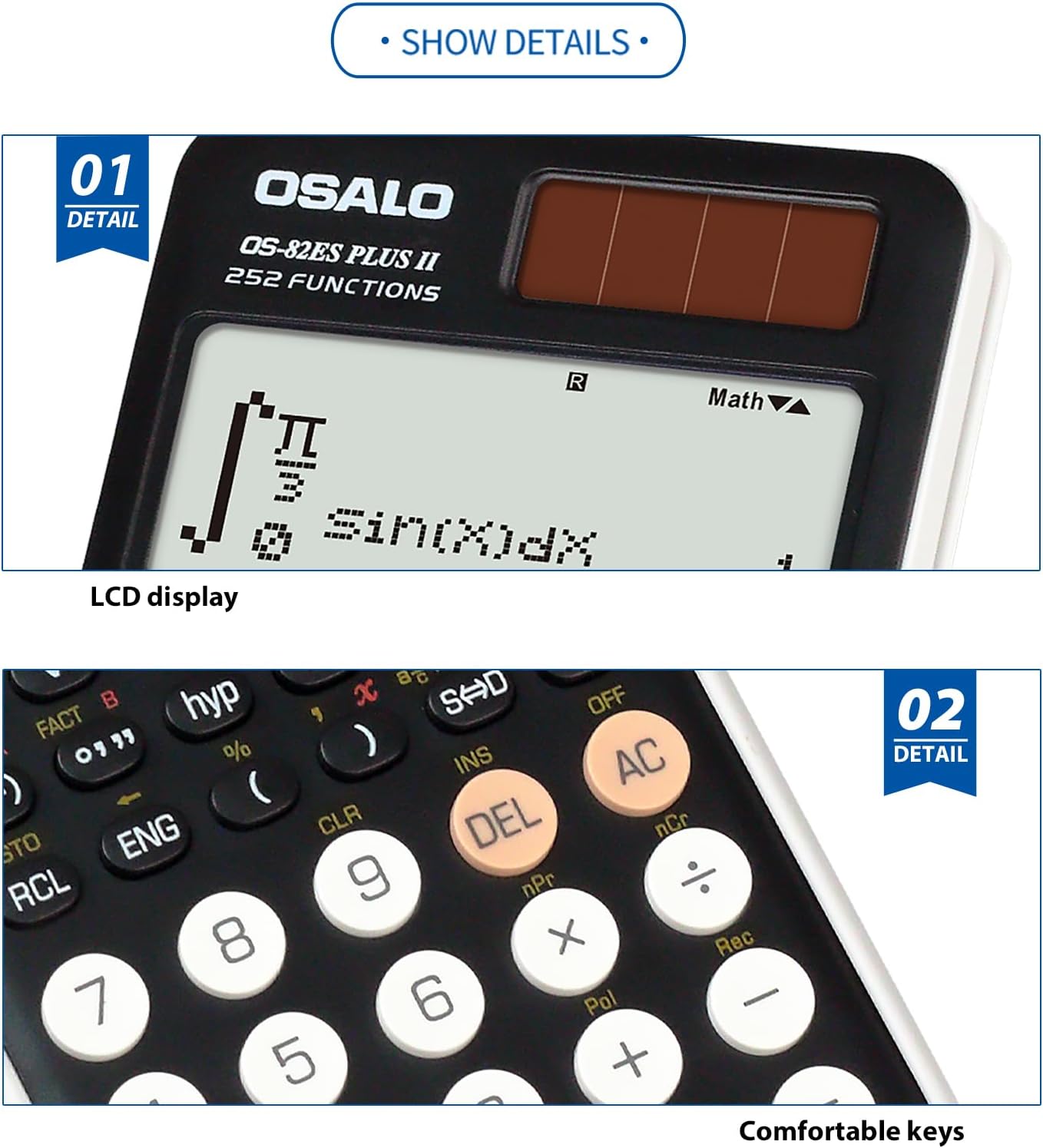
Figure 6: Detail of LCD Display and Comfortable Keys. This image provides a close-up view of the calculator's clear LCD display and the tactile, responsive keys, emphasizing user comfort and readability.
6. Техникалык тейлөө
6.1. Тазалоо
- Калькулятордун сыртын жумшак, кургак чүпүрөк менен сүртүңүз.
- өжөр кир үчүн, бир аз гampчүпүрөктү суу жана жумшак жуугуч менен жууп, анан дароо кургатып сүртүңүз.
- Күчтүү эриткичтерди, абразивдүү тазалоочу каражаттарды же чачыраткыч тазалоочу каражаттарды түз эле эсептегичке колдонбоңуз.
6.2. Сактоо
- Store the calculator in a cool, dry place, away from direct sunlight and extreme temperatures.
- Always use the provided hard sliding cover to protect the display and keys when not in use.
- Avoid placing heavy objects on the calculator.
6.3. Батареяны алмаштыруу
When the display becomes dim or calculations are erratic, it may be time to replace the LR44 battery. Follow the instructions in Section 3.1. "Power Supply and Battery Installation". Dispose of used batteries according to local regulations.
7. Кыйынчылыктарды
| Көйгөй | Мүмкүн себеп | Чечим |
|---|---|---|
| Калькулятор күйбөйт. | Low or dead battery; insufficient light for solar power. | Replace the LR44 battery. Ensure adequate lighting for solar panel. |
| Дисплей күңүрт же бош. | Low battery; poor lighting; brightness setting too low. | Replace battery. Move to a brighter area. Adjust display brightness (refer to Section 4.4). |
| Туура эмес эсептөө натыйжалары. | Incorrect mode setting; syntax error; incorrect input. | Учурдагы режимди текшериңиз (мисалы, DEG/RAD, COMP/STAT). Кайраview input for errors. Press AC тазалоо жана кайра баштоо үчүн. |
| Ачкычтар жооп бербейт. | Calculator frozen; physical obstruction. | Try turning the calculator off and on again. Check for debris under keys. |
| "Math ERROR" or "Syntax ERROR" displayed. | Mathematical impossibility (e.g., division by zero); incorrect expression format. | Review your input for mathematical errors or incorrect syntax. Press AC катаны тазалоо үчүн. |
8. Техникалык шарттар

Figure 7: Calculator Dimensions and Weight. This image provides a side and front view of the calculator, indicating its approximate thickness (0.79 inches / 20mm), height (6.46 inches / 164mm), width (3.15 inches / 80mm), and net weight (4.9oz / 140g). Note that official specifications may vary slightly.
| Өзгөчөлүк | Деталь |
|---|---|
| Модел | OS-82ES PLUS II |
| Бренд | ОСАЛО |
| Функциялар | 252 |
| Дисплей түрү | 2-line LCD, Natural Textbook Display |
| Экранды көрсөтүү өлчөмү | 6 сантиметр |
| Power Source | Solar & Battery Supply (LR44 x 1, included) |
| Материалдын түрү | Пластик |
| Продукциянын өлчөмдөрү | 16.4 x 8 x 0.1 см (6.46 x 3.15 x 0.04 дюйм) |
| Элемент Салмагы | 190 г (болжол менен 6.7 унция) |
| Заряддалуучу батареяны камтыйт | Жок |
9. Кепилдик жана колдоо
For specific warranty information, please refer to the documentation provided at the time of purchase or contact your retailer. OSALO products are designed for reliability and performance.
If you encounter issues not covered in the troubleshooting section, or require further assistance, please contact OSALO customer support through their official webсайты же продуктунун таңгагында берилген байланыш маалыматы.