
MISIRUN P4
User Manual for MISIRUN Smart Watch P4
Модел: P4
Introduction
This manual provides comprehensive instructions for the operation, maintenance, and troubleshooting of your MISIRUN Smart Watch P4. Please read this manual carefully before using the device to ensure proper functionality and to maximize your user experience. This smart watch is designed to monitor various health metrics and track your fitness activities, compatible with both iOS and Android smartphones.

Figure 1: MISIRUN Smart Watch P4, showcasing анын саркеч дизайн жана санариптик дисплей.
Коопсуздук маалыматы
- Аппаратты ажыратууга же өзгөртүүгө аракет кылбаңыз.
- Аппаратты экстремалдык температурадан жана тике күн нурунан алыс кармаңыз.
- Түзмөктү катуу соккуларга же кулап түшүүлөргө дуушар кылбаңыз.
- This device is IP67 waterproof, meaning it can withstand splashes and brief immersion. Do not use it for swimming or diving.
- The health monitoring data provided by this watch is for fitness reference only and should not be used for medical diagnosis or treatment. Consult a medical professional for any health concerns.
- Балдар жетпеген жерде сактаңыз.
Пакеттин мазмуну
Сураныч, пакетте төмөнкү нерселерди текшериңиз:
- MISIRUN Smart Watch P4 (with band/rem)
- Magnetic Charging Cable (USB-A)
- User Manual
Жайгашуу
1. Аппаратты заряддоо
Before first use, fully charge your smart watch. Connect the magnetic charging cable to the charging contacts on the back of the watch. Connect the USB-A end of the cable to a standard USB power adapter (not included) or a computer USB port. The watch display will indicate charging status.
2. Колдонмону жүктөө
To unlock the full features of your smart watch, download the companion application. Издөө "Dafit" in your smartphone's app store (Google Play Store for Android or Apple App Store for iOS) and install it.
3. Смартфонуңуз менен жупташуу
- Смартфонуңузда Bluetooth иштетилгенин текшериңиз.
- Open the Dafit app on your smartphone.
- Follow the on-screen instructions in the app to add your device. The app will search for available smart watches.
- Select "P4" or the corresponding device name from the list to initiate pairing.
- Эгер суралса, жупташтыруу өтүнүчүн саатыңызда жана смартфонуңузда ырастаңыз.
- Жупташтырылгандан кийин, саат дайындарды колдонмо менен синхрондошот.
The smart watch is compatible with smartphones running Android 5.1 or higher, and iOS 8.0 or higher.
Иштөө нускамалары
Негизги навигация
- Сенсордук экран: Менюлар жана экрандар аркылуу өтүү үчүн солго/оңго, өйдө/ылдый серпиңиз. Элементтерди тандоо үчүн таптаңыз.
- Каптал баскычы: Press the side button to wake up the screen or return to the main watch face.
- Билек көтөрүү: The screen can be set to automatically turn on when you raise your wrist (enable this feature in the Dafit app).
Машыгуу режимдери
The smart watch supports 7 training modes to track your exercise. These include walking, running, cycling, skipping rope, badminton, basketball, and football. Select your desired mode from the watch's sports menu to start tracking your activity, including steps, calories burned, and distance.

Figure 2: The smart watch displaying multi-sport mode, tracking activity metrics during exercise.
Ден соолук мониторинги
The watch features built-in high-performance motion sensors to monitor your health metrics in real-time.
- Жүрөктүн кагышын көзөмөлдөөчү: Access the heart rate function on the watch to measure your current heart rate. The app provides historical data.
- SpO2 өлчөө: The watch can estimate your blood oxygen levels. Follow the on-screen instructions for accurate readings.
- Уйку монитору: The watch automatically monitors your sleep patterns, including deep sleep, light sleep, and wakefulness. View detailed sleep data in the Dafit app to help improve your sleep quality.

Figure 3: The smart watch displaying heart rate data, indicating real-time measurement capabilities.

Figure 4: The smart watch displaying sleep tracking data, showing duration of deep and light sleep.
Note: This information is for fitness reference only, not for medical reference.
Акылдуу эскертмелер
Receive notifications directly on your watch for incoming calls, SMS messages, and alerts from social media applications (e.g., Facebook, Twitter). Enable notification permissions in the Dafit app for desired applications.

Figure 5: The smart watch displaying an incoming message notification, demonstrating its message push capability.
Custom Dial / Watch Faces
Personalize your watch by choosing from various pre-installed watch faces or by uploading your favorite pictures through the Dafit app to create a custom dial.
Музыкалык башкаруу
Control music playback on your smartphone directly from your watch. You can play, pause, skip tracks, and adjust volume without needing to take out your phone.

Figure 6: The smart watch displaying music player controls, allowing remote management of smartphone audio.
Weather Reminder
Once connected to your smartphone, the watch can display real-time weather forecasts for your location. Ensure location services are enabled for the Dafit app on your phone.

Figure 7: The smart watch displaying current weather conditions and forecast, providing a convenient weather reminder.
Кошумча функциялар
- Телефонду табуу: Use this feature on your watch to make your paired smartphone ring, helping you locate it.
- Отуруучу эстеткич: Set reminders in the app to prompt you to move if you've been inactive for too long.
- Секундомер: A built-in stopwatch function is available for timing activities.
Техникалык тейлөө
Саатыңызды тазалоо
Саатыңызды жана боону жумшак, кургак чүпүрөк менен үзгүлтүксүз тазалап туруңуз. Зарыл болсо, бир азamp чүпүрөк, анан кылдат кургатуу. Катуу химиялык заттарды же абразивдүү материалдарды колдонуудан алыс болуңуз.
Сууга туруктуулук (IP67)
The MISIRUN Smart Watch P4 is rated IP67 waterproof. This means it is protected against dust ingress and can withstand immersion in water up to 1 meter for up to 30 minutes. It is suitable for daily use, such as hand washing or exposure to rain. However, it is not recommended for swimming, showering with hot water, or diving, as steam and prolonged immersion can damage the device.
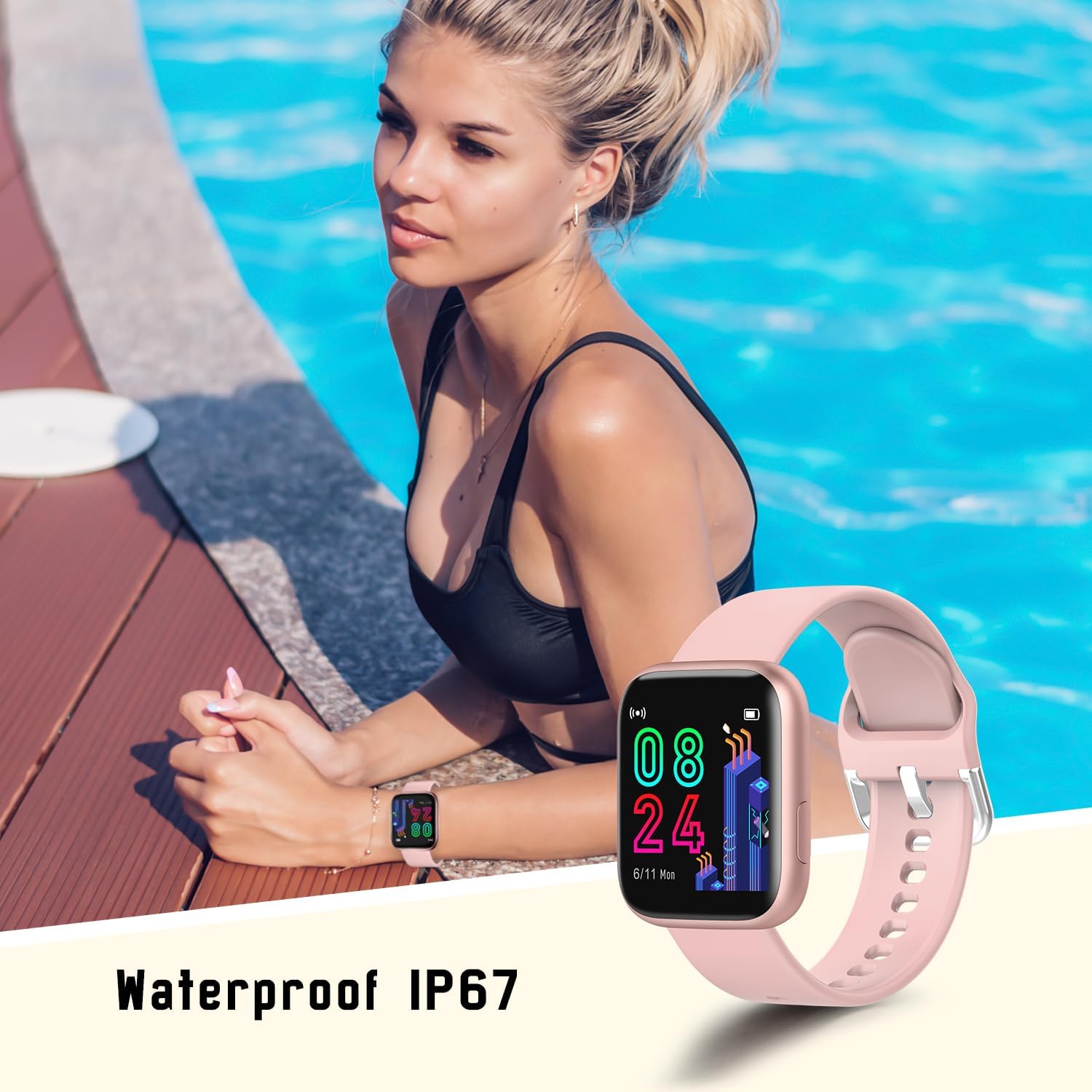
Figure 8: The smart watch being worn near water, illustrating its IP67 waterproof rating for everyday use.
Батареяга кам көрүү
- Батареяны бат-баттан толук кубаттап калуудан алыс болуңуз.
- Батареянын иштөө мөөнөтүн сактоо үчүн, күнүмдүк колдонулбаса да, саатты үзгүлтүксүз кубаттап туруңуз.
- Do not expose the watch to extreme temperatures during charging or storage.
- Typical battery life is 4-6 days with normal use, and up to 20 days on standby.
Проблемаларды чечүү
| Көйгөй | Мүмкүн болгон себеп / Чечим |
|---|---|
| Саат күйбөйт | Батарея түгөнгөн болушу мүмкүн. Саатты кеминде 30 мүнөт кубаттаңыз. |
| Смартфон менен жупташтыруу мүмкүн эмес | Ensure Bluetooth is enabled on your phone. Make sure the watch is charged and within range. Restart both the watch and phone. Check app permissions. |
| Билдирмелер алынган жок | Check notification settings in the Dafit app and your phone's system settings. Ensure the app is running in the background. |
| Туура эмес ден соолук маалыматы | Ensure the watch is worn snugly on your wrist, not too loose or too tight. Clean the sensor on the back of the watch. Note that data is for reference only. |
| Батареянын иштөө мөөнөтү кыска | Frequent use of features like continuous heart rate monitoring, bright screen, and many notifications can drain the battery faster. Adjust settings in the app to optimize battery life. |
Техникалык шарттар
| Өзгөчөлүк | Деталь |
|---|---|
| Бренд | МИСИРУН |
| Модель аты | P4 |
| Screen Size | 1.4 дюйм |
| Дисплей түрү | LCD or OLED |
| Операция системасы | AsteroidOS |
| Шайкеш түзмөктөр | Android 5.1 же андан жогору, iOS 8.0 же андан жогору |
| Байланыш технологиясы | Bluetooth |
| Өзгөчөлүктөр | Multisport Tracker, Accelerometer, Activity Tracker, Custom Activity Tracking, Music Player |
| Суу каршылык | IP67 |
| Батарея түрү | Литий Полимер (1 камтылган) |
| Батареянын иштөө мөөнөтү (Типтүү) | 4-6 күн (колдонуу), 20 күн (күтүү режиминде) |
| Продукциянын өлчөмдөрү | 4 x 1.05 x 3.45 см |
| Элемент Салмагы | 33.5 г |
| Адам интерфейсинин киргизүү | Сенсордук экран |
Кепилдик жана колдоо
For warranty information and technical support, please refer to the contact details provided on the product packaging or the official MISIRUN webсайт. Сатып алуу квитанциясын кепилдик дооматтары үчүн сатып алуунун далили катары сактаңыз.
Ask a question about this manual
Ask about setup, troubleshooting, compatibility, parts, safety, or missing instructions. Manuals+ will review the question and use this page’s manual context to help answer it.