
HOCO TWS EW34
HOCO EW34 True Wireless Earphones User Manual
Model: TWS EW34 | Brand: HOCO
Introduction
Thank you for choosing the HOCO EW34 True Wireless Earphones. This manual provides essential information on how to set up, operate, maintain, and troubleshoot your earphones to ensure optimal performance and longevity. Please read this manual carefully before using the product.
Пакеттин мазмуну
Баштоодон мурун, пакетте бардык элементтер бар экенин текшериңиз:
- HOCO EW34 True Wireless Earphones (Left and Right)
- Заряддоо кутусу
- Заряддоо кабели
- Колдонуучунун Колдонмосу (бул документ)
Жайгашуу
1. Баштапкы заряддоо
Before first use, fully charge the charging case and earphones. Place both earphones into the charging case. Connect the charging cable to the charging port on the case and to a USB power source.

Image: HOCO EW34 earphones placed inside their open charging case, showing the charging indicators.
The indicator light on the charging case will show the charging status. Ensure the case is fully charged before using the earphones for the first time.

Image: The HOCO EW34 charging case, closed, displaying the USB charging port on the side.
2. Bluetooth Жупташтыруу
- Кулакчындардын кубатталганын жана кубаттоочу кутучанын ичинде экенин текшериңиз.
- Open the charging case. The earphones will automatically enter pairing mode, indicated by a flashing light (if applicable).
- Түзмөгүңүздө (смартфон, планшет ж.б.) Bluetooth иштетиңиз.
- Издөө "HOCO EW34" in the list of available Bluetooth devices.
- Select "HOCO EW34" to connect. Once connected, a voice prompt will confirm the successful pairing.
- Эгер аппаратта Bluetooth иштетилген болсо, кулакчындар кутудан чыгарылганда акыркы жупташтырылган түзмөккө автоматтык түрдө кайра туташат.
Иштөө нускамалары
Наушник тагынуу
Gently insert the earphones into your ears, ensuring a comfortable and secure fit. Adjust them slightly until the sound quality is optimal and they feel stable.
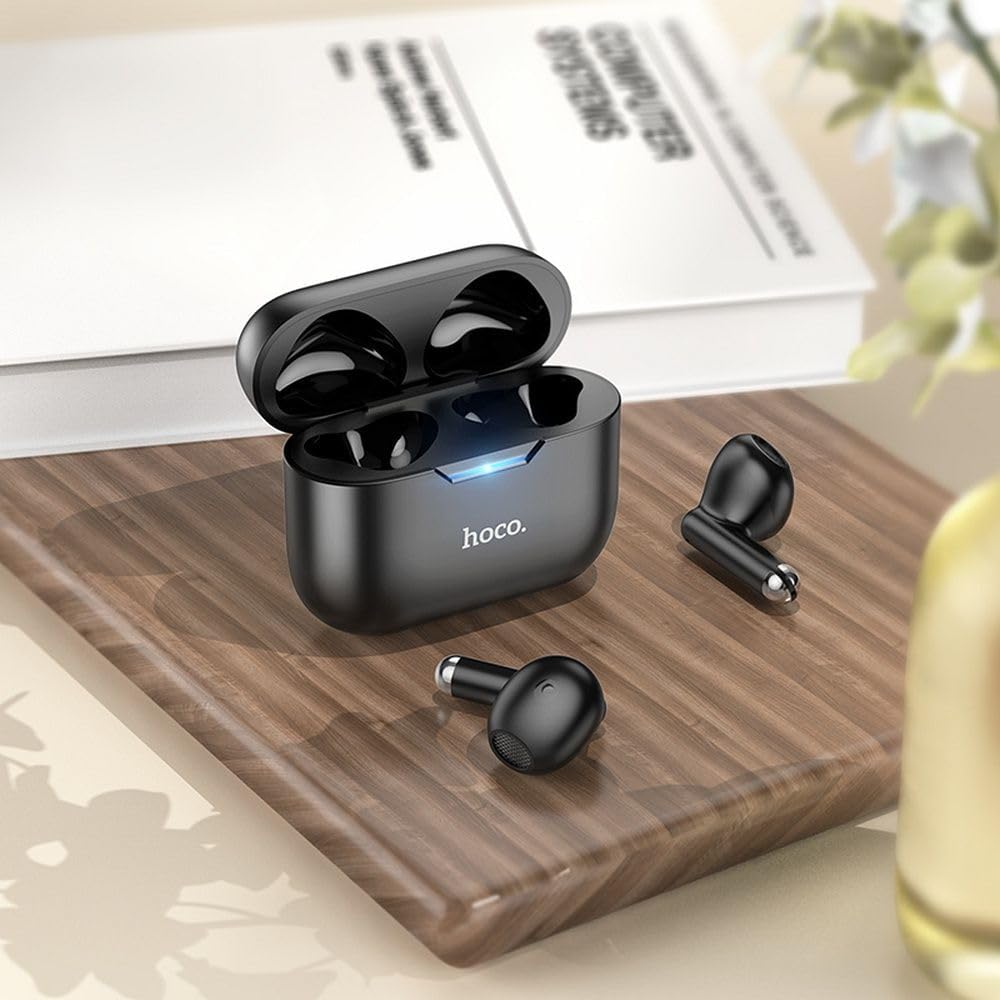
Image: The HOCO EW34 earphones and their charging case resting on a wooden surface next to a book, illustrating their compact size.
Basic Controls (Touch Sensitive)
The HOCO EW34 earphones feature touch-sensitive controls. Specific functions may vary slightly based on your device and application.
- Ойнотуу/тындыруу: Наушникти бир жолу таптаңыз.
- Кийинки трек: Оң наушникти эки жолу таптаңыз.
- Мурунку трек: Сол наушникти эки жолу таптаңыз.
- Чалууга жооп берүү/аяктоо: Кирүүчү чалуу учурунда наушникти бир жолу таптаңыз.
- Чакырууну четке кагуу: Press and hold either earphone for 2 seconds during an incoming call.
- Үн Жардамчысын жандыруу: Наушникти үч жолу таптаңыз.
Техникалык тейлөө
Proper maintenance ensures the longevity and performance of your HOCO EW34 earphones.
- Тазалоо: Кулакчындарды жана кубаттоочу кутуну тазалоо үчүн жумшак, кургак, түксүз чүпүрөктү колдонуңуз. Катуу химиялык заттарды же абразивдүү материалдарды колдонбоңуз.
- Сактагыч: Колдонбогондо, наушниктерди чаңдан жана бузулуудан коргоо үчүн заряддоо кутучасында сактаңыз.
- Батареяга кам көрүү: Avoid fully discharging the battery frequently. Charge the earphones and case regularly, even if not in constant use, to maintain battery health.
- Суудан качуу: Кулакчындар суу өткөрбөйт. Сууга, терге же жогорку нымдуулукка дуушар кылбаңыз.
Проблемаларды чечүү
If you encounter issues with your HOCO EW34 earphones, try the following solutions:
| Көйгөй | Мүмкүн чечим |
|---|---|
| Кулакчындар түзмөк менен жупташпай жатат. |
|
| Наушниктердин биринен же экөөнөн тең үн чыкпайт. |
|
| Заряддоо куту заряддалбай жатат. |
|
| Үн сапаты начар. |
|
Техникалык шарттар
Here are the technical specifications for the HOCO EW34 True Wireless Earphones:
- Bluetooth версиясы: 5.3
- Чип: JL AC6983
- Батарейканын кубаттуулугун кубаттоо: 250 мАч
- Наушниктин батареясынын кубаттуулугу: 30 мАч (ар бири)
- Сүйлөшүү/Музыка убактысы: 4 саат
- Күтүү убактысы: 150 саат
- Өлчөмдөрү (корпус): 57 × 46 × 23.5 мм
- Жалпы Салмагы: 42 г
- Модель аты: TWS EW34
- Түсү: Кара
Кепилдик жана колдоо
For warranty information, please refer to the warranty card included with your purchase or visit the official HOCO webсайт. Кепилдиктин шарттары жана шарттары аймакка жараша өзгөрүшү мүмкүн.
If you require further assistance or encounter issues not covered in this manual, please contact HOCO customer support through their official website or the retailer from whom you purchased the product. Please have your product model number (TWS EW34) and proof of purchase ready when contacting support.
Ask a question about this manual
Ask about setup, troubleshooting, compatibility, parts, safety, or missing instructions. Manuals+ will review the question and use this page’s manual context to help answer it.