
Vonztek BT881-CD-NEW
Vonztek Bluetooth гарнитурасынын колдонуучу колдонмосу
Model: BT881-CD-NEW
1. Киришүү
Thank you for choosing the Vonztek Bluetooth Headset. This wireless headset is designed to provide crystal-clear communication and superior comfort for various professional and personal uses, including work, office, PC, meetings, Zoom, Skype, and MS Teams. Featuring advanced noise-canceling technology, a convenient mute button, and dual connectivity options, it ensures a seamless audio experience. This manual provides detailed instructions for setup, operation, and maintenance to help you get the most out of your new headset.
2. Кутуда эмне бар
- Зымсыз гарнитура
- Кубаттоочу станция
- USB Audio Dongle
- USB-C заряддоо кабели
- User Manual

Image: The Vonztek Bluetooth Headset, its charging dock, and the included USB dongle, showcasing all main components.
3. Продукт бүтүп калдыview
Familiarize yourself with the key features and controls of your Vonztek headset.

Image: Close-up of the headset ear cup, highlighting multi-angle rotation, breathable material, and memory foam cushions for comfort.
Ыңгайлуулук жана дизайн: The headset features soft memory foam ear pads with a leatherette cover for maximum comfort during extended use. The ear cups offer multi-angle rotation, and the headband is adjustable for a personalized fit.
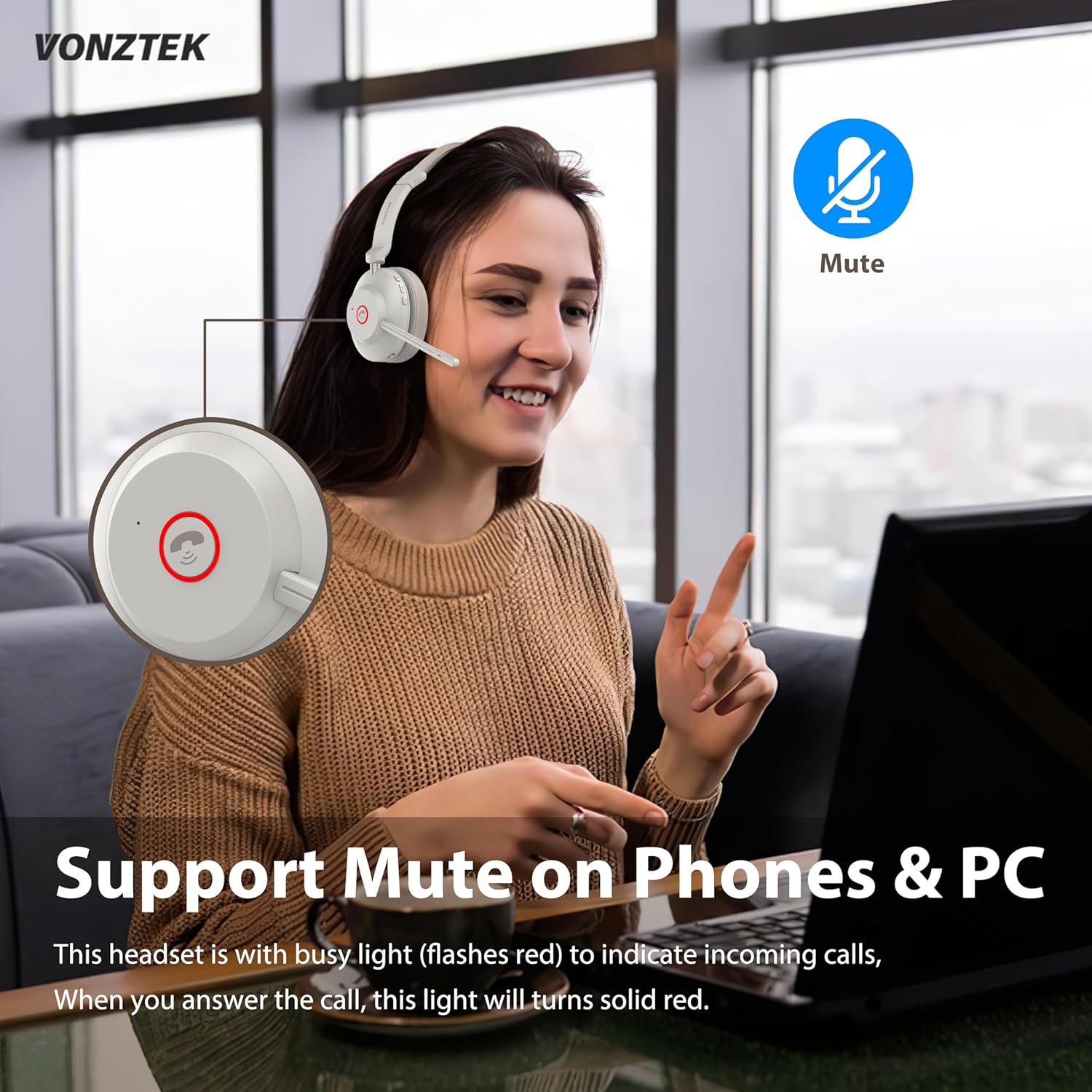
Image: Diagram showing the headset's mute button and its function for phone and PC calls.
Үнсүз функция: A dedicated mute button is integrated for easy control during calls. The headset also features a busy light that flashes red for incoming calls and turns solid red when a call is answered.

Image: A woman using the headset in an office setting, with a graphic illustrating 99.6% noise cancellation by the advanced AI Environmental Noise Cancellation Technology.
Ызы-чууну жокко чыгаруучу микрофон: Equipped with a cutting-edge noise-canceling microphone, the headset effectively eliminates background noise, ensuring clear voice transmission for superior call quality.

Сүрөт: жарылган view of the headset's internal components, highlighting the Bluetooth 5.3 chip for stable and fast connections.
Bluetooth 5.3 & USB Dongle: The latest Bluetooth 5.3 chip provides seamless and stable connectivity. An included USB dongle offers an alternative connection method for devices without built-in Bluetooth, extending connectivity range up to 33ft/10m.
4. Орнотуу
4.1 Гарнитураны заряддоо
The Vonztek headset is equipped with a 500mAh battery, offering up to 45 hours of talk time. It can be charged via the charging dock or directly via the USB-C port.
- Кубаттоочу докту колдонуу: Connect the USB-C charging cable to the charging dock and then to a power source (e.g., computer USB port, wall adapter). Place the headset onto the charging dock. The indicator light on the headset will flash red while charging and turn off when fully charged.
- Түздөн-түз заряддоо: Connect the USB-C charging cable directly to the USB-C port on the headset and then to a power source.

Image: Illustration showing two charging methods: direct USB-C cable connection to the headset and charging via the included dock.
4.2 Гарнитураны туташтыруу
The headset supports dual connection methods: Bluetooth 5.3 and a USB dongle.
- Bluetooth байланыш:
- Turn on the headset by sliding the power switch to the "ON" position.
- To enter pairing mode, slide and hold the power switch in the "ON" position until the indicator light starts flashing blue and red.
- On your device (smartphone, tablet, laptop), enable Bluetooth and search for "Vonztek BT881".
- Select the headset from the list of available devices to pair. Once connected, the indicator light will turn solid blue.
- USB Dongle туташуу:
- Plug the USB Audio Dongle into an available USB port on your PC or laptop.
- Turn on the headset. It will automatically connect to the USB dongle. The indicator light on the dongle will turn solid blue once connected.
- This method provides a stable connection without requiring Bluetooth on your computer.
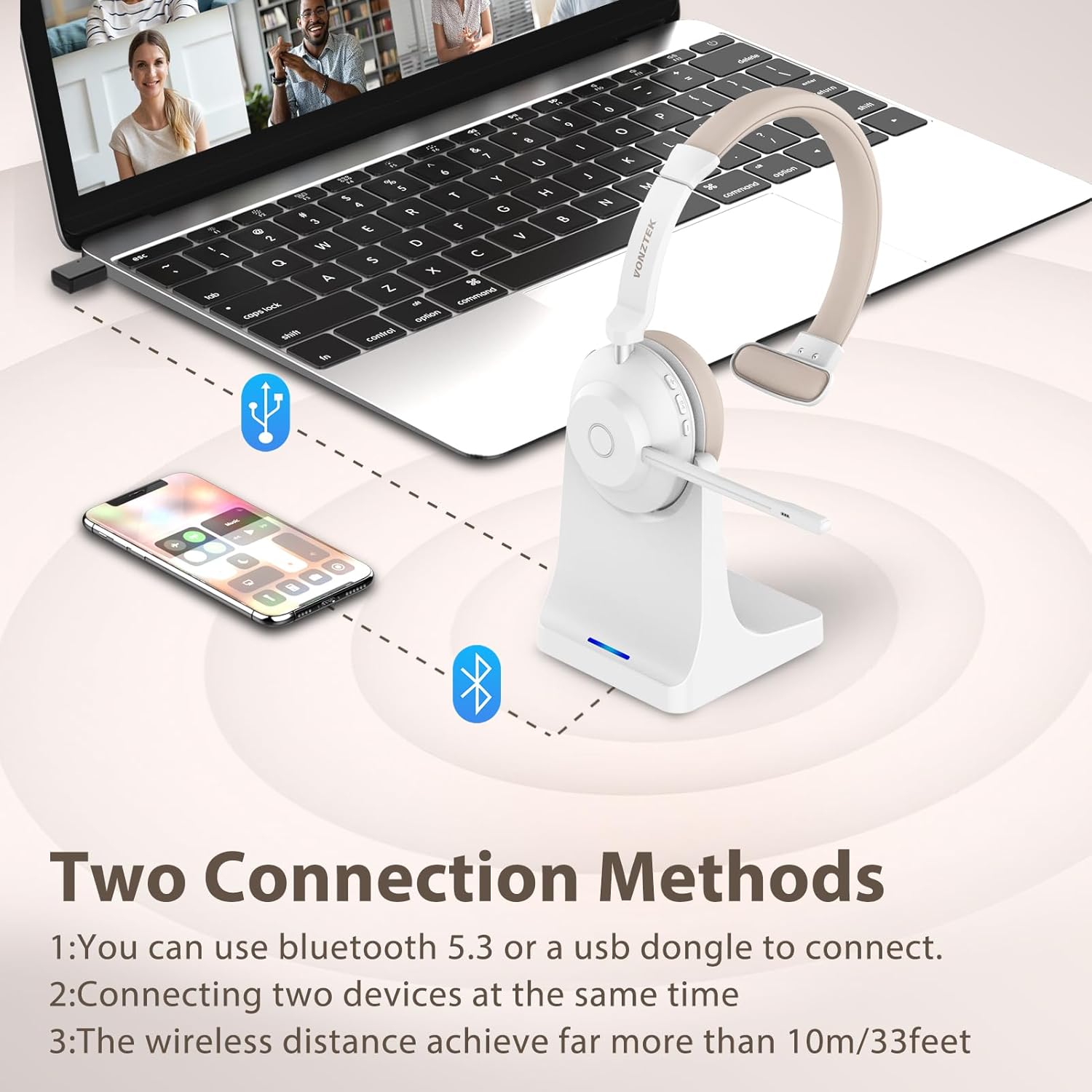
Image: Visual representation of connecting the headset to a laptop via USB dongle and to a smartphone via Bluetooth, illustrating dual connection capability.
5. Гарнитураны иштетүү
5.1 Негизги башкаруу каражаттары
- Күйгүзүү/өчүрүү: Slide the power switch to "ON" or "OFF".
- Үнүн жогорулатуу/төмөндөтүү: Use the dedicated volume buttons on the ear cup.
- Ойнотуу/тындыруу: Press the multi-function button (often the main button on the ear cup).
- Чалууга жооп берүү/аяктоо: Көп функциялуу баскычты басыңыз.
- Чакырууну четке кагуу: Көп функциялуу баскычты басып, кармап туруңуз.
- Микрофондун үнүн басуу/ачуу: Press the mute button located on the microphone arm or ear cup. An audible prompt will confirm "Mute On" or "Mute Off".
Video: A detailed demonstration of the Vonztek Bluetooth Headset, including unboxing, physical features, controls, and an audio test of the microphone's clarity and mute function. This video highlights the ease of use and sound quality for PC communication.
Видео: Кыскачаview of the Vonztek Bluetooth Headset's features, including its noise-canceling microphone, long battery life, dual connectivity, and comfortable design. This video provides a quick visual summary of the product's main benefits.
5.2 Шайкештик
This wireless headset is universally compatible with most communication platforms and devices, including:
- PCs and Laptops
- Смартфондор жана планшеттер
- Communication Platforms: Skype, Zoom, MS Teams, Google Meet, GoToMeeting, Cisco Webex, 3CX, FaceTime, WhatsApp, Slack.

Image: A man using the headset with a computer, surrounded by logos of various compatible communication platforms like Zoom, MS Teams, Skype, and Google Meet.
6. Техникалык тейлөө
- Тазалоо: Use a soft, dry cloth to clean the headset and charging dock. Avoid using abrasive cleaners or solvents.
- Сактагыч: Store the headset in a cool, dry place away from direct sunlight and extreme temperatures. When not in use, place it on the charging dock to keep it organized and charged.
- Батареяга кам көрүү: Батареянын иштөө мөөнөтүн узартуу үчүн, гарнитураны бат-баттан толук зарядсыздандырбаңыз. Дайыма колдонулбаса да, аны дайыма заряддаңыз.
7. Кыйынчылыктарды
| Көйгөй | Мүмкүн чечим |
|---|---|
| Гарнитура күйбөйт. | Ensure the headset is charged. Connect it to the charging dock or directly via USB-C cable. |
| Bluetooth аркылуу жупташтыруу мүмкүн эмес. | Ensure the headset is in pairing mode (flashing blue/red light). Check if Bluetooth is enabled on your device. Move the headset closer to the device. Forget previous pairings on your device and try again. |
| Үн жок же үн сапаты начар. | Check the volume levels on both the headset and your connected device. Ensure the headset is selected as the audio output device in your system settings. Recharge the headset if the battery is low. |
| Микрофон иштебей жатат. | Ensure the microphone is not muted. Check the microphone input settings on your computer/device. Ensure the microphone arm is properly positioned. |
| USB донгл туташпай жатат. | Ensure the dongle is fully inserted into the USB port. Try a different USB port. Restart your computer. |
8. Техникалык шарттар
| Өзгөчөлүк | Деталь |
|---|---|
| Модель аты | BT881-CD-NEW |
| Бренд | Vonztek |
| Байланыш технологиясы | Зымсыз (Bluetooth 5.3) |
| Зымсыз байланыш технологиясы | Bluetooth |
| Bluetooth версиясы | 5.3 |
| Bluetooth диапазону | 15 метр (болжол менен 49 фут) |
| Noise Control | Пассивдүү ызы-чууну жокко чыгаруу |
| Frequency Response | 20 Гц - 20 000 Гц |
| Сезимталдуулук | 112 дБ |
| Импеданс | 32 Ом |
| Аудио драйвер түрү | Динамикалык драйвер |
| Аудио драйверинин өлчөмү | 40 миллиметр |
| Батареянын иштөө мөөнөтү | 45 саат (сүйлөшүү убактысы) |
| Заряддоо убактысы | 3 саат |
| Материал | Тери |
| Стиль | Жалгыз кулак |
| Башкаруу ыкмасы | Баскыч, Баскыч |
| Элемент Салмагы | 1.17 фунт |
| Пакеттин өлчөмдөрү | 8.23 x 7.48 x 3.78 дюйм |
9. Кепилдик жана колдоо
Vonztek provides a 12 айлык кепилдик for this product. For any problems or inquiries, please feel free to contact Vonztek customer support. They offer 24 сааттык колдоо to assist you with any issues or questions you may have regarding your headset.
For support, please refer to the contact information provided in the original product packaging or visit the official Vonztek webсайт.
Ask a question about this manual
Ask about setup, troubleshooting, compatibility, parts, safety, or missing instructions. Manuals+ will review the question and use this page’s manual context to help answer it.