
DACOM Q10
DACOM Q10 Neckband Headphones User Manual
Model: Q10 | Brand: DACOM
1. Киришүү
Thank you for choosing the DACOM Q10 Neckband Headphones. These open-ear earbuds are designed for comfort, durability, and high-quality audio, perfect for active lifestyles. This manual provides detailed instructions to help you get the most out of your new headphones.

Image 1.1: DACOM Q10 Neckband Headphones and Charging Case. The headphones are shown in their open charging case, highlighting their sleek black design and compact form factor.
2. Негизги өзгөчөлүктөрү
- Ачык кулактын дизайны: Provides a breathable listening experience, allowing for better awareness of surroundings.
- Эргономикалык ылайыктуу: Liquid silicone ear hooks ensure a secure and comfortable fit, ideal for sports and active use.
- IPX7 суу өткөрбөйт рейтинги: Offers robust protection against sweat and water, making them suitable for various environments.
- Узак ойноо убактысы: Up to 12 hours of continuous playback on a single charge, with extended playtime using the charging case.
- Жеңил салмак: Each earbud weighs approximately 10.6g, ensuring minimal discomfort during prolonged wear.
- Зымсыз Bluetooth байланышы: Stable and reliable connection for seamless audio streaming.
- Сенсордук башкаруу: Intuitive touch controls for media playback and call management.

Image 2.1: Open Ear Design for Situational Awareness. A man is shown wearing the DACOM Q10 headphones, illustrating how the open-ear design allows for better awareness of ambient sounds.

Image 2.2: Extended Playtime Capabilities. This image displays the headphones and charging case, highlighting the 10-12 hours of single charge playtime and up to 36 hours with the charging case.

Image 2.3: Comfortable and Lightweight Wearing. A woman is shown relaxing while wearing the headphones, emphasizing their ergonomic design, ear-free comfort, and lightweight nature.
3. Кутуда эмне бар
Upon opening your DACOM Q10 package, you should find the following items:
- DACOM Q10 Neckband Headphones (Left and Right Earbuds)
- Заряддоо кутусу
- USB заряддоо кабели
- User Manual
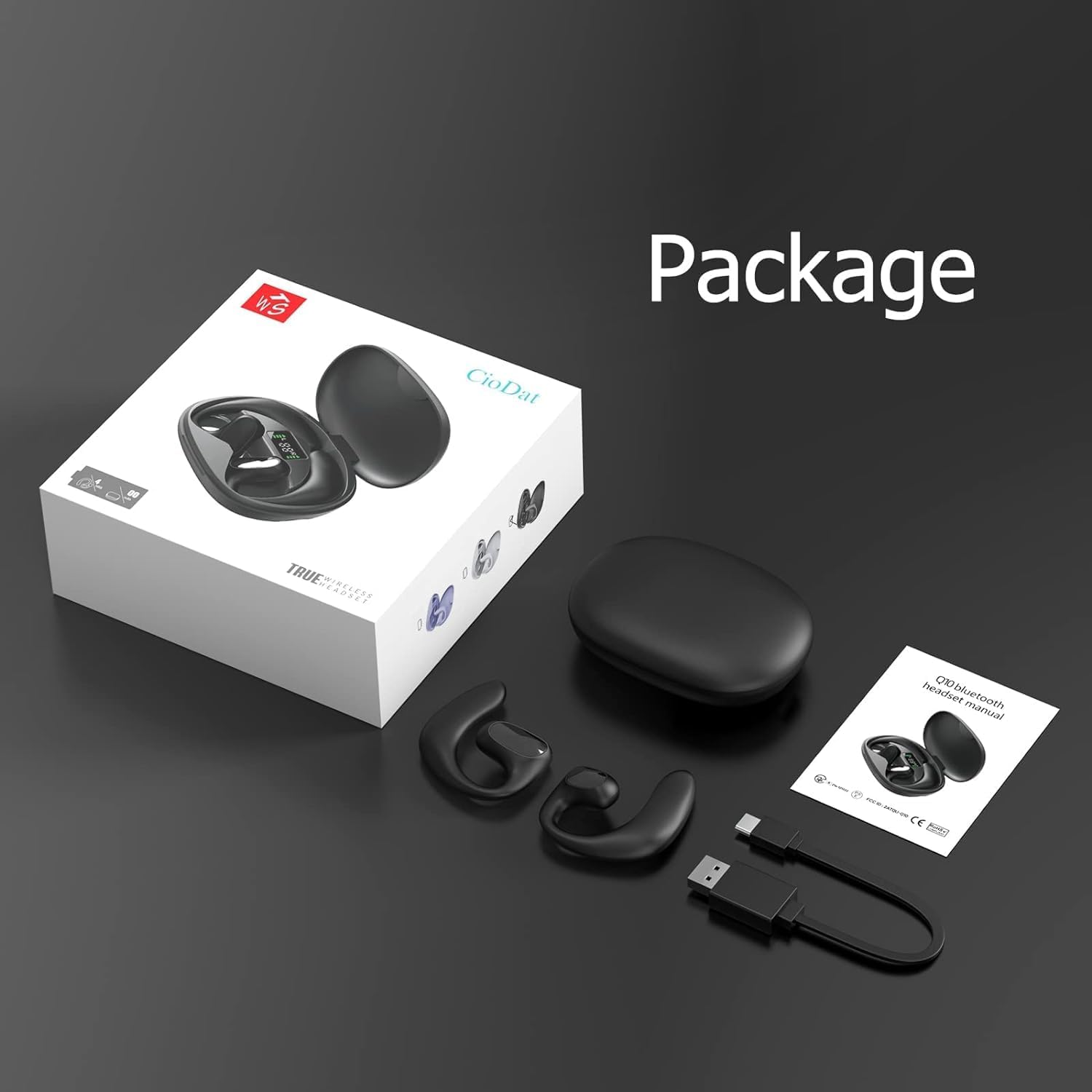
Image 3.1: Package Contents. This image displays all items included in the DACOM Q10 retail package: the headphones, charging case, USB cable, and user manual.
4. Орнотуу
4.1 Наушниктерди жана капты заряддоо
- Баштапкы төлөм: Биринчи колдонуудан мурун, наушникти да, кубаттоочу кутучаны да толук заряддаңыз.
- Туташуу: Plug the USB charging cable into the charging port on the case and connect the other end to a USB power source (e.g., computer, wall adapter).
- Көрсөткүчтөр: The LED indicators on the charging case will show the charging status. Once fully charged, the indicators will typically turn solid or turn off.
4.2 Bluetooth түзмөгү менен жупташтыруу
- Күйгүзүү: Open the charging case or take out the earbuds. They will automatically enter pairing mode (indicated by flashing LED lights on the earbuds).
- Bluetooth иштетүү: Түзмөгүңүздө (смартфон, планшет, компьютер) Bluetooth жөндөөлөрүнө өтүп, Bluetooth иштетилгенин текшериңиз.
- Түзмөктү тандоо: In the list of available Bluetooth devices, select "DACOM Q10" (or similar name).
- Байланышты ырастоо: Туташтырылгандан кийин, кулакчындын LED жарыктары күйүп-өчүүсүн токтотот жана сиз ырастоо сигналын уга аласыз.
- Кайра туташуу: Эгер аппаратта Bluetooth иштетилген болсо, гарнитура корпусунан чыгарылганда акыркы жупташтырылган түзмөккө автоматтык түрдө кайра туташат.
5. Иштөө нускамалары
The DACOM Q10 headphones feature intuitive touch controls for easy management of your audio and calls.

Image 5.1: Earbud Control Points. This diagram illustrates the LED/MIC, Trumpet (speaker), and MFB (Multi-Function Button) areas on the DACOM Q10 earbud, indicating where touch controls are located.
5.1 Музыканы ойнотуу
- Ойнотуу/тындыруу: Single tap on either earbud's MFB.
- Кийинки трек: Double tap on the right earbud's MFB.
- Мурунку трек: Double tap on the left earbud's MFB.
- Көлөмү: Triple tap on the right earbud's MFB.
- Үнүн азайтуу: Triple tap on the left earbud's MFB.
5.2 Чалууларды башкаруу
- Чалууга жооп берүү/аяктоо: Single tap on either earbud's MFB.
- Чакырууну четке кагуу: Press and hold either earbud's MFB for 2 seconds.
5.3 Үн жардамчысы
- Үн Жардамчысын жандыруу: Press and hold either earbud's MFB for 3 seconds.
6. Техникалык тейлөө
6.1 Тазалоо
- Кулакчындарды жана кубаттоочу кутучаны дайыма жумшак, кургак, түксүз чүпүрөк менен сүртүп туруңуз.
- Абразивдүү тазалагычтарды, спиртти же химиялык эриткичтерди колдонбоңуз.
- Заряддоо контакттары таза жана калдыктары жок экенин текшериңиз.
6.2 Сактоо
- Кулакчындарды коргоо жана кубаттап туруу үчүн колдонулбаган учурда кубаттоо кутучасында сактаңыз.
- Өтө жогорку температурада (ысык же суук) же жогорку нымдуулукта сактоодон алыс болуңуз.
6.3 Батареяга кам көрүү
- To prolong battery life, avoid fully discharging the headphones frequently.
- Charge the case and earbuds regularly, even if not used for extended periods.
7. Кыйынчылыктарды
| Көйгөй | Мүмкүн себеп | Чечим |
|---|---|---|
| Кулакчындар күйбөйт. | Батарея аз. | Кулакчындарды жана кубаттоочу кутучаны толук кубаттаңыз. |
| Түзмөк менен жупташтыруу мүмкүн эмес. | Bluetooth is off; headphones not in pairing mode; device list cluttered. | Ensure Bluetooth is on. Place headphones in pairing mode. Forget "DACOM Q10" from device's Bluetooth list and try pairing again. |
| Үн жок же үнү төмөн. | Үнү өтө төмөн; туташкан жок; медиа тындырылды. | Increase volume on both headphones and device. Ensure headphones are connected. Check if media is paused. |
| үзгүлтүктүү байланыш. | Түзмөктөн өтө алыс; тоскоолдук. | Move closer to your device. Avoid strong Wi-Fi signals or other Bluetooth devices. |
8. Техникалык шарттар
| Өзгөчөлүк | Деталь |
|---|---|
| Модель аты | Q10 |
| Бренд | DACOM |
| Байланыш технологиясы | Зымсыз (Bluetooth) |
| Кулак жайгаштыруу | Ачык кулак |
| Башкаруу түрү | Медиа башкаруу, тийүү |
| Суу өткөрбөйт рейтинги | IPX7 |
| Ойнотуу убактысы (Бир кубаттоо) | 12 саатка чейин |
| Кулакчынын салмагы | Approx. 10.6g (0.37 oz) per earbud |
| Элемент Салмагы (жалпы) | 4.2 унция |
| Түс | Кара |
| Камтылган компоненттер | Charging Station, USB Cable |
9. Расмий продукт Video
Video 9.1: DACOM Q10 Neckband Headphones Overview. This official product video provides a visual overview of the DACOM Q10 headphones, showcasing their key features, design, and benefits for active users.
10. Кепилдик жана колдоо
Кепилдик жөнүндө маалымат жана кардарларды колдоо кызматы үчүн расмий DACOM сайтына кайрылыңыз webсайтка же түздөн-түз кардарларды тейлөөгө кайрылыңыз. Сатып алуу квитанциясын кепилдик дооматтары үчүн сатып алуунун далили катары сактаңыз.
For further assistance, you may also visit the product's detail page on Amazon.com: DACOM Q10 on Amazon
Ask a question about this manual
Ask about setup, troubleshooting, compatibility, parts, safety, or missing instructions. Manuals+ will review the question and use this page’s manual context to help answer it.