
1. Киришүү
This manual provides instructions for the installation and care of your BoxWave ClearTouch Anti-Glare Privacy Screen Protector, designed specifically for the Anytone AT-5189 device. This product is engineered to protect your device's screen while enhancing privacy and reducing glare.
2. Продукт бүтүп калдыview
The BoxWave ClearTouch Anti-Glare Privacy Screen Protector offers multiple benefits:
- Купуялыкты коргоо: The screen protector limits viewing angles, making your screen content visible only to those directly in front of the device.
- Anti-Glare Surface: A matte finish disperses light, reducing reflections and glare for improved visibility in various lighting conditions.
- Сыгууга каршылык: Made from a strong, flexible material, it guards your screen against scratches and minor abrasions.
- Fingerprint Reduction: The matte surface helps to repel smudges and fingerprints, keeping your screen cleaner.
- Так тууралоо: Custom-cut for the Anytone AT-5189, ensuring full access to all ports and buttons.
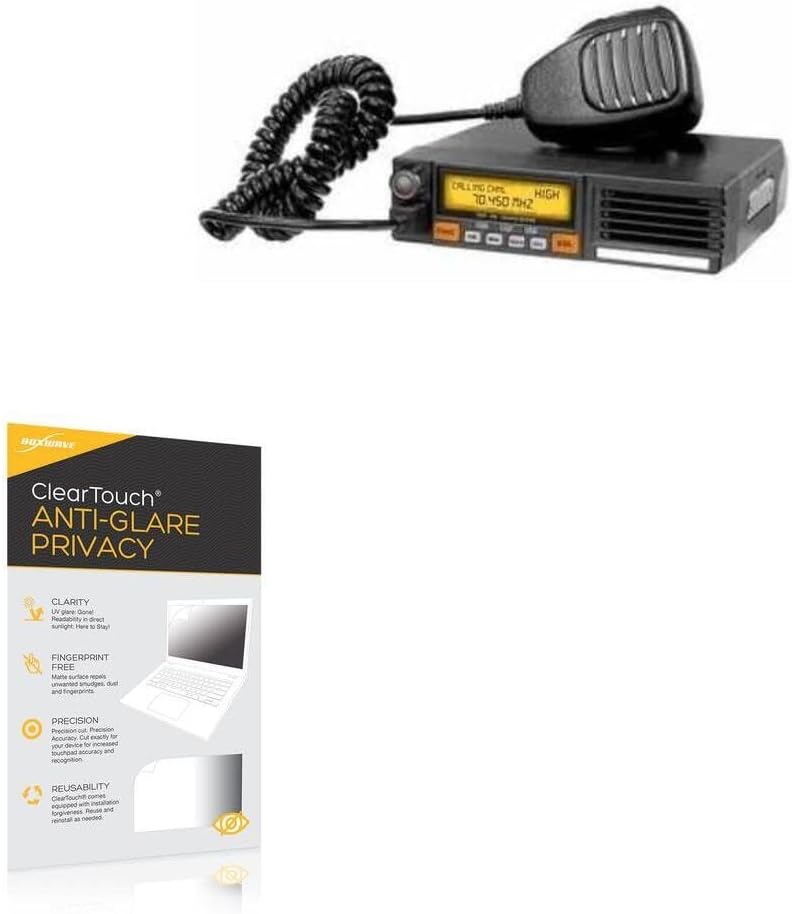
Image 2.1: BoxWave ClearTouch Anti-Glare Privacy Screen Protector applied to a device screen.

Image 2.2: Visual representation of the privacy feature, showing how the screen content is visible only from a direct viewбурч.

Image 2.3: Comparison demonstrating the anti-smudge properties of the screen protector.
3. Пакеттин мазмуну
Your BoxWave ClearTouch Anti-Glare Privacy Screen Protector package includes:
- Two (2) ClearTouch Anti-Glare Privacy Screen Protectors
- One (1) Microfiber Cleaning Cloth
- One (1) Applicator Card

Image 3.1: Contents of the BoxWave ClearTouch Anti-Glare Privacy Screen Protector 2-pack.
4. Орнотуу боюнча нускамалар
Follow these steps for optimal installation:
- Экранды тазалоо: Use the included microfiber cloth to thoroughly clean your device's screen. Ensure there are no dust particles, smudges, or fingerprints. A clean screen is crucial for bubble-free application.
- Коргоочуну тегиздөө: Carefully align the screen protector with your device's screen. Pay attention to the edges, cutouts for speakers, cameras, and buttons to ensure a perfect fit.
- Remove Backing: Once aligned, gently peel off the bottom protective layer of the screen protector. Avoid touching the adhesive side.
- Apply to Screen: Slowly lower the screen protector onto your device's screen. The glueless adhesive will automatically cling. If bubbles appear, use the applicator card to gently push them towards the nearest edge.
- Акыркы тийүү: Smooth out any remaining small bubbles with the microfiber cloth or applicator card. Small bubbles may dissipate over 24-48 hours.
5. Иштөө принциптери
Once installed, the screen protector functions passively to enhance your device experience:
- Купуялык: The specialized filter embedded in the protector restricts the viewing angle. Your screen will appear dark or obscured to anyone attempting to view it from an angle greater than approximately 25 degrees from the center.
- Жарыкка каршы: The matte finish reduces reflections from ambient light sources, making your screen easier to read in bright environments.
- Тийүү сезгичтиги: The protector is designed to maintain the original touch sensitivity of your Anytone AT-5189 screen.
6. Техникалык тейлөө
To maintain the clarity and effectiveness of your screen protector:
- Тазалоо: Use the provided microfiber cloth or a similar soft, lint-free cloth to gently wipe the screen protector. For stubborn smudges, slightly dampчүпүрөктү суу же экранга коопсуз тазалоо эритмеси менен жабыңыз. Катуу химиялык заттардан же абразивдүү материалдардан алыс болуңуз.
- Курч объекттерден качыңыз: While the protector offers scratch resistance, extreme pressure or sharp objects can still damage it.
- Алмаштыруу: If the screen protector becomes heavily scratched or damaged, it can be carefully removed and replaced with a new one from the 2-pack.
7. Кыйынчылыктарды
Орнотуу учурунда же андан кийин көйгөйлөргө туш болсоңуз, төмөндөгүлөрдү карап көрүңүз:
- көбүкчөлөр: Most bubbles are caused by dust particles. If large bubbles persist, carefully lift a corner of the protector (using a piece of tape if necessary) to remove the dust with the microfiber cloth, then reapply. Small bubbles often disappear within 24-48 hours.
- Туура эмес тегиздөө: If the protector is significantly misaligned, gently peel it off and reapply, ensuring proper alignment before fully pressing it down.
- Тийүү сезгичтигинин төмөндөшү: Ensure the screen protector is fully adhered without air gaps. If issues persist, verify your device's touch settings.
8. Техникалык шарттар
| Өзгөчөлүк | Деталь |
|---|---|
| Бренд | BoxWave |
| Моделдин шайкештиги | Anytone AT-5189 |
| Материал | Полиэтилентерефталат (ПЭТ) |
| Screen Surface | Matte, Anti-Glare, Privacy Filter |
| Элемент Салмагы | 0.7 унция (болжол менен) |

Image 8.1: Demonstration of the screen protector's scratch resistance.
9. Колдоо
For further assistance or inquiries regarding your BoxWave ClearTouch Anti-Glare Privacy Screen Protector, please refer to the contact information provided with your product packaging or visit the official BoxWave webсайт.