
Introduction
This manual provides detailed instructions for the proper use and maintenance of your Elprico 5-inch MP4 Player. Please read this manual thoroughly before operating the device to ensure optimal performance and longevity. Keep this manual for future reference.
Продукт бүттүview
Негизги өзгөчөлүктөрү
- Fast and Stable Performance: Equipped with an octa-core MTK chip for responsive operation.
- Bluetooth 5.0 туташуусу: Ensures broad compatibility with headphones, speakers, and car audio systems.
- Зымсыз File өткөрүүсү: Supports Wi-Fi and Bluetooth for easy file sharing with smartphones.
- 5.0 дюймдук HD дисплей: Features a 16-million color screen for high-resolution video playback.
- HiFi Lossless Music Playback: Delivers high-fidelity audio quality.
- Интегралдык камера: Includes a 5 MP rear camera for capturing photos.
- Батареянын узак иштөө мөөнөтү: 2200 mAh battery provides up to 30 hours of music or 5 hours of video playback.
- Pre-installed Streaming Apps: Comes with Spotify, Audible, Music, and Deezer.
- Кеңейтүүчү сактагыч: 16GB internal ROM, expandable up to 256GB via Micro SD card (128GB card included).
Аппараттын компоненттери
MP4 ойноткучуңуздун физикалык компоненттери менен таанышып алыңыз.
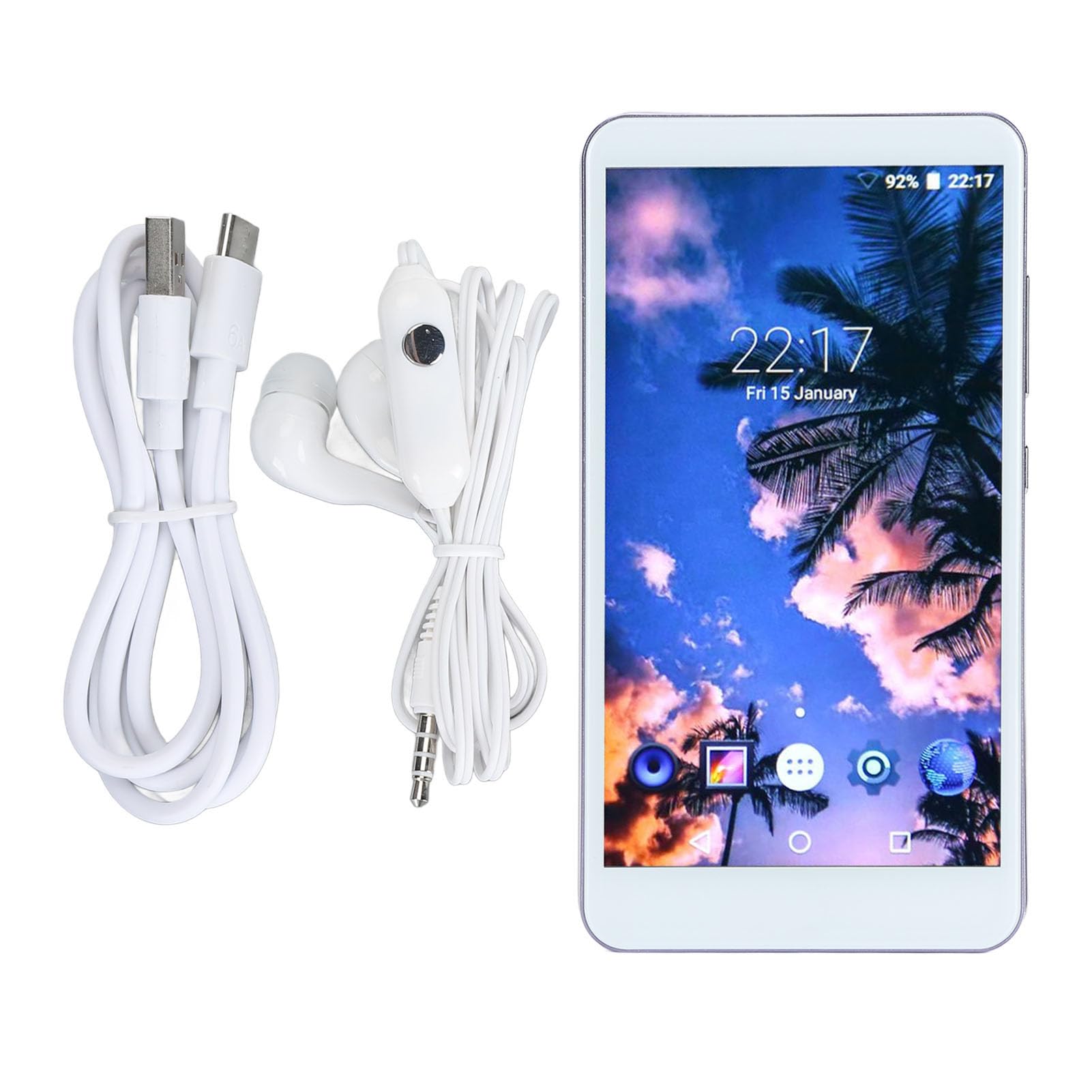
Сүрөт: Фронт view of the Elprico 5-inch MP4 Player, displaying the screen and general layout.

Сүрөт: Артка view of the Elprico MP4 Player, highlighting the rear camera module and side buttons.
Жайгашуу
1. Баштапкы заряддоо
Before first use, fully charge the device using the provided USB Type-C cable and a compatible power adapter (not included). The charging indicator will show progress.
2. Күйгүзүү/өчүрүү
- Күйгүзүү үчүн: Press and hold the power button on the side of the device until the screen illuminates.
- Өчүрүү үчүн: Кубат баскычын басып, кармап туруңуз, андан кийин экрандагы параметрлерден "Өчүрүү" дегенди тандаңыз.
3. Language and Region Settings
Upon first startup, follow the on-screen prompts to select your preferred language and region settings.
4. Wi-Fi туташуусу
- барыңыз Орнотуулар > Тармак жана Интернет > Wi-Fi.
- Wi-Fi которуштуруу On.
- Тизмеден каалаган Wi-Fi тармагын тандаңыз.
- Эгер суралса, сырсөздү киргизип, таптаңыз Туташуу.
5. Bluetooth Жупташтыруу

Сүрөт: The Elprico MP4 Player highlighting its Bluetooth 5.0 chip and compatibility with wireless headphones, earbuds, speakers, and car systems.
- Ensure the Bluetooth device (headphones, speaker, car system) is in pairing mode.
- MP4 ойноткучта төмөнкүгө өтүңүз Орнотуулар > Туташкан түзмөктөр > Bluetooth.
- Bluetooth которуштуруу On.
- таптаңыз Жаңы түзмөктү жупташтыруу жана тизмеден түзмөгүңүздү тандаңыз.
- Эгер суралса, жупташтыруу кодун ырастаңыз.
Иштөө нускамалары
1. Интерфейсте навигация
The device runs on an Android operating system. Use touch gestures (tap, swipe, pinch) to navigate through menus and applications.
2. Музыканы ойнотуу

Сүрөт: The Elprico MP4 Player displaying its main interface with icons for various functions like Music, Video, FM Radio, and more.

Сүрөт: The Elprico MP4 Player showing a music playback screen, emphasizing support for HiFi lossless music.
- Accessing Music: Tap the 'Music' application icon.
- Иреттөө: Songs can be sorted by title, folder, album, artist, genre, or album + artist. Use the search function to quickly locate specific tracks.
- Ойнотмо тизмелер: Add multiple songs to playlists.
- Ойнотуу режимдери: Select from random, sequential, loop, or list loop playback.
- Колдоого алынган форматтар: MP3, WMA, WAV, OGG, FLAC, APE.
3. Видеону ойнотуу
- Видеолорду көрүү: Tap the 'Video' application icon.
- Колдоого алынган форматтар: MPEG, RMVB, MPEG-4.
4. File Transfer

Сүрөт: The Elprico MP4 Player illustrating its support for wireless file uploads via Wi-Fi and Bluetooth, in addition to USB.
- USB өткөрүп берүү: Connect the device to a computer using the USB Type-C cable. The device will appear as a removable storage drive.
- Зымсыз которуу: Алдын ала орнотулганды колдонуңуз file transfer application to share or transfer files via Bluetooth or Wi-Fi, especially with Android smartphones.
5. Using Pre-installed Apps
The device comes with Spotify, Audible, Music, and Deezer pre-installed. Ensure you have an active Wi-Fi connection to use these streaming services.
6. Камера функциясы
- Tap the 'Camera' application icon to open the camera.
- Tap the screen to focus and press the shutter button to take a photo.
Техникалык тейлөө
Тазалоо
- Use a soft, dry, lint-free cloth to clean the screen and body of the device.
- Абразивдүү тазалагычтарды, эриткичтерди же аэрозолдук спрейлерди колдонуудан алыс болуңуз.
Сактагыч
- Аппаратты түз күн нурунан жана экстремалдык температурадан алыс салкын, кургак жерде сактаңыз.
- Эгер батарейканы узак убакытка сактап жатсаңыз, анын иштөө мөөнөтүн сактоо үчүн анын жарым-жартылай заряддалганын (болжол менен 50%) текшериңиз.
Батареяга кам көрүү
- Батареяны бат-баттан толук кубаттап калуудан алыс болуңуз.
- Do not expose the device to temperatures above 60°C (140°F).
Проблемаларды чечүү
Түзмөк күйбөй жатат
- Батарея заряддалганын текшериңиз. Түзмөктү кубат булагына туташтырып, бир нече мүнөттөн кийин кайра аракет кылыңыз.
- Мажбурлап кайра иштетүү үчүн кубат баскычын жок дегенде 10-15 секунд басып туруңуз.
Cannot Connect to Bluetooth Device
- Ensure Bluetooth is enabled on both the MP4 player and the target device.
- Place the devices close to each other (within 10 meters).
- Put the target Bluetooth device into pairing mode.
- Forget the device in the MP4 player's Bluetooth settings and attempt to pair again.
Wi-Fi'га туташпай жатат
- Verify that Wi-Fi is enabled on the device.
- Check if the Wi-Fi network is active and within range.
- Туура Wi-Fi сырсөзү киргизилгенин текшериңиз.
- Restart the Wi-Fi router and the MP4 player.
Жай аткаруу же тоңуу
- Керексиз фон колдонмолорун жабуу.
- Clear cache data from applications in Орнотуулар > Колдонмолор.
- Аппаратты кайра иштетиңиз.
- If issues persist, consider performing a factory reset (backup data first).
Техникалык шарттар
| Бренд | Elprico |
| Модель номери | Elpricogbkomgdu07 |
| Screen Size | 5 дюйм |
| Screen Resolution | 1920 x 1080 |
| Операция системасы | Android |
| Эстутум (RAM) | 2 ГБ |
| Ички сактагыч (ROM) | 16 ГБ |
| Кеңейтүүчү сактагыч | Up to 256 GB via Micro SD (128 GB card included) |
| Байланыш | Bluetooth 5.0, Wi-Fi, USB Type-C, 3.5mm Headphone Jack |
| Камера | Rear 5 MP |
| Батарея | 2200 мАч литий батареясы |
| Колдоого алынган аудио форматтары | MP3, WMA, WAV, OGG, FLAC, APE |
| Колдоого алынган видео форматтары | MPEG, RMVB, MPEG-4 |
| Келип чыккан өлкө | Кытай |
Кепилдик жана колдоо
Өндүрүүчүнүн Кепилдиги
This Elprico MP4 Player comes with a 2 жылдык өндүрүүчүнүн кепилдигиБул кепилдик кадимки колдонуудагы материалдардагы жана жасалгалоодогу кемчиликтерди камтыйт. Ал туура эмес колдонуудан, кырсыктардан, уруксатсыз өзгөртүүлөрдөн же кадимки эскирүүдөн келип чыккан зыянды камтыбайт.
Кардарларды колдоо
For technical assistance, troubleshooting not covered in this manual, or warranty claims, please contact Elprico customer support through the retailer where the product was purchased. Please have your model number (Elpricogbkomgdu07) and proof of purchase ready when contacting support.