
casmilee CSCASE325-1
Casmilee Case for Xiaomi Mijia 2 Portable Electric Air Compressor Instruction Manual
Model: CSCASE325-1 | Brand: Casmilee
Introduction
This manual provides essential information for the proper use, setup, and maintenance of your Casmilee protective case, specifically designed for the Xiaomi Mijia 2 Portable Electric Air Compressor. This case offers robust protection and convenient portability for your device and its accessories.

Image: The Casmilee protective case shown open, securely holding a Xiaomi Mijia 2 portable electric air compressor and its charging cable. The interior features elastic straps for organization.
Продукт өзгөчөлүктөрү
- Ыңгайлаштырылган тууралоо: Precisely molded to fit the Xiaomi Mijia 2 Portable Electric Air Compressor, ensuring a snug and secure hold.
- Туруктуу материал: Constructed from high-quality, semi-hard EVA material that is shockproof, dustproof, and water-resistant, providing excellent protection against impacts and spills.
- Smooth Zipper: Equipped with a high-quality, smooth-gliding zipper for easy opening and closing, ensuring quick access to your device.
- Портативдик дизайн: Features a comfortable and durable hand strap for easy carrying, making it ideal for travel and outdoor use.
- Аксессуар сактагычы: Includes internal mesh pockets or elastic straps to securely hold charging cables, nozzles, and other small accessories.

Сүрөт: деталдуу view highlighting the case's smooth zipper, the textured durable exterior material, and the robust portable hand strap, emphasizing the quality construction.
Орнотуу жана жайгаштыруу
- Ишти ачуу: Unzip the case completely to lay it flat.
- Insert Air Compressor: Carefully place your Xiaomi Mijia 2 Portable Electric Air Compressor into the main compartment of the case. Ensure it sits snugly within the designated space.
- Боо менен коопсуз: If present, use the internal elastic straps to secure the air compressor, preventing it from shifting during transport.
- Дүкөндүн аксессуарлары: Place charging cables, nozzles, or other small accessories into the mesh pocket or under the elastic band in the lid compartment.
- Ишти жабуу: Once all items are securely placed, carefully close the zipper, ensuring no items are caught in the zipper teeth.

Image: A hand demonstrating how to secure the air compressor within the case using the internal elastic strap, ensuring a firm hold.
Иштөө нускамалары
The Casmilee case is designed for simple and effective use. Once your air compressor and accessories are securely stored inside, you can easily transport it.
- Ташуу: Use the integrated hand strap to comfortably carry the case. The strap is designed for durability and ease of transport.
- Сактагыч: When not in use, store the case in a cool, dry place away from direct sunlight to preserve its material integrity.
- Мүмкүнчүлүк: To access your air compressor, simply unzip the case. The smooth zipper allows for quick and effortless retrieval of your device.
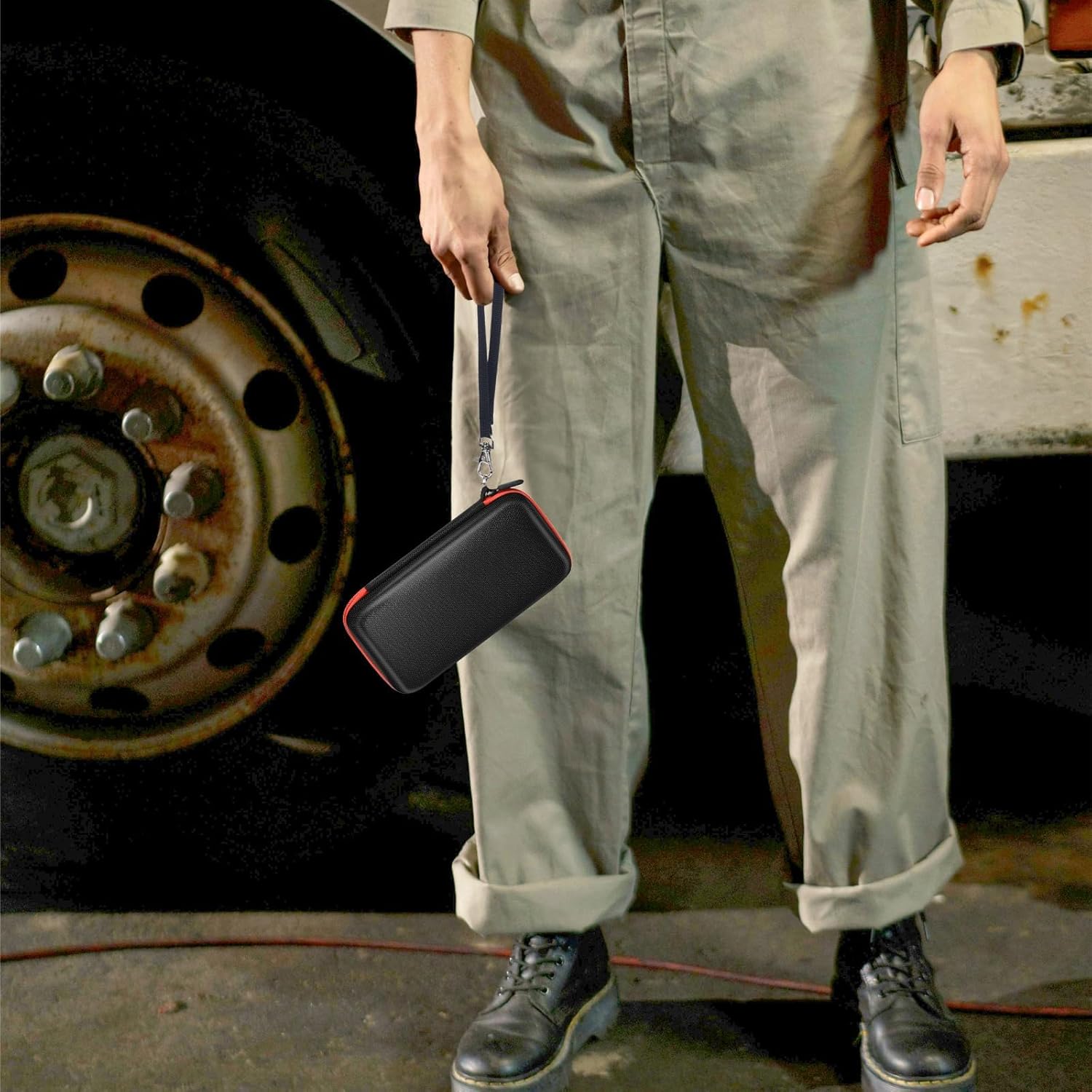
Image: A person holding the closed Casmilee case by its sturdy hand strap, illustrating its portability and compact design for easy transport.
Кароо жана тейлөө
To ensure the longevity and continued protective qualities of your Casmilee case, follow these simple maintenance guidelines:
- Тазалоо: Корпустун сыртын жумшак менен сүртүңүз, гamp кездеме. Өжөр кир үчүн жумшак самын эритмесин колдонуп, андан кийин таза,amp кездеме. Катуу химиялык заттарды же абразивдүү тазалагычтарды колдонбоңуз.
- Кургатуу: Allow the case to air dry completely before zipping it closed or storing it, especially if it has been exposed to moisture.
- Сыдырмага кам көрүү: Periodically check the zipper for any debris. If the zipper becomes stiff, a small amount of zipper lubricant or wax can be applied.
- Сактагыч: Store the case in a cool, dry environment when not in use. Avoid prolonged exposure to extreme temperatures or direct sunlight.
Проблемаларды чечүү
| Көйгөй | Мүмкүн себеп | Чечим |
|---|---|---|
| Air compressor does not fit. | Incorrect model of air compressor. | Ensure your air compressor is the Xiaomi Mijia 2 model. This case is specifically designed for it. |
| Zipper is stiff or stuck. | Debris in zipper teeth or lack of lubrication. | Clear any visible debris. Apply a small amount of zipper lubricant or wax to the teeth and work the zipper back and forth. |
| Case appears deformed. | Ашыкча басым же туура эмес сактоо. | Avoid placing heavy objects on the case. Store in a manner that maintains its shape. The semi-hard material should regain its form. |
Техникалык шарттар
| Атрибут | Деталь |
|---|---|
| Продукт аты | Casmilee Case for Xiaomi Mijia 2 Portable Electric Air Compressor |
| Модель номери | CSCASE325-1 |
| Түс | Red (interior accents) / Black (exterior) |
| Элемент Салмагы | 144 г |
| Продукциянын өлчөмдөрү | 20.96 x 5.72 x 10.16 см (8.25 x 2.25 x 4 дюйм) |
| Материал | Semi-hard EVA |
| Камтылган компоненттер | Bag Only |
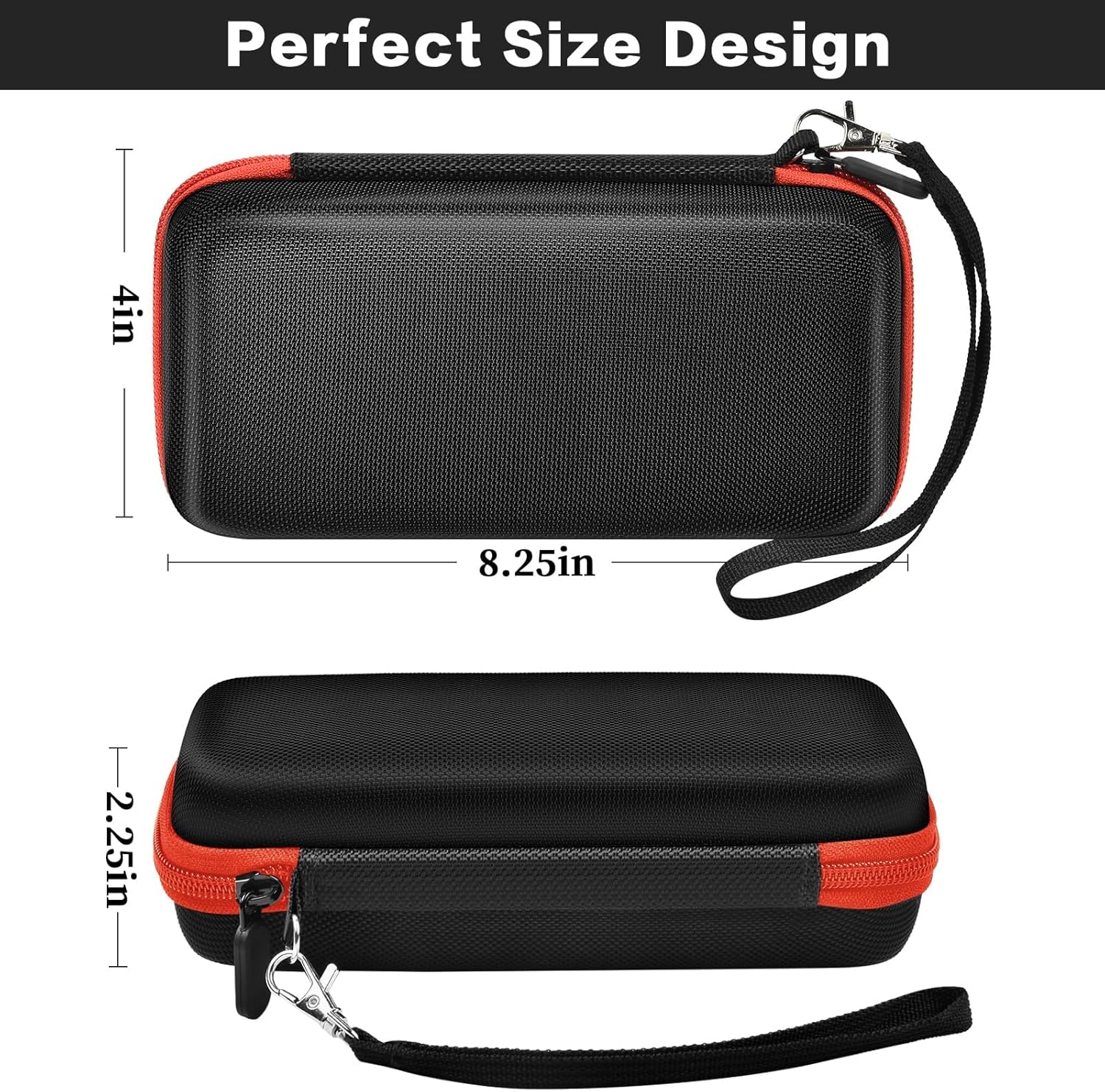
Image: The Casmilee case displayed with its precise dimensions, indicating a length of 8.25 inches, a width of 4 inches, and a height of 2.25 inches, confirming its compact and tailored design.
Кепилдик жана колдоо
Specific warranty information for this Casmilee product is not provided within the product details. For any warranty claims, technical support, or inquiries, please contact the manufacturer directly using the information typically found on the product packaging or their official webсайт.
Manufacturer: Casmilee
Part Number: CSCASE325

Image: The back of the Casmilee product packaging, displaying manufacturer details and contact information, which can be used for support inquiries.
Ask a question about this manual
Ask about setup, troubleshooting, compatibility, parts, safety, or missing instructions. Manuals+ will review the question and use this page’s manual context to help answer it.