
1. Киришүү
Thank you for choosing the Vonztek Wireless Headset BT782-BJ. This headset is designed to provide clear audio and comfortable wear for various communication needs, including calls, online meetings, and general audio playback. It features Bluetooth 5.0 technology for stable connectivity and a noise-cancelling microphone for enhanced call clarity.
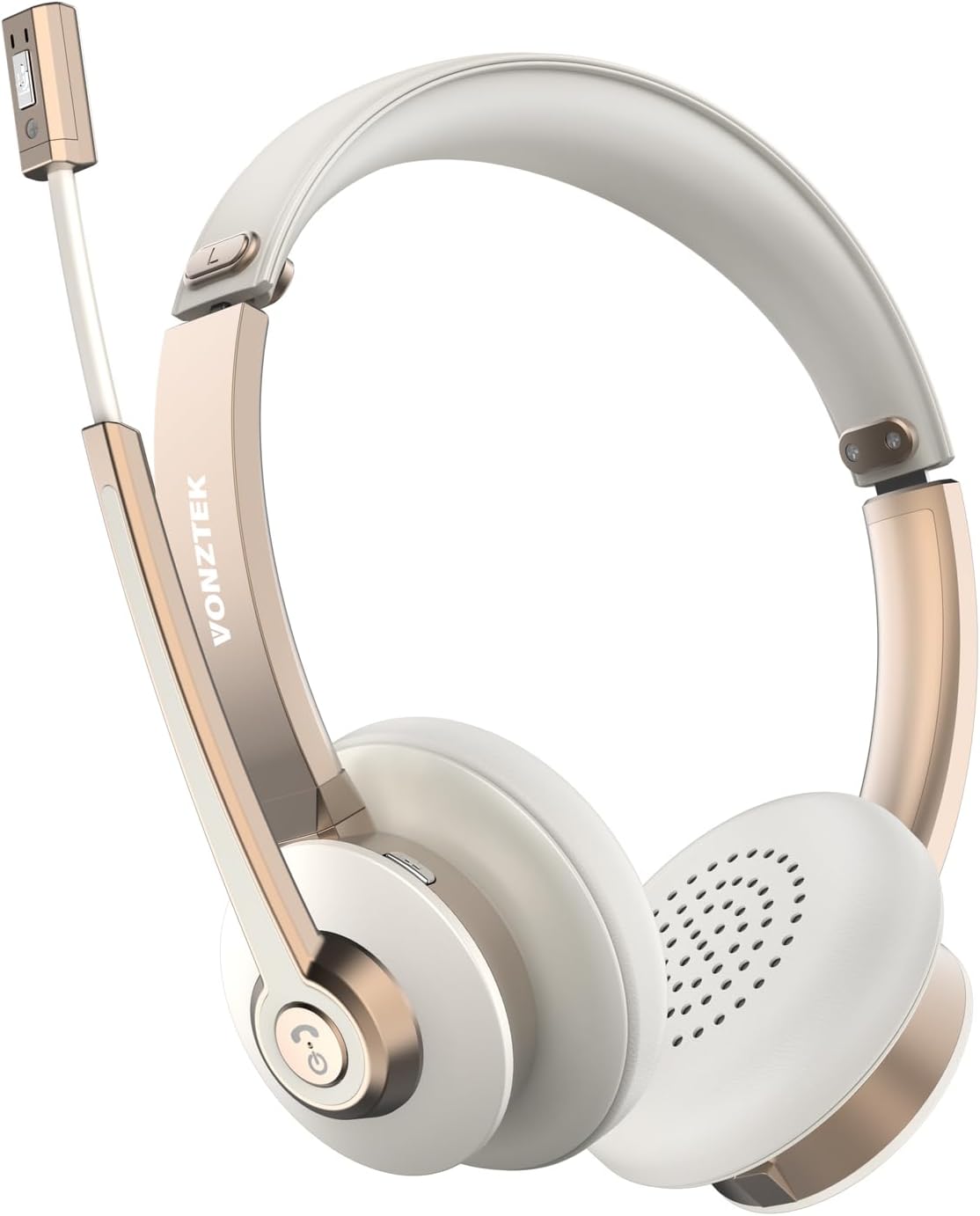
Figure 1.1: Vonztek Wireless Headset BT782-BJ
2. Кутуда эмне бар
The Vonztek Wireless Headset BT782-BJ package includes the following items:
- 1 x Vonztek Wireless Headset
- 1 x Type-C заряддоо кабели
- 1 х Колдонуучунун колдонмосу (бул документ)
3. Орнотуу жана туташуу
3.1 Гарнитураны заряддоо
Before first use, fully charge the headset. Connect the provided Type-C charging cable to the charging port on the headset and the other end to a USB power source (e.g., computer USB port, wall adapter). The charging indicator light will show charging status (refer to LED indicator section for details). A full charge takes approximately 2 hours.
3.2 Күйгүзүү/өчүрүү
- Күйгүзүү: Press and hold the Multi-function button for approximately 3 seconds until the LED indicator flashes blue.
- Өчүрүү: Press and hold the Multi-function button for approximately 5 seconds until the LED indicator flashes red and then turns off.
3.3 Bluetooth жупташтыруу
The headset supports Bluetooth V5.0 and can connect to two devices simultaneously.
- Гарнитура өчүрүлгөнүн текшериңиз.
- Press and hold the Multi-function button for approximately 5-7 seconds until the LED indicator flashes red and blue alternately, indicating pairing mode.
- Түзмөгүңүздө (смартфон, ноутбук ж.б.) Bluetooth'ду күйгүзүп, жеткиликтүү түзмөктөрдү издеңиз.
- Select "BT782-BJ" from the list of found devices.
- Туташтырылгандан кийин, LED индикатору акырындык менен көк түстө күйүп-өчөт.
- To connect a second device, disable Bluetooth on the first device, put the headset back into pairing mode, and connect to the second device. Then re-enable Bluetooth on the first device; the headset should automatically reconnect to both.

Figure 3.1: Multipoint Connection allows simultaneous pairing with a computer and phone.

Figure 3.2: Headset connected to multiple devices, demonstrating wide compatibility.
4. Иштөө нускамалары
4.1 Controls Overview
The headset features intuitive controls for managing calls and audio playback.
| Баскыч/Функция | Акция | Description |
|---|---|---|
| Көп функциялуу баскыч | Бир жолу басыңыз | Музыканы ойнотуу/тындыруу, Чалууга жооп берүү/Аяктоо |
| Көп функциялуу баскыч | Басып кармап туруңуз (2сек) | Чакырууну четке кагуу |
| Көлөм + | Бир жолу басыңыз | Үнүн жогорулатуу |
| Көлөмү - | Бир жолу басыңыз | Үнүн азайтуу |
| Mute Button (on mic boom) | Бир жолу басыңыз | Mute/Unmute microphone during a call |
4.2 Микрофонду колдонуу
The headset features a 270° rotatable microphone boom, allowing it to be worn on either the left or right ear. The microphone includes ENC (Environmental Noise Cancelling) technology for clear voice transmission.

Figure 4.1: The microphone can be rotated 270 degrees for use on either ear.

Figure 4.2: The headset features ENC Noise Cancelling Technology for clear voice.
Видео 4.1: Продукт бүттүview video demonstrating the Vonztek Wireless Headset with Mic for PC.
5. Техникалык тейлөө
To ensure the longevity and optimal performance of your Vonztek Wireless Headset, follow these maintenance guidelines:
- Тазалоо: Гарнитураны тазалоо үчүн жумшак, кургак чүпүрөктү колдонуңуз. Абразивдүү тазалагычтарды же эриткичтерди колдонбоңуз.
- Сактагыч: Гарнитураны күн нурунан жана экстремалдык температурадан алыс салкын, кургак жерде сактаңыз.
- Батареяга кам көрүү: Батареянын толук зарядын тез-тез кетирүүдөн алыс болуңуз. Батареянын иштөө мөөнөтүн сактоо үчүн, көпкө колдонулбаса да, гарнитураны үзгүлтүксүз кубаттап туруңуз.
- Нымдуулуктан качыңыз: The headset is not water-resistant. Keep it away from water, rain, and excessive humidity.
6. Кыйынчылыктарды
If you encounter issues with your Vonztek Wireless Headset, refer to the following common problems and solutions:
| Көйгөй | Мүмкүн чечим |
|---|---|
| Гарнитура күйбөйт. | Ensure the headset is charged. Connect to a power source and try again. |
| Түзмөк менен жупташтыруу мүмкүн эмес. | Ensure the headset is in pairing mode (flashing red/blue). Turn off and on Bluetooth on your device. Move closer to the device. |
| Аудио жок же аудио сапаты начар. | Check volume levels on both headset and device. Ensure headset is selected as the audio output device. Re-pair the headset. |
| Микрофон иштебей жатат же түшүнүксүз. | Ensure microphone is not muted. Check microphone input settings on your device. Position the microphone closer to your mouth. |
| үзгүлтүктүү байланыш. | Move closer to your device. Avoid obstacles between the headset and device. Reduce interference from other wireless devices. |
If the issue persists, please contact Vonztek customer support.
7. Техникалык шарттар
Detailed technical specifications for the Vonztek Wireless Headset BT782-BJ:
| Өзгөчөлүк | Деталь |
|---|---|
| Модель аты | BT782-BJ |
| Байланыш технологиясы | Bluetooth |
| Bluetooth версиясы | 5.0 |
| Bluetooth диапазону | 10 метрге чейин (33 фут) |
| Батареянын иштөө мөөнөтү (сүйлөшүү убактысы) | 26 саатка чейин |
| Заряддоо убактысы | Болжол менен 2 саат |
| Микрофон | ENC Noise Cancelling, 270° Rotatable |
| Аудио драйверлери | 40мм динамикалык айдоочулар |
| Салмагы | 120 грамм (4.2 унция) |
| Кулак жайгаштыруу | On Ear |
| Материал | Жасалма булгаары (кулак жаздыкчалары) |
8. Кепилдик жана колдоо
Vonztek guarantees a 12-MONTH Warranty for this product. For any inquiries, technical assistance, or warranty claims, please contact Vonztek customer support. Our 24/7 online service is available to assist you.
For further support, please visit the official Vonztek store or contact their customer service channels as provided with your purchase documentation.