
1. Маанилүү коопсуздук нускамалары
Сураныч, бул продуктуну колдонуудан мурун бардык коопсуздук маалыматты окуп, түшүнүңүз. Бул нускамаларды аткарбоо электр шокуна, өрткө же олуттуу жаракатка алып келиши мүмкүн.
- Электр коопсуздугу: Always ensure the charger is disconnected from the power outlet before making or breaking connections to the battery. Do not expose the charger to rain or wet conditions.
- Батареянын коопсуздугу: Batteries can produce explosive gases. Ensure adequate ventilation when charging. Wear eye protection and protective clothing. Avoid sparks or flames near the battery.
- OBD2 Scanner Safety: Do not attempt to connect or disconnect the scanner while the vehicle's ignition is on or the engine is running. This could damage the vehicle's electronic system or the scanner.
- Жалпы сактык чаралары: Keep out of reach of children. Do not operate if the product or cables are damaged. Use only as intended.
2. Продукт бүтүп калдыview
2.1 MOTOPOWER MP00205B 12V Battery Charger/Maintainer
The MOTOPOWER MP00205B is an automatic 12-volt battery charger and maintainer designed for lead-acid, flooded, or sealed maintenance-free batteries (AGM and gel cell). It features a compact and durable design, utilizing pulse charging technology to optimize battery performance and extend life. The charger incorporates multiple safety protections, including spark-free technology and automatic shut-off to prevent overcharging.

Figure 1: MOTOPOWER MP00205B 12V Battery Charger Maintainer in use.
2.2 MOTOPOWER MP69040 OBD2 Diagnostic Scanner
The MOTOPOWER MP69040 is an OBD2 diagnostic scanner designed to support all OBDII protocols, including KWP2000, J1850 VPW, ISO9141, J1850 PWM, and CAN. It is compatible with most 1996 US-based, 2003 EU-based, and 2008 Asian-based vehicles, as well as newer OBD2 and CAN vehicles. The scanner features a 2.8-inch TFT color screen and a user-friendly interface for efficient vehicle diagnostics.
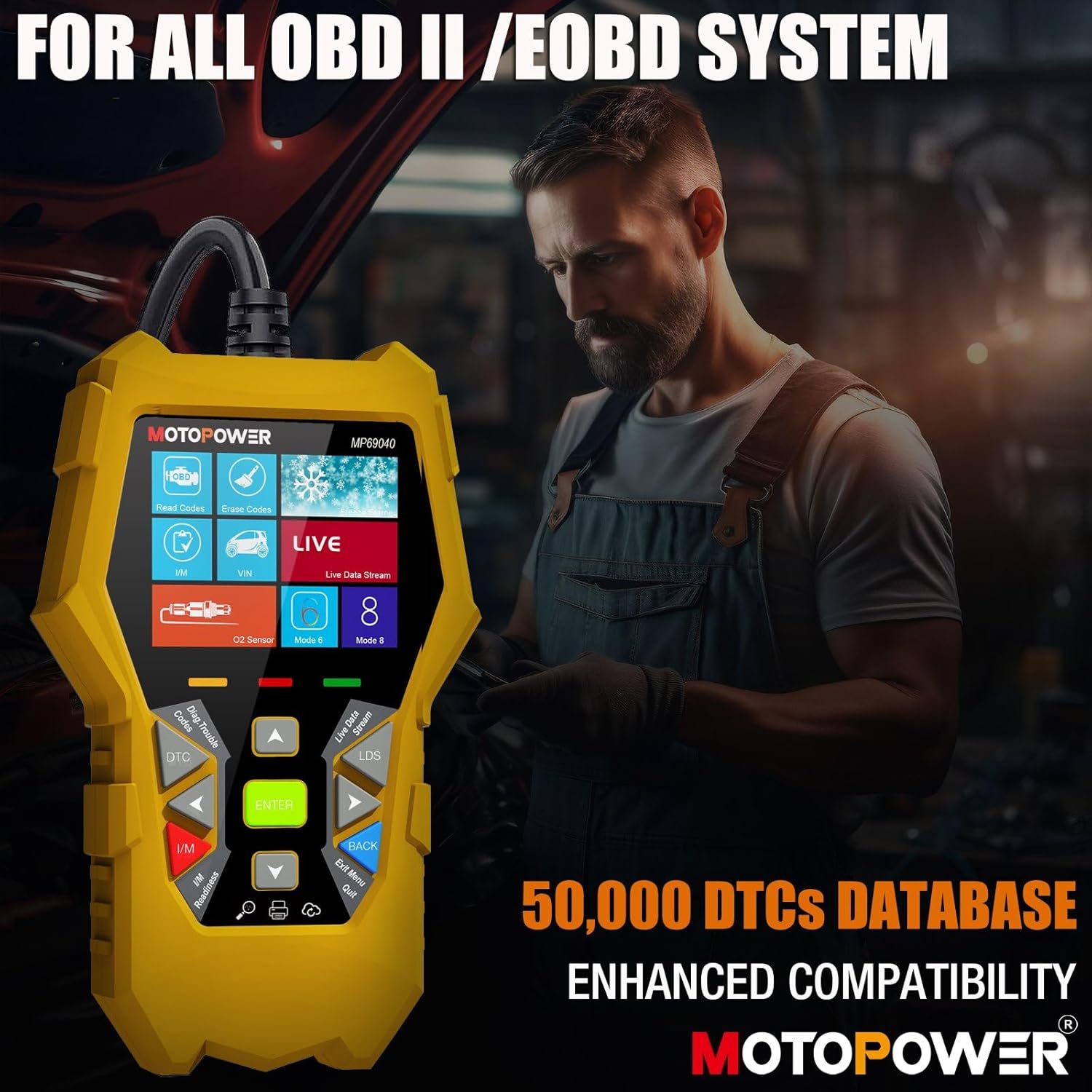
Figure 2: MOTOPOWER MP69040 OBD2 Diagnostic Scanner.
3. Пакеттин мазмуну
Пакетте бардык буюмдар бар экенин текшериңиз:
- MOTOPOWER MP00205B 12V Battery Charger/Maintainer
- Alligator Clamp Harness (50amp)
- Шакектүү терминалдык жип (7.5)amp fuse protected)
- MOTOPOWER MP69040 OBD2 Diagnostic Scanner

Figure 3: MP00205B Charger and its accessories.
4. MOTOPOWER MP00205B Charger/Maintainer Setup and Operation
4.1 Заряддоочу түзүлүштү туташтыруу
- Заряддоочу түзүлүш AC розеткасынан суурулганын текшериңиз.
- Тийиштүү туташтыргычты тандаңыз:
- Alligator Clamps: кызыл cl туташтырууamp оң (+) батарея терминалына жана кара clamp терс (-) батарея терминалына.
- Ring терминалдары: If permanently installing, connect the red ring terminal to the positive (+) battery post and the black ring terminal to the negative (-) battery post.
- Connect the SAE quick-release connector from the chosen harness to the charger's output cable.
- Plug the charger into a standard 120V AC power outlet.
4.2 Заряддоо процесси
The MP00205B operates automatically. Once connected and powered, it will begin its multi-stagкубаттоо процесси:
- Десульфаттоо: If the battery is deeply discharged or sulfated, the charger may enter a desulfation stage to recover the battery.
- Заряддоо: The charger delivers a steady current to bring the battery to a full charge.
- Соруу: The charger switches to a constant voltage, gradually reducing current as the battery approaches full capacity. This stage includes pulse charging technology to maximize battery performance.
- Заряддалган/тейленген: Once fully charged, the charger automatically switches to maintenance mode, providing a float charge at 13.6V to keep the battery at optimal levels indefinitely without overcharging.
The LED indicators on the charger will show the current charging stage. The device features spark-free technology for enhanced safety during connection and disconnection.

Figure 4: Charger indicating Pulse Boost Technology and charging stages.

Figure 5: Charger displaying automatic operation and safety protections.
5. MOTOPOWER MP69040 OBD2 Scanner Setup and Operation
5.1 Сканерди туташтыруу
- Locate the vehicle's 16-pin Data Link Connector (DLC), typically under the dashboard on the driver's side.
- Унаанын от алдыруу системасы ӨЧҮК экенин текшериңиз.
- Plug the scanner's OBD2 cable into the vehicle's DLC.
- Унаанын от алдыргычын "КҮЙҮК" абалына коюңуз (кыймылдаткыч өчүрүлгөн болушу мүмкүн). Сканер автоматтык түрдө күйөт.
5.2 Негизги функциялар
The MP69040 scanner provides various diagnostic functions through its user-friendly interface:
- Окуу коддору: Унаанын компьютеринен диагностикалык ката коддорун (DTC) чыгарат.
- Коддорду тазалоо: Clears DTCs from the vehicle's computer. Note: Clearing codes does not fix the underlying problem.
- Жандуу маалыматтар: Displays real-time data streams from the vehicle's sensors, such as Engine RPM, Fuel Pressure, and more.
- I/M даярдыгы: Унаанын эмиссияны текшерүүгө даяр экендигин аныктоо үчүн эмиссияга байланыштуу мониторлордун абалын текшерет.
- Vehicle Identification (VIN): Reads the Vehicle Identification Number and other vehicle information.
- DTC китепканасы: Жалпы жана өндүрүүчүгө тиешелүү коддордун аныктамаларын берет.
- Жаңыртуу: Supports lifetime free online updates for the latest functions and vehicle compatibility.

Figure 6: MP69040 Scanner user interface.

Figure 7: Key features of the MP69040 Scanner.

Figure 8: Live Data display on the MP69040 Scanner.
6. Техникалык тейлөө
- Тазалоо: Аппараттарды жумшак, кургак чүпүрөк менен сүртүңүз. Абразивдүү тазалагычтарды же эриткичтерди колдонбоңуз.
- Сактагыч: Store both the charger and scanner in a cool, dry place away from direct sunlight and extreme temperatures. Ensure cables are neatly coiled to prevent damage.
- Кабелдик текшерүү: Regularly inspect all cables and connectors for any signs of damage, fraying, or corrosion. Replace if necessary.
7. Кыйынчылыктарды
7.1 MP00205B Charger/Maintainer
- Заряддоочу түзүлүш күйбөй жатат: Check the AC power connection. Ensure the outlet is functional. Verify the battery connections are secure.
- Charging indicator not lighting up: Батареянын көлөмүн ырастаңызtage is above 2V. If the battery is severely discharged, it might take a few minutes for the charger to detect it. Ensure proper polarity.
- Charger not maintaining charge: Ensure the charger remains connected to both the AC outlet and the battery. Check for any loose connections.
7.2 MP69040 OBD2 Scanner
- Сканер күйбөй жатат: Ensure the OBD2 cable is securely connected to the vehicle's DLC. Verify the vehicle's ignition is in the ON position.
- Байланыш катасы: Check the vehicle's ignition status. Ensure the OBD2 cable is not damaged. Try connecting to a different vehicle (if available) to rule out a vehicle-specific issue. Verify the vehicle is OBDII compliant.
- Экран тоңуп калды: Disconnect the scanner from the vehicle, wait a few seconds, and reconnect.
8. Техникалык шарттар
8.1 MOTOPOWER MP00205B Charger/Maintainer
| Спецификация | Нарк |
|---|---|
| Киргизүү көлөмүtage | 120V AC (стандарттык) |
| Output Voltage | 12 вольт DC |
| Output Current | 1000мА (1А) |
| Кабелдин узундугу | Up to 8.5FT (18AWG UL standard) |
| Коопсуздук өзгөчөлүктөрү | Spark-free, Overcharge Protection |
| Сертификаттар | CE, FCC, UL |
8.2 MOTOPOWER MP69040 OBD2 Scanner
| Спецификация | Нарк |
|---|---|
| Дисплей | 2.8 дюймдук TFT түстүү экран |
| Колдоого алынган протоколдор | KWP2000, J1850 VPW, ISO9141, J1850 PWM, CAN |
| Унаа шайкештиги | 1996 US-based, 2003 EU-based, 2008 Asian-based and newer OBD2/CAN vehicles (excluding new energy/hybrid) |
| DTC маалымат базасы | 50,000+ codes |
| Тилдер | 10 камтылган тил |
9. Кепилдик жана колдоо
MOTOPOWER products are designed for reliability and performance. For warranty information, technical support, or service inquiries, please contact MOTOPOWER customer support through their official website or the retailer where the product was purchased. Please have your product model number and purchase date available when contacting support.