
Prolink DS-3106-CCL
Prolink DS-3106 3MP Home Security Camera User Manual
Model: DS-3106-CCL
Introduction
The Prolink DS-3106 3MP Full HD Pan/Tilt/Zoom Smart Home Security Camera is designed to provide comprehensive indoor monitoring. Featuring a 110-degree wide-angle lens and 10-meter night vision, this AI-enabled camera ensures the safety of your household. It also includes a built-in microphone and speaker for two-way communication, allowing you to interact with occupants remotely.

Image: Prolink DS-3106 Home Security Camera with companion mobile application interface.
Коробканын ичинде эмне бар
Verify that all components are present in the packaging before proceeding with installation.

Image: Contents of the Prolink DS-3106 package.
- Prolink DS-3106 Smart Security Camera
- Mount accessories (mounting kit with screw set)
- Power adapter (5V 1A, UK plug)
- USB cable (Type A to Type-C)
- Ыкчам орнотуу көрсөтмөсү
Продукт бүттүview жана өзгөчөлүктөрү
AI-Powered Detection
The camera utilizes smart AI to analyze human contours, enabling faster detection and delivering timely notifications upon detection of activity within its field of view.

Image: Smart AI Detection and Notification feature highlighting human contour analysis.
Full HD 3MP Resolution
Capture every detail in Full HD with 3-megapixel resolution. The camera incorporates Wide Dynamic Range (WDR) image enhancement for clearer visuals.

Image: Comparison of 3MP Full HD resolution versus 2MP, demonstrating enhanced detail.
Түнкү көрүнүштү тазалоо
The DS-3106 provides clear night vision with a visual distance of up to 10 meters in low light conditions, ensuring continuous monitoring even in darkness.

Image: Night vision capability comparison, showing superior clarity of the Prolink DS-3106.
Pan-Tilt-Zoom (PTZ) Functionality
Achieve wide-range coverage with 360-degree pan and 110-degree tilt capabilities. The camera also features 6X digital zoom and can be mounted on ceilings or walls to eliminate blind spots.

Image: Pan-Tilt-Zoom functionality and wide-angle view демонстрация.
Кең динамикалык диапазон (WDR)
WDR technology adjusts lighting contrast to minimize shadowing effects and overexposure, rendering images that are true to life, even in challenging lighting conditions.
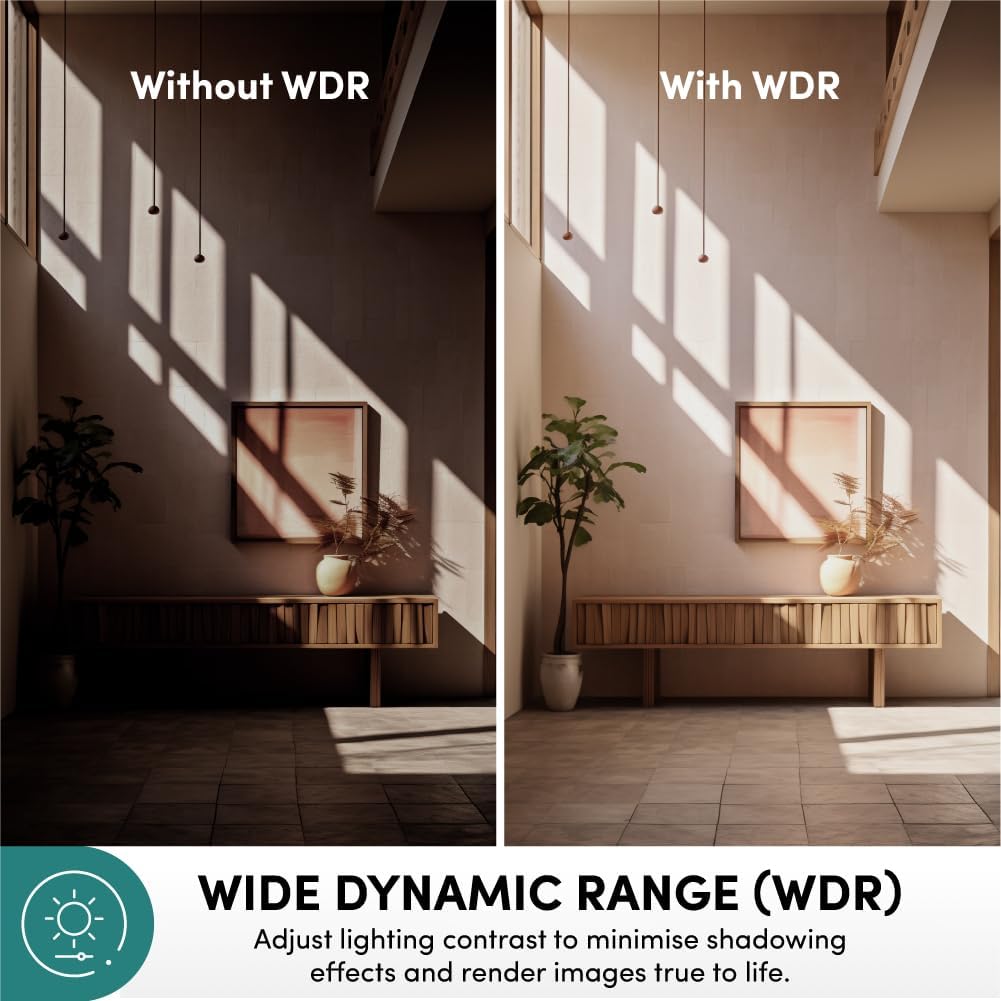
Image: Effect of Wide Dynamic Range (WDR) on image quality.
Эки тараптуу байланыш
The integrated microphone and speaker enable live view and two-way audio communication, allowing you to speak and listen through the camera via the mobile application.
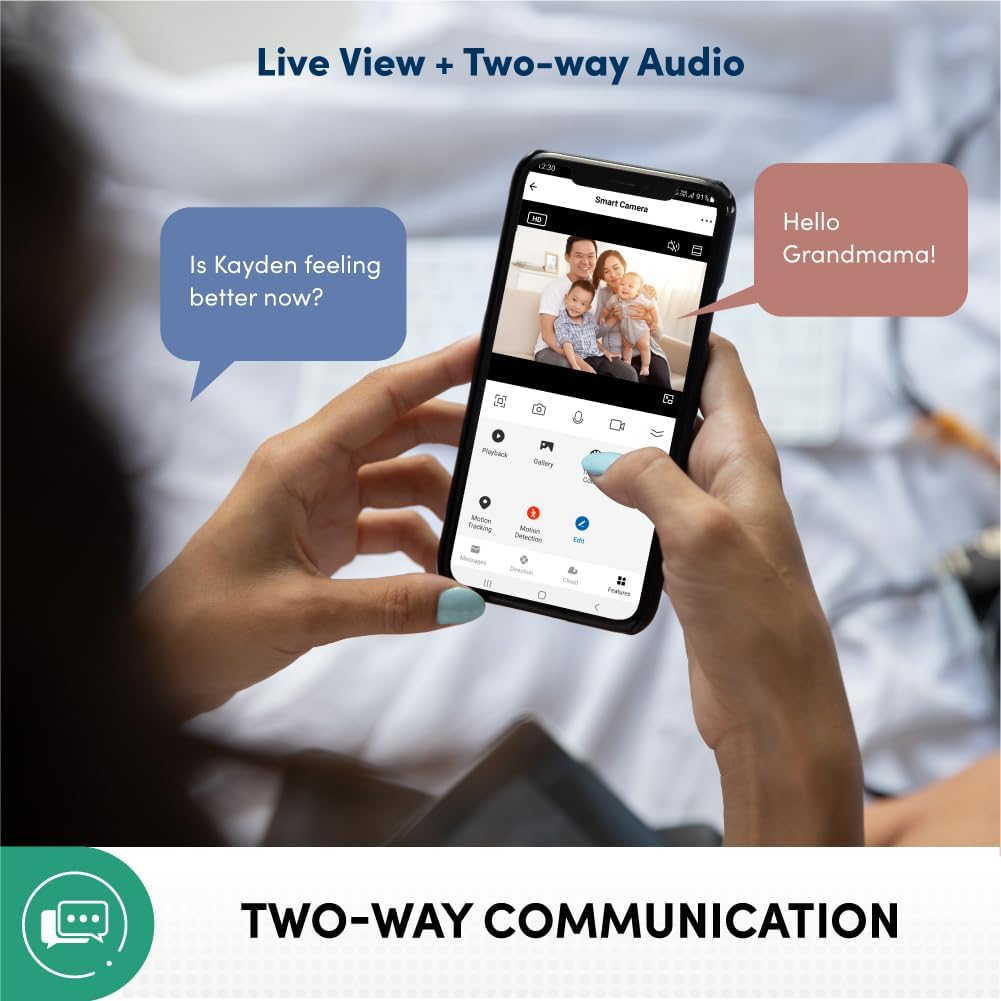
Image: Two-way communication feature via the mobile app.
Privacy Protection and Data Security
Your data and privacy are protected by end-to-end encryption (AES/TLS) to prevent malicious cyber attacks. The system is hosted on Amazon AWS Cloud Server and features 2-layer user login (password/pattern). It is also certified by the Cyber Security Agency of Singapore.

Image: Privacy protection and data security features.
Multiple Recording Methods
The camera supports various recording and storage options, including 3rd party NVR (ONVIF Compatible), optional cloud storage (subscription required), direct recording to smartphone/tablet, and local storage via microSD card up to 512GB (sold separately).

Image: Available recording and storage methods.
Орнотуу колдонмосу
1. Камераны күйгүзүү
- Connect the provided USB cable to the camera's Type-C port.
- Connect the other end of the USB cable to the 5V 1A power adapter.
- Кубат адаптерин стандарттуу электр розеткасына сайыңыз.
- Wait for the camera's indicator light to show it is ready for pairing (refer to the Quick Installation Guide for specific light patterns).
2. Mobile Application Installation and Pairing
- Download the official Prolink Smart Home application from your device's app store (available for Android and iOS).
- Open the application and create a new account or log in if you already have one.
- Follow the in-app instructions to add a new device. This typically involves scanning a QR code on the camera or manually selecting the camera model.
- Жупташтыруу процессинде мобилдик түзмөгүңүз 2.4 ГГц Wi-Fi тармагына туташкандыгын текшериңиз.
- Туташкандан кийин, сиз жасай аласыз view түз эфирди көрүп, камера жөндөөлөрүнө кириңиз.
3. Камераны орнотуу (кошумча)
The camera can be placed on a flat surface or mounted on a wall/ceiling using the included mounting kit.
- Оптималдуу жер үчүн ылайыктуу жерди тандаңыз viewкамтуу.
- Use the mounting bracket as a template to mark screw holes on the desired surface.
- Зарыл болсо, багыттоочу тешиктерди бургулап, дубалга бекиткичтерди орнотуңуз.
- Берилген бурамалар аркылуу монтаждык кронштейнди бетке бекитиңиз.
- Attach the camera to the mounting bracket, ensuring it is securely locked in place.
Иштөө нускамалары
Live View жана Мониторинг
- Open the Prolink Smart Home app on your smartphone or tablet.
- Select the DS-3106 camera from your device list to access the live video feed.
- Use the on-screen controls to pan (rotate horizontally) and tilt (rotate vertically) the camera lens for a full 360-degree view.
- Pinch to zoom in or out on the live feed to utilize the 6X digital zoom.
Эки тараптуу аудио байланыш
- Түз эфирде view, эки тараптуу аудиону иштетүү үчүн микрофон сүрөтчөсүн таптаңыз.
- Speak into your mobile device's microphone to transmit your voice through the camera's speaker.
- The camera's built-in microphone will pick up audio from the camera's environment, which will be played through your mobile device's speaker.
Жаздыруу жана ойнотуу
- Local Storage (microSD card): Insert a microSD card (up to 512GB, sold separately) into the camera's card slot. Configure recording settings (e.g., continuous, motion-triggered) via the app.
- Булуттагы сактагыч: If subscribed to cloud storage, recordings will automatically upload to the cloud based on your settings.
- Ойнотуу: Жазылган footage through the "Playback" or "Gallery" section in the Prolink Smart Home app. Select the date and time to review окуялар.
Кыймылды аныктоо жана эскертүүлөр
- Колдонмонун ичиндеги камера жөндөөлөрүндө кыймылды аныктоону иштетиңиз.
- Adjust sensitivity levels and define detection zones as needed.
- Receive instant push notifications on your mobile device when motion is detected.
Техникалык тейлөө
- Тазалоо: Камеранын линзасын жана корпусун жумшак, кургак чүпүрөк менен акырын сүртүңүз. Бетине же линзага зыян келтирүүчү катаал химиялык заттарды же абразивдүү материалдарды колдонуудан алыс болуңуз.
- Программалык камсыздоонун жаңыртуулары: Regularly check for and install firmware updates through the Prolink Smart Home app to ensure optimal performance, security, and access to new features.
- Жайгашкан жери: Камераны күн нурунан, экстремалдык температурадан жана жогорку нымдуулуктан алыс, туруктуу жерге жайгаштырыңыз.
- Тармактын туруктуулугу: Maintain a stable Wi-Fi connection for uninterrupted monitoring and recording.
Проблемаларды чечүү
| Көйгөй | Мүмкүн себеп | Чечим |
|---|---|---|
| Камера күйбөй жатат | Power adapter or cable issue; power outlet problem. | Check power connections. Try a different outlet. Ensure the power adapter is functioning correctly. |
| Wi-Fi'га туташпай жатат | Туура эмес Wi-Fi сырсөзү; камера роутерден өтө алыс; 5 ГГц Wi-Fi тармагы. | Verify Wi-Fi password. Move camera closer to router. Ensure you are connecting to a 2.4GHz Wi-Fi network. Reset camera and try pairing again. |
| Жандуу видео түрмөгү жок | Internet connection issue; camera offline; app glitch. | Check your internet connection. Restart the camera. Close and reopen the Prolink Smart Home app. |
| Кыймылды аныктоо иштебей жатат | Feature disabled; sensitivity too low; incorrect detection zone. | Колдонмонун жөндөөлөрүнөн кыймылды аныктоону иштетүү. Сезгичтикти жогорулатуу. Аныктоо зоналарын тууралоо. |
| Эки тараптуу аудио иштебейт | Microphone/speaker muted in app; volume too low; network latency. | Check audio settings in the app. Increase volume on your mobile device. Ensure stable network connection. |
Техникалык шарттар
| Өзгөчөлүк | Деталь |
|---|---|
| Модель номери | DS-3106-CCL |
| Видео тартуунун резолюциясы | 3 MP (2304 effective resolution) |
| Түс | Көмүр |
| Өлчөмдөрү (L x W x Y) | 7.5 x 7.5 x 11.3 см |
| Салмагы | 186 г |
| Viewбурч | 110 Degrees (wide-angle lens) |
| Pan/Tilt диапазону | Pan: 360 Degrees, Tilt: 110 Degrees |
| Digital Zoom | 6X |
| Түнкү көрүү диапазону | 10 метрге чейин |
| Байланыш технологиясы | Wi-Fi (2.4 ГГц) |
| Өзгөчөлүктөр | AI-Powered Detection, 2-Way Audio, Wide Dynamic Range (WDR), Privacy Protection (AES/TLS Encryption) |
| Сактагыч параметрлери | microSD card (up to 512GB), Cloud Storage (optional), 3rd Party NVR (ONVIF Compatible) |
| Power Source | Зымдуу электр (5V 1A) |
| Орнотуу түрү | Freestanding, Wall Mount, Ceiling Mount |
| Ички/тышкы колдонуу | Indoor |
| Controller Type | Android, iOS (via Prolink Smart Home App) |
Кепилдик жана колдоо
For warranty information, technical support, or service inquiries, please refer to the official Prolink website or contact Prolink customer service directly. Details can typically be found in the Quick Installation Guide included with your product or on the manufacturer's official support pages.
Өндүрүүчү: Prolink
Сатуучу: Prolink Official (via Amazon.sg)
Кайтаруу саясаты: 15 days (refund/replacement) as per Amazon.sg policy.
Ask a question about this manual
Ask about setup, troubleshooting, compatibility, parts, safety, or missing instructions. Manuals+ will review the question and use this page’s manual context to help answer it.