
Introduction
Thank you for choosing the Runstar Digital Bathroom Scale. This advanced smart scale is designed to help you track your health and fitness progress with precision. Featuring an extra-large color display, it provides instant readings of key body metrics, and connects seamlessly with the Starfit app to offer a comprehensive analysis of 15 body composition measurements. This manual will guide you through the setup, operation, and maintenance of your new scale.
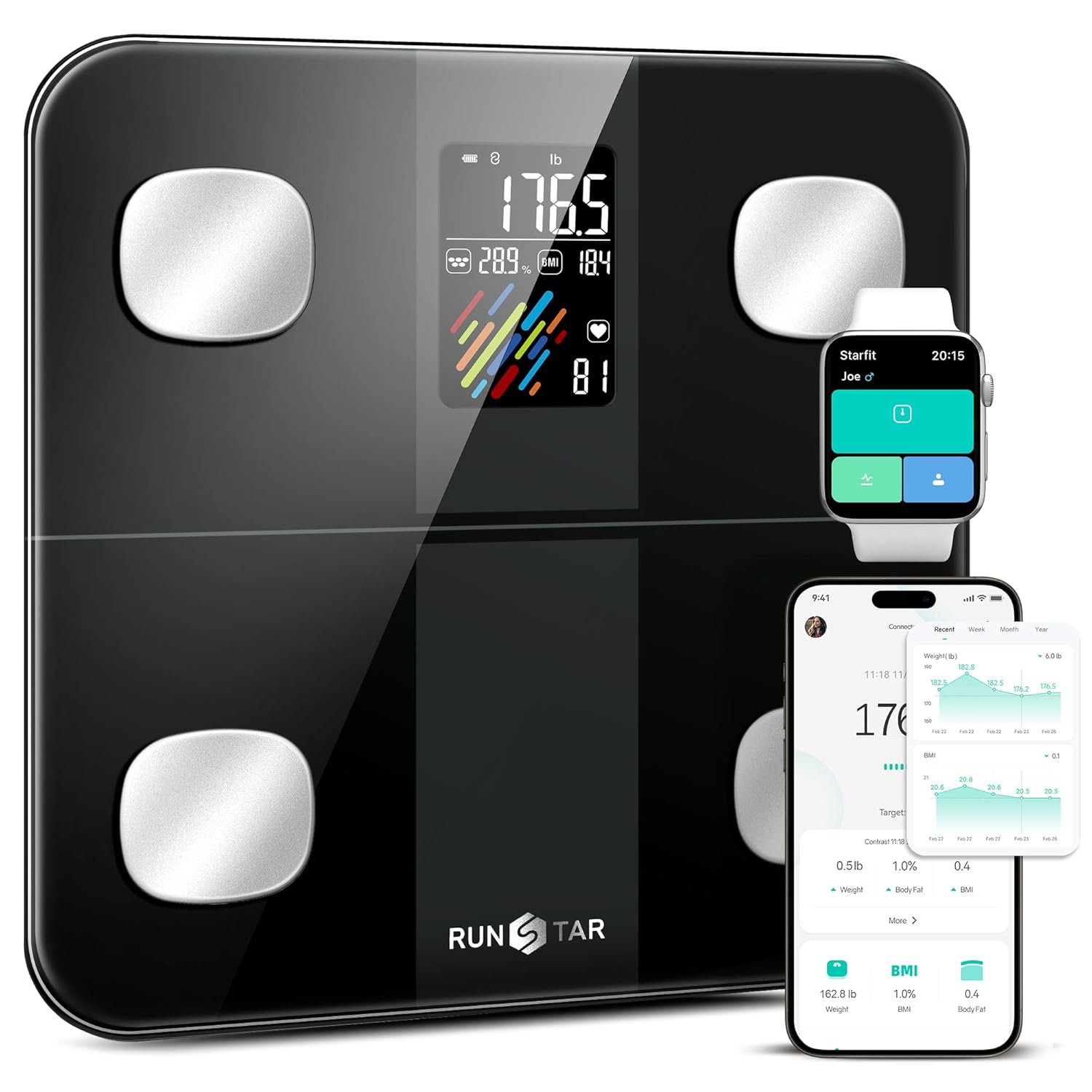
Image: The Runstar Digital Bathroom Scale showcasing its large display and connectivity with the Starfit app on a smartphone and smartwatch.
Пакеттин мазмуну
Сураныч, төмөнкү нерселер үчүн кутучаны белгилеңиз:
- 1x Runstar Digital Bathroom Scale
- 4x AAA батарейкалар
- 1x Колдонуучунун колдонмосу (бул документ)
Орнотуу колдонмосу
1. Батареяны орнотуу
Locate the battery compartment on the underside of the scale. Insert the 4 included AAA batteries, ensuring correct polarity (+/-) as indicated inside the compartment. Close the battery cover securely.
2. App Download and Connection (Starfit App)
To unlock the full potential of your Runstar scale, download and connect to the Starfit app:
- Download Starfit App: Издөө "Starfit" in your smartphone's app store (iOS App Store or Google Play Store) and download the application.
- Каттоо эсеби: Open the Starfit app and complete the registration process to create your user account.
- Bluetooth иштетүү: Смартфонуңузда Bluetooth иштетилгенин текшериңиз.
- Жупташтыруу процесси:
- In the Starfit app, navigate to "Account" and then find "My Devices".
- Tap the "+" icon in the upper right corner.
- Tap the "Bluetooth" logo on the page to begin searching for smart devices.
- When you find "Runstar-Rx" in the list of available devices, tap it to complete the connection.
- Ырастоо: A connected logo will appear on the screen of your Runstar scale once the Bluetooth connection is successfully established.

Image: Two individuals reviewing their health data and progress on the Starfit application, which syncs with the Runstar scale.
Иштөө нускамалары
Өлчөө алуу
To take an accurate measurement:
- Таразаны катуу, тегиз жерге коюңуз. Килемдерди же тегиз эмес полдорду колдонбоңуз.
- Step onto the scale barefoot and stand still. Ensure your feet are positioned on the metal electrodes for full body composition analysis.
- The XL color display will show your weight, BMI, body fat rate, heart rate, and body type within 15 seconds.
- For a complete analysis of all 15 body composition metrics, open the Starfit app on your connected smartphone. The data will automatically sync.

Image: A close-up of the Runstar scale's display, highlighting the five key metrics shown: body weight, body fat rate, BMI, body type, and heart rate.

Image: A person standing on the Runstar scale, holding a glass of water, illustrating the scale's accuracy to 0.1lb by showing weight changes before and after drinking.
Multiple User Management
The Runstar scale supports multiple users. There are two primary methods for managing multiple users:
- Multiple Users with Separate Starfit Accounts: Each user can download the Starfit app and create their own account. Note that only one Starfit account can be paired with the smart scale at a time during a measurement.
- Multiple Users with a Shared Starfit Account: The primary user who created or logged into the Starfit account can create multiple user profiles within their single account. This allows different family members to track their data under one main account.
Syncing with Other Fitness Apps
The Starfit app can sync your health data with popular third-party fitness applications, including:
- Apple Health
- Google Fit
- Fitbit
Refer to the Starfit app's settings or help section for instructions on how to enable and manage these integrations.
Техникалык тейлөө
Таразаны тазалоо
To clean your Runstar scale, wipe the surface with a soft, damp cloth. Do not use abrasive cleaners or immerse the scale in water. Keep the surface dry to ensure accurate readings and prolong the life of the device.
Батареяны алмаштыруу
When the battery indicator on the display shows low power, replace all four AAA batteries. Always use new batteries and dispose of old batteries responsibly. The scale is designed for low power consumption, offering up to 90 days of use per battery change.

Image: The Runstar scale highlighting its low power consumption, capable of operating for 90 days on a single set of batteries.
Проблемаларды чечүү
If you encounter issues with your Runstar scale, please refer to the following common problems and solutions:
| Көйгөй | Чечим |
|---|---|
| Screen only shows weight and BMI. | Ensure the Starfit app is successfully connected via Bluetooth. Full body composition data (including body fat percentage) will display on the scale and in the app only after a proper connection. For other data, check the Starfit app. |
| Starfit app always shows "disconnected". | Confirm that no other devices nearby are currently connected to the scale. If so, disconnect them first. Prioritize connecting your device to the scale. Ensure Bluetooth is enabled on your phone and the app has Bluetooth permissions. |
| Туура эмес окуулар. | Ensure the scale is placed on a hard, flat surface. Avoid carpets. Step on the scale barefoot and stand still. Ensure the scale surface and your feet are clean and dry. |
| Масштаб күйбөйт. | Check if the batteries are correctly installed with proper polarity. Replace batteries if they are low or depleted. |
Техникалык шарттар
| Өзгөчөлүк | Деталь |
|---|---|
| Бренд | runstar |
| Модель номери | B0CJJGYXHG |
| Түс | Кара |
| Элемент Салмагы | 2.86 фунт |
| Салмагы Limit | 2.86 Pounds (Note: This appears to be an error in the source data, typically weight limit for scales is much higher. Please refer to product packaging for accurate weight limit.) |
| Батареялар | 4 AAA батарейка (кошулган) |
| Пакеттин өлчөмдөрү | 13.46 x 13.03 x 1.97 дюйм |
| Өндүрүүчү | runstar |
| Дата биринчи жеткиликтүү | 19-январь, 2024-жыл |
Кепилдик жана колдоо
For information regarding warranty coverage, returns, or technical support, please refer to the warranty card included with your product or visit the official Runstar website. You may also contact Runstar customer service directly through the contact information provided on their webсайт же продукт таңгак.