
Keychron V6 Max
Keychron V6 Max Wireless Custom Mechanical Keyboard User Manual
Model: V6 Max | Brand: Keychron
Introduction
This manual provides detailed instructions for the Keychron V6 Max Wireless Custom Mechanical Keyboard. It covers everything from initial setup and connectivity to advanced customization, maintenance, and troubleshooting. The V6 Max is a full-size 100% layout keyboard designed for enhanced typing comfort and versatility, featuring 2.4 GHz and Bluetooth 5.1 wireless connectivity, QMK/VIA programmability, and hot-swappable switches.
Пакеттин мазмуну
Төмөндө тизмеленген нерселердин баары пакетиңизге камтылганын текшериңиз:
- 1x Fully Assembled Keyboard (including Case, PCB, PC Plate, Sound Absorbing Foam, Stabilizers, Keycaps, Switches)
- 1x Type-A 2.4 ГГц кабылдагыч
- 1x Type-C 2.4 GHz Receiver
- 1x USB Cable (Type-C to Type-C)
- 1x Type-A to Type-C адаптер
- Алуучу үчүн 1x узартуу адаптери
- 1x Баскыч капкагы жана которгуч
- 1x Screwdriver & Hex Key
Жайгашуу
Баштапкы орнотуу
Upon unboxing, ensure the keyboard is placed on a stable, flat surface. Familiarize yourself with the layout and the location of the connectivity switch on the top edge of the keyboard.
Байланыш
The Keychron V6 Max supports three connection modes: 2.4 GHz wireless, Bluetooth 5.1, and USB-C wired.
- 2.4 ГГц зымсыз: For optimal performance, plug the 2.4 GHz receiver (Type-A or Type-C) into your device. The keyboard boasts a rapid 1000 Hz polling rate in this mode.
- Bluetooth 5.1: The keyboard can connect to up to 3 devices via Bluetooth. To pair, switch the keyboard to Bluetooth mode, activate pairing mode (refer to the keyboard's specific key combination for Bluetooth pairing, usually Fn + 1/2/3), and select the keyboard from your device's Bluetooth settings.
- USB-C зымдуу: Connect the keyboard directly to your device using the provided USB-C to USB-C cable. This mode also supports a 1000 Hz polling rate and charges the keyboard.

Операциялык системаны которуу
A dedicated switch on the keyboard allows you to toggle between Windows and macOS layouts, ensuring full compatibility with your operating system.

Заряддоо
The keyboard is equipped with a 4000 mAh rechargeable Li-polymer battery, providing up to 100 hours of working time (with lowest brightness). Connect the keyboard via USB-C cable to charge.

Баскычтопту иштетүү
Негизги өзгөчөлүктөрү
- 108 баскычтуу толук өлчөмдөгү макет: Provides a complete set of keys for various tasks.
- Gasket Design & Sound-Absorbing Foam: Enhances typing comfort and acoustics.
- Эки жолу басылуучу PBT баскычтоптору: Offers excellent oil resistance and prevents legend fading.
- Programmable Knob: A multi-function rotary knob for volume control or custom assignments.

Customization with QMK/VIA
The V6 Max is fully customizable with QMK/VIA firmware. You can remap any key, create macros, and adjust lighting effects using the Keychron Launcher web app. Simply connect the keyboard via cable to access the web app and personalize your layout for macOS, Windows, or Linux.

Keycap and Switch Information
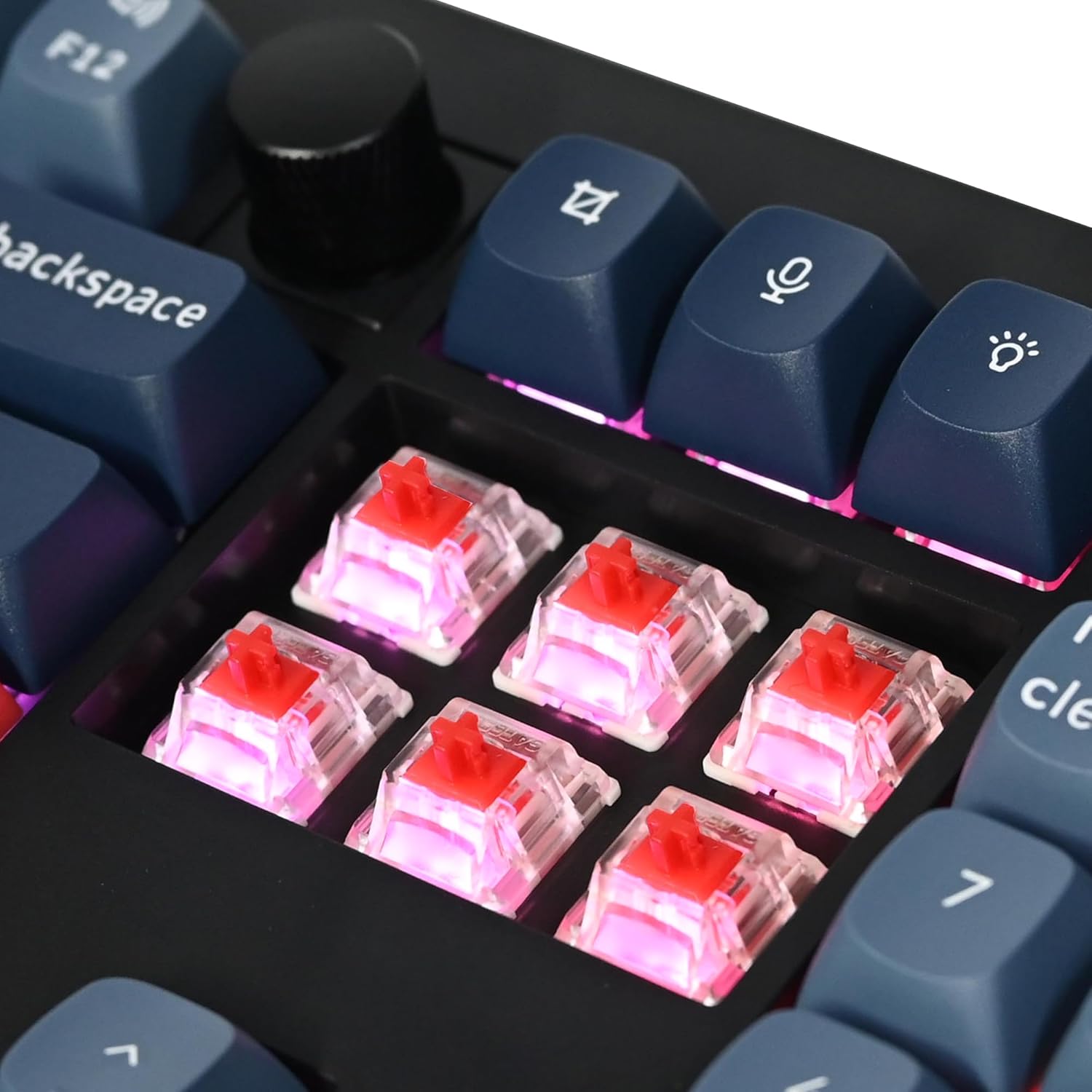
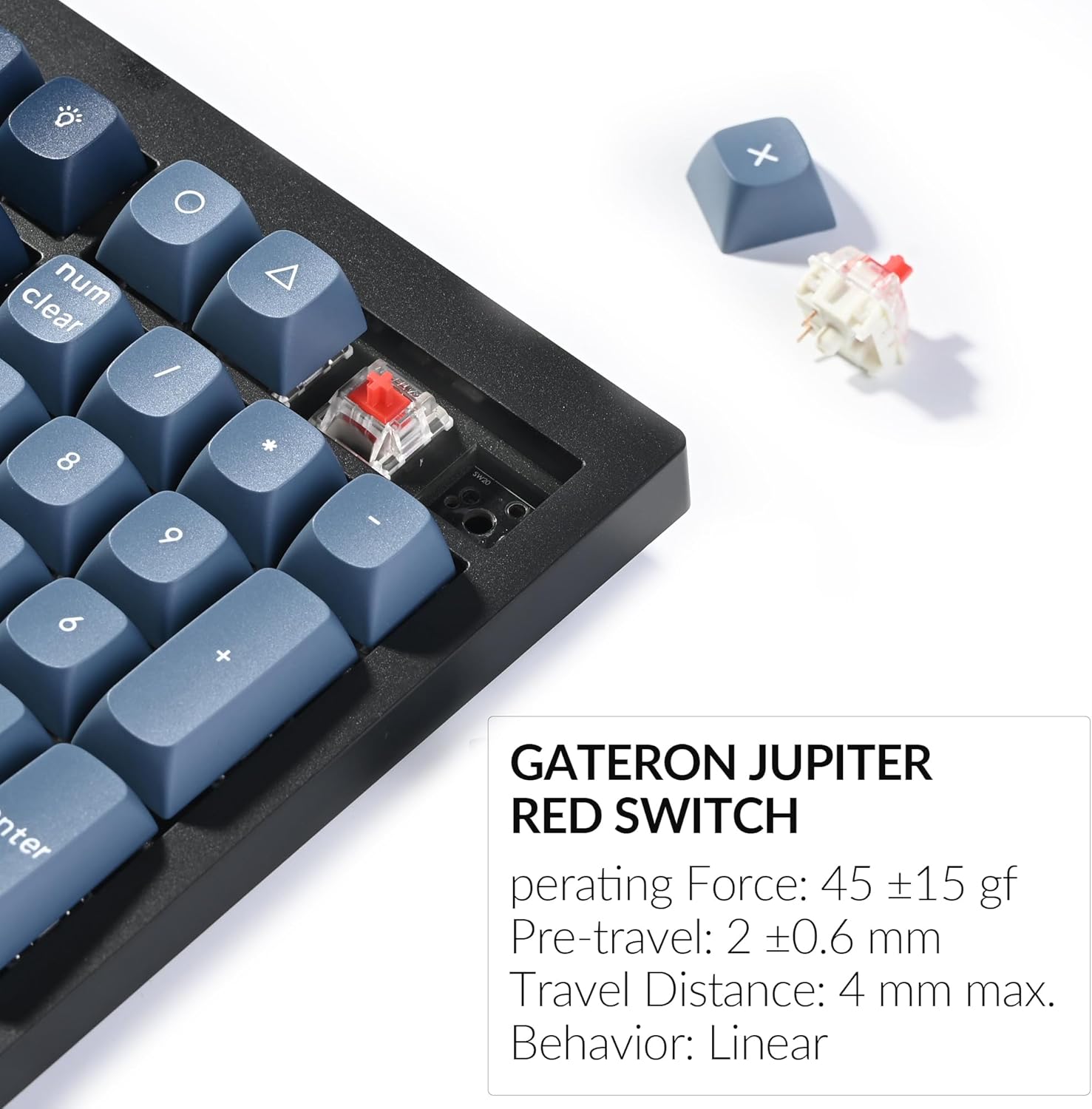
The keyboard comes with OSA profile double-shot PBT keycaps, known for their durability and resistance to shine. It features pre-lubed Gateron Jupiter Red switches, which are linear switches with a smooth press. The hot-swappable PCB allows you to change switches without soldering, compatible with most 3-pin and 5-pin MX mechanical switches.


RGB жарыктандыруу
The V6 Max features south-facing RGB backlighting. You can adjust the hue, saturation, brightness, effect speed, and various lighting modes using combination keys on the keyboard.
Техникалык тейлөө
Тазалоо
To clean your keyboard, use a soft, lint-free cloth. For dust and debris between keycaps, use compressed air. For stubborn stains, a slightly damp cloth with mild soap can be used, ensuring no liquid enters the keyboard. Always disconnect the keyboard before cleaning.
Которуу жана клавиатура алмаштыруу
The hot-swappable design allows for easy replacement of switches and keycaps. Use the provided keycap puller to gently remove keycaps and the switch puller to remove switches. Align new switches carefully before pressing them into place. Ensure the pins are straight to avoid bending.
Проблемаларды чечүү
Жалпы маселелер
- Туташуу көйгөйлөрү: Ensure the keyboard is in the correct mode (2.4 GHz, Bluetooth, or wired) for your connection type. Re-pair Bluetooth devices if connection is lost. For 2.4 GHz, try a different USB port or the extension adapter.
- Keys Not Responding or Double-Typing: This can sometimes be caused by debris under the switch or a faulty switch. Try cleaning the area around the affected key or replacing the switch using the hot-swap feature.
- Арткы жарыктандыруу маселелери: Check if the RGB is enabled and adjust brightness/effects using the keyboard shortcuts. Ensure the keyboard battery has sufficient charge.
- Keyboard Not Recognized: Try connecting via a different USB port or cable. Ensure the Windows/macOS switch is set correctly for your operating system.
Баскычтопту баштапкы абалга келтирүү
If you encounter persistent issues, performing a factory reset may resolve them. Refer to the official Keychron support resources or the comprehensive user guide for specific instructions on how to reset your V6 Max keyboard.
Техникалык шарттар
| Өзгөчөлүк | Деталь |
|---|---|
| Продукциянын өлчөмдөрү | 17.63 x 5.87 x 1.28 дюйм (447.9 x 149 x 32.5 мм) |
| Элемент Салмагы | 3.74 pounds (1110 g ± 10 g) |
| Өндүрүүчү | Keychron |
| Элемент моделинин номери | V6 Макс |
| Батареялар | 1 Литий Полимердик батарейка талап кылынат (киргизилген) |
| Батарея сыйымдуулугу | 4000 мАч |
| Байланыш технологиясы | 2.4 ГГц зымсыз, Bluetooth 5.1, USB-C зымдуу |
| Добуш берүү көрсөткүчү | 1000 Hz (2.4 GHz & wired) / 90 Hz (Bluetooth) |
| Ачкычтардын саны | 108 |
| Клавиатура материалы | OSA Double-shot PBT |
| Которуу түрү | Hot-swap Gateron Jupiter Red Switch (3-pin & 5-pin compatible) |
| Арткы жарыктандыруу | Түштүккө караган RGB |
| Шайкеш түзмөктөр | Ноутбук, ЖК, Планшет, Смартфон |
| Операциялык системанын шайкештиги | macOS, Windows, Linux |
Кепилдик жана колдоо
For detailed warranty information and technical support, please refer to the official Keychron website or the comprehensive user guide PDF. You can download the full user guide бул жерде.
Keychron is committed to providing high-quality products and support. If you encounter any issues not covered in this manual, please contact Keychron customer service for assistance.
Ask a question about this manual
Ask about setup, troubleshooting, compatibility, parts, safety, or missing instructions. Manuals+ will review the question and use this page’s manual context to help answer it.