
Introduction
The Dreamegg Nite 7 Wake-Up Light Alarm Clock is designed to enhance your sleep and waking experience. It features a sunrise simulation to gently wake you, a selection of 30 soothing sounds for relaxation and sleep, 8 night light colors, and a convenient snooze function. This manual provides detailed instructions for setup, operation, and maintenance of your device.
Пакеттин мазмуну
- Dreamegg Nite 7 Wake-Up Light Alarm Clock
- Кубаттуу адаптер
- User Manual
Жайгашуу
- Кубат туташуу: Connect the provided power adapter to the DC input port on the back of the device, then plug it into a standard wall outlet. The device requires continuous power for operation.
- Баштапкы убакыт жөндөөсү: Upon first power-up, the display will show a default time. Use the time setting buttons (usually located on the back or bottom) to adjust the hour and minute. Refer to the "Operating" section for detailed time adjustment instructions.
- Жайгашкан жери: Place the alarm clock on a stable, flat surface such as a bedside table, ensuring it is within reach of a power outlet.

Image: Connecting the power cable to the Dreamegg Nite 7 device.
Иштөө нускамалары
1. Убакытты белгилөө
- басыңыз Убакыт коюу button (refer to device for exact button label).
- колдонуу +/- саатты тууралоо үчүн баскычтар.
- Басыңыз Убакыт коюу саатты ырастоо жана мүнөттөргө жылдыруу үчүн кайрадан басыңыз.
- колдонуу +/- мүнөттөрдү тууралоо үчүн баскычтар.
- Басыңыз Убакыт коюу убакытты үнөмдөө үчүн дагы бир жолу.
2. Setting the Alarm and Sunrise Simulation
- басыңыз Ойготкуч орнотулган баскычы.
- колдонуп, ойготкучтун убактысын тууралаңыз +/- баскычтар.
- Басыңыз Ойготкуч орнотулган ырастоо үчүн.
- Select an alarm sound from the 5 available options using the Үн баскычы.
- Сигналдын үнүн төмөнкү менен тууралаңыз Көлөм баскычтар.
- Set the sunrise simulation duration (5 to 60 minutes) before the alarm time. The light will gradually brighten during this period.
- Басыңыз Ойготкуч орнотулган сактоо үчүн.
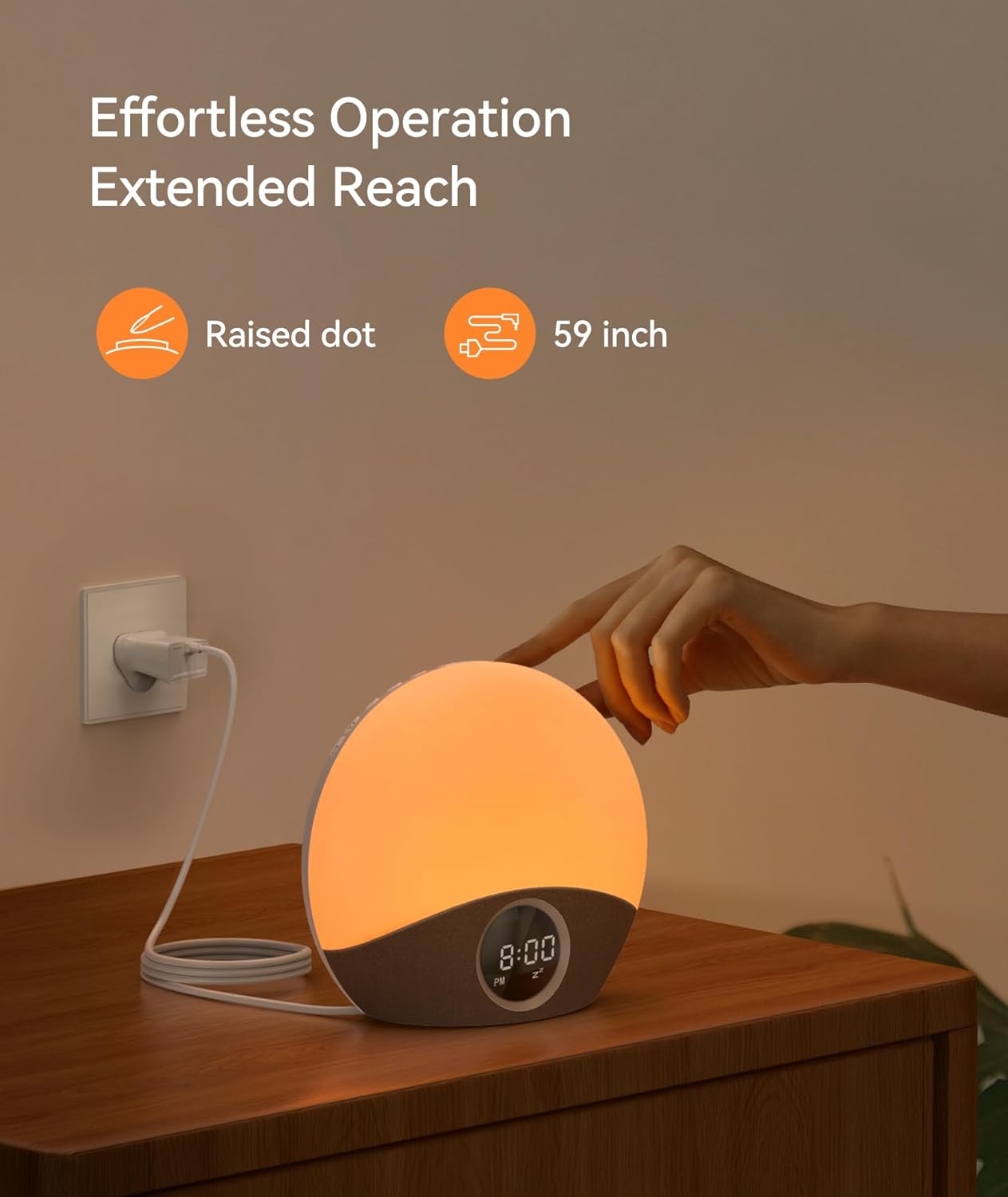
Image: Visual representation of the sunrise simulation feature.

Image: The Dreamegg Nite 7 gently waking a user with light and sound.
3. Using Soothing Sounds for Sleep
- басыңыз Үн button to cycle through 30 soothing sounds (e.g., white noise, nature sounds, lullabies, meditation music).
- Үнүн колдонуп, үнүн жөндөңүз Көлөм баскычтар.
- Set a sleep timer (5 to 180 minutes) if desired, after which the sound will gradually fade out.

Image: A selection of 30 soothing sounds for improved sleep.

Image: The Dreamegg Nite 7 providing a calming environment for sleep.
4. Түнкү жарык функциясы
- басыңыз Жарык түнкү жарыкты күйгүзүү үчүн баскыч.
- Cycle through 8 different colors by pressing the Жарык баскычын кайра-кайра.
- Adjust the brightness (0-100%) using the dedicated dimmer buttons or +/- buttons when the light is active.
- басып, кармап туруңуз Жарык түнкү жарыкты өчүрүү үчүн баскыч.

Image: Customizable night light settings with various colors and brightness levels.
5. Тындырма функциясы
- Ойготкуч басылганда, басыңыз Тындыр button (often a large button on top or front) to pause the alarm for 9 minutes.
- Ойготкуч 9 мүнөттөн кийин кайра чыгат.
- To turn off the alarm completely, press any other button (e.g., Alarm Set, Light, Sound).
6. Диммерди көрсөтүү
- The LED display brightness can be adjusted. Locate the Диммерди көрсөтүү buttons (often +/- or a dedicated button) on the device.
- Adjust to your preferred brightness level for comfortable viewing without disturbing sleep.
Image: Adjusting the display brightness for optimal viewing.
Техникалык тейлөө
- Тазалоо: Аппаратты жумшак, кургак чүпүрөк менен сүртүңүз. Абразивдүү тазалагычтарды же эриткичтерди колдонбоңуз.
- Сактагыч: Эгерде түзмөктү көпкө сактап жатсаңыз, аны розеткадан сууруп, салкын, кургак жерде сактаңыз.
- Суудан качуу: Бул аппарат суу өткөрбөйт. Аны суудан жана жогорку нымдуулуктан алыс кармаңыз.
Проблемаларды чечүү
| Көйгөй | Мүмкүн себеп | Чечим |
|---|---|---|
| Түзмөк күйбөй жатат. | Not properly connected to power. | Кубат адаптери аспапка да, жумушчу розеткага да бекем сайылганын текшериңиз. |
| Ойготкуч угулбайт. | Ойготкуч коюла элек же үнү өтө төмөн. | Verify alarm settings and ensure the volume is set to an audible level. |
| Жарык иштебей жатат. | Жарык функциясы өчүрүлгөн же жарыктык минималдуу деңгээлге коюлган. | Press the Light button to activate, and adjust brightness using the dimmer controls. |
| Дисплей өтө күңүрт же өтө жарык. | Display brightness needs adjustment. | Use the Display Dimmer buttons to adjust the brightness to your preference. |
Техникалык шарттар
- Модель номери: HFD-W23
- Өлчөмдөрү (L x W x Y): 18.8 x 18.8 x 18.8 см
- Салмагы: 680 грамм
- Материал: Пластмасса (акрилонитрил бутадиен стирол)
- Жарык түрү: LED
- Кубат булагы: Электр кабели
- Өзгөчөлүктөрү: Sunrise Simulation, 30 Soothing Sounds, 8 Night Light Colors, Variable Brightness, Snooze Function, Compact Design
- Жаш аралыгы Сүрөттөмө: Child (suitable for all ages)
Кепилдик жана колдоо
The Dreamegg Nite 7 Wake-Up Light comes with a 365 күндүк кепилдик from the date of purchase. This warranty covers manufacturing defects and ensures your satisfaction with the product.
For any questions, concerns, or technical support, please contact our dedicated customer support team. Contact information can typically be found on the product packaging or our official webсайт.
Кепилдик дооматтары үчүн сатып алганыңыздын далилин сактап коюңуз.