
1. Киришүү
Thank you for choosing the LanLuk 200W GaN IV 8-Port USB-C Charging Station. This device is designed to provide efficient and safe charging for a wide range of electronic devices, including laptops, smartphones, tablets, and more. Please read this manual carefully before use to ensure proper operation and to maximize the lifespan of your product.
2. Коопсуздук нускамалары
- Аппаратты сууга, нымдуулукка же экстремалдык температурага тийгизбеңиз.
- Аппаратты түшүрүүдөн же катуу таасирлерден сактаныңыз.
- Do not disassemble, modify, or attempt to repair the device yourself. This will void the warranty and may cause damage or injury.
- Берилген электр шнурун гана колдонуңуз.
- Ensure proper ventilation around the charging station during use to prevent overheating.
- Балдар жетпеген жерде сактаңыз.
- Unplug the charging station from the power outlet when not in use or during electrical storms.
3. Пакеттин мазмуну
Пакетиңизде бардык буюмдар бар экенин текшериңиз:
- 1 x LanLuk 200W 8-in-1 USB-C Charging Station
- 1 х Кубат кабели
- 1 x Instruction Manual
4. Продукт бүтүп калдыview
The LanLuk 200W GaN IV 8-Port USB-C Charging Station features advanced GaN IV technology for higher energy efficiency, upgraded heat dissipation, and a compact design. It provides a total of 200W power output across 8 ports, allowing you to charge multiple devices simultaneously.
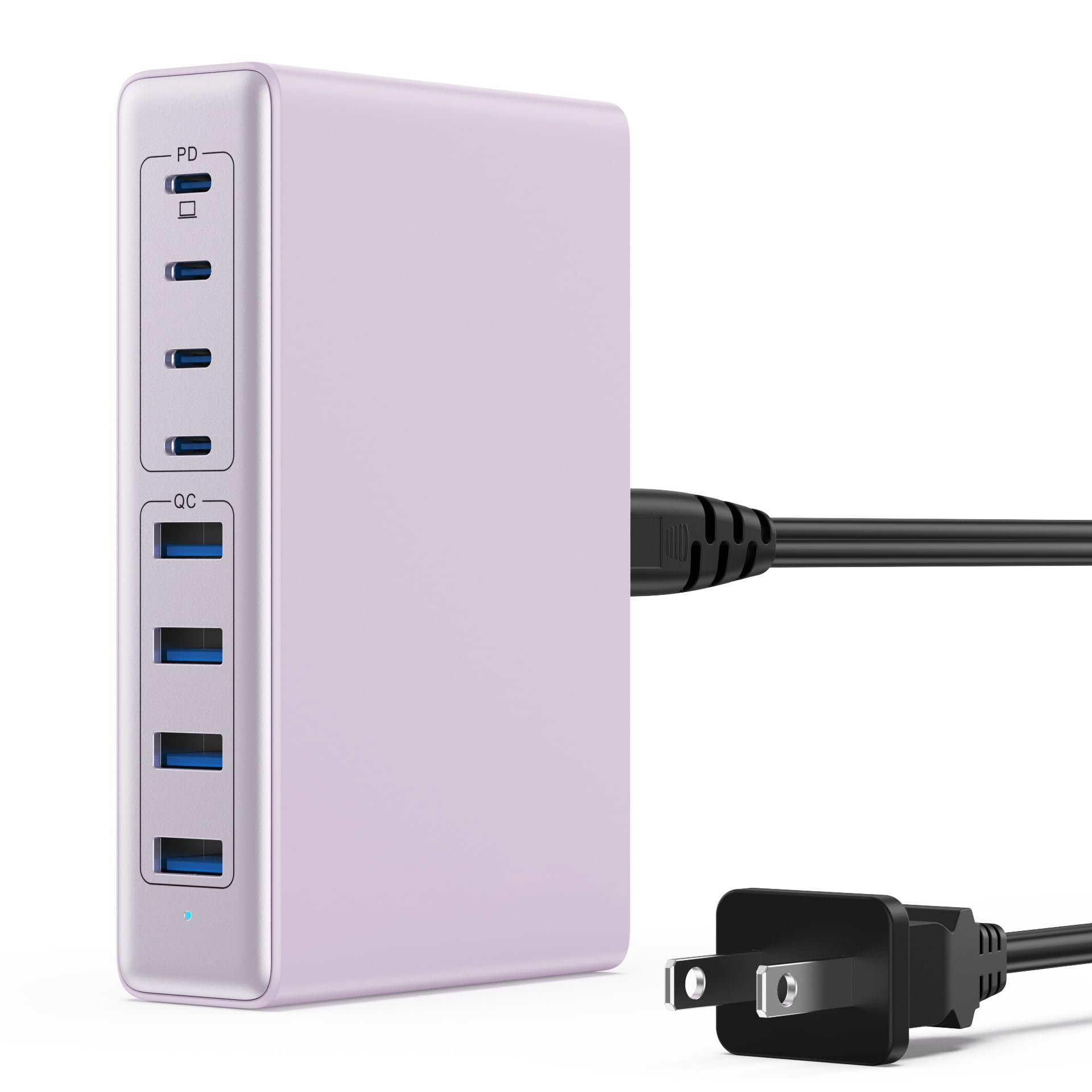
Image: The LanLuk 200W GaN IV 8-Port USB-C Charging Station in purple.
Негизги өзгөчөлүктөрү:
- GaN IV Technology: Utilizes the latest Gallium Nitride (GaN) IV chip for enhanced efficiency, reduced heat, and a smaller form factor.
- 200W жалпы кубаттуулугу: Delivers optimal power to charge up to 8 devices simultaneously at full speed.
- 8 заряддоо порттору: Includes 4 USB-C ports (PD 3.0) and 4 USB-A ports (QC 4.0) for broad compatibility.
- 65 Вт кубаттуулукту жеткирүү (PD): One dedicated USB-C port provides up to 65W, capable of fast-charging laptops like MacBook Pro/Air, Dell XPS, and more.
- Көп функциялуу коопсуздук системасы: Built-in intelligent IC with six safety protections: over-voltage, over-current, over-charge, over-temperature, static electricity, and short circuit.
- Жалпы шайкештик: Supports a wide range of devices including iPhones, iPads, Android phones, laptops, gaming consoles (Steam Deck, Nintendo Switch), smartwatches, and headphones.
- Портативдик дизайн: Compact size (approximately 5 inches by 3 inches) with a 1.5M/5FT AC extension power cord for flexible placement.
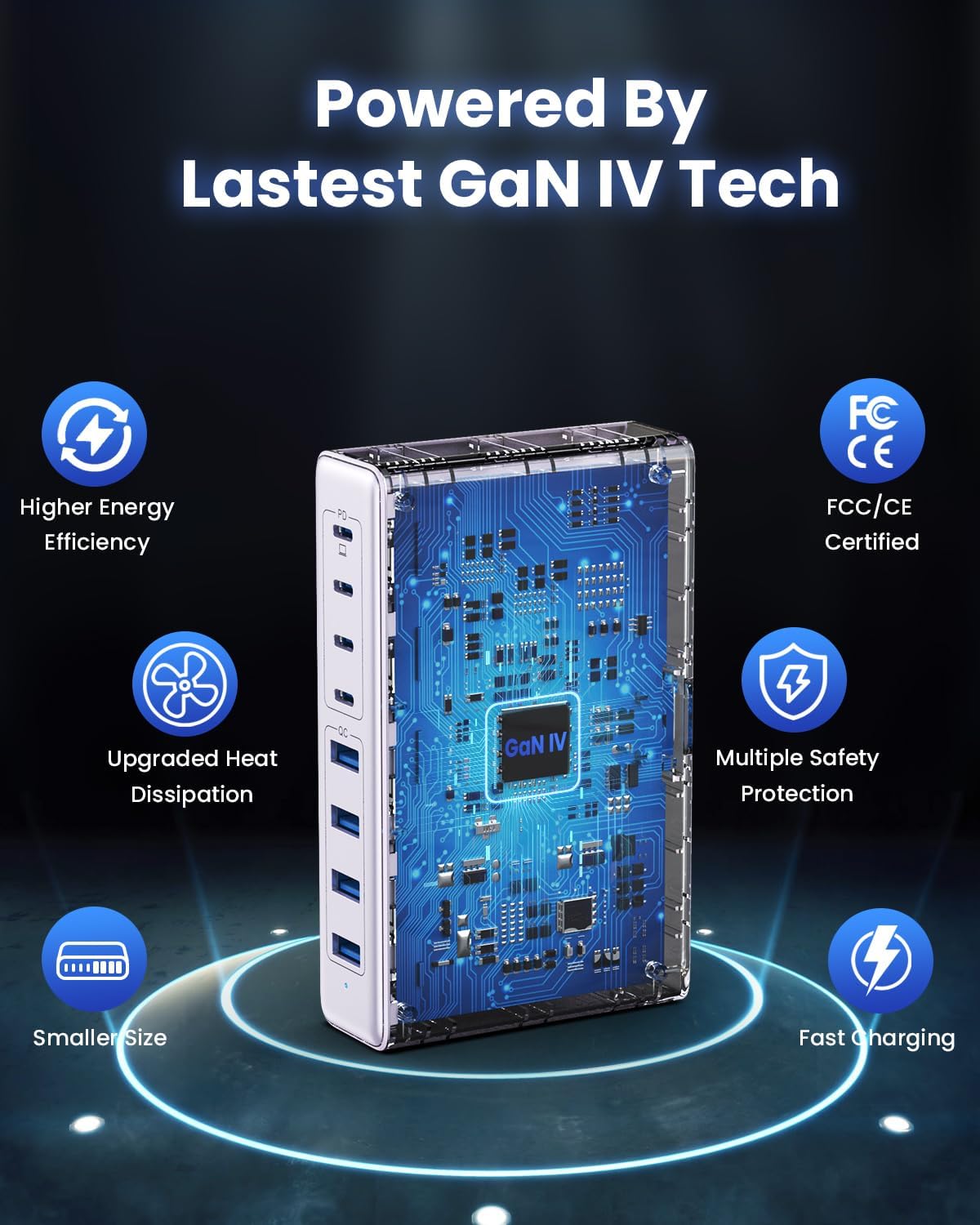
Image: Diagram illustrating the benefits of GaN IV technology, including higher energy efficiency, upgraded heat dissipation, smaller size, multiple safety protections, and fast charging.

Image: Visual representation of the charging station connecting to 8 different devices (4 USB-C, 4 USB-A).

Image: Infographic showing the universal compatibility with laptops/tablets (MacBook Pro, Dell XPS, iPad Pro), smartphones (iPhone, Samsung Galaxy, Google Pixel), and gaming devices/others (ROG ALLY, Steam Deck, AirPods, Switch).

Image: Illustration highlighting the USB-C1 port's 65W output, perfect for laptops, showing a MacBook charging.
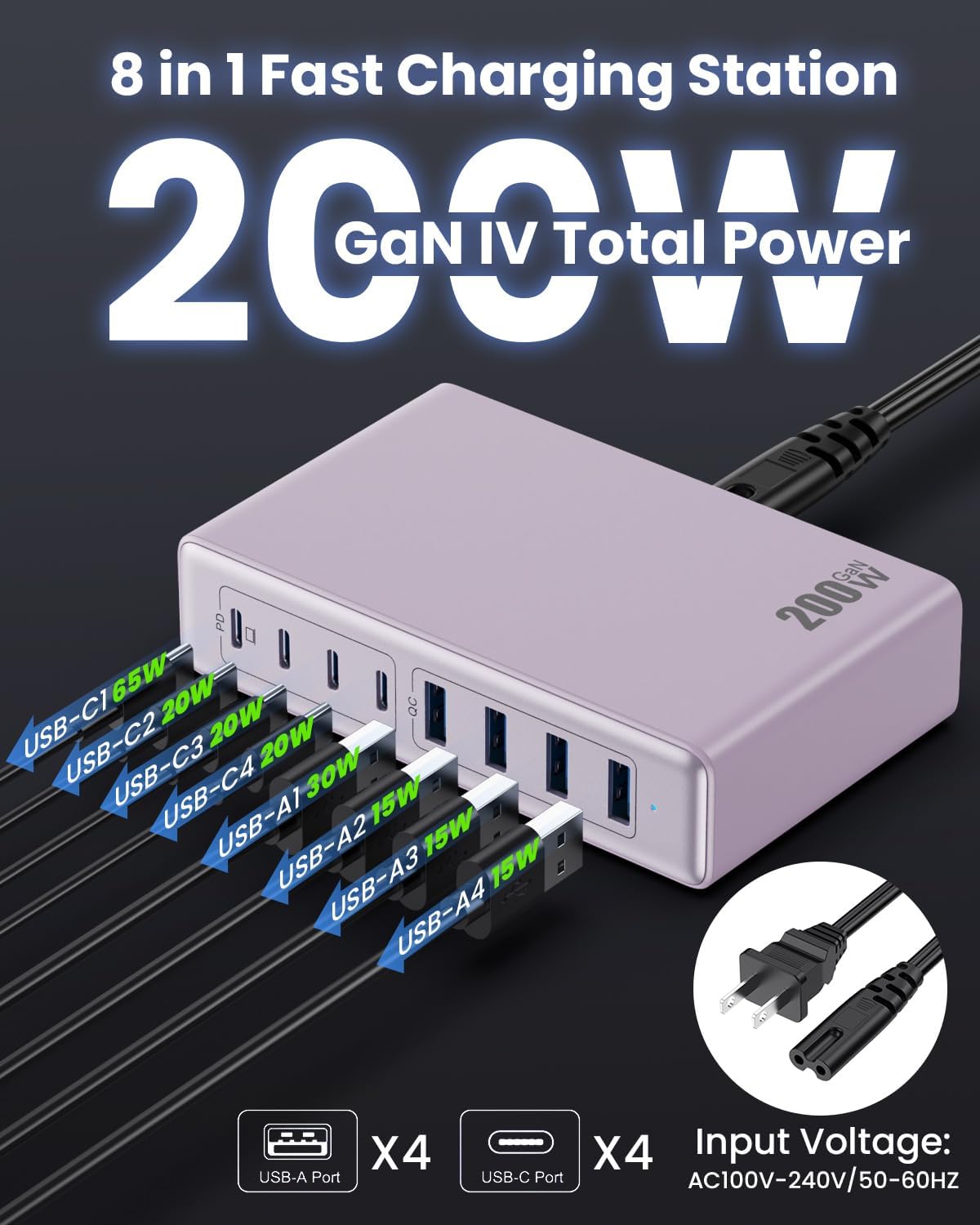
Сүрөт: деталдуу view of the charging station's ports and their individual power outputs (USB-C1 65W, USB-C2 20W, USB-C3 20W, USB-C4 20W, USB-A1 15W, USB-A2 15W, USB-A3 15W, USB-A4 15W).

Image: Comparison chart showing the LanLuk charger's advantages over other chargers in terms of total max output, one port output, number of ports, devices charged, portability, and sustainability.
5. Орнотуу
- Таңылганын ачуу: Кубаттоочу станцияны жана бардык аксессуарларды таңгактан этияттык менен алып салыңыз.
- Кубат кабелин туташтыруу: Insert the included power cord into the AC input port on the back of the charging station.
- Розеткага сайыңыз: Plug the other end of the power cord into a standard AC wall outlet (100-240V, 50/60Hz).
- Колдонууга даяр: The charging station is now ready to charge your devices.
6. Иштөө нускамалары
- Identify Port Type: Determine whether your device requires a USB-C or USB-A connection.
- Түзмөктү туташтыруу: Plug your device's charging cable into the appropriate port on the charging station. For optimal laptop charging, use the 65W PD USB-C1 port.
- Заряддоону баштоо: Your device should begin charging automatically. The intelligent chip will identify the device and deliver the optimal charging current.
- Монитор заряддоо: Some devices may display a charging indicator.
- Ажыратуу: Once charging is complete, safely disconnect your device from the charging station.
7. Техникалык шарттар
| Өзгөчөлүк | Description |
|---|---|
| Бренд | ЛанЛук |
| Модель номери | HX-P21 |
| Ватtage | 200 Ватт (жалпы) |
| Жалпы USB порттору | 8 (4 USB-C, 4 USB-A) |
| USB-C чыгышы | PD USB C (up to 65W on one port) |
| USB-A чыгаруу | QC4.0 USB-A |
| Киргизүү көлөмүtage | 100-240 Volts (AC), 50-60 Hz |
| Output Current | 4 Ampс (Макс) |
| Материал | Plastic (ABS and PC fireproof materials) |
| Өзгөчөлүктөр | GaN IV Technology, Fast Charging, Lightweight Design, Charging Indicator, Universal Compatibility, Short Circuit Protection |
| Өлчөмдөр | Approximately 5 inches x 3 inches (portable) |
| Power Source | Электр зымдары |
8. Кыйынчылыктарды
- Түзмөк кубатталбай жатат:
- Кубаттоочу станциянын иштеп жаткан розеткага туура сайылганын текшериңиз.
- Check if the charging cable is securely connected to both the charging station and your device.
- Кабелдин же порттун бузук экенин текшерүү үчүн башка кубаттоочу кабелди же портту колдонуп көрүңүз.
- Verify your device is compatible with the charging station's output specifications.
- Жай кубаттоо:
- Түзмөгүңүз үчүн тез кубаттоочу шайкеш келген кабелди колдонуп жатканыңызды текшериңиз.
- For laptops, use the dedicated 65W PD USB-C1 port.
- Charging multiple devices simultaneously may distribute the total power, potentially reducing individual port speeds.
- Check if your device supports fast charging protocols (PD, QC).
- Ашыкча ысып кетүү:
- Ensure the charging station has adequate ventilation and is not covered.
- If excessive heat persists, discontinue use and contact customer support.
9. Техникалык тейлөө
- Тазалоо: Disconnect the charging station from the power outlet before cleaning. Use a soft, dry cloth to wipe the surface. Do not use liquid cleaners or aerosols.
- Сактагыч: Аппаратты колдонбогондо, күн тийбеген жана ным тийбеген салкын, кургак жерде сактаңыз.
- Кабельге кам көрүү: Avoid bending or crimping charging cables excessively to prevent damage.
10. Кепилдик жана колдоо
LanLuk provides a 3 жылдык кепилдик for free replacement. If you encounter any issues or have questions regarding your product, please contact our customer support team for assistance.
Кардарларды колдоо: Сураныч, продуктунун таңгагында көрсөтүлгөн байланыш маалыматын же биздин расмий өкүлүбүздү караңыз webколдоо үчүн сайт.