
1. Киришүү
Thank you for choosing the TROND Surge Protector Power Strip. This device is designed to provide a safe and convenient power solution for your electronic devices, offering multiple AC outlets and USB charging ports with surge protection. Please read this manual carefully before use to ensure proper operation and safety.
2. Негизги өзгөчөлүктөрү
- Бир нече соода түйүндөрү: Features 9 AC outlets, 2 USB-C ports, and 2 USB-A ports, allowing simultaneous charging of up to 13 devices.
- Тез USB-C заряддоо: Provides 20W high-speed charging when only the PD (Power Delivery) port is used. Smart USB-A and USB-C ports intelligently identify devices for optimized charging speeds, up to 2.4A (USB-A) and 3.0A (USB-C), totaling 3.0A/15W.
- Тоскоолдуктан коргоо: Offers 1300 Joules of surge protection to safeguard valuable appliances from lightning, power surges, and spikes. Includes overload, overvoltage, and overheating protection, automatically cutting power when overloaded.
- Flat Plug Extension Cord: Equipped with a 0.33-inch ultra-thin flat wall plug (Patent No.: D976,835 S) and an ultra-flat extension cord (15ft for this model), designed to fit in tight spaces and allow furniture to be placed closer to the wall. The 45° right-angle design prevents blocking adjacent outlets.
- Wall Mountable Design: Includes 2 mounting holes for secure installation in various locations such as entertainment centers, behind TVs, dorm rooms, garages, desktops, or under desks/counters.
3. Орнотуу нускамалары
3.1 Пакеттен чыгаруу
Carefully remove the TROND Surge Protector Power Strip from its packaging. Inspect the unit for any signs of damage. If damaged, do not use and contact customer support.
3.2 Кубатка туташуу
Plug the flat plug extension cord into a standard 125V AC wall outlet. The flat plug design allows for a low-profile connection, enabling furniture to sit closer to the wall.

Image: The TROND Surge Protector's flat plug and extension cord, demonstrating its space-saving design when plugged into a wall outlet behind furniture.
3.3 Дубалга орнотуу (кошумча)
The power strip features two mounting holes on the back for secure installation. To wall mount:
- монтаждоо үчүн ылайыктуу жерди аныктоо.
- Mark the positions for two screws on the wall, matching the spacing of the mounting holes on the power strip.
- Install two screws (not included) into the wall, leaving a small portion of the screw head exposed. Ensure the screw heads are small and flat enough to fit into the keyholes.
- Align the mounting holes on the back of the power strip with the exposed screw heads and slide the power strip down to secure it in place.
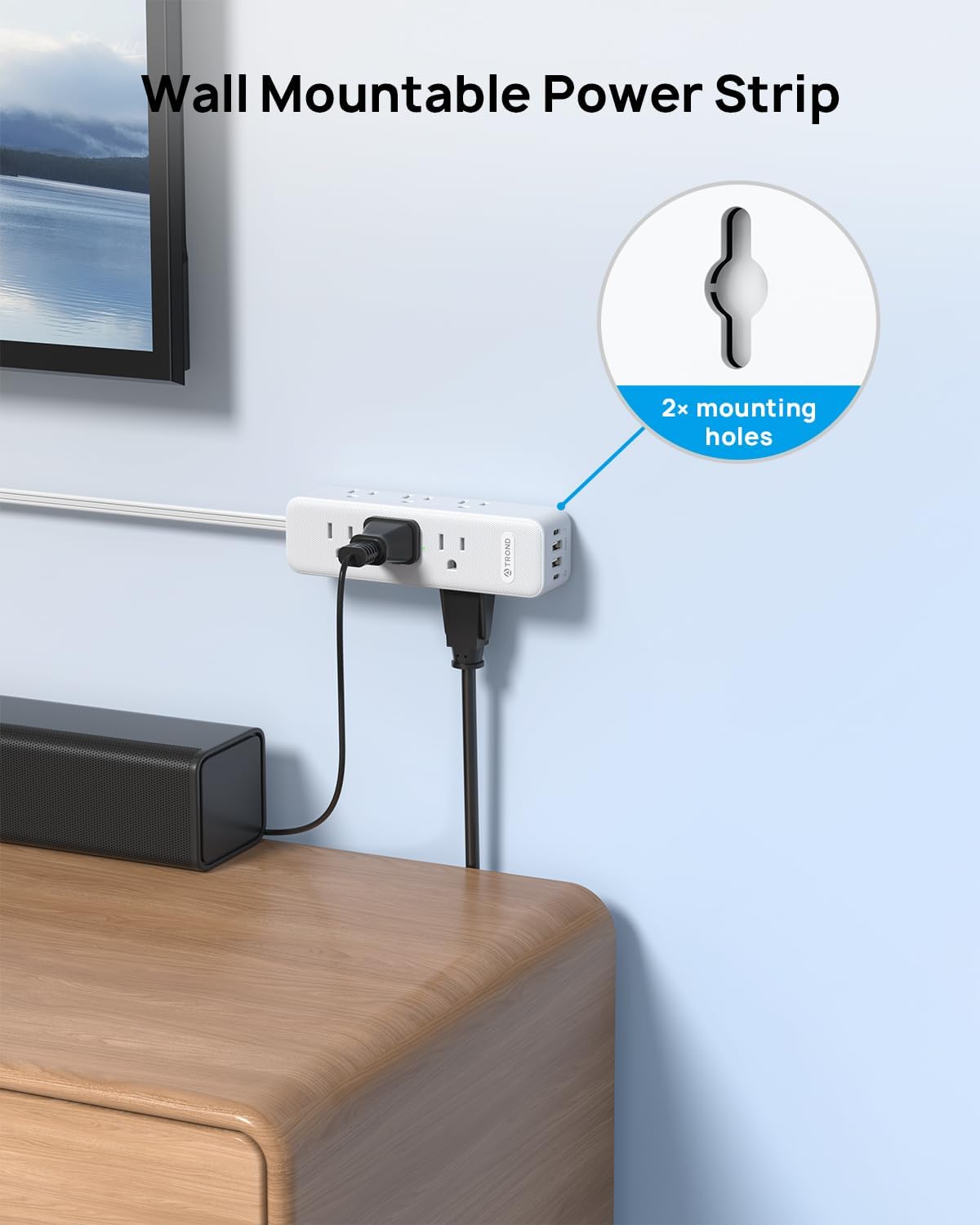
Image: The TROND Surge Protector highlighting its two keyhole mounting holes for wall installation.
4. Иштөө нускамалары
4.1 Күйгүзүү/өчүрүү
The power strip is equipped with an ON/OFF switch. Press the switch to turn the power strip on or off. When the power is on, the surge protection indicator light will illuminate.

Image: Detail of the power strip's integrated ON/OFF switch.
4.2 AC розеткаларын колдонуу
Plug your devices directly into any of the 9 widely spaced AC outlets. The 3-sided design helps accommodate larger power adapters without blocking adjacent outlets.

Image: The TROND Surge Protector in use, demonstrating its 13-in-1 charging capability with AC and USB ports.
4.3 USB кубаттоо портторун колдонуу
Connect your USB-powered devices to the 2 USB-C ports and 2 USB-A ports. The smart charging technology will detect your device and deliver the optimal charging speed.
- 20W PD USB-C Port: For fast charging compatible devices, especially when used alone.
- USB-A жана USB-C порттору: Provide up to 2.4A (USB-A) and 3.0A (USB-C) individually, with a total shared output of 15W across all USB ports.

Image: A smartphone connected to the PD USB-C port, demonstrating 20W fast charging.
4.4 Ашыкча чыңалуудан коргоо
The power strip provides 1300 Joules of surge protection. In the event of a power surge or overload, the unit will automatically cut power to protect connected devices. The surge protection indicator light will show the status of the protection.

Image: Visual representation of the 1300J surge protection feature, showing protection against electrical disturbances.
Video: An official TROND video demonstrating the features of the Surge Protector Power Strip, including its multiple outlets, flat plug, and wall-mountable design.
5. Техникалык тейлөө
To ensure the longevity and safe operation of your TROND Surge Protector Power Strip, follow these simple maintenance guidelines:
- Тазалоо: Тазалоодон мурун кубат буласын розеткадан сууруп алыңыз. Сыртын сүртүү үчүн кургак, жумшак чүпүрөктү колдонуңуз. Суюк тазалоочу каражаттарды же абразивдүү материалдарды колдонбоңуз.
- Текшерүү: Periodically inspect the power cord and the unit for any signs of damage, such as frayed wires, cracks, or loose connections. If any damage is found, discontinue use immediately and contact customer support.
- Сактагыч: When not in use for extended periods, store the power strip in a cool, dry place away from direct sunlight and moisture.
6. Кыйынчылыктарды
If you encounter issues with your TROND Surge Protector Power Strip, please refer to the following common problems and solutions:
| Көйгөй | Мүмкүн себеп | Чечим |
|---|---|---|
| No power to outlets/USB ports | Power switch is off; Wall outlet has no power; Overload protection activated. | Ensure the ON/OFF switch is pressed to the 'ON' position. Check if the wall outlet is functioning by plugging in another device. If the overload protection was activated, unplug some devices and press the reset button (if available) or cycle the power switch. |
| Slow USB charging | Device not compatible with fast charging; Multiple devices drawing power from USB ports; Damaged USB cable. | Ensure your device supports 20W PD charging for the fastest speeds. If charging multiple devices, the total output is shared (15W max). Try charging only one device via the PD USB-C port. Use a high-quality, undamaged USB cable. |
| Surge protection indicator light is off | Surge protection has been compromised or the unit is not receiving power. | If the power strip is on but the surge protection light is off, the surge protection may no longer be active. The unit will still function as a power strip, but without surge protection. Consider replacing the unit. Ensure the power strip is properly plugged into a live wall outlet. |
If the problem persists after trying these solutions, please contact TROND customer support.
7. Техникалык шарттар
| Өзгөчөлүк | Спецификация |
|---|---|
| Бренд | ТРОНД |
| Модель номери | TD-PS-US26S |
| Түс | Ак |
| Жалпы электр розеткалары | 9 AC розеткасы |
| Жалпы USB порттору | 4 (2 USB-C, 2 USB-A) |
| USB-C PD чыгышы | 20W (when PD port used alone) |
| USB-A чыгаруу | Up to 2.4A per port |
| Жалпы USB чыгышы | 3.0A / 15W (shared) |
| Тtage | 125 вольт |
| Толугу менен коргоо рейтинги | 1300 Джоуль |
| Электр сайгыч түрү | Type B - 3 pin (North American), Flat Plug |
| Кордун узундугу | 15 фут |
| Өзгөчөлүктөр | Mountable, Surge Protection, USB Slots, ON/OFF Switch |
| Коргоочу материал | Metal, Plastic, Rubber (PC+ABS Flame Retardant) |
8. Коопсуздук маалыматы
- Do not exceed the maximum power rating of the power strip.
- Нымдуу чөйрөдө же сууга жакын жерде колдонбоңуз.
- Электр тилкесин бөлүктөргө бөлбөңүз же өзгөртпөңүз.
- Балдар жетпеген жерде сактаңыз.
- Электр шнурунун кыпчылып калбагандыгын же басып калбагандыгын текшериңиз.
- Бул аппарат имараттын ичинде гана колдонууга арналган.
9. Кепилдик жана колдоо
TROND products come with a standard return policy. For specific warranty details and support, please refer to the product packaging or visit the official TROND website. You can also contact TROND Official customer service through the retailer where you purchased the product.
Көбүрөөк маалымат алуу үчүн, киргиле TROND Official Store on Amazon.