
IOAABEWN ForceOne41
IOAABEWN ForceOne41 2.4GHz Wireless Gaming Headset
Model: ForceOne41 | Brand: IOAABEWN
Introduction
Thank you for choosing the IOAABEWN ForceOne41 Wireless Gaming Headset. This versatile headset is designed to provide an immersive audio experience across multiple platforms, including PC, Laptop, PlayStation 4, PlayStation 5, and Nintendo Switch. Featuring 2.4GHz wireless connectivity with a 2-in-1 Type-C and USB transmitter, Bluetooth 5.3, and a 3.5mm wired option, it offers flexible connection modes. The headset also boasts an ENC (Environmental Noise Cancellation) microphone for clear communication, low latency for responsive gaming, and an impressive 55-hour battery life.

The IOAABEWN ForceOne41 Wireless Gaming Headset, showcasing its sleek design, detachable microphone, and included 2-in-1 USB/Type-C transmitter and 3.5mm audio cable.

The ForceOne41 headset offers a 3-in-1 wireless gaming experience, emphasizing low latency and lightweight comfort for extended use.
Пакеттин мазмуну
- IOAABEWN ForceOne41 зымсыз оюн гарнитурасы
- 2-in-1 USB & Type-C Transmitter
- 3.5 мм аудио кабель
- USB заряддоо кабели
- Колдонуучунун Колдонмосу (бул документ)
Продукт бүттүview

Деталдаштырылган view of the IOAABEWN ForceOne41 headset, highlighting its various controls and features including the LED indicator, charging port, audio interface, multi-function button, volume knob, mode toggle, and microphone.
- LED көрсөткүчү: Displays power, connection, and charging status.
- Type-C заряддоо интерфейси: Гарнитураны заряддоо үчүн.
- 3.5 мм аудио интерфейси: Зымдуу туташуу үчүн комплекттеги 3.5 мм аудио кабелин колдонуңуз.
- Көп функциялуу баскыч: Controls power on/off, play/pause, answer/end calls.
- Үн баскычы: Аудионун үнүн тууралайт.
- Которуу режими: 2.4G зымсыз жана Bluetooth режимдеринин ортосунда которулат.
- Микрофон: 360° adjustable with a mute toggle for convenient communication.

Soft Breathable Earpads for comfort.

Foldable Design for easy storage.
Жайгашуу
Байланыш режимдери

The headset supports three primary connection types: 2.4GHz USB, Bluetooth 5.3, and 3.5mm Audio, offering broad compatibility.
1. 2.4GHz Wireless Connection (for PC, PS4, PS5, Laptop, Switch)
The 2-in-1 transmitter allows connection via standard USB-A or Type-C ports.

The low latency 2.4G transmitter features both USB and Type-C interfaces, which can be used separately or combined.
- USB-A порту үчүн: Ensure the Type-C dongle is inserted into the USB-A transmitter. Plug the combined transmitter into an available USB-A port on your device (PC, PS4, PS5, Laptop).
- C түрү порту үчүн: Detach the Type-C dongle from the USB-A transmitter. Plug the Type-C dongle directly into an available Type-C port on your device (Laptop, Nintendo Switch, Mobile/Tablet).
- Power on the headset. The headset will automatically connect to the transmitter. The LED indicator on the headset will show a steady blue light when connected.
- Түзмөгүңүздүн үн жөндөөлөрүндө гарнитура аудио чыгаруу жана киргизүү түзмөгү катары тандалганын текшериңиз.
2. Bluetooth Connection (for Mobile, Tablet, Laptop, Switch)
- Гарнитурадагы кубаттуулук.
- Toggle the mode switch on the headset to the Bluetooth position. The LED indicator will flash blue, indicating pairing mode.
- On your device (phone, tablet, laptop, Switch), go to Bluetooth settings and search for available devices.
- Select "ForceOne41" from the list of devices. Once paired, the LED indicator on the headset will turn a steady blue.
- Note: Xbox consoles are not supported via Bluetooth.
3. 3.5mm Wired Connection (for PC, PS4, PS5, Xbox, Laptop, Switch, Mobile)
- Connect one end of the included 3.5mm audio cable to the 3.5mm audio interface on the headset.
- Connect the other end of the 3.5mm audio cable to the 3.5mm audio jack on your device.
- The headset will function in wired mode without needing to be powered on.
- Note: For Xbox, the headset is compatible only in 3.5mm wired mode.
Иштөө нускамалары
Күйгүзүү/өчүрүү
- Күйгүзүү: Press and hold the Multi-Function Button for approximately 3 seconds until the LED indicator lights up.
- Өчүрүү: Press and hold the Multi-Function Button for approximately 3 seconds until the LED indicator turns off.
Үндү көзөмөлдөө
- айлантыңыз Көлөм баскычы up or down to increase or decrease the audio volume.
Mode Switching
- колдонуу Mode Toggle switch to seamlessly switch between 2.4G wireless mode and Bluetooth mode.
Микрофонду башкаруу

The microphone is adjustable to any angle for optimal positioning.

The microphone features a clear voice pickup area for effective communication.
- Үнсүз/Ачуу: Use the physical mute toggle switch located on the microphone boom to quickly mute or unmute your microphone.
- ENC Microphone: The Environmental Noise Cancellation (ENC) technology helps reduce background noise for clearer voice communication during calls or in-game chat.
Заряддоо
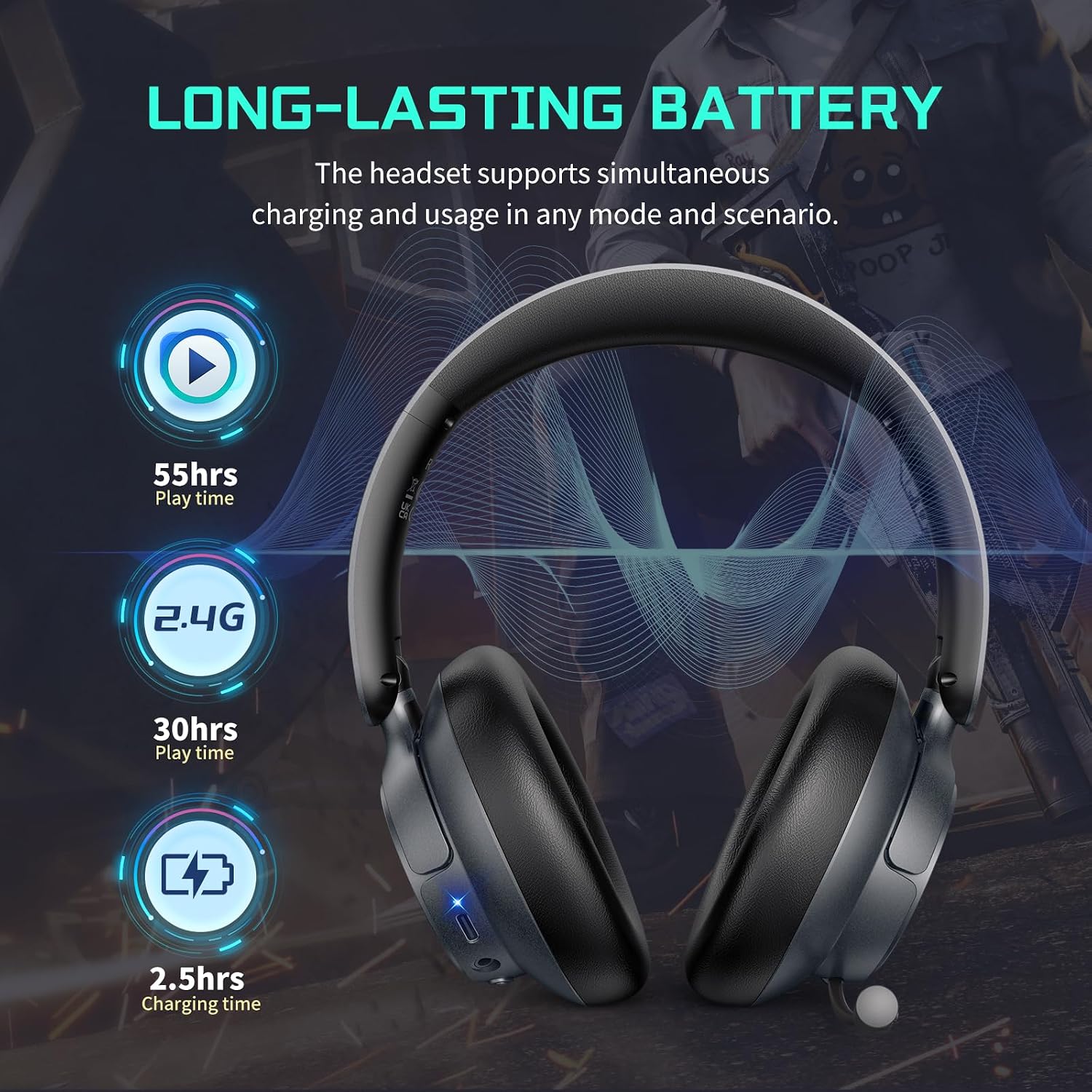
The headset offers up to 55 hours of play time, 30 hours in 2.4G mode, and fully charges in 2.5 hours.
- Connect the USB charging cable to the Type-C Charging Interface on the headset and the other end to a USB power source (e.g., computer USB port, wall adapter).
- The LED indicator will show a specific color (refer to product specifics, usually red) while charging and change (usually blue or off) when fully charged.
- Толук кубаттоо болжол менен 2.5 саатты талап кылат.
- The headset provides up to 55 hours of play time (general use) and 30 hours in 2.4G mode.
Техникалык тейлөө
- Тазалоо: Гарнитураны тазалоо үчүн жумшак, кургак чүпүрөктү колдонуңуз. Катуу химиялык заттарды же абразивдүү материалдарды колдонуудан алыс болуңуз.
- Сактагыч: Гарнитураны салкын, кургак жерде, күндүн түз нурунан жана өтө жогорку температурадан алыс сактаңыз. Бүктөлүүчү дизайны аны компакттуу сактоого мүмкүндүк берет.
- Батареяга кам көрүү: Батареянын иштөө мөөнөтүн узартуу үчүн, гарнитураны бат-баттан толук зарядсыздандырбаңыз. Узак мөөнөткө колдонулбаса да, аны үзгүлтүксүз заряддаңыз.
- Суудан качуу: Гарнитура сууга чыдамдуу эмес. Суюктуктардын таасиринен алыс болуңуз.
Проблемаларды чечүү
| Маселе | Мүмкүн себеп | Чечим |
|---|---|---|
| Үн жок / Төмөн үнү | Volume too low; Incorrect audio output selected; Headset not connected. | Increase headset volume using the knob. Check device's audio settings to ensure headset is selected as output. Reconnect the headset/transmitter. |
| Микрофон иштебейт | Microphone muted; Incorrect audio input selected; Microphone not properly connected. | Ensure microphone mute switch is off. Check device's audio settings to ensure headset microphone is selected as input. Ensure microphone is securely plugged in. |
| Cannot Connect (2.4G/Bluetooth) | Headset not in pairing mode; Transmitter not properly inserted; Interference; Device Bluetooth off. | Ensure headset is in pairing mode (flashing LED). Re-insert transmitter. Move away from other wireless devices. Ensure device Bluetooth is on. Try restarting both devices. |
| Гарнитура кубатталбай жатат | Charging cable faulty; Power source issue; Charging port dirty. | Try a different USB charging cable. Use a different USB power source. Gently clean the charging port. |
| Үн бурмалоо | Too far from transmitter/device; Interference; Low battery. | Move closer to the transmitter/device. Avoid strong electromagnetic interference. Charge the headset fully. |
Техникалык шарттар
| Өзгөчөлүк | Деталь |
|---|---|
| Модель номери | ForceOne41 |
| Байланыш | 2.4GHz Wireless (with 2-in-1 USB & Type-C Transmitter), Bluetooth 5.3, 3.5mm Wired |
| Жыштык диапазону | 20Гц - 20КГц |
| Батареянын иштөө мөөнөтү | Up to 55 Hours (general use), 30 Hours (2.4G mode) |
| Заряддоо убактысы | Болжол менен 2.5 саат |
| Микрофон | ENC (Environmental Noise Cancellation) Microphone, 360° Adjustable |
| Наушник формасы | Кулактын үстүнөн тагынуучу чөйчөкчөлөр |
| Башкаруу ыкмасы | Integrated Headset Controls (Volume Knob, Multi-Function Button, Mode Toggle, Mic Mute) |
| Элемент Салмагы | 12.5 унция |
| Пакеттин өлчөмдөрү | 7.95 x 6.81 x 2.2 дюйм |
Кепилдик жана колдоо
IOAABEWN is committed to providing high-quality products and customer satisfaction. For any questions, technical support, or warranty inquiries regarding your ForceOne41 Wireless Gaming Headset, please contact IOAABEWN customer support through the retailer's platform or the official brand webсайт.
Сураныч, кепилдик дооматтар үчүн сатып алуу далилиңизди сактап коюңуз.
Ask a question about this manual
Ask about setup, troubleshooting, compatibility, parts, safety, or missing instructions. Manuals+ will review the question and use this page’s manual context to help answer it.