
1. Киришүү
This manual provides essential information for operating your KXD A10 Unlocked Cell Phone. Please read it carefully to ensure proper usage and to maximize the device's features. The KXD A10 is an Android 13 smartphone designed for reliable communication and multimedia experiences.
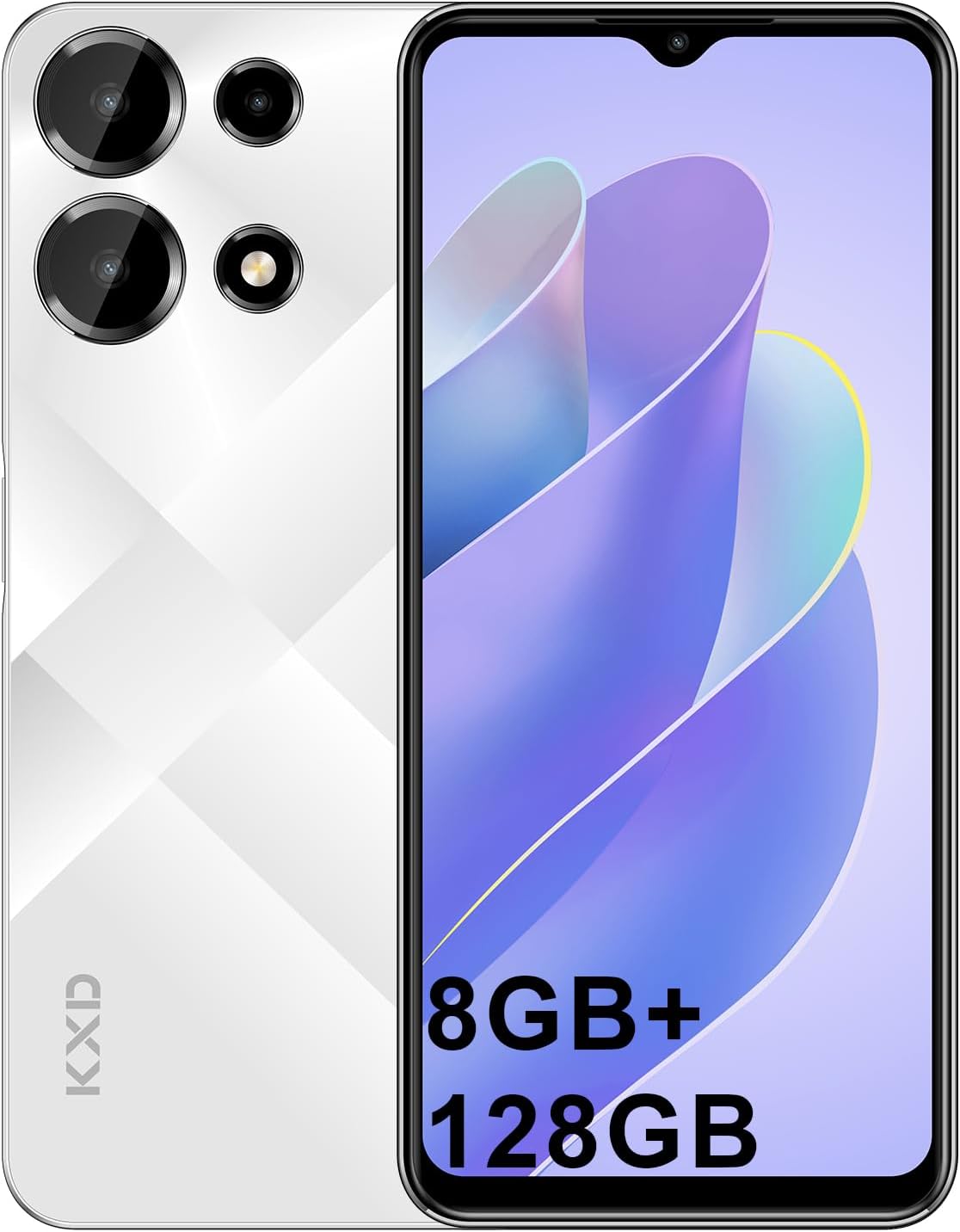
Image 1.1: KXD A10 Unlocked Cell Phone, showcasing анын дизайны жана дисплей.
2. Кутуда эмне бар
Upon opening your KXD A10 package, verify that all the following items are included:
- 1 x KXD A10 Phone
- 1 x Protective Film (pre-applied or separate)
- 1 Phone ишти х
- 1 x Type-C кабели
- 1 x Data Cable
- 1 x SIM Tray Ejector
- 3 x Quick Start Guide (may include safety information and warranty card)
- 1 х кубат адаптери

Image 2.1: Illustration of the KXD A10 phone and its included accessories.
3. Орнотуу
3.1. SIM картаны жана сактоо картасын орнотуу
The KXD A10 supports dual SIM cards and a TF (microSD) card for expandable storage. Ensure the phone is powered off before inserting or removing cards.
- Телефондун капталындагы SIM салгычты табыңыз.
- SIM лоток чыгаруучу куралды лотоктун жанындагы кичинекей тешикке салып, лоток чыгып кеткенче акырын басыңыз.
- Nano-SIM карталарыңызды жана/же TF картаңызды туура багытты камсыз кылып, лотоктогу атайын уячаларга салыңыз.
- Табаны телефондун ичине кылдаттык менен кайра кыстарыңыз.

Сүрөт 3.1: Бүттүview of KXD A10 features, including the dual SIM card and TF card support.
3.2. Баштапкы күйгүзүү жана орнотуу устасы
Press and hold the Power button until the KXD logo appears. Follow the on-screen instructions to complete the initial setup, which includes selecting your language, connecting to Wi-Fi, and signing in to your Google account.
3.3. Face ID Unlock
The KXD A10 features Face ID for convenient and secure unlocking. To set up Face ID:
- барыңыз Орнотуулар > Коопсуздук жана купуялык > Жүзүнөн ачуу.
- Жүзүңүздү каттоо үчүн экрандагы көрсөтмөлөрдү аткарыңыз. Жакшы жарыктандырылган жерде экениңизди текшерип, телефонду көзүңүздүн деңгээлинде кармаңыз.
4. Аппаратыңызды иштетүү
4.1. Android 13 операциялык системасы
Your KXD A10 runs on Android 13, offering enhanced privacy features, improved notifications, and a personalized user experience. Navigate through the interface using gestures or the traditional navigation bar.

Image 4.1: KXD A10 displaying the Android 13 user interface with various apps and notifications.

Image 4.2: Visual representation of Android 13 features and Google services integration.
4.2. Дисплей жана өз ара аракеттенүү
The KXD A10 features a 6.6-inch HD+ display with a resolution of 1280 x 720 pixels and a 60Hz refresh rate, providing clear visuals for daily use.

Image 4.3: The KXD A10's 6.6-inch HD+ display.

Image 4.4: Details on the KXD A10's 60Hz display, resolution, and brightness.
5. Камераны колдонуу
The KXD A10 is equipped with a 13MP rear camera and an 8MP front camera, suitable for capturing everyday moments and video calls.
5.1. Сүрөт жана видео тартуу
- ачыңыз Камера колдонмо.
- Сүрөт же видео режимин тандаңыз.
- Сүрөткө тартуу же видео жазууну баштоо/токтоо үчүн жапкычты басыңыз.
- Use the front/rear camera switch icon to change cameras.

Сүрөт 5.1: Мисamples of photos taken with the KXD A10's rear and front cameras.

Image 5.2: Breakdown of the KXD A10's camera system, including 13MP rear and 8MP front cameras.
6. Аткаруу жана сактоо
The KXD A10 is powered by an Octa-Core processor, providing sufficient performance for daily tasks. It comes with 12GB of RAM (4GB physical + 8GB virtual expansion) and 128GB of internal storage, expandable up to 256GB via a TF card.

Image 6.1: Visual representation of the KXD A10's 12GB RAM (4+8GB) and 128GB ROM with 256GB extension capability.

Image 6.2: Details on the KXD A10's 12GB RAM and 128GB ROM, highlighting expansion options.
7. Батарея маалыматы
The KXD A10 is equipped with a 4500mAh high-capacity battery, designed to provide extended usage time. The device supports 10W fast charging.
7.1. Аппаратыңызды заряддоо
Use the provided Type-C cable and power adapter to charge your phone. Connect the Type-C end to the phone's charging port and the adapter to a power outlet.
7.2. Батареяны оптималдаштыруу
To prolong battery life, consider these tips:
- Экран жарыктыгын азайтыңыз.
- Колдонулбаган учурда Wi-Fi, Bluetooth жана GPSти өчүрүңүз.
- Фондо иштеп жаткан колдонулбаган колдонмолорду жабуу.
- Жөндөөлөрдөн Батареяны үнөмдөгүч режимин иштетиңиз.

Image 7.1: The KXD A10's 4500mAh battery capacity.

Image 7.2: Estimated usage times for various activities with the 4500mAh battery.
8. Техникалык шарттар
Below are the detailed technical specifications for the KXD A10 Unlocked Cell Phone:
| Өзгөчөлүк | Спецификация |
|---|---|
| Модель аты | A10 |
| Операция системасы | Android 13.0 |
| CPU модели | Octa-Core |
| CPU ылдамдыгы | 1.6 ГГц |
| RAM эстутум орнотулган өлчөмү | 4 GB (with 8GB expansion) |
| Эстутум сактоо сыйымдуулугу | 128 ГБ (256 ГБ чейин кеңейтилет) |
| Screen Size | 6.52 дюйм |
| Резолюция | 1280 x 720 (HD+) |
| Арткы камера | 13MP |
| Алдыңкы камера | 8MP |
| Батарея сыйымдуулугу | 4500 мАч |
| Connectivity Technologies | 4G, Уюлдук |
| Зымсыз оператор | Бардык операторлор үчүн кулпусу ачылды |
| Аудио Jack | 3.5 мм |
| Продукциянын өлчөмдөрү | 6.5 x 3 x 0.3 дюйм |
| Элемент Салмагы | 14.4 унция |
9. Техникалык тейлөө
9.1. Аппаратыңызды тазалоо
Телефонуңуздун экранын жана корпусун тазалоо үчүн жумшак, мамыксыз чүпүрөктү колдонуңуз. Капталына зыян келтире турган катуу химиялык заттарды же абразивдүү материалдарды колдонуудан алыс болуңуз.
9.2. Программалык камсыздоону жаңыртуу
Түзмөгүңүздө эң акыркы коопсуздук жаңыртуулары жана функциялары бар экенине ынануу үчүн программалык камсыздоонун жаңыртууларын үзгүлтүксүз текшерип жана орнотуп туруңуз. Орнотуулар > Система > Системаны жаңыртуу.
10. Кыйынчылыктарды
If you encounter issues with your KXD A10, try the following common solutions:
- Түзмөк күйбөй жатат: Батарея заряддалганын текшериңиз. Заряддагычты туташтырыңыз жана кайра күйгүзүү аракетинен мурун бир нече мүнөт күтүңүз.
- Колдонмолор бузулуп же катып жатат: Көйгөй жараткан колдонмону жаап, кайра ачыңыз. Эгер көйгөй чечилбесе, телефонуңузду өчүрүп-күйгүзүңүз.
- Начар тармак сигналы: Check if your SIM card is correctly inserted. Move to an area with better network coverage.
- Wi-Fi туташуу көйгөйлөрү: Restart your phone and your Wi-Fi router. Forget the network in your phone's Wi-Fi settings and reconnect.
- Face ID иштебей жатат: Ensure your face is well-lit and unobstructed. Re-register your face if necessary.
- Батареянын бат түгөнүп калышы: Review battery optimization tips in Section 7.2. Check battery usage in Settings to identify power-hungry apps.
11. Кепилдик жана колдоо
For warranty information, please refer to the warranty card included in your product packaging. For further assistance or technical support, please contact KXD customer service through their official webсайт же продукт документациясында көрсөтүлгөн байланыш маалыматы.
You can visit the KXD Store on Amazon for additional product information and support resources: KXD Mobiles Store