
BoxWave HT300
Instruction Manual
BoxWave ClearTouch Crystal Privacy Screen Protector
Model: HT300 Compatible
Introduction
Thank you for choosing the BoxWave ClearTouch Crystal Privacy Screen Protector for your Hyper Tough HT300 Scan Tool. This product is engineered to provide superior screen protection while ensuring your privacy. The unique design allows for clear viewing directly in front of the screen, while obstructing views from side angles. This manual will guide you through the installation process, explain key features, and provide maintenance tips to ensure long-lasting performance.
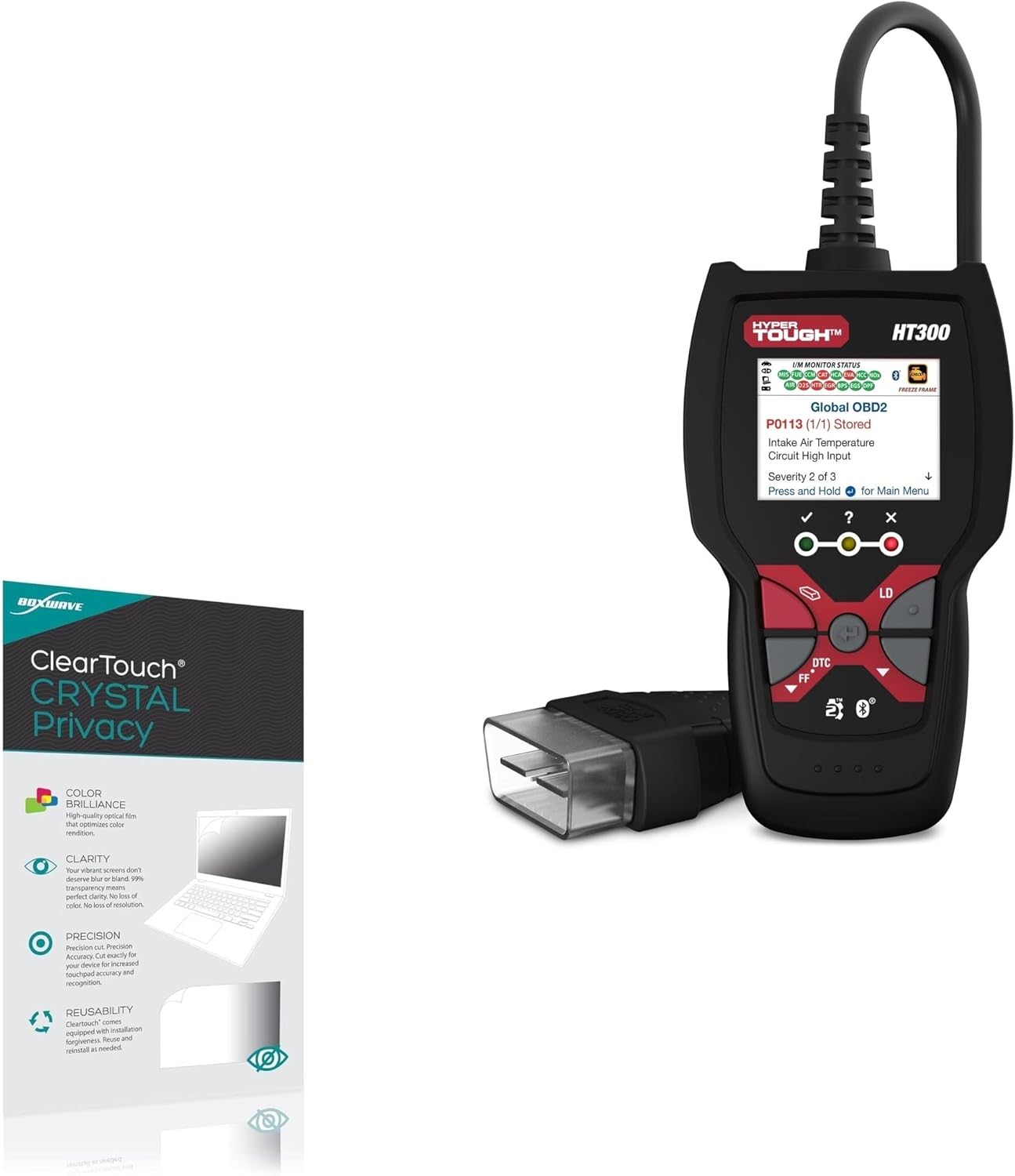
Image: BoxWave ClearTouch Crystal Privacy Screen Protector shown with the Hyper Tough HT300 Scan Tool.
Орнотуу жана орнотуу
Proper installation is crucial for optimal performance of your screen protector. Please follow these steps carefully:
- Аппаратыңызды даярдаңыз: Ensure your Hyper Tough HT300 Scan Tool's screen is clean and free of dust, smudges, and fingerprints. Use the included microfiber cloth to thoroughly wipe the screen. Any dust particles remaining on the screen will cause bubbles under the protector.
- Коргоочуну тегиздөө: Carefully align the ClearTouch Crystal Privacy screen protector with your device's screen. Pay attention to the edges and any cutouts for sensors or buttons to ensure a perfect fit.
- Коргоочуну колдонуу: Once aligned, peel off the bottom protective layer of the screen protector. The glueless adhesive will automatically cling to your screen. Gently press down from one end to the other, allowing the protector to adhere smoothly.
- көбүкчөлөрдү алып салуу: If any small bubbles appear, gently push them towards the nearest edge using the microfiber cloth or a soft, flat object. Most small bubbles will dissipate within 24-48 hours.

Image: The BoxWave ClearTouch Crystal Privacy 2-pack, showing the screen protectors and the included microfiber cleaning cloth.
Иштөө жана функциялар
The ClearTouch Crystal Privacy screen protector offers several key benefits:
- Купуялыкты коргоо: The screen protector changes its properties based on the viewing angle. When viewed straight on, your screen's brilliance shines through. However, from angles of 25 degrees or more, the view is obstructed, ensuring your privacy from onlookers.
- Жогорку ачыктык: Despite its privacy features, the protector maintains 99% visibility, providing a crystal clear display without blurring or distorting your screen's content.
- Ultimate Protection: Constructed from a strong and flexible next-generation material, it guards your screen against scratches and cracks effectively, similar to glass but without the brittleness that leads to chipping.
- Perfect Fit & Accessibility: Designed specifically for the Hyper Tough HT300 Scan Tool, the protector ensures all ports and buttons remain fully accessible and functional.

Image: A visual representation of the anti-spy privacy protection, showing how the screen becomes obscured from side angles (30 and 45 degrees) while remaining clear when viewed directly (90 degrees).

Image: A vibrant landscape viewed through the screen protector, illustrating its high definition clarity and 99% visual transparency.
Техникалык тейлөө
To maintain the clarity and effectiveness of your BoxWave ClearTouch Crystal Privacy screen protector, follow these simple maintenance guidelines:
- Тазалоо: Regularly wipe the surface of the screen protector with the included microfiber cloth to remove dust, smudges, and fingerprints. For stubborn marks, lightly dampen the cloth with water or a screen-safe cleaner, then wipe dry. Avoid harsh chemicals or abrasive materials.
- Узактыгы: The screen protector is designed to be scratch-resistant. However, avoid direct contact with sharp objects to prevent damage.
- Кайра колдонууга жарамдуулугу: The ClearTouch design incorporates 'installation forgiveness', meaning it can be carefully removed, cleaned, and reinstalled if needed, for example, to remove trapped dust particles.

Image: A visual demonstration of the screen protector's scratch-resistant properties, showing a knife and key not damaging the surface.
Проблемаларды чечүү
Орнотуу учурунда же андан кийин кандайдыр бир көйгөйлөргө туш болсоңуз, төмөнкүлөрдү карап көрүңүз:
- Орнотуудан кийинки көбүкчөлөр: Small bubbles are common immediately after installation and often disappear within 24-48 hours. For larger bubbles, gently lift the nearest edge of the protector and reapply, pushing the air out as you go. Ensure the screen is dust-free before reapplication.
- Коргоочтун астында чаң кармалып калган: If dust particles are causing bubbles, carefully lift the protector from the nearest edge. Use a piece of tape to gently dab the dust off both the screen and the adhesive side of the protector. Reapply as per installation instructions.
- Туура эмес тегиздөө: If the protector is misaligned, carefully peel it off completely. Clean both the screen and the protector's adhesive side (if necessary) and reapply, ensuring precise alignment before pressing down.
Техникалык шарттар
| Бренд | BoxWave |
| Шайкеш түзмөк | Hyper Tough HT300 Scan Tool |
| Материал | Полиэтилентерефталат |
| Элементтин катуулугу | 9H |
| Өзгөчө өзгөчөлүк | Anti-Spy (Privacy) |
| Screen Surface Description | Жылтырак |
| Ачыктык | 99% |
| Элементтердин саны | 2 |
| Элемент Салмагы | 1.6 унция |
Кепилдик жана колдоо
For any questions, concerns, or support regarding your BoxWave ClearTouch Crystal Privacy Screen Protector, please contact BoxWave Corporation directly. Refer to the product packaging or the official BoxWave webакыркы байланыш маалыматы жана кепилдик маалымат үчүн сайт.
You can also visit the product page on Amazon for additional information and customer service options: Amazon продукт бети
Ask a question about this manual
Ask about setup, troubleshooting, compatibility, parts, safety, or missing instructions. Manuals+ will review the question and use this page’s manual context to help answer it.