
1. Киришүү
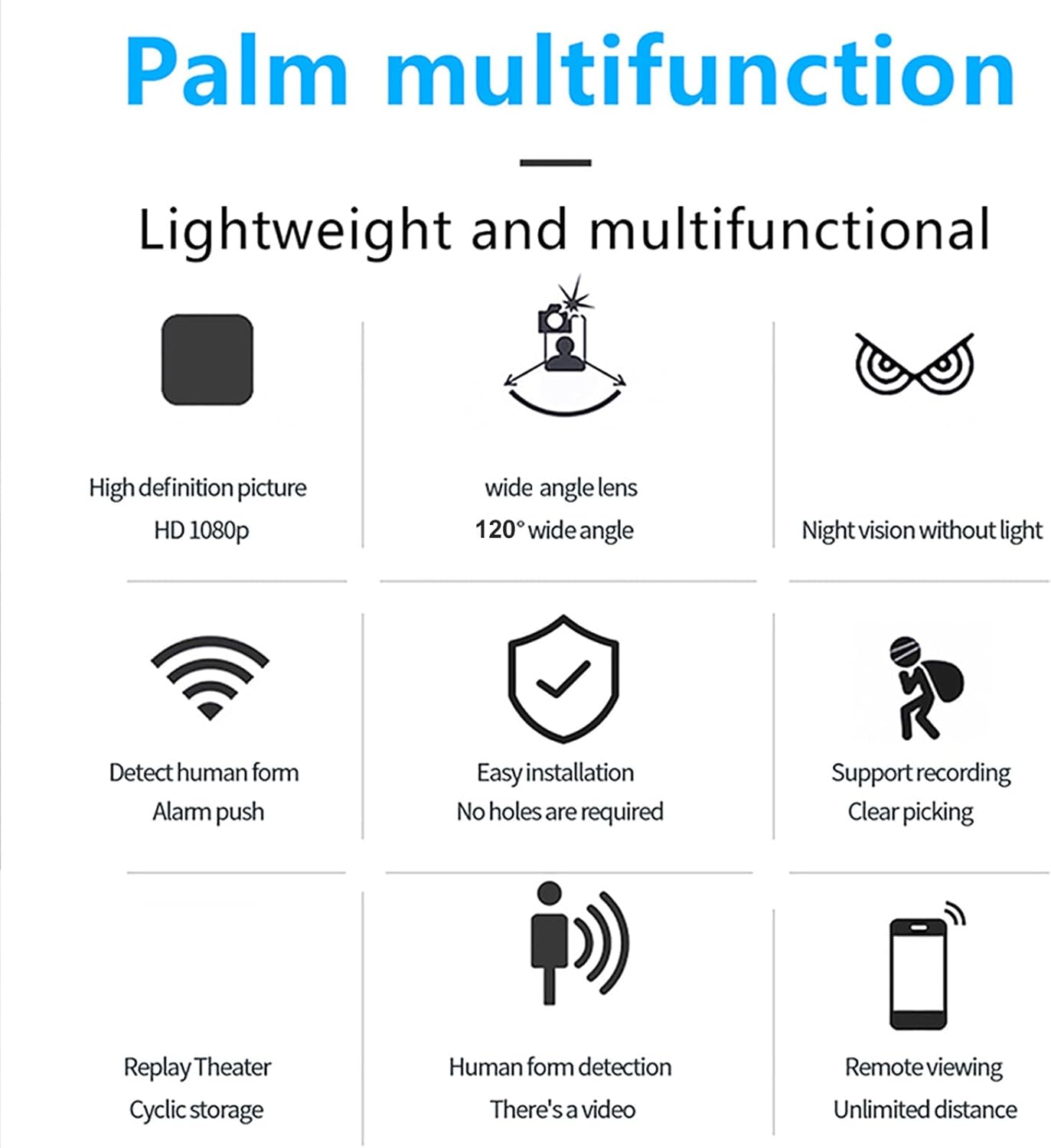
The Cuifati 1080P Door Peephole Camera is designed to enhance home security with advanced features. This device offers high-definition video recording, AI human recognition, and remote monitoring capabilities through the HomeEye mobile application. Its compact design allows for easy integration into existing door peepholes.
Негизги өзгөчөлүктөр төмөнкүлөрдү камтыйт:
- 1080P HD токтому: Так жана деталдуу видео foo камсыз кылатtage.
- 120 градустук кең бурчтуу линза: кенен сунуш кылат view сиздин босогоңуздан.
- AI адамдын таануусу: Reduces false alarms by accurately detecting human presence.
- Түнкү көрүнүш: Жарык аз шарттарда көрүнүүнү камсыз кылат.
- Цикл жаздыруу: Continuously records footage, overwriting older fileс. сактагыч толуп калганда.
- Алыстан ойнотуу: Access recorded videos anytime via the HomeEye app.
- Оңой орнотуу: Designed for straightforward setup without requiring complex modifications.
2. Пакеттин мазмуну
Пакетте бардык буюмдар бар экенин текшериңиз:
- 1 x Door Peephole Camera
- 1 x USB кабели
- 1 х Колдонуучунун колдонмосу (бул документ)
3. Орнотуу жана орнотуу
The Cuifati Door Peephole Camera is designed for easy installation, often without the need for drilling new holes.
3.1 Физикалык орнотуу
- эшикти даярдоо: Ensure the existing peephole is clean and clear.
- Камераны салыңыз: Gently insert the camera unit into the peephole from the exterior side of the door.
- Агрегатты коопсуздандырыңыз: From the interior side, attach the securing mechanism (if provided) to hold the camera firmly in place. The lightweight design facilitates this process.

3.2 Кубат туташтыруу
The camera uses a Micro USB interface for power. Connect the provided USB cable to the camera and then to a power source.
- Mobile Power Supply: Портативдик кубат банкына туташуу.
- Wall Socket: Use a standard USB wall adapter (not included) to connect to a power outlet.
- Charging Head: Connect to a USB charging head.

3.3 Колдонмону орнотуу жана туташуу
- Колдонмону жүктөп алуу: жүктөп алып, орнотуңуз HomeEye application from your mobile device's app store (iOS or Android).
- Эсеп түзүү: Open the HomeEye app and follow the on-screen instructions to create a new user account or log in if you already have one.
- Түзмөк кошуу: Within the app, select the option to "Add Device" or "Add Camera."
- Сунуштарды аткарыңыз: The app will guide you through connecting the camera to your Wi-Fi network and linking it to your account. Ensure your camera is powered on during this process.
4. Иштөө нускамалары
Once installed and connected, the Cuifati Door Peephole Camera offers various monitoring and recording functionalities.
4.1 Live View жана алыстан мониторинг жүргүзүү
- ачыңыз HomeEye мобилдик түзмөгүңүздөгү колдонмо.
- Түзмөктөр тизмесинен камераңызды тандаңыз view жаша фооtage from your doorstep.
- The camera supports remote viewing from any location with an internet connection.
4.2 Жазуу орнотуулары
Customize your recording preferences through the HomeEye app:
- Full-Day Recording: Continuous recording throughout the day.
- Ойготкуч жаздыруу: Records only when motion or human presence is detected.
- Убакыт менен жаздыруу: Set specific schedules for recording.
- Цикл жаздыруу: The camera supports a memory card (up to 256GB). When the card is full, older footage will be automatically overwritten to ensure continuous recording.
4.3 AI Human Recognition and Alerts
- The camera utilizes AI technology to distinguish human figures from other movements, reducing false alarms caused by pets, vehicles, or environmental factors.
- Enable "Alarm Push" notifications in the HomeEye app to receive instant alerts on your mobile device when human presence is detected.
4.4 Түнкү көрүнүш
The integrated infrared night vision allows the camera to capture clear images and videos even in complete darkness without requiring additional light sources.

5. Техникалык тейлөө
Proper maintenance ensures the longevity and optimal performance of your Cuifati Door Peephole Camera.
- Тазалоо: Gently wipe the camera lens and exterior with a soft, dry cloth. Avoid using harsh chemicals or abrasive materials that could scratch the lens or housing.
- Экологиялык шарттар: Ensure the camera is not exposed to extreme temperatures, direct water spray, or excessive humidity, which can damage electronic components.
- Программалык камсыздоонун жаңыртуулары: Periodically check the HomeEye app for any available firmware updates for your camera. Keeping the firmware updated can improve performance and add new features.
- Сактагычты башкаруу: Дайыма кайраview foo жазылганtagкерексизди жок кылуу жана электрондук почта files to manage storage space, especially if not using loop recording or if you wish to preserve specific events.
6. Кыйынчылыктарды
If you encounter issues with your Cuifati Door Peephole Camera, refer to the following common solutions:
- Камера күйбөй жатат:
- Check the USB cable connection to both the camera and the power source.
- Ensure the power source (adapter, power bank) is functional.
- Wi-Fi/Колдонмого туташуу мүмкүн эмес:
- Verify your Wi-Fi network is active and the signal strength is adequate at the camera's location.
- Туура Wi-Fi сырсөзүн киргизгениңизди текшериңиз.
- Wi-Fi роутериңизди жана камераңызды өчүрүп күйгүзүңүз.
- Make sure the HomeEye app is updated to the latest version.
- Видео жок/Видеонун сапаты начар:
- Check the camera lens for any obstructions or dirt and clean it gently.
- Ensure sufficient lighting. If it's dark, verify night vision is active.
- Check your internet connection speed; a slow connection can affect live stream quality.
- Жалган ойготкучтар:
- Adjust the sensitivity settings for human recognition in the HomeEye app.
- Камеранын талаасын камсыз кылыңыз view is not obstructed by moving objects like tree branches or flags.
- Жаздыруу маселелери:
- Ensure a compatible memory card is inserted correctly (if using local storage).
- Check if the memory card is full; enable loop recording or clear old footage.
- Verify recording settings (full-day, alarm, timed) in the HomeEye app.
7. Техникалык шарттар
| Өзгөчөлүк | Деталь |
|---|---|
| Модель номери | Cuifatihe1ucxz9t7-12 |
| Резолюция | 1920 x 1080 (1080P HD) |
| Пикселдер | 2 мегапиксел |
| Wide Angle Lens | 120 градус |
| Түнкү көрүнүш | Колдоого алынган (инфракызыл) |
| Туташуу ыкмасы | Mobile APP (HomeEye) |
| Сактагыч | Supports up to 256GB memory card (not included) for loop recording |
| Интерфейс | Микро USB |
| Элемент Салмагы | 54 г / 1.9 унция |
| Пакеттин өлчөмдөрү | 10 x 10 x 4 см |
| Ватtage | 2 ватт |
| Өзгөчөлүктөр | AI Human Recognition, Loop Recording, Remote Playback |
8. Кепилдик жана колдоо
8.1 Кепилдик маалыматы
Specific warranty details for the Cuifati 1080P Door Peephole Camera are not provided in this manual. Please refer to the product packaging, your purchase receipt, or the official Cuifati webкепилдик шарттары жана эрежелери менен таанышуу үчүн сайтты караңыз.
8.2 Кардарларды колдоо
For technical assistance, troubleshooting not covered in this manual, or other inquiries, please contact Cuifati customer support through their official channels. Contact information can typically be found on the manufacturer's webсайтында же продуктунун таңгагында.