
1. Киришүү
The KYSONA EM9 is a 57° wireless ergonomic vertical mouse designed to provide a comfortable and efficient user experience. Its unique vertical design helps reduce wrist strain and tension, making it suitable for extended use. This mouse features dual-mode connectivity (Bluetooth and 2.4G wireless), adjustable DPI settings, quiet click buttons, and customizable RGB lighting.
Эскертүү: This ergonomic mouse is recommended for small to medium hands. The mouse dimensions are approximately 10.7 x 7.4 x 7.1 CM (4.2 x 2.9 x 2.8 inches). Please measure your hand prior to purchasing for a comfortable fit.
2. Продукт өзгөчөлүктөрү бүттүview
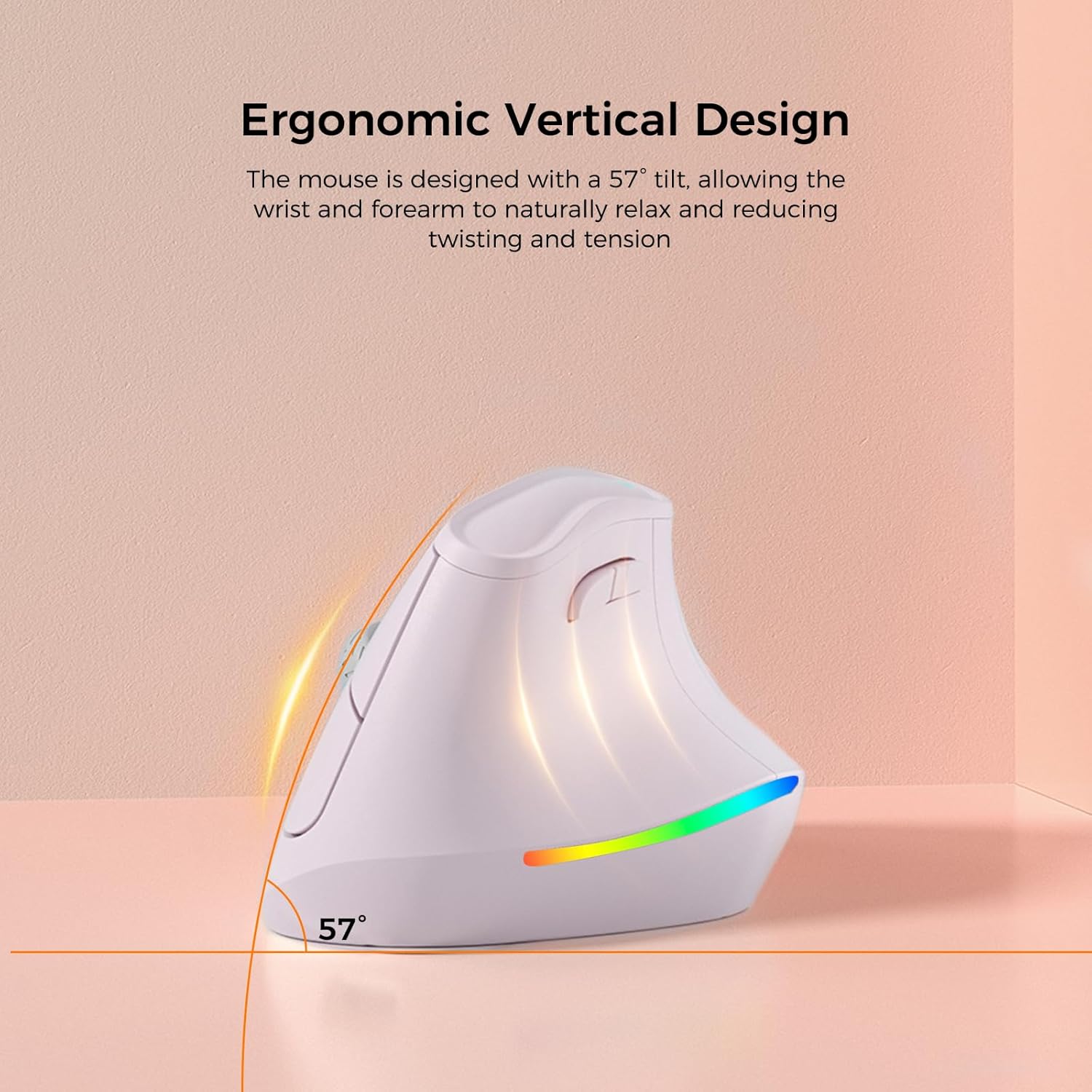
Эргономикалык вертикалдык дизайн: The mouse is designed with a 57° tilt, allowing the wrist and forearm to naturally relax and reducing twisting and tension.

5 DPI Adjustments: Features 5 adjustable DPI settings (800, 1200, 1600, 2400, 4000) for personalized sensitivity.
Silent Switch: Operates quietly, ensuring a disturbance-free environment.

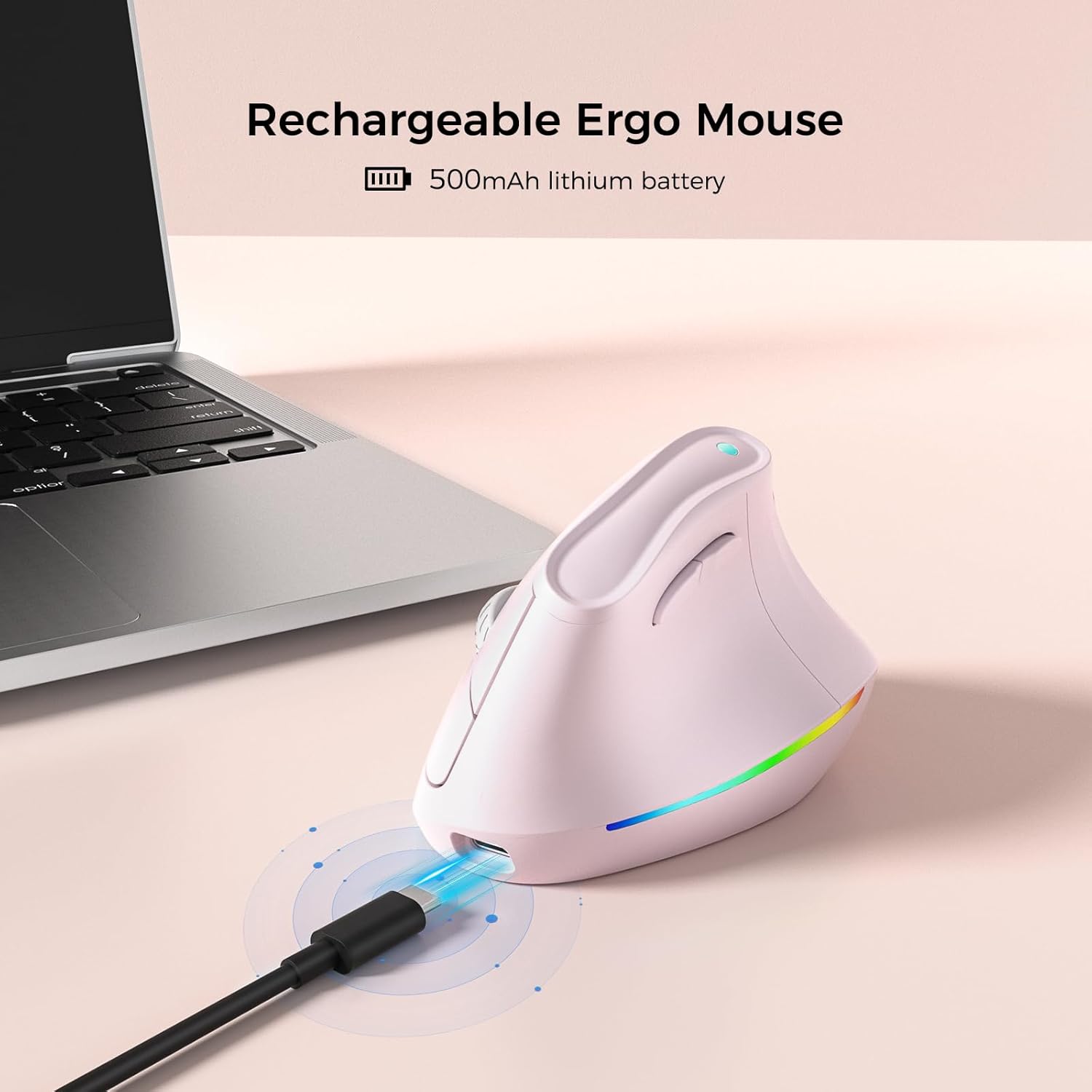
Кайра заряддалуучу батарея: Equipped with a 500mAh lithium battery for long-lasting use.

Эки режимдеги туташуу: Supports Bluetooth 3.0/5.0 and 2.4G wireless, connecting up to 3 devices.
3. Орнотуу
3.1 Чычканды заряддоо
Before first use, fully charge the mouse using the provided USB-C cable. Connect the USB-C end to the mouse's charging port and the USB-A end to a power source (e.g., computer USB port, USB wall adapter).
3.2 2.4G зымсыз байланыш аркылуу туташуу
- Адатта чычкандын астыңкы жагындагы бөлүмдө сакталган USB кабыл алгычын табыңыз.
- USB ресиверди компьютериңиздеги жеткиликтүү USB портуна сайыңыз.
- Төмөнкү жагындагы кубат баскычын колдонуп, чычканды күйгүзүңүз.
- Чычкан компьютериңизге автоматтык түрдө туташуу керек.
3.3 Bluetooth аркылуу туташуу
- Төмөнкү жагындагы кубат баскычын колдонуп, чычканды күйгүзүңүз.
- Switch the connectivity mode to Bluetooth (refer to the mode switch on the underside of the mouse).
- On your device (PC, Laptop, Mac, Tablet), go to Bluetooth settings.
- Издөө new devices and select "KYSONA EM9" (or similar name) from the list.
- Жупташтыруу процессин аяктоо үчүн экрандагы көрсөтмөлөрдү аткарыңыз.
3.4 Продукт бүттүview Video
Бул видео визуалдык көрүнүштү камсыз кылатview of the KYSONA EM9 Ergonomic Vertical Mouse, demonstrating its design and features.
4. Иштөө нускамалары
4.1 DPI жөндөө
The mouse features 5 adjustable DPI settings: 800, 1200, 1600, 2400, and 4000. Press the DPI button (usually located near the scroll wheel or on the top of the mouse) to cycle through these settings and adjust cursor sensitivity to your preference.
4.2 RGB жарыкты башкаруу
The mouse includes customizable RGB lighting. To turn off the RGB lighting, simultaneously press the Алга баскычы жана Артка баскыч located on the side of the mouse.
4.3 Smart Auto-Sleep Mode
The EM9 mouse incorporates smart auto-sleep technology. During periods of inactivity, the mouse will automatically enter sleep mode to conserve power. This feature contributes to a battery life of up to 12 months, though actual battery life may vary based on usage and computing conditions.
5. Техникалык тейлөө
5.1 Тазалоо
Чычканыңызды тазалоо үчүн жумшак, кургак чүпүрөктү колдонуңуз. Өжөр кир үчүн бир азampкездемени суу же жумшак тазалоочу эритме менен сүртүңүз. Катуу химиялык заттарды же абразивдүү материалдарды колдонуудан алыс болуңуз, анткени алар чычкандын бетине зыян келтириши мүмкүн.
5.2 Батареяга кам көрүү
The mouse is equipped with a rechargeable lithium polymer battery. To prolong battery life, ensure the mouse is fully charged before first use and recharge it when the battery indicator is low. The auto-sleep feature helps conserve power during inactivity.
6. Кыйынчылыктарды
- Чычкан жооп бербей жатат: Ensure the mouse is powered on and correctly connected via either 2.4G wireless (USB receiver plugged in) or Bluetooth (paired). Check battery level and charge if necessary.
- Cursor movement is erratic or sluggish: Try adjusting the DPI settings. Ensure the mouse sensor is clean and free from obstructions. If using a mouse pad, ensure it is clean and suitable for optical mice.
- Mouse does not glide smoothly: Check the underside of the mouse for any protective plastic films on the glide pads. Remove any such films to ensure optimal gliding performance.
- RGB lighting is off: If the RGB lighting is not active, ensure it hasn't been manually turned off. Press the Forward key + Backward key simultaneously to toggle the RGB lighting on/off.
- Туташуу маселелери: For 2.4G, try plugging the USB receiver into a different USB port. For Bluetooth, unpair and re-pair the mouse with your device. Ensure no other wireless devices are causing interference.
7. Техникалык шарттар
| Өзгөчөлүк | Деталь |
|---|---|
| Продукциянын өлчөмдөрү | 4.25 x 2.91 x 0.1 дюйм |
| Элемент Салмагы | 5.6 унция |
| Элемент моделинин номери | EM9 |
| Батареялар | 1 Литий Полимердик батарейка (кошулган) |
| Бренд | KYSONA |
| Түс | Кызгылт |
| Байланыш технологиясы | 2.4G, Bluetooth (3.0/5.0) |
| Өзгөчөлүктөр | Ergonomic Design, Lightweight, Rechargeable, Soundless (Quiet Click), Wireless, RGB Lighting |
| Кыймылды аныктоо технологиясы | Оптикалык |
| DPI орнотуулары | 800, 1200, 1600, 2400, 4000 |
| Өндүрүүчү | Shenzhen Huihaikang Intelligent Equipment Co., Ltd |
8. Кепилдик жана колдоо
For warranty information and customer support, please refer to the documentation included with your product or visit the official KYSONA website. The manufacturer is Shenzhen Huihaikang Intelligent Equipment Co., Ltd.