Introduction
This manual provides detailed instructions for the ALLDOCUBE iPlay60 mini Pro tablet. Please read this manual carefully before using the device to ensure proper operation and to maximize its performance and lifespan. Keep this manual for future reference.

Сүрөт: бүттүview of the ALLDOCUBE iPlay60 mini Pro tablet highlighting its main specifications and features.
Продукт өзгөчөлүктөрү
- Операция системасы: Android 15 for enhanced efficiency, personalization, convenience, and privacy.
- Дисплей: 8.4-inch FHD+ In-Cell display (1920x1200 resolution) with 10-point multi-touch and 16:10 aspect ratio, ideal for multimedia. Supports Widevine L1 DRM for 1080P streaming on platforms like Amazon Prime Video, Disney+, Hulu, and Netflix.
- Процессор: Helio G99 (MTK6789) CPU, offering high performance with an AnTuTu score exceeding 400,000, suitable for gaming.
- Эстутум жана сактоо: 16GB RAM (8GB + 8GB virtual RAM) and 128GB internal storage, expandable up to 512GB via SD card. Features UFS 2.1 for fast data transfer.
- Аудио: Dual speakers positioned at the top and bottom for an immersive stereo sound experience. Supports LDAC for high-resolution audio via Bluetooth.
- Камералар: 5MP front camera and 13MP rear camera with autofocus for high-quality photos and videos. Rear camera includes a flashlight.
- Байланыш: 4G LTE communication with dual SIM support (SIM2 shares slot with microSD). Supports 2.4GHz/5GHz Wi-Fi, Bluetooth 5.2, and four major satellite systems (GPS, Beidou, Galileo, Glonass).
- Батарея: Large 6050mAh battery with PD 18W fast charging support for extended use and quick recharges.
- Sensors & Features: Face recognition for quick unlocking, 6-axis gyro (3-axis accelerometer and 3-axis gyro) for precise control in games and navigation, light sensor for automatic brightness adjustment, gravity sensor for auto-rotation, and a powerful vibration motor for enhanced gaming feedback. OTG function supported.
- Дизайн: Металл сasing with refined dimensions (202.7x126x7.9mm) and a weight of approximately 310g, offering excellent portability.

Image: Key features of the iPlay60 mini Pro, including its Android 15 OS, powerful processor, and various hardware capabilities.
Орнотуу колдонмосу
1. Кутудан чыгаруу жана алгачкы текшерүү
- Продукциянын таңгагын кылдаттык менен ачыңыз.
- Remove the tablet and all accessories.
- Inspect the tablet for any physical damage. If any damage is found, contact customer support immediately.
- The tablet comes with a simple protective film pre-applied. When removing this film, do so gently to avoid damaging the screen.
2. Планшетти заряддоо
Before first use, it is recommended to fully charge the tablet.
- Connect the included Type-C cable to the tablet's Type-C port.
- Connect the other end of the cable to the included 5V/2A charger.
- Заряддоо түзүлүштү розеткага сайыңыз.
- For faster charging, a PD 18W charger (not included) can be used.

Image: The tablet's large 6050mAh battery and support for 18W fast charging.
3. SIM карталарды жана SD картаны салуу
The tablet supports dual SIM cards and expandable storage via an SD card.
- SIM/SD карта лотогун планшеттин капталынан табыңыз.
- Use the included SIM ejector tool to open the tray.
- Carefully place your SIM cards (Nano-SIM) and/or microSD card into the designated slots. Note that SIM2 shares a slot with the microSD card.
- Табакты акырын кайра планшеттин ичине чыкылдатмайынча түртүңүз.

Image: The tablet's 4G LTE and dual SIM capabilities, along with other connectivity options.
4. Күйгүзүү жана баштапкы орнотуу
- Press and hold the power button until the ALLDOCUBE logo appears.
- Follow the on-screen prompts to complete the initial setup, including language selection, Wi-Fi connection, and Google account login.
- You can set up face recognition during this process or later in the settings.
Иштөө нускамалары
1. Негизги навигация
- Тийүү жаңсоолору: Тандоо үчүн таптаңыз, сыдыруу үчүн серпиңиз, чоңойтуу үчүн чымчыңыз.
- Башкы экран: Виджеттер жана колдонмонун жарлыктары менен ыңгайлаштырыңыз.
- Эскертмелер: Эскертмелерге жана тез жөндөөлөргө жетүү үчүн экрандын өйдө жагынан ылдый сүрүңүз.
2. Бет таануу
Unlock your tablet quickly and securely using face recognition.
- барыңыз Орнотуулар > Коопсуздук жана купуялык > Жүз менен таануу.
- Жүзүңүздү каттоо үчүн экрандагы нускамаларды аткарыңыз.
- Once registered, simply face the front camera to unlock the device. This works even with masks or glasses, and in various lighting conditions.

Image: Face recognition in action, along with the tablet's flashlight and various sensors.
3. Дисплей жана аудио жөндөөлөрү
- Жарыктыкты жөндөө: The light sensor automatically adjusts screen brightness. You can also manually adjust it from the quick settings panel or Орнотуулар > Дисплей > Жарыктык деңгээли.
- Reading Mode/Night Mode: To reduce eye strain, switch to reading mode or night mode in Орнотуулар > Дисплей. If the color tone feels cool, try changing the wallpaper to a warmer color scheme.
- Аудио чыгаруу: The Type-C port serves as both a charging port and an earphone jack. Use Type-C earphones for audio output.
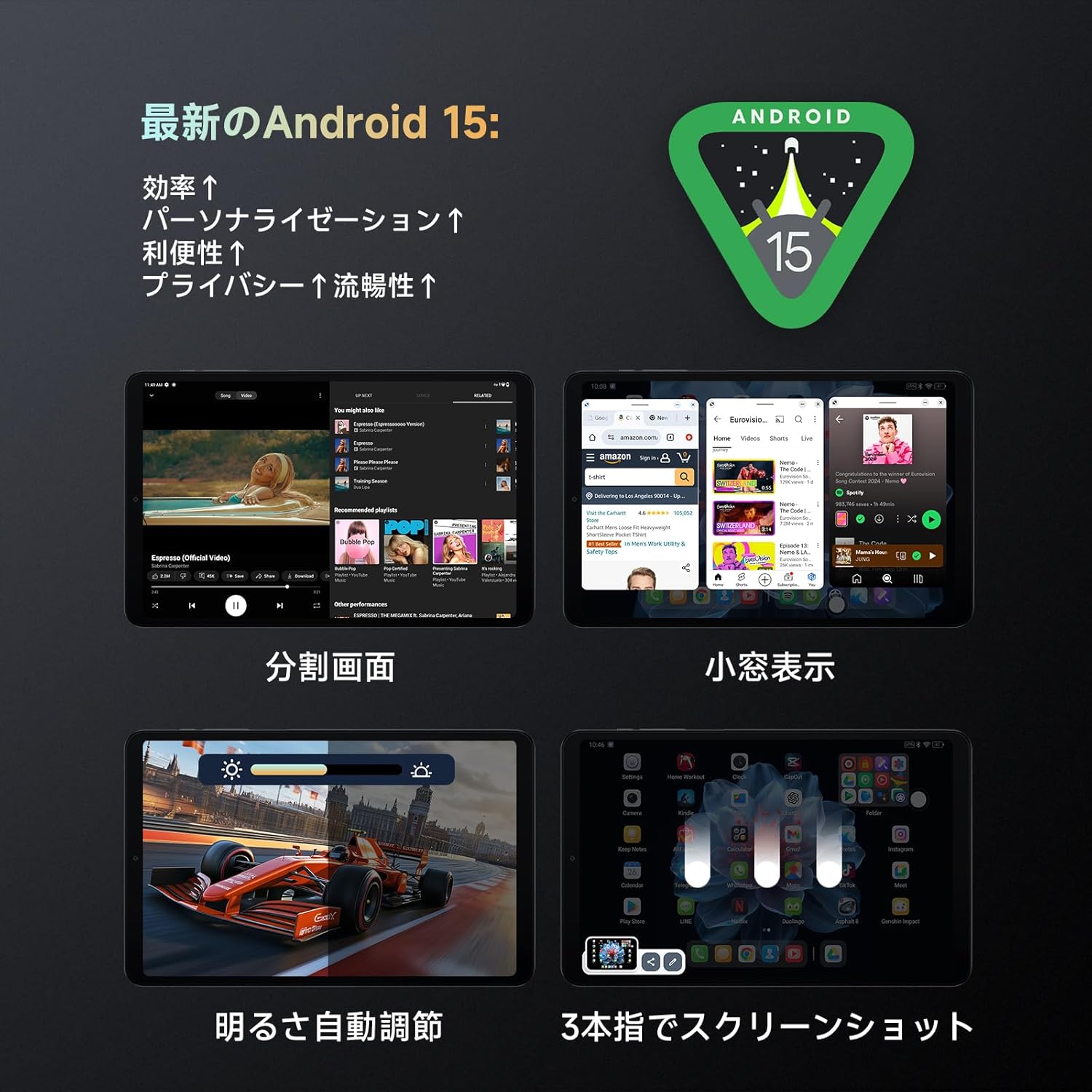
Image: Android 15 features including split-screen multitasking and automatic brightness adjustment.
4. Өркүндөтүлгөн функциялар
- DuraSpeed: This feature limits background processing for selected apps to improve performance. Access it in Орнотуулар if you experience performance issues with certain applications, especially games.
- OTG функциясы: Connect external devices like USB drives or keyboards using an OTG adapter (not included) to the Type-C port.
- Скриншот: Use the three-finger swipe gesture to capture a screenshot.

Image: The tablet's 6-axis gyro and motor provide an enhanced gaming experience.
Техникалык тейлөө
- Тазалоо: Планшеттин экранын жана корпусун тазалоо үчүн жумшак, түксүз чүпүрөктү колдонуңуз. Катуу химиялык заттарды же абразивдүү материалдарды колдонуудан алыс болуңуз.
- Программалык камсыздоо жаңыртуулары: Оптималдуу аткарууну жана коопсуздукту камсыз кылуу үчүн системанын жаңыртууларын дайыма текшерип, орнотуңуз. барыңыз Орнотуулар > Система > Системаны жаңыртуу.
- Сактагычты башкаруу: Мезгил-мезгили менен ачык-айкын керексиз fileлар жана колдонмолор сактагыч мейкиндигин бошотуп, майнаптуулугун сактайт.
- Батареяга кам көрүү: Ашыкча температурадан алыс болуңуз. Батареянын тез-тезден толугу менен түгөнүп калышына жол бербеңиз. Узак мөөнөткө сактоо үчүн батареяны болжол менен 50% га чейин кубаттаңыз.

Image: The tablet's material is easy to clean, ensuring simple maintenance.
Проблемаларды чечүү
| Көйгөй | Мүмкүн болгон себеп / Чечим |
|---|---|
| Планшет күйбөйт. | Battery might be completely drained. Charge the tablet for at least 30 minutes before attempting to power on again. |
| Slow performance / Apps crashing. |
|
| Wi-Fi'га туташпай жатат. |
|
| Face recognition not working. |
|
| Screen rotation not working. |
|
| Data transfer issues from another tablet. | Direct data transfer from other tablets may cause errors. It is recommended to transfer data via cloud services or a computer. |
Техникалык шарттар
| Өзгөчөлүк | Спецификация |
|---|---|
| Бренд | ALLDOCUBE |
| Модель аты | iPlay60mini pro |
| Операция системасы | Android 15 |
| Screen Size | 8.4 дюйм |
| Display Resolution | 1920x1200 pixels (FHD+ In-Cell) |
| CPU бренди | MediaTek Helio G99 (MTK6789) |
| CPU ылдамдыгы | 2.2, 2.0 ГГц |
| GPU | ARM Mali-G57 MC2 |
| RAM | 16GB (8GB + 8GB Virtual RAM) |
| Сактагыч | 128GB (UFS 2.1), expandable up to 512GB via SD card |
| Арткы камера | 13MP with autofocus and flashlight |
| Алдыңкы камера | 5MP |
| Батарея сыйымдуулугу | 6050mAh |
| Заряддоо | PD 18W Fast Charging (charger not included, 5V/2A charger included) |
| Байланыш | 4G LTE (Dual SIM), Wi-Fi (2.4GHz/5GHz), Bluetooth 5.2 |
| Навигация | GPS, Бейду, Галилео, Глонасс |
| Сенсорлор | 6-axis Gyro (3-axis accelerometer, 3-axis gyro), Gravity Sensor, Light Sensor, Vibration Motor |
| Өлчөмдөр | 202.7 x 126 x 7.9 мм |
| Салмагы | Болжол менен 310 г |
Кепилдик жана колдоо
ALLDOCUBE offers a 12-month product warranty. For any issues or inquiries, please contact ALLDOCUBE customer support through the following channels:
- Official LINE: @175lhsbh
- Via Amazon: Go to the product page, click on the store name, then click "Ask a question."
- Via Amazon Account: Go to "Your Orders," select the relevant order, and click "Contact seller."
ALLDOCUBE is committed to providing excellent products and services. Your feedback is valuable for continuous improvement.

Image: ALLDOCUBE brand logo.


