
Introduction
Thank you for choosing the VOLT PLUS TECH Portable Bluetooth Earbuds. These earbuds are designed to provide a high-quality audio experience with advanced features such as noise cancellation, an intuitive LED display, and a portable charging case with an integrated power bank. This manual will guide you through the setup, operation, and maintenance of your new earbuds to ensure optimal performance and longevity.
Кутуда эмне бар
Сураныч, пакеттин мазмунун текшерип, бардык буюмдар бар экенин текшериңиз:
- Portable Bluetooth Earbuds (Left and Right)
- Portable Charging/Storage Case with Power Bank
- USB-C заряддоо кабели
- User Manual
- Two (2) pairs of different sized earbud tips (small, large)
Продукт бүттүview жана өзгөчөлүктөрү
The VOLT PLUS TECH earbuds offer a range of features designed for convenience and superior audio quality:
- Bluetooth 5.0 туташуусу: Туруктуу жана натыйжалуу зымсыз байланышты камсыз кылат.
- CVC 8.0 Intelligent Noise Reduction: Reduces ambient noise for clear calls and immersive music.
- IPX4 суу өткөрбөйт рейтинги: Protects against splashes and sweat, suitable for sports (charging case is not waterproof).
- 2000mAh Charging Case: Provides extended battery life for earbuds, offering up to 24 hours of use.
- Акылдуу LED дисплей: Clearly shows the battery level of the charging case and earbuds.
- Сенсордук башкаруу каражаттары: Музыканы ойнотууну, чалууларды жана үн жардамчысын оңой башкаруу.

Image: The portable Bluetooth earbuds with their charging case open, displaying the earbuds inside and the digital battery indicator.

Image: The portable Bluetooth earbuds positioned next to their closed charging case, showcasing компакт дизайн.

Сүрөт: жакын план view of the charging case's LED digital display, clearly showing the battery percentage.
Орнотуу жана жупташтыруу
Follow these steps for initial setup and pairing with your device:
- Күйгүзүү: Remove both earbuds from the charging case. They will automatically power on. Alternatively, press and hold the touch panel on both earbuds for 3 seconds until a blue indicator light flashes.
- Автоматтык жупташтыруу: After powering on, you will hear voice prompts, and both earbuds will flash blue and red indicators alternatively. Wait until both earbuds pair with each other. Once paired, the left earbud will continue to flash blue and red alternatively.
- Түзмөккө туташуу: You will hear a voice prompt 'pairing', indicating the earbuds are ready to pair with your mobile device. Turn on the Bluetooth function on your mobile device and search for "JS25" in the list of available devices.
- Акыркы байланыш: Select "JS25" to pair and connect. Once successfully connected, the earbuds will prompt "Connected".
- Автоматтык кайра туташуу: Once your device and earbuds are successfully connected, your earbuds will auto-connect to the previously paired device when they are turned on and Bluetooth is enabled on your device.
- Жупташтыруудагы көйгөйлөрдү чечүү: If you cannot pair the earbuds, place them back in the charging case and repeat the previous steps.

Image: A visual guide illustrating the quick pairing process for the earbuds, from removal from case to successful connection.

Image: Depiction of the earbuds automatically connecting to a smartphone upon removal from the charging case.
Иштөө нускамалары
Touch Controls
Кулакчындар ар кандай функцияларды аткаруу үчүн интуитивдик сенсордук башкаруу элементтерине ээ:
- Ойнотуу/тындыруу: Кулакчындарды бир жолу таптаңыз.
- Кийинки ыр: Оң кулакчынды эки жолу таптаңыз.
- Мурунку ыр: Сол кулакчынды эки жолу таптаңыз.
- Чалууга жооп берүү/аяктоо: Кирүүчү чалуу учурунда гарнитураны бир жолу таптаңыз.
- Чакырууну четке кагуу: Кирүүчү чалуу учурунда кулакчындын бирин 2 секунд басып туруңуз.
- Үн Жардамчысын жандыруу: Кулакчындарды үч жолу таптаңыз.
- Үндү тууралоо: Specific instructions for volume adjustment are not detailed in the provided information, but typically involve a long press or multiple taps on a specific earbud. Refer to the quick start guide for precise gestures.
Кулакчындарды жана кутуну кубаттоо
The charging case acts as a power bank for your earbuds and can also charge your mobile phone.
- Кулакчындарды заряддоо: Кулакчындарды заряддоо кутусуна салыңыз. Алар автоматтык түрдө кубаттай баштайт. Корпустагы LED дисплей кубаттоо абалын көрсөтөт.
- Заряддоо кутусу: Connect the USB-C charging cable to the charging port on the case and to a power source. The LED display will indicate the charging progress of the case.
- Power Bank функциясы: The 2000mAh battery in the charging case can provide emergency power to your mobile phone via its USB-C output port.

Image: The earbuds resting in their charging case, with text overlays indicating features like fingerprint touch control, intelligent digital display, and HD calling.
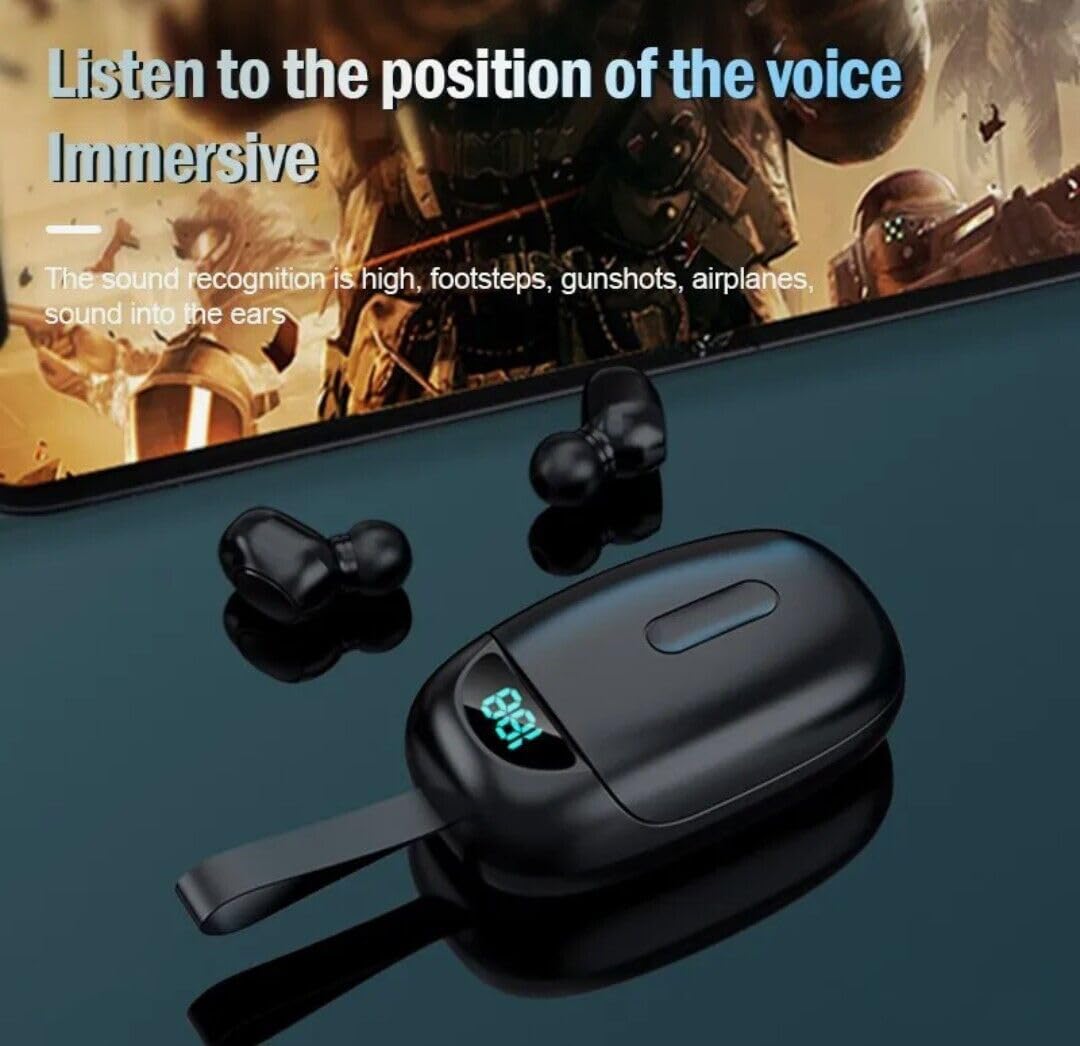
Image: The earbuds positioned near a smartphone displaying a game, illustrating their capability to deliver immersive audio for an enhanced listening experience.
Техникалык тейлөө
Кулакчындарыңыздын узак иштөөсүн жана оптималдуу иштешин камсыз кылуу үчүн төмөнкү тейлөө көрсөтмөлөрүн аткарыңыз:
- Тазалоо: Кулакчындарды жана заряддоо кутусун жумшак, кургак, түксүз чүпүрөк менен дайыма тазалап туруңуз. Абразивдүү тазалагычтарды же эриткичтерди колдонбоңуз.
- Earbud Tips: Remove and clean the earbud tips periodically to prevent wax buildup. You can gently wash them with water and mild soap, then dry them completely before reattaching.
- Заряддоо порттору: Кулакчындардагы жана корпустун ичиндеги заряддоо контакттары таза жана таштандыдан таза экенин текшериңиз.
- Сактагыч: Колдонулбаганда, кулакчындарды коргоо жана кубаттоо үчүн кубаттоочу кутучага сактаңыз.
- Суу таасири: While the earbuds are IPX4 waterproof, the charging case is not. Avoid exposing the charging case to water or excessive moisture.
- Температура: Продукцияны экстремалдык температурага (ысык же муздак) тийгизбеңиз, анткени бул батареяга жана ички тетиктерге зыян келтириши мүмкүн.
Проблемаларды чечүү
If you encounter any issues with your earbuds, refer to the following common problems and solutions:
| Көйгөй | Мүмкүн себеп | Чечим |
|---|---|---|
| Кулакчындар күйбөй жатат | Low battery; Not removed from case correctly | Charge the earbuds; Ensure earbuds are fully removed from the charging case. |
| Кулакчындар түзмөк менен жупташкан жок | Bluetooth off; Earbuds not in pairing mode; Previously paired device interfering | Ensure Bluetooth is enabled on your device; Place earbuds back in case, then remove to re-enter pairing mode; Forget "JS25" from your device's Bluetooth list and re-pair. |
| Бир гана кулакчын иштейт | Earbuds not paired to each other; Low battery on one earbud | Place both earbuds back in the case, close, then reopen to force re-pairing; Charge both earbuds fully. |
| Үн сапаты начар же байланыш үзгүлтүккө учурайт | Distance from device; Interference; Low battery | Move closer to your device; Avoid strong electromagnetic interference; Charge earbuds fully. |
| Charging case LED not lighting up | Charging cable issue; Power source issue; Case fully charged | Try a different USB-C cable; Use a different power adapter/port; The case might be fully charged. |
Техникалык шарттар
Detailed technical specifications for the VOLT PLUS TECH Portable Bluetooth Earbuds Model TG01:
| Өзгөчөлүк | Спецификация |
|---|---|
| Модель аты | TG01 |
| Байланыш технологиясы | Bluetooth 5.0 |
| Зымсыз байланыш технологиясы | Bluetooth |
| Noise Control | Активдүү ызы-чууну жокко чыгаруу (CVC 8.0) |
| Сууга туруктуулук деңгээли | IPX4 (Кулакчындар гана) |
| Наушник уясы | USB-C (заряддоо кутусу үчүн) |
| Frequency Response | 48000 KHz |
| Импеданс | 25.94 Ом |
| Башкаруу ыкмасы | тийүү |
| Шайкеш түзмөктөр | ZTE Axon 20 and other Bluetooth-enabled devices |
| Материал | Aluminum, Hi Strength Plastic, Metal |
| Элемент Салмагы | 4 унция |
| Продукциянын өлчөмдөрү | 1 x 1.7 x 1.5 дюйм |
| Өндүрүүчү | VOLT PLUS TECH |
| Түс | Кара |
Кепилдик жана колдоо
VOLT PLUS TECH products are manufactured to the highest quality standards. For specific warranty information and customer support, please refer to the warranty card included with your purchase or visit the official VOLT PLUS TECH webсайт. Сатып алуу квитанциясын кепилдик дооматтары үчүн сатып алуунун далили катары сактаңыз.
If you require further assistance or have questions not covered in this manual, please contact VOLT PLUS TECH customer support.