
Introduction
Thank you for choosing the VOLT PLUS TECH Portable Bluetooth Earbuds, Model VPT-1258-B. These earbuds are designed for wireless audio enjoyment and hands-free communication, featuring noise cancellation, a portable charging case with an LED display, and IPX4 water resistance. This manual provides detailed instructions for setup, operation, maintenance, and troubleshooting to ensure optimal performance.

Image: The VOLT PLUS TECH Portable Bluetooth Earbuds shown with their charging case, which features an LED display.
Кутуда эмне бар
- Two (2) Earbuds
- One (1) Portable Power Bank Charging Case
- Бир (1) USB-C кубаттоочу кабели
- Three (3) Pairs of Ear Adapters (Small, Medium, Large)
- Бир (1) Колдонуучунун колдонмосу

Image: A visual representation of the earbuds and the charging case, highlighting their compact design.
Жайгашуу
1. Кулакчындарды жана кутуну кубаттоо
- Биринчи колдонуудан мурун, заряддоо кутусун жана кулакчындарды толук заряддаңыз.
- USB-C заряддоо кабелин корпустагы заряддоо портуна жана кубат булагына туташтырыңыз.
- The LED display on the case will show the charging progress.
- Кулакчындарды кубаттоочу кутуга салыңыз. Алар автоматтык түрдө кубаттала баштайт.
2. Баштапкы жупташтыруу
- Remove both earbuds from the charging case. They will automatically power on. Alternatively, press and hold the touch panel on both earbuds for 3 seconds until a blue indicator light flashes.
- After powering on, you will hear voice prompts, and both earbuds will flash blue and red indicators alternatively.
- Wait for the earbuds to pair with each other. Once successfully paired, the left earbud will continue to flash blue and red alternatively, indicating it is ready to connect to a device.
- Enable Bluetooth on your mobile device (e.g., Tecno Spark 10 Pro).
- Издөө Bluetooth devices and select "JS25" from the list. (If "JS25" is not found, try searching for "Mytrack").
- Once connected, the earbuds will prompt "Connected".

Image: A visual guide illustrating the quick pairing process for the earbuds, showing the steps to connect them to a mobile device.
3. Кайра туташтыруу
Once paired, the earbuds will automatically connect to the last paired device when removed from the charging case and Bluetooth is enabled on the device.

Image: Depicts the automatic connection feature of the earbuds to a smartphone upon removal from the charging case.
Иштөө нускамалары
1. Күйгүзүү/өчүрүү
- Күйгүзүү: Remove earbuds from the charging case, or press and hold the touch panel for 3 seconds.
- Өчүрүү: Place earbuds back into the charging case, or press and hold the touch panel for an extended period (refer to specific touch controls for exact duration).
2. Музыканы ойнотууну башкаруу
The earbuds feature touch controls for managing audio playback:
- Ойнотуу/тындыруу: Кулакчындарды бир жолу таптаңыз.
- Кийинки ыр: Оң кулакчынды эки жолу таптаңыз.
- Мурунку ыр: Сол кулакчынды эки жолу таптаңыз.
- Үндү тууралоо: Specific touch gestures for volume control are available (refer to product packaging or manufacturer's website for detailed gestures).
3. Чалууларды башкаруу
- Чалууга жооп берүү/аяктоо: Кулакчындарды бир жолу таптаңыз.
- Чакырууну четке кагуу: Press and hold the touch panel on either earbud for 2 seconds.
4. Үн жардамчысы
- Үн Жардамчысын жандыруу: Кулакчындарды үч жолу басыңыз (мисалы, Siri, Google Жардамчы).
5. LED дисплей маалымат
The charging case features an intelligent LED display that shows the battery level of both the charging case and the individual earbuds, allowing for easy monitoring of power status.

Image: The charging case with its LED digital display clearly showing the battery percentage.
Өзгөчөлүктөрү
- Bluetooth 5.3 технологиясы: Зымсыз байланыштын туруктуу жана натыйжалуу иштешин камсыз кылат.
- CVC 8.0 Noise Reduction: Reduces ambient noise for clearer calls and music listening.
- IPX4 сууга туруктуулугу: Earbuds are resistant to splashes and sweat, suitable for sports and outdoor activities. (Note: The charging case is not waterproof).
- Узартылган батареянын иштөө мөөнөтү: The 2000mAh charging case provides up to 24 hours of music playback and approximately 100 hours of call time for the earbuds.
- LED санарип дисплей: Clearly indicates battery levels of the case and earbuds.
- Кеңири шайкештик: Compatible with various Bluetooth-enabled devices including Android, iOS, Mac, Windows, and specifically Tecno Spark 10 Pro.
- 8D стерео үн: Delivers a rich audio experience.

Image: Highlights the compact design of the earbuds and mentions features such as touch control, intelligent digital display, and HD calling.
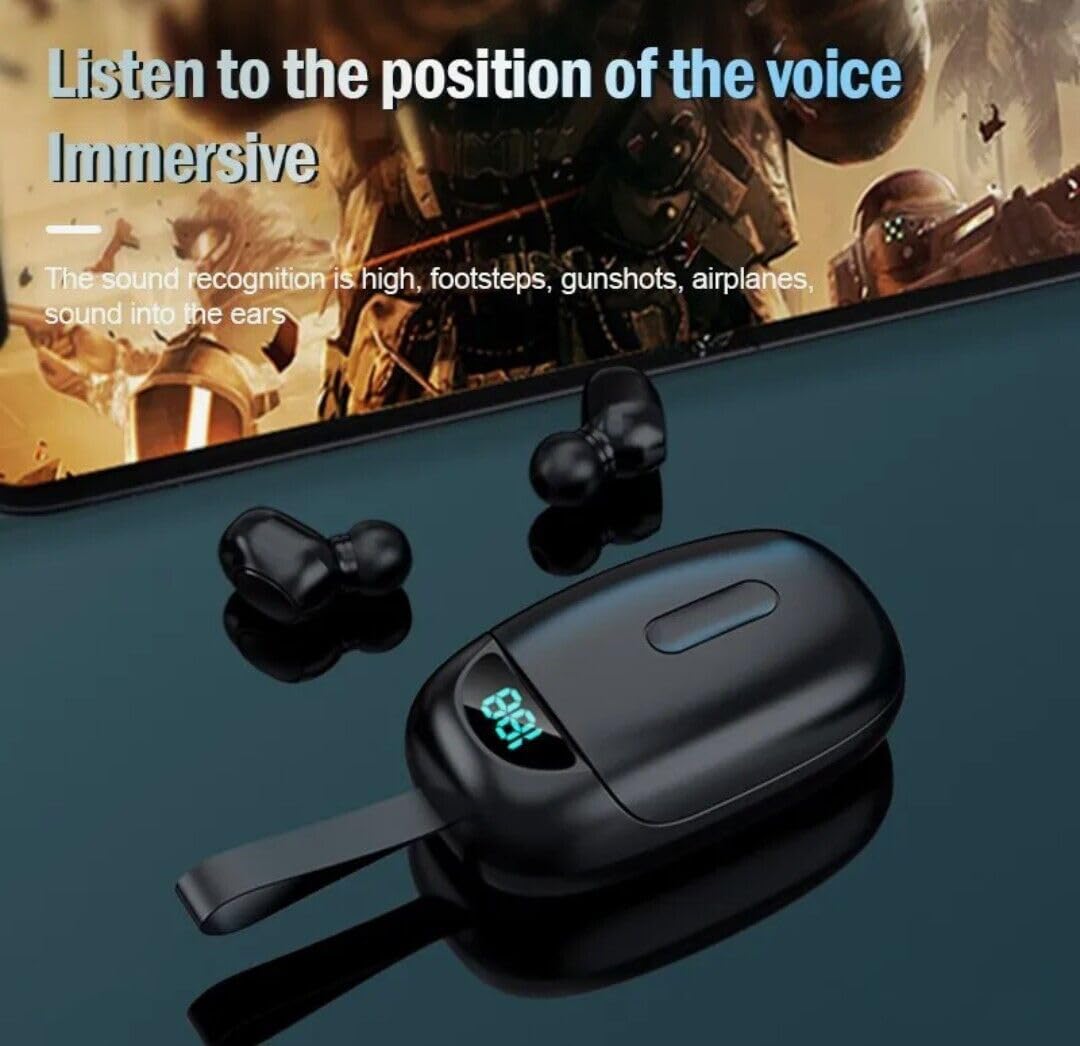
Image: Illustrates the immersive audio experience provided by the earbuds, particularly for applications like gaming where sound recognition is important.
Техникалык тейлөө
1. Тазалоо
- Кулакчындарды жана кубаттоочу кутуну жумшак, кургак, түксүз чүпүрөк менен акырын сүртүңүз.
- Абразивдүү тазалагычтарды, эриткичтерди же аэрозолдук спрейлерди колдонбоңуз.
- Кулакчындардагы жана кутудагы кубаттоо контакттары таза жана калдыктары жок экенин текшериңиз.
2. Сууга туруктуулук
- The earbuds are IPX4 water-resistant, meaning they can withstand splashes and sweat. They are not designed for submersion in water.
- The charging case is NOT waterproof. Avoid exposing the charging case to water or moisture.
- Эгерде кулакчындар суу болуп калса, аларды кубаттоочу кутуга кайра салуудан мурун жакшылап кургатыңыз.
3. Сактоо
- Кулакчындарды коргоо жана кубаттоо үчүн колдонулбаган учурда кубаттоо кутучасында сактаңыз.
- Кургак, салкын жерде, өтө жогорку температурадан алыс сактаңыз.
Проблемаларды чечүү
1. Earbuds Not Pairing with Each Other
- Эки кулакчындын тең кубатталганын текшериңиз.
- Эки кулакчынды тең кубаттоочу кутуга кайра салып, капкагын жаап, бир нече секунд күтүп, андан кийин кайра алып чыгыңыз.
- If issues persist, try resetting the earbuds (refer to manufacturer's website for specific reset instructions if not detailed in this manual).
2. Earbuds Not Connecting to Device
- Түзмөгүңүздө Bluetooth иштетилгенин текшериңиз.
- Make sure the earbuds are in pairing mode (left earbud flashing blue and red).
- Forget "JS25" (or "Mytrack") from your device's Bluetooth settings and attempt to pair again.
- Кулакчындардын жетиштүү кубатталганын текшериңиз.
3. Үн жок же үнү төмөн
- Түзмөгүңүздөгү жана гарнитураңыздагы үн деңгээлин текшериңиз.
- Кулакчындар түзмөгүңүзгө туура туташтырылганын текшериңиз.
- Кулакчын динамигинин торундагы калдыктарды тазалаңыз.
4. Charging Case Not Charging
- USB-C кабелинин корпуска жана кубат булагына бекем туташтырылганын текшериңиз.
- Башка USB-C кабелин же кубат адаптерин колдонуп көрүңүз.
- Ensure the charging port on the case is clean and free of obstructions.
Техникалык шарттар
| Өзгөчөлүк | Спецификация |
|---|---|
| Модель аты | VPT-1258-B |
| Бренд | VOLT PLUS TECH |
| Bluetooth версиясы | 5.3 |
| Bluetooth диапазону | 33 Фут (10 метр) |
| Noise Control | Активдүү ызы-чууну жокко чыгаруу, пассивдүү ызы-чууну жокко чыгаруу, үн изоляциясы |
| Сууга туруктуулук деңгээли | IPX4 (Кулакчындар гана) |
| Батареянын иштөө мөөнөтү (наушник) | 24 саатка чейин (заряддоо кутусу менен) |
| Заряддоо корпусунун батареясынын сыйымдуулугу | 2000 mAh (approximate, based on product description) |
| Наушник уясы | USB-C (заряддоо кутусу үчүн) |
| Башкаруу ыкмасы | тийүү |
| Кулак жайгаштыруу | Кулакта |
| Элемент Салмагы | 4 Ounces (total product) |
| Продукциянын өлчөмдөрү | 1 x 1.7 x 1.5 дюйм |
| Материал | Plastic, Aluminum, Hi Strength Plastic, Metal |
| Шайкеш түзмөктөр | Android, iOS, Mac, Tecno Spark 10 Pro, Windows |
Кепилдик жана колдоо
For warranty information and customer support, please refer to the product packaging or contact the manufacturer directly through their official webсайт. Кепилдик дооматтары үчүн сатып алуу дүмүрчөгүңүздү сактаңыз.