
VOLT PLUS TECH TG01
User Manual for VOLT PLUS TECH Portable Bluetooth Earbuds
Модел: TG01
Introduction
This manual provides comprehensive instructions for the safe and efficient use of your VOLT PLUS TECH Portable Bluetooth Earbuds, Model TG01. Please read this manual thoroughly before using the product and retain it for future reference. These earbuds are designed for compatibility with devices such as the Samsung Galaxy M14, offering features like noise cancellation, an LED display, and a portable charging case with power bank functionality.
Пакеттин мазмуну
- VOLT PLUS TECH Portable Bluetooth Earbuds (Left and Right)
- Portable Charging Case with Loop and LED Digital Display
- USB-C заряддоо кабели
- User Manual
- Two pairs of different size earbud tips (small, large)
Продукт бүттүview

Image: The VOLT PLUS TECH Portable Bluetooth Earbuds shown with their open charging case, revealing the earbuds inside and the digital LED display on the case.

Image: A close-up of the charging case's LED digital display, indicating battery levels for both the case and the earbuds.
The VOLT PLUS TECH earbuds feature a compact design with touch controls. The accompanying charging case is equipped with an intelligent LED display that shows the accurate power level of both the charging box and the earbuds. The case also includes a loop for convenient carrying or attachment.
- Кулакчындар: In-ear design, touch-sensitive controls, built-in microphone, noise cancellation.
- Заряддоо кутусу: Portable power bank functionality, USB-C charging port, LED digital display for battery status.
Жайгашуу
1. Кулакчындарды жана кутуну кубаттоо
Before first use, fully charge the charging case and earbuds. Connect the USB-C charging cable to the charging case and a power source. The LED display on the case will indicate the charging progress. Once fully charged, the display will show 100%.
2. Күйгүзүү / Өчүрүү
- Күйгүзүү: Remove the earbuds from the charging case. They will automatically power on, indicated by a flashing blue light. Alternatively, press and hold the touch panel on each earbud for 3 seconds until the blue indicator light flashes.
- Өчүрүү: Кулакчындарды кайра заряддоо кутусуна салыңыз. Алар автоматтык түрдө өчүп, кубаттай башташат.
3. Bluetooth Жупташтыруу

Image: A visual guide illustrating the quick pairing process for the earbuds, showing the earbuds and charging case.

Image: Depiction of the earbuds automatically connecting to a mobile device when removed from the case and shutting down when placed back in.
- Remove both earbuds from the charging case. They will automatically power on, and a blue light will indicate this.
- After powering on, you will hear voice prompts, and both earbuds will flash blue and red indicators alternatively.
- Wait until both earbuds pair with each other. Once paired, the left earbud will flash blue and red alternatively.
- You will hear a voice prompt "pairing," which means the earbuds are ready to pair. Enable Bluetooth on your mobile device and search for "JS25".
- Select "JS25" from the list of available devices. Once connected, the earbuds will prompt "Connected".
- Your earbuds will auto-connect to the previously paired device if Bluetooth is enabled when they are turned on.
- Эгерде сиз кулакчындарды жупташтыра албасаңыз, аларды кайра капка салып, мурунку кадамдарды кайталаңыз.
Иштөө нускамалары
Touch Controls
Кулакчындар ар кандай функцияларды аткаруу үчүн сенсордук башкаруу элементтерине ээ:
- Ойнотуу/тындыруу: Кулакчындарды бир жолу таптаңыз.
- Кийинки ыр: Оң кулакчынды эки жолу таптаңыз.
- Мурунку ыр: Сол кулакчынды эки жолу таптаңыз.
- Көлөмү: Оң кулакчынды үч жолу таптаңыз.
- Үнүн азайтуу: Сол кулакчынды үч жолу таптаңыз.
- Чалууга жооп берүү/аяктоо: Кирүүчү чалуу учурунда гарнитураны бир жолу таптаңыз.
- Чакырууну четке кагуу: Кирүүчү чалуу учурунда гарнитураны 2 секунд басып туруңуз.
- Үн Жардамчысын жандыруу: Кулакчындын экисин тең 3 секунд басып туруңуз.
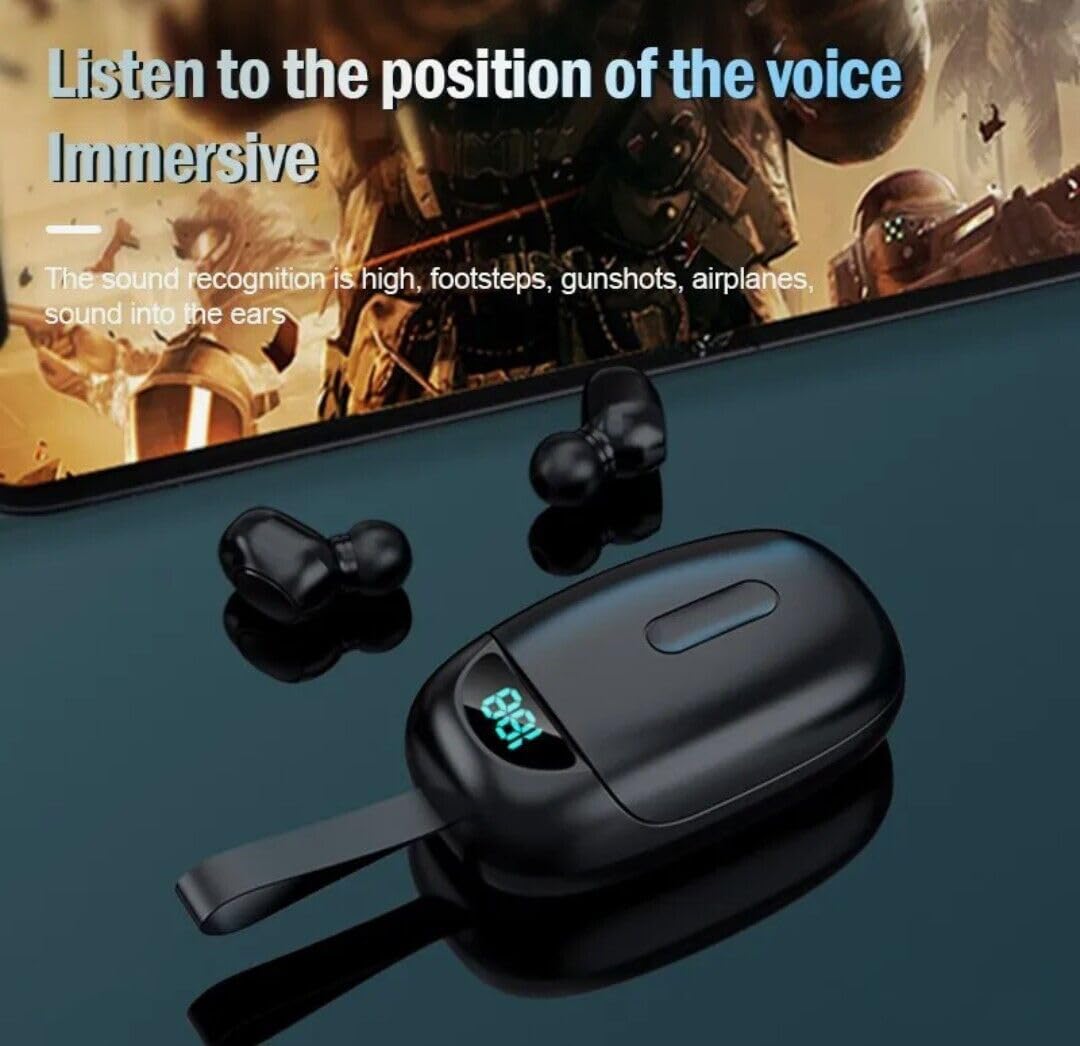
Image: Earbuds being used, illustrating the immersive audio experience and sound recognition capabilities.
Noise Cancellation
The earbuds utilize CVC 8.0 intelligent noise reduction technology to minimize ambient noise, providing clear audio for calls and music even in noisy environments. This feature is automatically active when the earbuds are in use.
Power Bank функциясы
The charging case has a built-in 2000mAh battery capacity, allowing it to not only charge the earbuds multiple times but also serve as a portable power bank for other small devices via its USB-C port. Connect your device to the USB-C port on the charging case to initiate charging.
Техникалык тейлөө
- Тазалоо: Кулакчындарды жана заряддоо кутусун жумшак, кургак, түксүз чүпүрөк менен дайыма тазалап туруңуз. Катуу химиялык заттарды же абразивдүү материалдарды колдонбоңуз. Заряддоо контакттарында чаң жана таштанды жок экенин текшериңиз.
- Сактагыч: Колдонулбаганда, кулакчындарды коргоо жана кубаттоо үчүн кубаттоочу кутучага сактаңыз. Күн нурунан жана экстремалдык температурадан алыс салкын, кургак жерде сактаңыз.
- Суу каршылык: The earbuds are IPX4 waterproof, meaning they are resistant to splashing water and sweat. They are suitable for outdoor sports and gym use. Note: The charging box is not waterproof. Avoid submerging the earbuds or exposing them to heavy rain.
Проблемаларды чечүү
| Көйгөй | Чечим |
|---|---|
| Кулакчындар күйбөй жатат. | Ensure earbuds are charged. Place them in the charging case for a few minutes, then remove. |
| Кулакчындар түзмөк менен жупташкан жок. |
|
| Бир гана кулакчын иштейт. |
|
| Көлөмү төмөн же үн сапаты начар. |
|
| Заряддоо куту заряддалбай жатат. |
|
Техникалык шарттар
| Өзгөчөлүк | Деталь |
|---|---|
| Модель аты | TG01 |
| Бренд | VOLT PLUS TECH |
| Байланыш технологиясы | Bluetooth 5.0 |
| Noise Control | Активдүү ызы-чууну жокко чыгаруу (CVC 8.0) |
| Сууга туруктуулук деңгээли | IPX4 (Кулакчындар гана) |
| Заряддоо корпусунун батареясынын сыйымдуулугу | 2000mAh |
| Жалпы ойноо убактысы (заряддоо кутусу менен) | 24 саатка чейин |
| Заряддоо порту | USB-C |
| Шайкеш түзмөктөр | Samsung Galaxy M14 and other Bluetooth-enabled devices |
| Башкаруу ыкмасы | тийүү |
| Түс | Кара |
| Продукциянын өлчөмдөрү | 1 x 1.7 x 1.5 дюйм |
| Элемент Салмагы | 4 унция |
| Форма фактору | Кулакта |
Кепилдик жана колдоо
For warranty information and technical support, please refer to the contact details provided with your purchase or visit the official VOLT PLUS TECH webсайт. Кепилдик дооматтар үчүн сатып алганыңыздын далилин сактаңыз.
Ask a question about this manual
Ask about setup, troubleshooting, compatibility, parts, safety, or missing instructions. Manuals+ will review the question and use this page’s manual context to help answer it.