
1. Киришүү
Сатып алганыңыз үчүн рахматasing the plplaaoo Cordless Table Lamp. Бул колдонмо сиздин жаңы лиңиздин коопсуз жана эффективдүү иштеши үчүн маанилүү маалыматты камтыйтamp. Сураныч, колдонуудан мурун аны жакшылап окуп чыгыңыз жана келечекте маалымат үчүн сактап коюңуз.
2. Коопсуздук нускамалары
- л-ды ачыкка чыгарбаamp сууга же ашыкча нымдуулукка.
- Lди бөлүктөргө бөлүүдөн же өзгөртүүдөн алыс болуңузamp, анткени бул кепилдикти жокко чыгарышы жана коопсуздукка коркунуч келтириши мүмкүн.
- Заряддоо үчүн берилген USB Type-C кабелин гана колдонуңуз.
- l сактаңызamp away from heat sources and direct sunlight to prevent battery damage.
- l камсыз кылууamp чөгүп кетпеши үчүн туруктуу, жалпак бетке коюлат.
- Бул лamp ички колдонуу үчүн гана иштелип чыккан.
3. Пакеттин мазмуну
Пакетиңизде бардык буюмдар бар экенин текшериңиз:
- 1 x Cordless Table Lamp
- 1 x USB Type-C заряддоо кабели

4. Продукт бүтүп калдыview
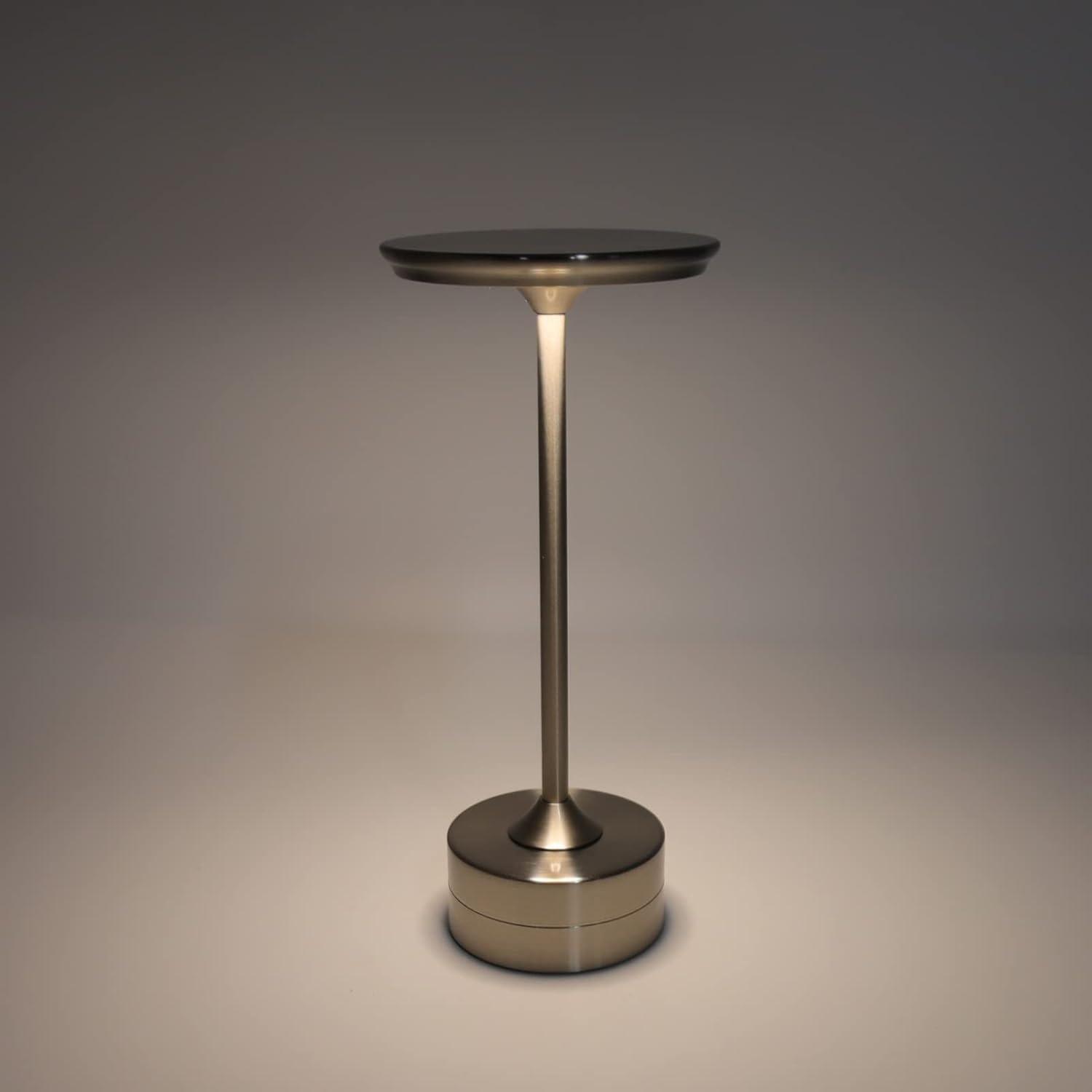
The plplaaoo Cordless Table Lamp features a sleek design with a durable iron, aluminum, and acrylic construction. It includes a built-in 2000mAh rechargeable lithium battery, offering 10-15 hours of working time on a full charge. The lamp provides three light sources: white light, warm light, and ordinary light, with adjustable brightness up to 150lm.


5. Орнотуу
Баштапкы заряддоо
Биринчи колдонуудан мурун lamp. Connect the provided USB Type-C cable to the charging port on the lamp's base and plug the other end into a compatible USB power adapter (not included).
- Locate the USB Type-C charging port on the base of the lamp.
- Insert the USB Type-C cable into the lampзаряддоо порту.
- Connect the USB-A end of the cable to a standard USB power adapter (e.g., phone charger, computer USB port).
- The charging indicator (if present) will show the charging status. Allow several hours for a full charge.
6. Иштөө нускамалары
Күйгүзүү/өчүрүү жана жарыктыгын жөндөө
лamp features both a bottom switch and a top touch control for operation.
- Төмөнкү которгуч: Flip the switch on the bottom of the lamp to the 'ON' position to enable the touch control function.
- Top Touch Control: Gently touch the top surface of the lamp to cycle through the three light modes: white light, warm light, and ordinary light. Continue touching to adjust brightness levels within each mode.
- l өчүрүү үчүнamp, either cycle through all light modes until it turns off via touch control, or flip the bottom switch to the 'OFF' position.


7. Техникалык тейлөө
- Тазалоо: л сүртamp жумшак, кургак чүпүрөк менен. Абразивдүү тазалагычтарды же эриткичтерди колдонбоңуз.
- Сактагыч: Узак мөөнөткө колдонулбаганда, лamp салкын, кургак жерде сактаңыз. Батареянын иштөө мөөнөтүн узартуу үчүн сактоодон мурун жарым-жартылай заряддалганын текшериңиз.
- Батареяга кам көрүү: Батареянын иштөө мөөнөтүн сактоо үчүн, батареяны тез-тезден толугу менен бошотуп алуудан алыс болуңуз.amp when the light output becomes noticeably dim.
8. Кыйынчылыктарды
| Көйгөй | Мүмкүн себеп | Чечим |
|---|---|---|
| Lamp күйбөйт. | Battery is depleted. Bottom switch is off. | l заряддооamp using the USB Type-C cable. Ensure the bottom switch is in the 'ON' position. |
| Жарык күңүрт же бүлбүлдөп турат. | Батарея аз. | lamp. |
| Cannot change light mode/brightness. | Bottom switch is off. Touch control malfunction. | Ensure the bottom switch is 'ON'. Try restarting the lamp by turning the bottom switch off and on again. |
| Lamp төлөбөйт. | Faulty cable or adapter. Charging port issue. | Try a different USB Type-C cable and power adapter. Ensure the cable is fully inserted. |
9. Техникалык шарттар
| Өзгөчөлүк | Деталь |
|---|---|
| Модел | B0D2LG61MQ |
| Материал | Iron, Aluminum, Acrylic |
| Бийиктик | Болжол менен 28.5см / 11.2in |
| Диаметри | Болжол менен 13см / 5.1in |
| Салмагы | Approx. 0.66 kg / 23.4 oz |
| Камтылган батарея | Литий 2000мАч |
| Жарык булагы | White light, Warm light, Ordinary light (3 levels brightness) |
| Max Brightness | 150лм |
| Заряддоо ыкмасы | USB Type-C |
| Control | Bottom switch, Top touch control |

10. Кепилдик жана колдоо
This product is covered by a standard manufacturer's warranty. For specific warranty details, please refer to the product packaging or contact the retailer where you purchased the item. For technical support or inquiries, please visit the official plplaaoo store or contact customer service.