
Introduction
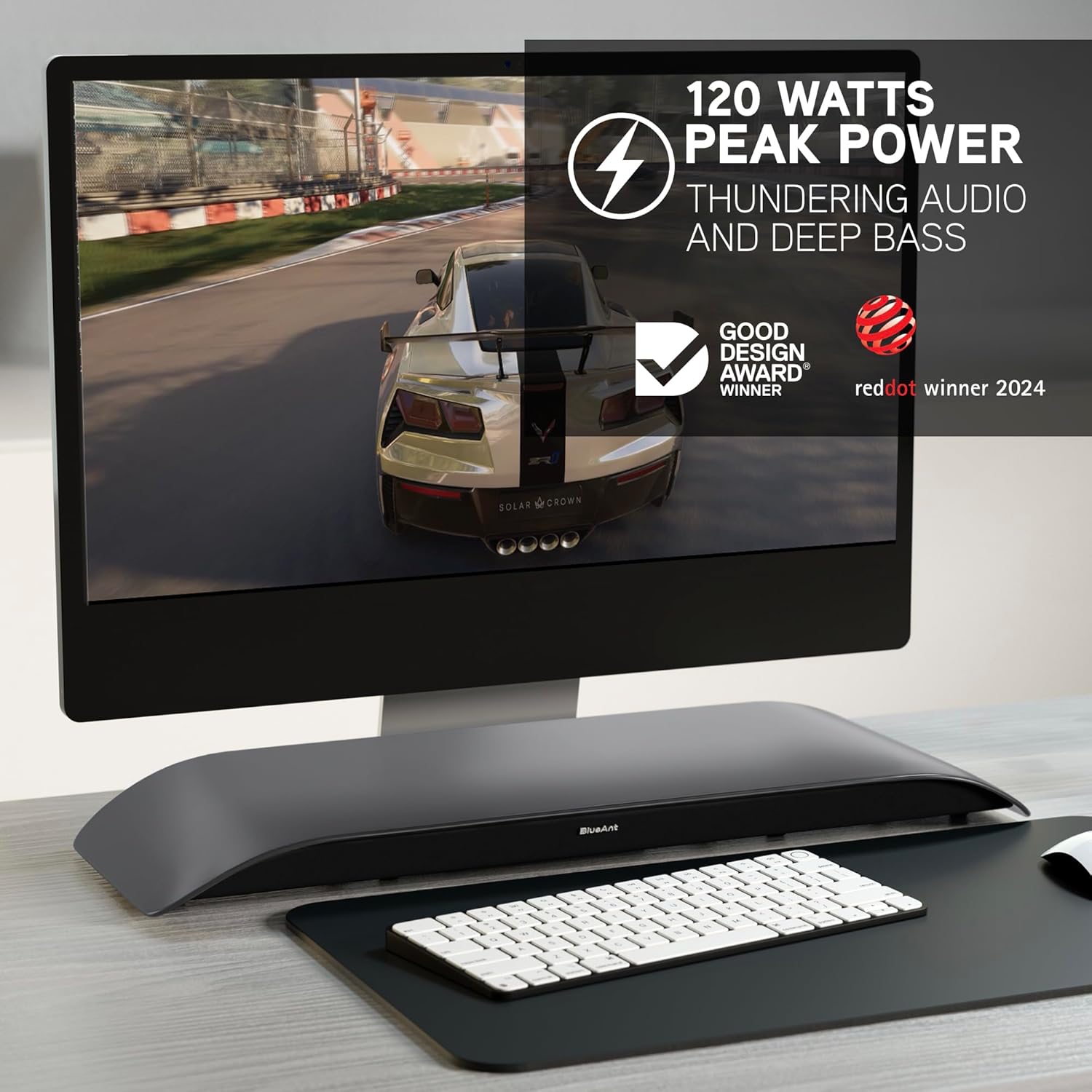
The BlueAnt Soundblade is a 120W 2.1 Channel Desktop Speaker designed to enhance your audio experience for PC, Mac, gaming, music, and streaming. Its sleek, low-profile design fits seamlessly under your monitor, providing powerful sound without clutter. This manual provides essential information for setting up, operating, and maintaining your Soundblade.

Кутуда эмне бар
Upon unboxing your BlueAnt Soundblade, ensure all the following components are present:
- Soundblade Device
- Электр кабели
- Remote Control | x2 AAA Batteries
- 3.5ммден 3.5ммге чейинки AUX кабели
- USB-C to USB-C Cable | USB-C to USB-A Cable
Орнотуу колдонмосу
Follow these steps to set up your BlueAnt Soundblade:
- Place the Soundblade on a stable surface directly under your monitor.
- Connect the power cable to the Soundblade and a power outlet.
- Choose your preferred audio connection:
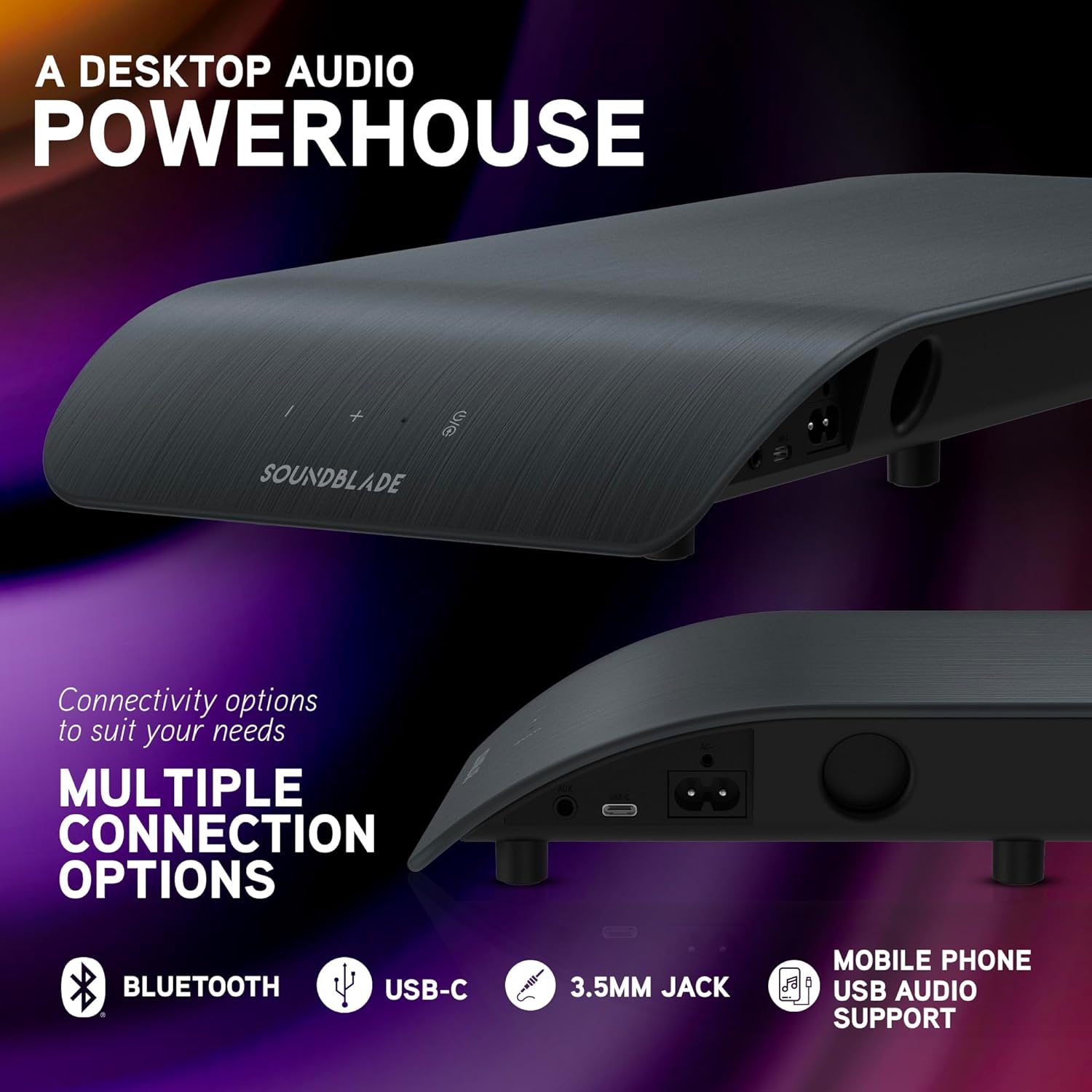
- USB-C: Connect the USB-C to USB-C cable from the Soundblade to your computer. If your computer only has USB-A, use the provided USB-C to USB-A cable.
- Bluetooth: Power on the Soundblade and activate Bluetooth pairing mode. Издөө "Soundblade" on your device and connect.
- 3.5 мм көмөкчү: Connect the 3.5mm to 3.5mm AUX cable from the Soundblade to your audio source.
- (Optional) Attach the extended feet pegs if additional height is required for your monitor stand.

Иштөө нускамалары
Күйгүзүү/өчүрүү
Press the power button on the Soundblade or the remote control to turn the device on or off.
Үндү көзөмөлдөө
Use the '+' and '-' buttons on the Soundblade or the remote control to adjust the volume.
Киргизүүнү тандоо
Press the input selection button on the Soundblade or the remote control to cycle through available inputs: USB-C, Bluetooth, and 3.5mm Auxiliary.
EQ режимдери
The Soundblade features three dedicated EQ modes: Music, Movies, and Game. Use the EQ button on the remote to switch between these modes for optimized audio.


Туташуу параметрлери
The Soundblade offers versatile connectivity to suit various devices:
- USB-C: For direct digital audio connection to PCs, Macs, and compatible mobile devices. Supports auto-switching.
- Bluetooth 5.3: For wireless audio streaming from smartphones, tablets, and other Bluetooth-enabled devices.
- 3.5 мм көмөкчү киргизүү: For connecting devices via a standard audio jack.
Аудио режимдери
Optimize your listening experience with the Soundblade's three specialized EQ modes:
- Музыка режими: Enhances clarity and bass for a rich musical experience.
- Тасмалар режими: Provides crystal-clear dialogue and dynamic sound effects for cinematic immersion.
- Оюн режими: Delivers heightened realism and auditory detail for an immersive gaming experience.
Техникалык тейлөө
To ensure the longevity and optimal performance of your Soundblade:
- Аппаратты таза, жумшак, кургак чүпүрөк менен сүртүңүз.
- Avoid exposing the Soundblade to water or excessive moisture.
- Динамиктин торчолорун же желдетүү тешиктерин жаппаңыз.
- Узак мөөнөткө колдонулбаганда салкын, кургак жерде сактаңыз.
Проблемаларды чечүү
- Кубат жок:
- Ensure the power cable is securely connected to both the Soundblade and a working power outlet. Check if the power adapter is functioning correctly.
- Үн жок:
- Verify that the correct input source (USB-C, Bluetooth, or AUX) is selected. Check the volume levels on both the Soundblade and your connected device. Ensure all audio cables are properly connected.
- Bluetooth жупташтыруу маселелери:
- Make sure the Soundblade is in Bluetooth pairing mode. Disable and re-enable Bluetooth on your device, then try pairing again. Ensure no other devices are actively connected to the Soundblade via Bluetooth.
- Бурмаланган аудио:
- Reduce the volume on both the Soundblade and your connected device. Check for any loose cable connections. Try a different audio source or cable.
Техникалык мүнөздөмөлөр
| Өзгөчөлүк | Деталь |
|---|---|
| Бренд | BlueAnt |
| Модель номери | SOUNDBLADE |
| Динамиктин максималдуу чыгаруу күчү | 120 Ватт |
| Байланыш технологиясы | Auxiliary, Bluetooth 5.3, USB |
| Аудио чыгаруу режими | Стерео |
| Монтаж түрү | Столдун үстү |
| Коргоочу материал | Plastic Or Metal |
| Динамик түрү | Компьютер |
| Кошумча функциялар | Built-In Subwoofer, 3-EQ's, Remote Control |
| Сабвуфердин диаметри | 80 миллиметр |
| Башкаруу ыкмасы | Алыстан |
| Түс | Көмүр |
| Элементтин өлчөмдөрү D x W x H | 8.58"D x 23"W x 2.13"H |
| Элемент Салмагы | 1.7 килограмм |
| Шайкеш түзмөктөр | Gaming Console, Mac, PC, PS5 |
| Аудио каналдардын саны | 2.1 |
| Power Source | Электр зымдары |
| UPC | 878049008048 |

Кепилдик жана колдоо
Кепилдик: The BlueAnt Soundblade comes with a 1-Year Limited Warranty. Please refer to the warranty card included in your package for full terms and conditions.
Өндүрүүчү: BlueAnt
For further assistance or support, please visit the official BlueAnt webсайтка же кардарларды тейлөөгө кайрылыңыз.