
1. Киришүү
This manual provides essential information for the setup, operation, maintenance, and troubleshooting of your TULPAR T5 V23.4 Gaming Laptop. Please read this guide thoroughly to ensure proper use and to maximize your device's performance and longevity.
The TULPAR T5 V23.4 is a high-performance gaming laptop designed for immersive gaming and demanding tasks. It features an Intel Core i7 12700H processor, NVIDIA RTX 4060 graphics, a vibrant 15.6-inch Full HD 144Hz IPS display, 16GB of RAM, and a fast 1TB NVMe SSD, all running on Windows 11 Home.
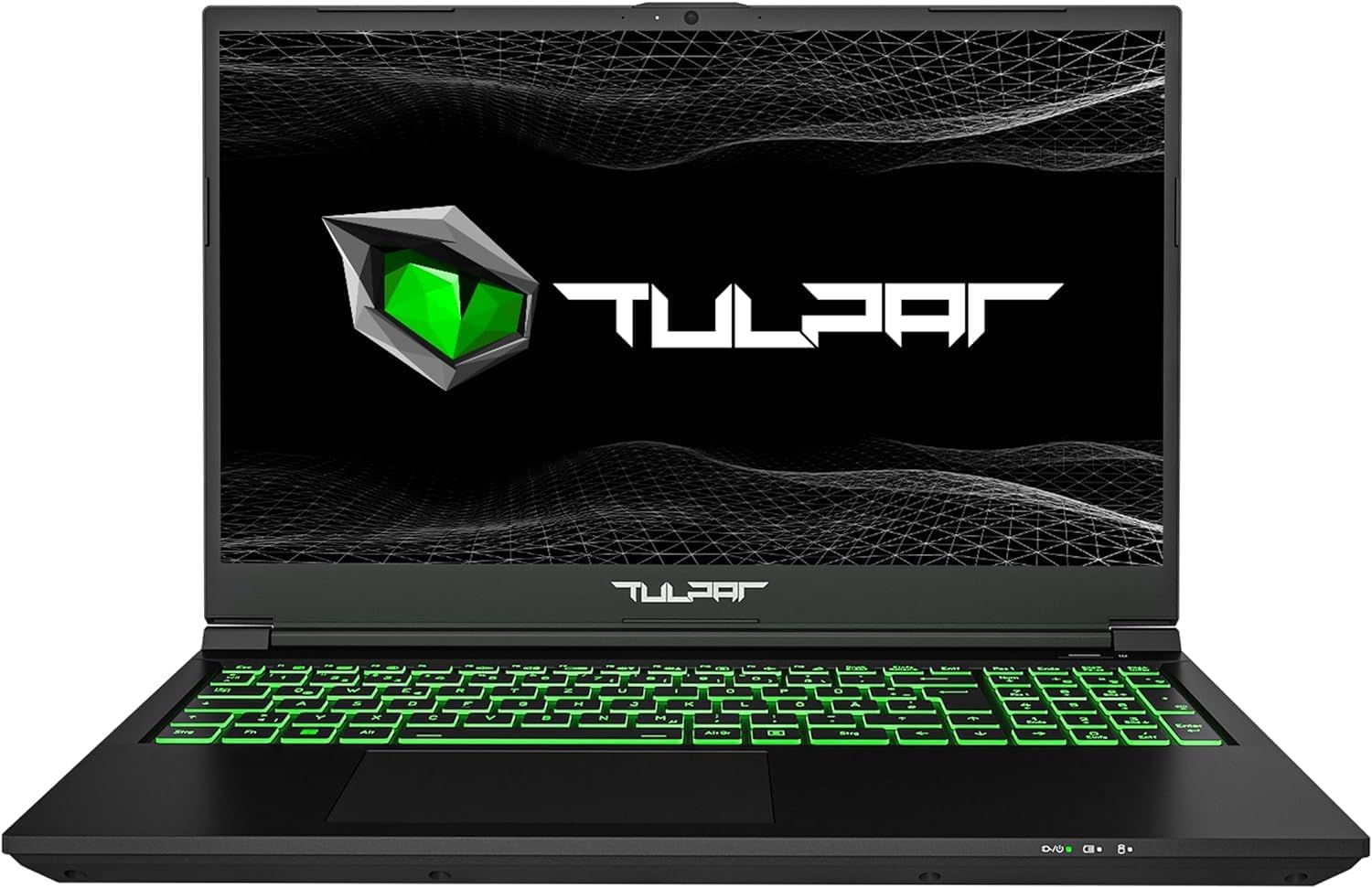
Сүрөт 1.1: Алдыңкы view of the TULPAR T5 V23.4 Gaming Laptop, showcasing its illuminated keyboard and display.
2. Баштапкы орнотуу
2.1 Кутудан чыгаруу жана биринчи күйгүзүү
- Ноутбукту жана бардык аксессуарларды таңгактан этияттык менен алып салыңыз.
- Кубат адаптерин ноутбуктун кубат киргизүү портуна, андан кийин розеткага туташтырыңыз.
- Ноутбуктун капкагын ачып, адатта клавиатуранын үстүндө же капталында жайгашкан кубат баскычын басыңыз.
2.2 Windows 11 орнотуу
Upon first boot, you will be guided through the Windows 11 Home setup process. Follow the on-screen instructions to:
- Аймагыңызды жана клавиатураңыздын жайгашуусун тандаңыз.
- Wi-Fi тармагына туташыңыз.
- Microsoft аккаунтуңуз менен кириңиз же жаңысын түзүңүз.
- Set up privacy settings and create a user PIN.
2.3 Драйверди орнотуу жана жаңыртуу
Your TULPAR T5 V23.4 comes with pre-installed drivers. However, it is recommended to check for and install the latest drivers and system updates for optimal performance and security. This can typically be done via the manufacturer's support website or through the pre-installed Tulpar Control Center application.
3. Операция
3.1 Негизги өзгөчөлүктөр бүттүview
- Процессор: Intel Core i7-12700H (12th Gen) for high-speed processing.
- Графика: NVIDIA GeForce RTX 4060 8GB GDDR6 for advanced gaming and creative tasks.
- Дисплей: 15.6-inch Full HD (1920x1080) IPS LED display with a 144Hz refresh rate for smooth visuals.
- Эстутум: 16GB RAM, expandable up to 64GB.
- Сактагыч: 1TB NVMe Gen4 SSD for rapid boot times and data access.
- Операция системасы: Windows 11 Home.

Image 3.1: The Intel Core i7-12700H 12th Generation processor, designed for high performance and efficiency.

Image 3.2: The NVIDIA RTX 4060 8GB graphics card, providing advanced visual processing for gaming.

Image 3.3: The 15.6-inch 144Hz Full HD IPS display offers smooth motion and vibrant colors.

Image 3.4: NVMe Gen4 SSD technology ensures fast loading and data transfer speeds.
3.2 Баскычтоп жана сенсордук такта
The laptop features a backlit QWERTZ keyboard with customizable RGB single-zone lighting. Use the Tulpar Control Center application to personalize the lighting effects and assign colors to specific games or applications.

Image 3.5: The RGB keyboard with customizable single-zone backlighting.
3.3 Аудио системасы
Enhance your audio experience with Sound Blaster Studio. This software allows you to individually customize settings for both headphones and speakers, creating a more immersive sound environment.

Image 3.6: Sound Blaster Studio interface for audio customization.
3.4 Байланыш жана порттор
The TULPAR T5 V23.4 offers a range of connectivity options:
- Зымсыз: Wi-Fi 6 (AX201) for fast and stable internet connections.
- текст: RJ45 Ethernet port for reliable wired network access.
- Порттор:

Image 3.7: Port layout of the TULPAR T5 V23.4 Gaming Laptop.
- USB 3.2 Gen2 Type-C (Data Only)
- HDMI 1.4
- Mini DP 1.4
- Power Connector
- Kensington Lock Slot
- USB 3.2 Gen1
- USB 2.0
- Микрофон Джек
- Наушник уясы
- Micro-SD картаны окугуч
- USB 3.2 Gen2 түрү-C
- RJ45 Ethernet порту

Image 3.8: The laptop supports Wi-Fi 6 for enhanced wireless performance.
3.5 Tulpar Control Center
The Tulpar Control Center software allows you to manage various aspects of your laptop's performance, including:
- Switching between performance modes (e.g., Silent, Performance, Power-saving).
- Customizing keyboard RGB lighting.
- Monitoring system status.
4. Техникалык тейлөө
4.1 Тазалоо
- Экран: Электроника үчүн атайын жасалган жумшак, түксүз кездемени колдонуңуз. Дampаны суу же экран тазалагыч эритме менен бир аз эритиңиз. Күчтүү химиялык заттардан алыс болуңуз.
- Баскычтоп жана шасси: Use a soft brush or compressed air to remove dust and debris. Wipe surfaces with a slightly damp, жумшак кездеме.
- Муздатуу желдеткичтери: Оптималдуу аба агымын кармап туруу үчүн муздатуу тешиктерин чаңдан тазалоо үчүн мезгил-мезгили менен кысылган абаны колдонуңуз.
4.2 Программалык камсыздоо жаңыртуулары
Regularly update your operating system (Windows 11) and device drivers to ensure security, stability, and optimal performance. You can check for updates through Windows Update and the Tulpar Control Center or the official TULPAR support webсайт.
4.3 Сактагыч жана RAM жаңыртуу
The TULPAR T5 V23.4 is designed with upgradeability in mind. It typically includes an additional M.2 slot for expanding storage and allows for RAM upgrades up to 64GB. For detailed instructions on how to perform these upgrades, please refer to the official TULPAR service documentation or consult a qualified technician.
5. Кыйынчылыктарды
5.1 Жалпы маселелер жана чечимдер
- Ноутбук күйбөй жатат: Ensure the power adapter is securely connected to both the laptop and a working power outlet. Check if the power button is functioning correctly.
- Fan noise is loud during gaming: This is normal behavior for high-performance gaming laptops. The cooling system increases fan speed to dissipate heat during intensive tasks. Ensure cooling vents are not obstructed.
- Short battery life during gaming: Gaming is a power-intensive activity. It is normal for battery life to be significantly shorter when gaming compared to general use. For extended gaming sessions, keep the laptop connected to the power adapter.
- Performance issues (lag, stuttering):
- Ensure all drivers (especially graphics drivers) are up to date.
- Check power settings in Windows and the Tulpar Control Center to ensure the laptop is in a performance mode.
- Керексиз фон колдонмолорун жабуу.
- Monitor system temperatures to prevent thermal throttling.
- Wi-Fi туташуу көйгөйлөрү:
- Роутериңизди жана модемиңизди өчүрүп күйгүзүңүз.
- Ensure Wi-Fi drivers are updated.
- Check network settings in Windows.
6. Техникалык шарттар
| Өзгөчөлүк | Спецификация |
|---|---|
| Бренд | ТУЛПАР |
| Модель номери | T5 V23.4 |
| Сериялар | T5 V23.2 Series |
| Түс | Кара |
| Операция системасы | Windows 11 Home |
| Процессор бренди | Intel |
| Процессордун түрү | Core i7-12700H (12th Gen) |
| Процессордун ылдамдыгы | 2.3 GHz (Base), up to 4.7 GHz (Boost) |
| Өзөктөрдүн саны | 10 (6 Performance, 8 Efficiency) |
| Орнотулган RAM | 16 ГБ |
| Maximum Memory | 64 ГБ |
| Сактагыч түрү | 1 TB NVMe Gen4 SSD |
| Дисплей өлчөмү | 15.6 дюйм |
| Display Resolution | 1920 x 1080 пиксел (Full HD) |
| Дисплей технологиясы | IPS LED, 144Hz Refresh Rate |
| Графикалык карта | NVIDIA GeForce RTX 4060 (8 ГБ GDDR6) |
| Зымсыз технология | Wi-Fi 6 (802.11a/b/g/n/ax) |
| Bluetooth | Not specified as compatible |
| USB порттору | 2x USB 3.2 Gen2 Type-C, 1x USB 3.2 Gen1, 1x USB 2.0 |
| Video Output | HDMI 1.4, Mini DP 1.4 |
| Ethernet | RJ45 Ethernet порту |
| Аудио уячалары | Microphone, Headphone |
| Card Reader | Микро-SD |
| Өлчөмдөрү (L x W x Y) | 35 x 2 x 23 см |
| Баскычтоп | Backlit QWERTZ |
| Дата биринчи жеткиликтүү | 26-апрель, 2024-жыл |
7. Кепилдик жана колдоо
7.1 Кепилдик маалыматы
Your TULPAR T5 V23.4 Gaming Laptop is covered by a manufacturer's warranty. Please refer to the warranty card included with your product or visit the official TULPAR website for detailed terms and conditions. Some manufacturers may offer additional services, such as annual free cleaning and maintenance; verify such offers directly with TULPAR.

Image 7.1: TULPAR's service promise, which may include free lifetime maintenance. Please check official documentation for details.
7.2 Техникалык колдоо
For technical assistance, driver downloads, or service inquiries, please contact TULPAR customer support through their official website. Have your product model number (T5 V23.4) and serial number ready when contacting support.