
BoxWave AllReader SD Card Reader
BoxWave AllReader SD Card Reader
Model: AllReader SD Card Reader
Brand: BoxWave
Introduction
The BoxWave AllReader SD Card Reader is a compact and versatile device designed to facilitate easy and quick transfer of data between various digital devices and memory cards. It supports both standard SD cards and microSD cards, providing multiple interface options for broad compatibility.
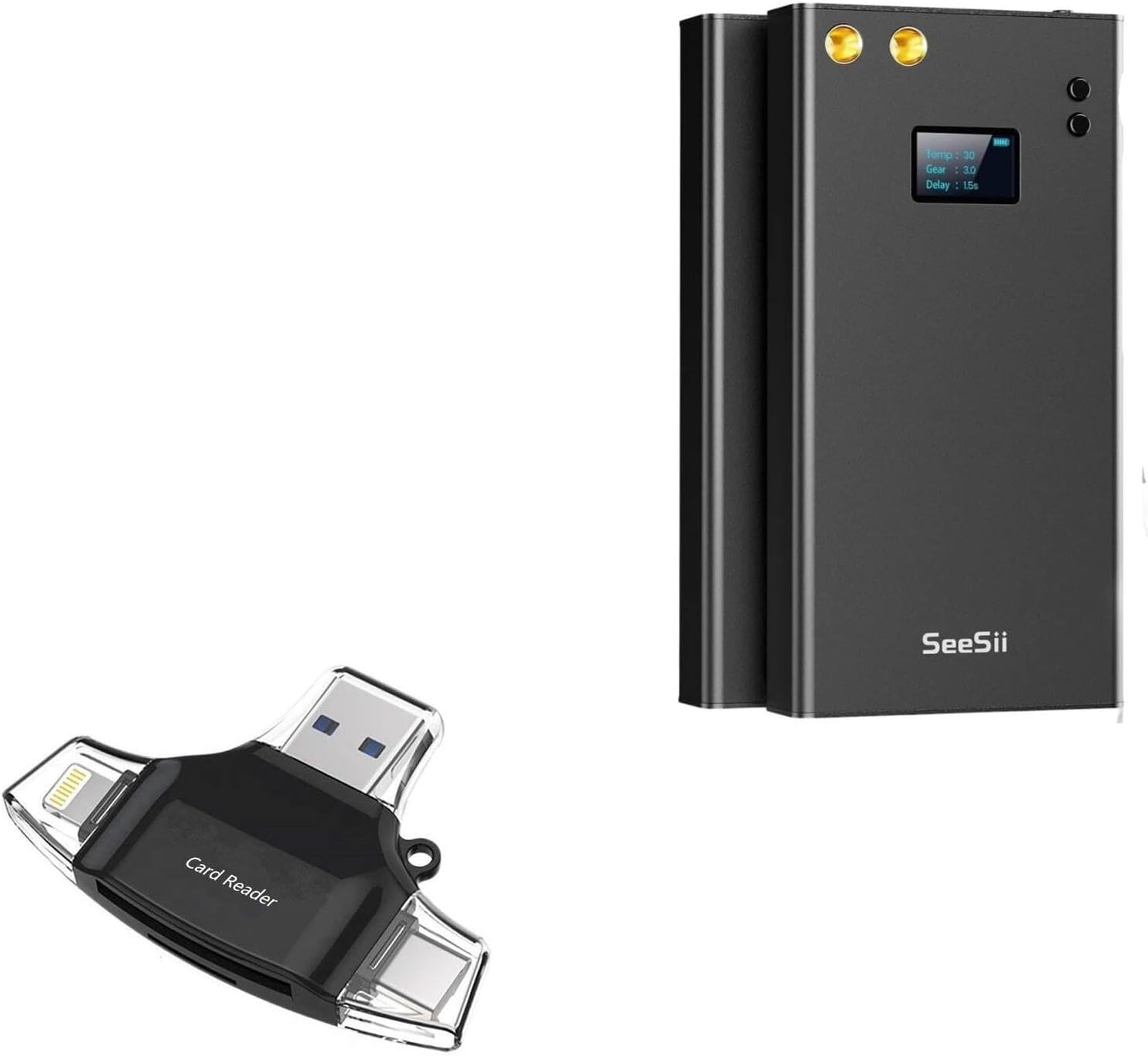
Image: The BoxWave AllReader SD Card Reader shown alongside a generic black electronic device, highlighting its compact size and design. Please note, the electronic device is not included with the card reader.
Продукт өзгөчөлүктөрү
- Four Interfaces: Equipped with USB-C, USB-A, Micro-USB, and Apple connectors for maximum compatibility with a wide range of devices.
- Оңой File өткөрүүсү: Simplifies the process of moving photos, videos, music, and other files between memory cards and your smartphone, tablet, laptop, or desktop PC.
- Plug and Play функциясы: No drivers or complex software installation required. Simply plug in and access your data.
- Компакт дизайн: Small and lightweight, making it highly portable and easy to carry in a bag, purse, or pocket.
- Universal Card Support: Compatible with both standard SD cards and microSD cards.

Image: A visual representation highlighting the four distinct interfaces of the AllReader SD Card Reader: USB-A, USB-C, Apple, and a flip-out Micro-USB connector, demonstrating its broad device compatibility.
Жайгашуу
- Эстутум картасын салыңыз: Gently insert your SD or microSD card into the appropriate slot on the AllReader SD Card Reader until it clicks into place. Ensure the card is inserted in the correct orientation.
- Түзмөккө туташуу: Select the appropriate connector (USB-C, USB-A, Micro-USB, or Apple) for your host device (smartphone, tablet, laptop, or desktop PC). Plug the AllReader into your device's port.
- Түзмөктү таануу: Your device should automatically detect the AllReader and the inserted memory card. A notification or prompt may appear, indicating that external storage is connected.

Сүрөт: деталдуу view of the BoxWave AllReader SD Card Reader, showing its compact form factor and the various card slots and connectors.
Иштөө нускамалары
Once the AllReader is connected and recognized by your device, you can begin transferring files.
- Мүмкүнчүлүк Files:
- On computers (Windows/macOS): The card reader will appear as a removable drive. Open "This PC" or "Finder" and navigate to the drive.
- On mobile devices (Android/iOS): Use a file manager app (e.g., "Files" on iOS, "My Files" on Android) to browse the contents of the connected external storage.
- Transfer Files:
- Copying from Card to Device: тандаңыз files you wish to transfer from the memory card, then copy them to a desired folder on your device.
- Copying from Device to Card: тандаңыз files from your device's storage, then copy them to a desired folder on the memory card.
- Коопсуз чыгаруу: Before disconnecting the AllReader, always safely eject the device from your operating system to prevent data corruption.
- On Windows: Right-click the drive icon in "This PC" and select "Eject".
- On macOS: Drag the drive icon to the Trash or click the Eject button next to the drive in Finder.
- On mobile devices: Look for an "Eject" or "Unmount" option within the file manager app or system settings.

Image: The AllReader SD Card Reader demonstrated in use with a smartphone, tablet, laptop, and desktop PC, illustrating its capability for easy file transfer across multiple device types.
Техникалык тейлөө
- Тазалоо: Карта окугучтун сыртын тазалоо үчүн жумшак, кургак, мамыксыз чүпүрөктү колдонуңуз. Суюк тазалоочу каражаттарды же аэрозольдорду колдонбоңуз.
- Сактагыч: Store the AllReader in a cool, dry place away from direct sunlight and extreme temperatures.
- Этияттык менен мамиле кылуу: Avoid dropping the device or subjecting it to strong impacts. Do not force memory cards or connectors into slots.
- Коннекторлорду коргоо: When not in use, ensure the connectors are protected from dust and debris.
Проблемаларды чечүү
| Көйгөй | Мүмкүн себеп | Чечим |
|---|---|---|
| Түзмөк таанылган жок. | Incorrect connection, faulty port, or card not inserted properly. | Ensure the AllReader is fully plugged into the correct port. Try a different USB port or device. Re-insert the memory card firmly. |
| Кирүү мүмкүн эмес files on card. | Corrupted card, incompatible file system, or card not fully inserted. | Check if the card works in another device. Ensure the card's file system (e.g., FAT32, exFAT, NTFS) is supported by your host device. Re-insert the card. |
| Жай которуу ылдамдыгы. | USB port limitations, card speed class, or large file өлчөмдөрү. | Ensure you are using a USB 3.0 (or higher) port if available. Use a higher speed class memory card. Transfer fewer large fileбир эле учурда. |
| Card reader gets warm. | Normal operation during data transfer. | This is typically normal during active use. If it becomes excessively hot or emits smoke/smell, discontinue use immediately. |
Техникалык шарттар
- Продукт аты: BoxWave AllReader SD Card Reader
- Модел: AllReader
- Интерфейстер: USB-C, USB-A, Micro-USB, Apple (Lightning)
- Карта шайкештиги: SD, microSD (TF)
- Операциялык системанын шайкештиги: Windows, macOS, Android, iOS (device dependent)
- Өлчөмдөрү: Compact design (specific dimensions not provided, but described as fitting in palm of hand)
- Салмагы: Approximately 6 ounces (product weight, likely including packaging)
Кепилдик жана колдоо
BoxWave products are designed for reliability and performance. For information regarding warranty coverage, technical support, or customer service, please refer to the official BoxWave webсайтка же түздөн-түз кардарларды колдоо менен байланышыңыз.
Webсайт: www.boxwave.com
Байланыш: караңыз website for contact methods (email, phone, support forms).
Ask a question about this manual
Ask about setup, troubleshooting, compatibility, parts, safety, or missing instructions. Manuals+ will review the question and use this page’s manual context to help answer it.