
1. Продукт бүтүп калдыview
The ZTE U50 is a portable 5G WiFi hotspot designed to provide high-speed internet connectivity for multiple devices. It features an unlocked SIM slot, supporting 5G and 4G+ networks, and utilizes AX1800 WiFi 6 technology. This device is suitable for home, business, and travel use, allowing up to 32 devices to connect simultaneously.

Image: ZTE U50 5G WiFi Hotspot shown from various perspectives, highlighting its compact design and ports.
2. Негизги өзгөчөлүктөрү
- High-Speed 5G Connectivity: Equipped with Qualcomm Snapdragon X55, supporting all 5G networks for fast internet access. LTE downlink speed reaches 5G+ EN-DC 2.63 Gbit/s.
- Кеңири түзмөк колдоосу: Connects up to 32 WiFi-enabled devices, including laptops, tablets, phones, and gaming consoles.
- Батареянын узак иштөө мөөнөтү: Features a 4500 mAh battery, providing approximately 8 hours of stable 5G network service with high speed and low latency.
- Enhanced Signal & Security: Integrated 4x4 MIMO high-gain antennas improve speed by 15% compared to standard 5G hotspots. A security firewall with PP2P/L2TP protection ensures network safety.
- Оңой орнотуу: No complex configuration required. Simply insert a 5G nano-SIM card. Manage the device using the ZTE Link app on iOS and Android.

Image: Visual summary of ZTE U50 features, including 5G speed, Qualcomm Snapdragon X55 processor, support for 32 devices, and secure network encryption.
3. Пакеттин мазмуну
Пакетте бардык буюмдар бар экенин текшериңиз:
- ZTE U50 5G WiFi Hotspot Device
- USB-C заряддоо кабели
- Ыкчам баштоо колдонмосу (бул колдонмо)
- Кепилдик картасы
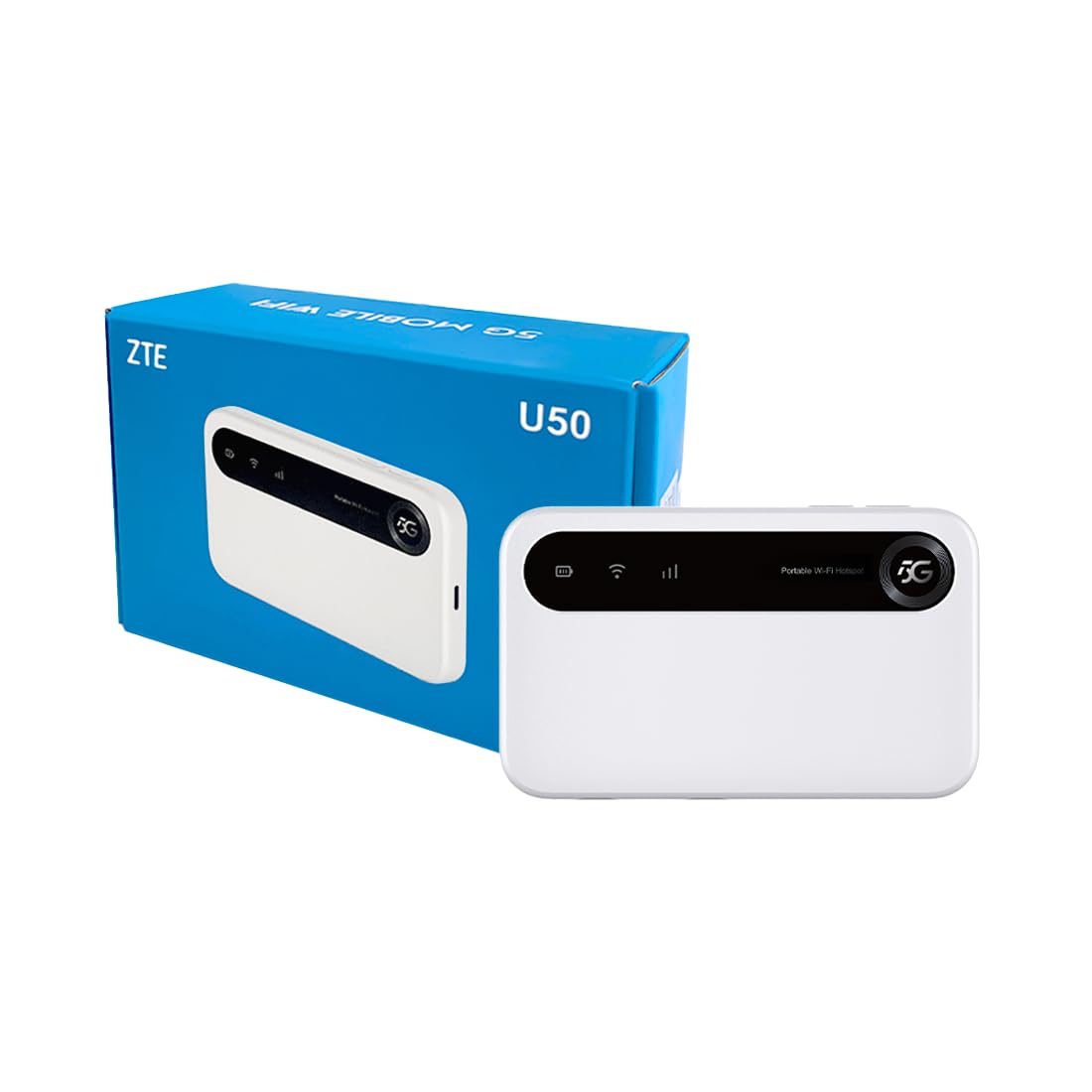
Image: The ZTE U50 device and its accompanying USB-C cable, representing the typical package contents.
4. Орнотуу колдонмосу
4.1. SIM картаны салуу
- Locate the SIM card slot on the device. Refer to the device diagram in the Product Overview бөлүм.
- Carefully open the SIM card slot cover.
- Insert a 5G nano-SIM card into the slot with the gold contacts facing down and the notched corner aligned correctly.
- SIM картанын уячасынын капкагын бекем жабыңыз.
4.2. Аппаратты күйгүзүү
Press and hold the Power button for a few seconds until the screen illuminates. The device will begin to search for a network connection.
4.3. Түзмөктөрдү Wi-Fi аркылуу туташтыруу
- Once the device is powered on and connected to a mobile network, the Wi-Fi network name (SSID) and password will be displayed on the device screen.
- Wi-Fi иштетилген түзмөгүңүздө (ноутбук, смартфон, планшет) жеткиликтүү Wi-Fi тармактарын издеңиз.
- Select the SSID corresponding to your ZTE U50 hotspot.
- Суралганда Wi-Fi сырсөзүн киргизиңиз.
- Your device should now be connected to the internet through the ZTE U50 hotspot.

Image: Illustration showing the ZTE U50 hotspot wirelessly connecting to various devices like laptops, phones, and gaming consoles.
5. Иштөө нускамалары
5.1. Device Management via ZTE Link App
The ZTE Link app (available on iOS and Android) allows you to manage your U50 hotspot settings, monitor data usage, change Wi-Fi passwords, and more. Download the app from your device's app store and follow the on-screen instructions to connect to your U50.
5.2. Checking Device Status
The device's screen displays important information such as signal strength, battery level, connected devices, and data usage. Periodically check the screen for updates on your hotspot's status.
5.3. Батареяны башкаруу
The ZTE U50 is equipped with a 4500 mAh battery. To maximize battery life:
- Charge the device using the provided USB-C cable and a compatible power adapter.
- Reduce the number of connected devices if extended battery life is needed.
- Колдонбогондо аппаратты өчүрүңүз.
6. Техникалык тейлөө
6.1. Программалык камсыздоону жаңыртуу
Regularly check for and install software updates for your ZTE U50. Updates can improve performance, enhance security, and add new features. You can typically check for updates via the ZTE Link app or the device's web башкаруу интерфейси.
6.2. Аспапты тазалоо
Use a soft, dry cloth to clean the exterior of the device. Avoid using liquid cleaners or abrasive materials, as these can damage the device.
6.3. Сактоо
When storing the device for extended periods, ensure it is fully charged and then powered off. Store it in a cool, dry place away from direct sunlight and extreme temperatures.
7. Кыйынчылыктарды
| Көйгөй | Мүмкүн себеп | Чечим |
|---|---|---|
| Интернет байланышы жок | No SIM card, incorrect SIM, no network signal, data plan expired. | Ensure SIM is correctly inserted and active. Check for network signal. Verify data plan status with your provider. Restart the device. |
| Жай интернет ылдамдыгы | Алсыз сигнал, өтө көп туташкан түзмөктөр, тармактын тыгыны. | Move to an area with better signal. Disconnect unnecessary devices. Contact your service provider if congestion is suspected. |
| Wi-Fi'га туташпай жатат | Incorrect Wi-Fi password, device out of range, Wi-Fi disabled. | Verify Wi-Fi password. Move closer to the hotspot. Ensure Wi-Fi is enabled on both the hotspot and your connecting device. |
| Түзмөк күйбөй жатат | Low battery, faulty power button. | Түзмөктү кеминде 30 мүнөт кубаттаңыз. Эгер ал дагы эле күйбөсө, колдоо кызматына кайрылыңыз. |
8. Техникалык шарттар
| Өзгөчөлүк | Деталь |
|---|---|
| Бренд | ZTE |
| Модель аты | U50 |
| Байланыш технологиясы | 5G, WiFi 6 |
| Зымсыз байланыш стандарты | 802.11ax |
| Жыштык тилкесинин классы | Dual-band (2.4 GHz) |
| Маалыматтарды өткөрүү ылдамдыгы | 150 Megabits per second (Upstream) |
| LAN портунун өткөрүү жөндөмдүүлүгү | 1000 Мбит/сек |
| Антенналардын саны | 4 (Internal) |
| Өзгөчөлүктөр | Кирүү чекитинин режими |
| Шайкеш түзмөктөр | Laptop, Smartphone, Game Console, Tablet |
| Сунушталган Колдонуулар | Gaming, Business, Home |
| Камтылган компоненттер | Маршрутизатор |
| Коопсуздук протоколу | WPA2-PSK |
| Башкаруу ыкмасы | App (iOS & Android) |
| Түс | Ак |
| Элемент Салмагы | 163.7 грамм |
| Батарея сыйымдуулугу | 4500 mAh (Built-in rechargeable) |
9. Кепилдик жана колдоо
9.1. Кепилдик маалыматы
The ZTE U50 5G WiFi Hotspot comes with a 2 жылдык өндүрүүчүнүн кепилдиги. Please retain your proof of purchase for warranty claims. The warranty covers defects in materials and workmanship under normal use. It does not cover damage caused by misuse, accidents, unauthorized modifications, or external causes.
9.2. Кардарларды колдоо кызматы
For technical assistance, troubleshooting, or warranty inquiries, please contact ZTE customer support through their official website or the contact information provided in your product packaging. You can also refer to the ZTE Link app for additional support resources.