
Продукт бүттүview
The Avantalk Lingo N21 is an open-ear Bluetooth headset designed for clear communication and all-day comfort. It features a noise-cancelling microphone, Bluetooth 5.3 connectivity, and comes with a convenient charging dock that also functions as a phone stand. This headset is ideal for professionals, remote workers, and anyone needing reliable audio for calls and online meetings while remaining aware of their surroundings.
Кутуда эмне бар
- Lingo N21 Headset
- Заряддоо док
- USB C Power Cable for Dock
- Contact Charging Cable for Headset
Орнотуу колдонмосу
1. Баштапкы заряддоо
Before first use, fully charge your Lingo N21 headset. Place the headset onto the charging dock or connect it directly using the contact charging cable. The indicator light on the headset will show charging status.
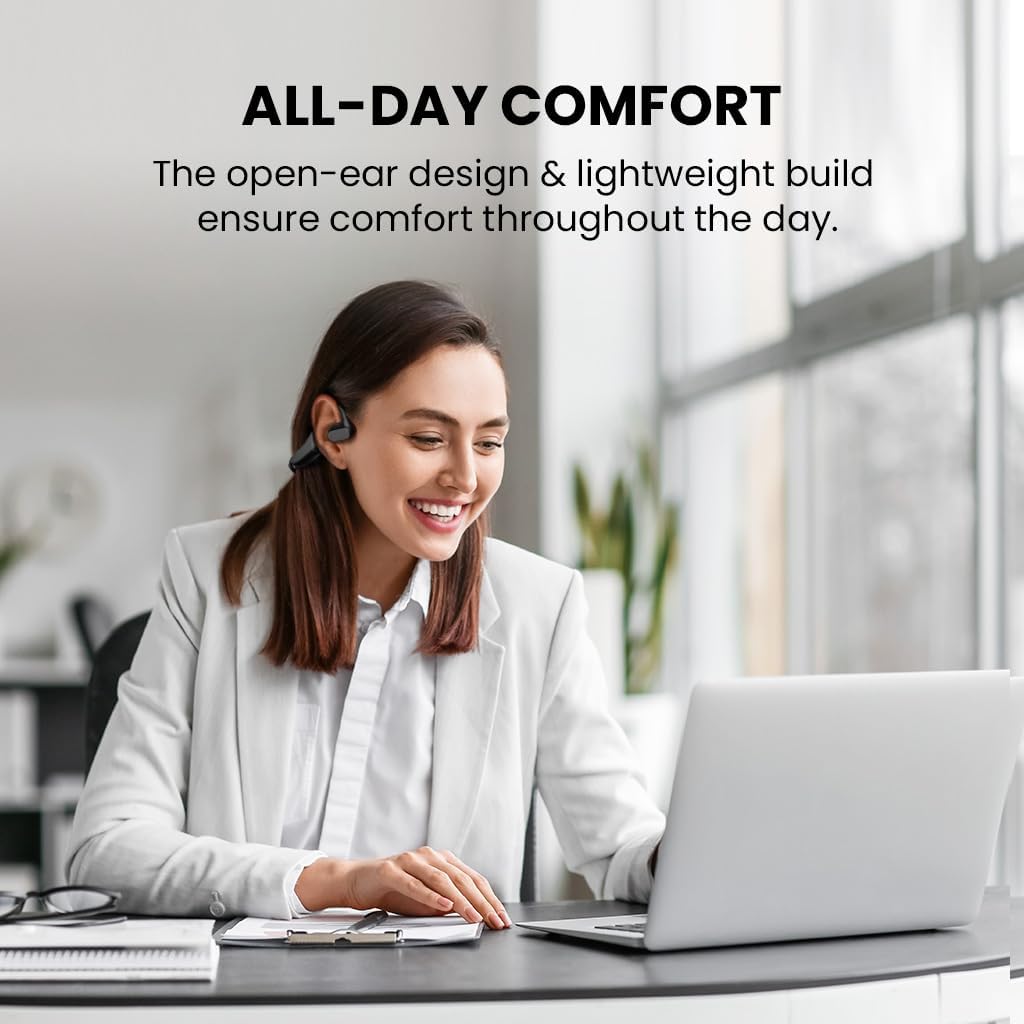
Image: The Avantalk Lingo N21 headset resting securely in its charging dock. The dock also features a slot for propping up a smartphone.

Image: The Lingo N21 headset charging dock, highlighting its dual function as a phone stand. A smartphone is shown propped up in the dock, displaying a video call.
2. Түзмөгүңүз менен жупташтыруу
- Гарнитура заряддалганын жана өчүрүлгөнүн текшериңиз.
- Press and hold the Multi-function button on the headset until the LED indicator flashes blue and red alternately. This indicates pairing mode.
- On your device (smartphone, laptop, PC, tablet), go to Bluetooth settings and enable Bluetooth.
- Издөө "Avantalk Lingo N21" in the list of available devices and select it to connect.
- Туташкандан кийин гарнитурадагы LED индикатору жай көк түстө күйөт.
Interactive Setup Guide Video
Video: An interactive setup guide for the Avantalk Lingo N21 headset. This video demonstrates the step-by-step process of setting up and connecting your headset to various devices, including scanning a QR code for an interactive portal.
Иштөө нускамалары
Гарнитураны тагынуу
The Lingo N21 features an open-ear hook design for comfortable, all-day wear. Position the ear hooks over your ears so the speakers rest gently outside your ear canal. Adjust the boom microphone for optimal voice pickup, ensuring it is close to your mouth.

Image: A woman wearing the Avantalk Lingo N21 headset, demonstrating its comfortable open-ear design during work at a laptop.

Image: A close-up of the Avantalk Lingo N21 headset, illustrating the 240-degree rotatable boom microphone for flexible positioning.
Башкаруу каражаттары жана көрсөткүчтөр
The headset features intuitive buttons for managing calls and media playback. Refer to the diagram below for button locations and functions.
- Көп функциялуу баскыч: Power On/Off, Play/Pause, Answer/End Call, Voice Assistant.
- Көлөмдү өйдө / ылдый баскычтары: Аудионун үнүн тууралоо.
- Үнсүз баскычы: Чалуу учурунда микрофондун үнүн өчүрүү/ачуу.
- LED көрсөткүчү: Кубат, жупташтыруу жана кубаттоо абалын көрсөтөт.

Сүрөт: деталдуу view of the Avantalk Lingo N21 headset, highlighting the easily accessible mute button on the microphone boom.
Чалууларды башкаруу
- Чалууга жооп берүү/аяктоо: Көп функциялуу баскычты бир жолу басыңыз.
- Чакырууну четке кагуу: Көп функциялуу баскычты 2 секунд басып туруңуз.
- Микрофондун үнүн басуу: Микрофондун штангасындагы атайын үнсүз баскычын басыңыз.
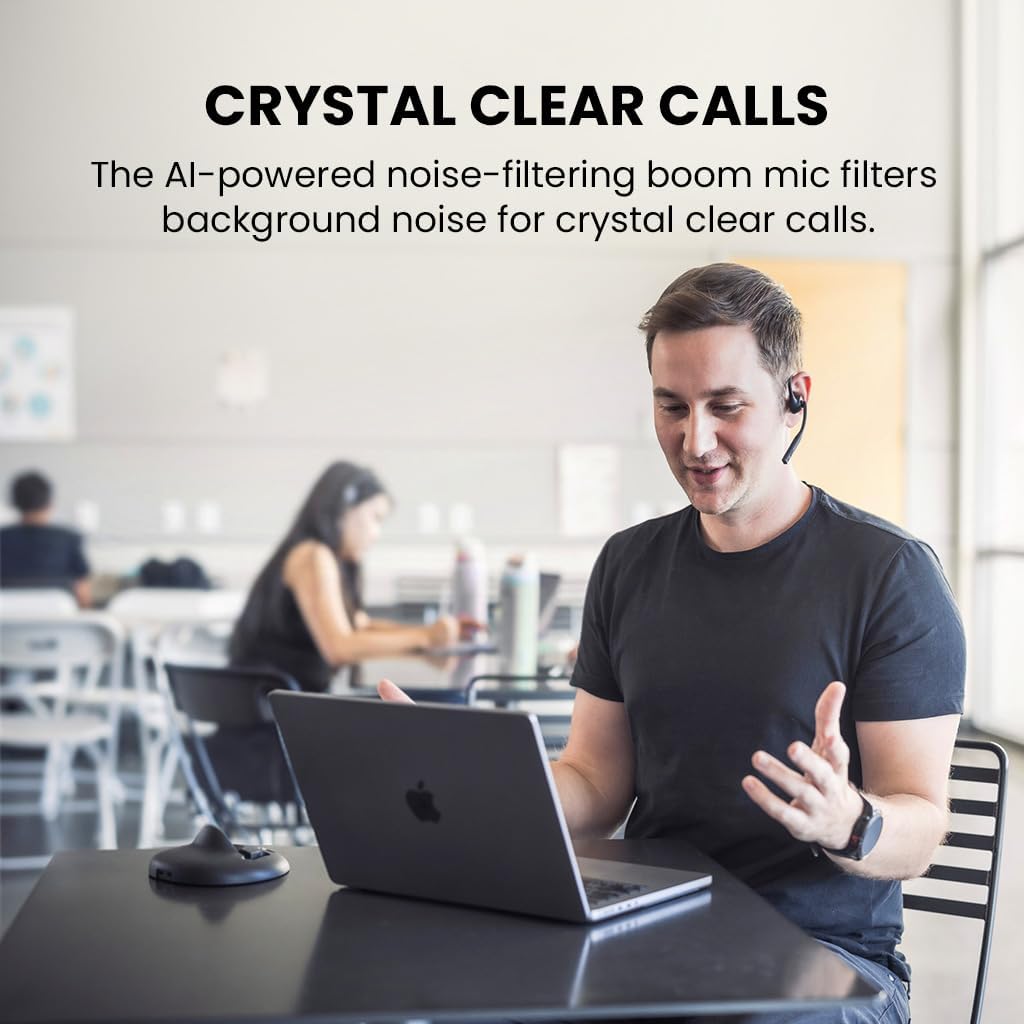
Image: A man engaged in a clear conversation using the Avantalk Lingo N21 headset with its boom mic, demonstrating its effectiveness for calls in an office setting.
Техникалык тейлөө
Тазалоо
Wipe the headset and charging dock with a soft, dry, lint-free cloth. Avoid using harsh chemicals, cleaning solvents, or strong detergents. Do not immerse the headset or dock in water.
Батареяга кам көрүү
- To prolong battery life, fully charge the headset before first use.
- Recharge the headset when the battery is low. A full charge takes approximately 2 hours.
- The headset provides up to 15 hours of average use per charge.
- Колдонбогондо гарнитураны салкын, кургак жерде сактаңыз.

Image: The Avantalk Lingo N21 headset on its charging dock, with an overlay indicating "15 hours per charge" for extended playtime.
Проблемаларды чечүү
Гарнитура күйбөй жатат
- Ensure the headset is fully charged. Connect it to the charging dock or cable and check the LED indicator.
- Press and hold the Multi-function button for a few seconds to power on.
Түзмөк менен жупташтыруу мүмкүн эмес
- Make sure the headset is in pairing mode (LED flashing blue and red alternately).
- Ensure Bluetooth is enabled on your device and it is within 10 meters of the headset.
- Forget/remove "Avantalk Lingo N21" from your device's Bluetooth list and try pairing again.
- Гарнитураны да, түзмөгүңүздү да өчүрүп күйгүзүңүз.
Аудио жок же аудио сапаты начар
- Гарнитурадагы жана туташкан түзмөгүңүздүн үнүнүн деңгээлин текшериңиз.
- Ensure the headset is selected as the audio output device in your device's sound settings.
- Тоскоолдуктарды же аралыкка байланыштуу көйгөйлөрдү болтурбоо үчүн түзмөгүңүзгө жакыныраак жылыңыз.
- If using for calls, ensure the microphone is not muted.
Техникалык мүнөздөмөлөр
| Модель аты | Lingo N21 |
| Модель номери | ATBH-NB21M |
| Бренд | Avantalk |
| Байланыш технологиясы | Bluetooth 5.3 |
| Bluetooth диапазону | 10 метр |
| Кулак жайгаштыруу | Ачык кулак |
| Микрофон | Noise-reducing boom mic |
| Батареянын иштөө мөөнөтү (орточо) | 15 саат |
| Батареяны заряддоо убактысы | 2 саат |
| Башкаруу ыкмасы | Баскыч, тийүү |
| Салмагы | 175 грамм |
| Материал | Акрилонитрил бутадиен стирол (ABS) |
| Шайкеш түзмөктөр | Cellphones, Laptops, PC, Computer, Desktops, Tablets |
Кепилдик жана колдоо
Кепилдик маалымат
The Avantalk Lingo N21 comes with a 24 айлык кепилдик. Product registration may cover the first 12 months of return shipment costs. Please refer to the official Avantalk webтолук кепилдик шарттары үчүн сайт.
Кардарларды колдоо
For extensive support, including chat, email, phone, online clinic, video tutorials, and FAQs, please visit the Avantalk support portal:
You can also email support at support@avantalk.com.