
1. Продукт бүтүп калдыview
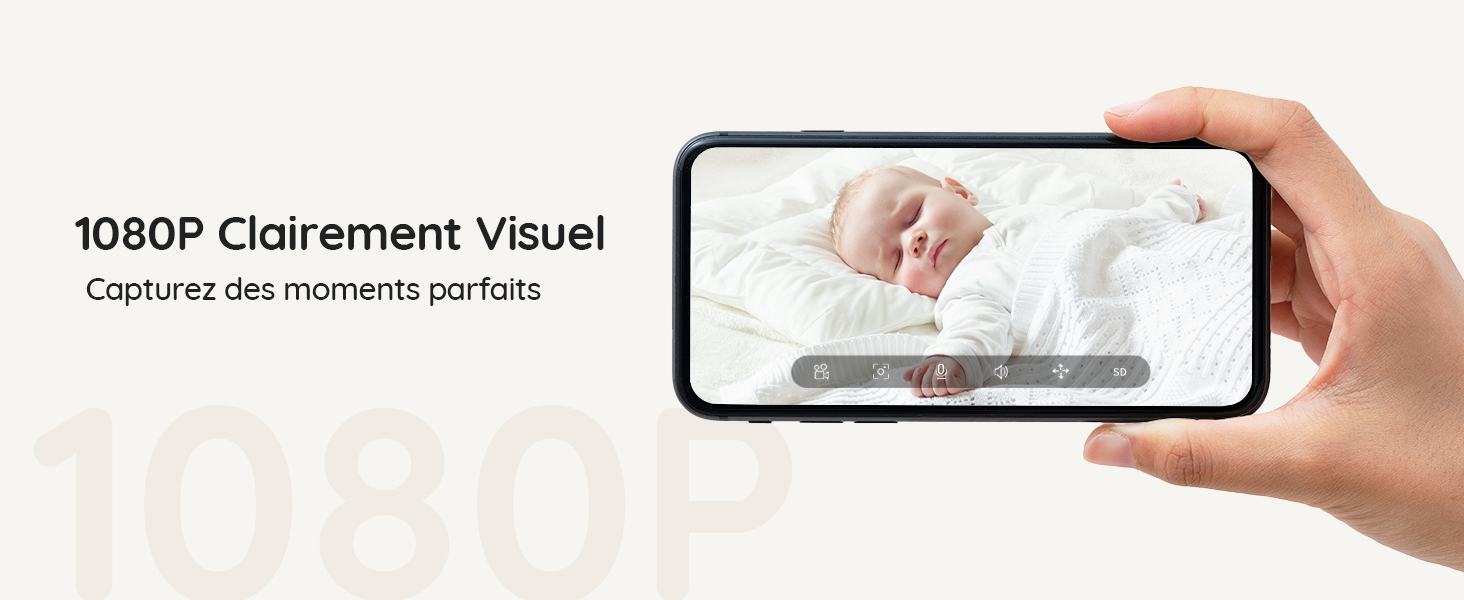
The BOIFUN Baby Monitor (Model Baby 7SM-2) provides comprehensive surveillance for your baby with its dual 1080P cameras and a 4.3-inch split screen monitor. It offers both mobile app and monitor control, ensuring you can keep an eye on your little one from anywhere. Key features include motion and sound detection, 4X digital zoom, invisible infrared night vision, and a customizable zone alarm.
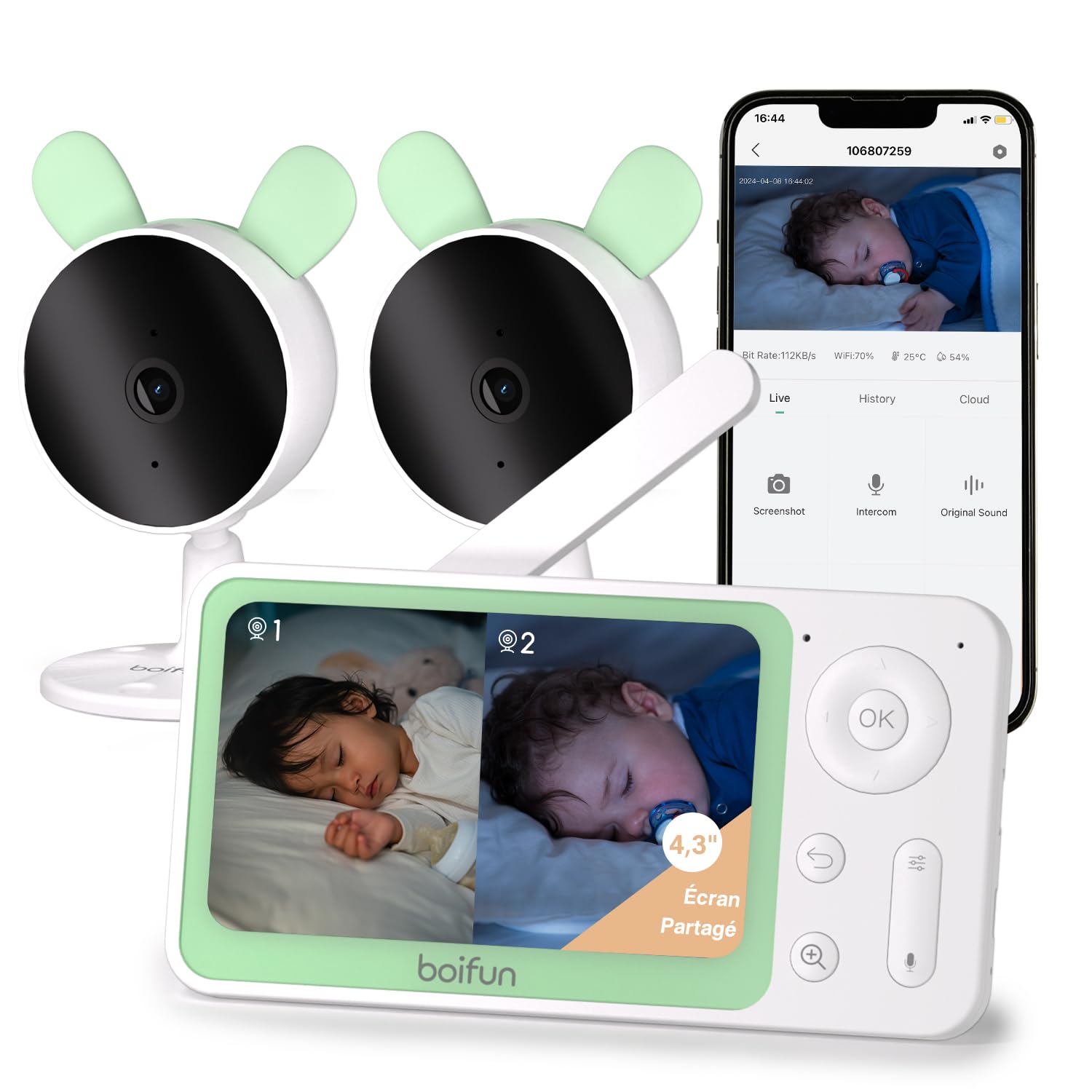
Сүрөт 1: The BOIFUN Baby Monitor system, including the parent unit and two baby cameras.
2. Пакеттин мазмуну
Сураныч, пакетте төмөнкү нерселерди текшериңиз:
- 1 x Ата-эне бирдиги (Монитор)
- 2 x Ымыркайлар үчүн бөлүк (камералар)
- 3 x Кубат адаптерлери (монитор жана камералар үчүн)
- 1 x User Manual
3. Орнотуу нускамалары
3.1 Күйгүзүү
- Connect the power adapter to the parent unit and plug it into a power outlet.
- Connect the power adapters to each baby unit and plug them into power outlets.
- The devices will power on automatically.
3.2 Pairing Cameras with the Monitor
The cameras are usually pre-paired with the monitor. If re-pairing is needed or to add a new camera:
- Ата-эне блогунда баскычын басыңыз Меню баскычын басып, багытка өтүңүз Камера башкаруу бөлүмү.
- Select an empty camera slot or the camera you wish to re-pair.
- On the baby unit, press and hold the жупташтыруу баскычы (usually a small button on the back or bottom) until you hear a "BOOGU" beep.
- Ата-эне блогунда баскычын басыңыз OK button to initiate pairing. The monitor will display "Device is linked" upon successful pairing.
Video Description: This video demonstrates how to connect the BOIFUN baby monitor to the screen. It shows pressing the menu button, selecting the camera option, holding the pairing button on the camera until a beep is heard, and then pressing OK on the monitor to complete the pairing process. The video confirms successful linking of the device.
3.3 Connecting Cameras to the Mobile App (Wi-Fi 2.4 GHz)
To use the mobile app for monitoring, ensure your Wi-Fi network is 2.4 GHz. The camera does not support 5 GHz Wi-Fi.
- жүктөп алыңыз BoifunCam смартфонуңуздун колдонмолор дүкөнүнөн колдонмо.
- Register or log in to your BoifunCam account.
- In the app, select to add a new device (e.g., "Baby Monitor Wi-Fi").
- On the baby unit, press and hold the баштапкы абалга келтирүү баскычы (often located in a small hole, requiring a pin) for five seconds until you hear a "BOOGU" prompt. After 5-10 seconds, another beep will sound, and the red indicator light will flash.
- Follow the in-app instructions to connect to your 2.4 GHz Wi-Fi network and enter the password.
- The app will then prompt you to scan a QR code with your camera. Position your smartphone 5-8 inches from the camera lens. A tone will be heard upon successful scanning.
- The app will then connect the camera to your Wi-Fi network. Once connected, you can name the camera and assign it to a room.
Video Description: This video illustrates how to connect the BOIFUN baby monitor to a mobile phone. It shows pressing the reset button on the camera, then using the BoifunCam app to scan a QR code displayed on the phone with the camera. The video emphasizes that the camera only supports 2.4 GHz Wi-Fi and guides the user through the app's connection process.
4. Мониторду иштетүү
4.1 Бөлүнгөн экрандын иштеши
With two cameras, you can view both feeds simultaneously on the 4.3-inch split screen.
- In split screen mode, press the Zoom (+) button to select which camera feed to view in full screen. The selected camera icon will flash.
- басыңыз OK button to switch to full screen view тандалган камера үчүн.
- басыңыз Кайтуу button to go back to split screen mode.

Сүрөт 2: The 4.3-inch monitor displaying a split screen view from two separate cameras, showing babies in different rooms.
4.2 Mobile App and Monitor Control
You can control and monitor your baby using either the dedicated parent unit or the BoifunCam mobile application.
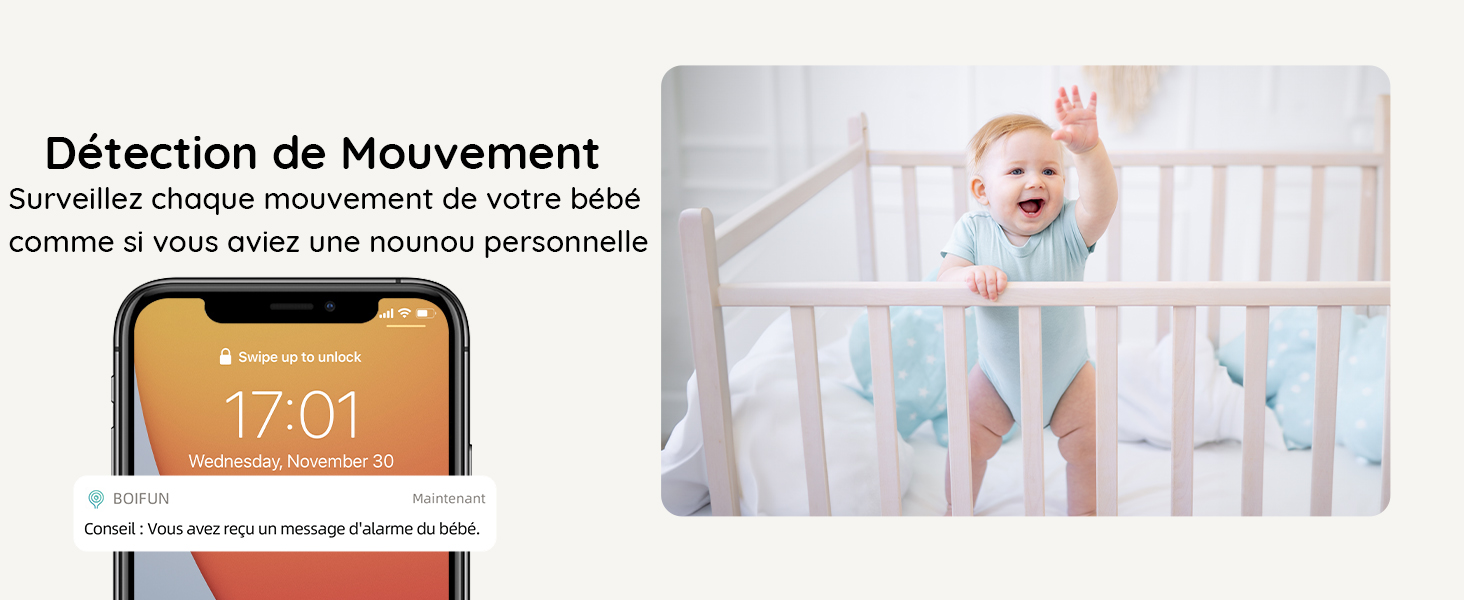
Сүрөт 3: The baby monitor can be controlled via both the dedicated parent unit and a smartphone application, offering flexibility for monitoring.
4.3 Кыймылды жана үндү аныктоо
The monitor is equipped with advanced detection features to alert you to your baby's activity.
- Кыймылды аныктоо: Receive immediate alerts on your phone when movement is detected in the camera's view.
- Үн аныктоо: Get notified when your baby makes sounds, indicating they might need attention.
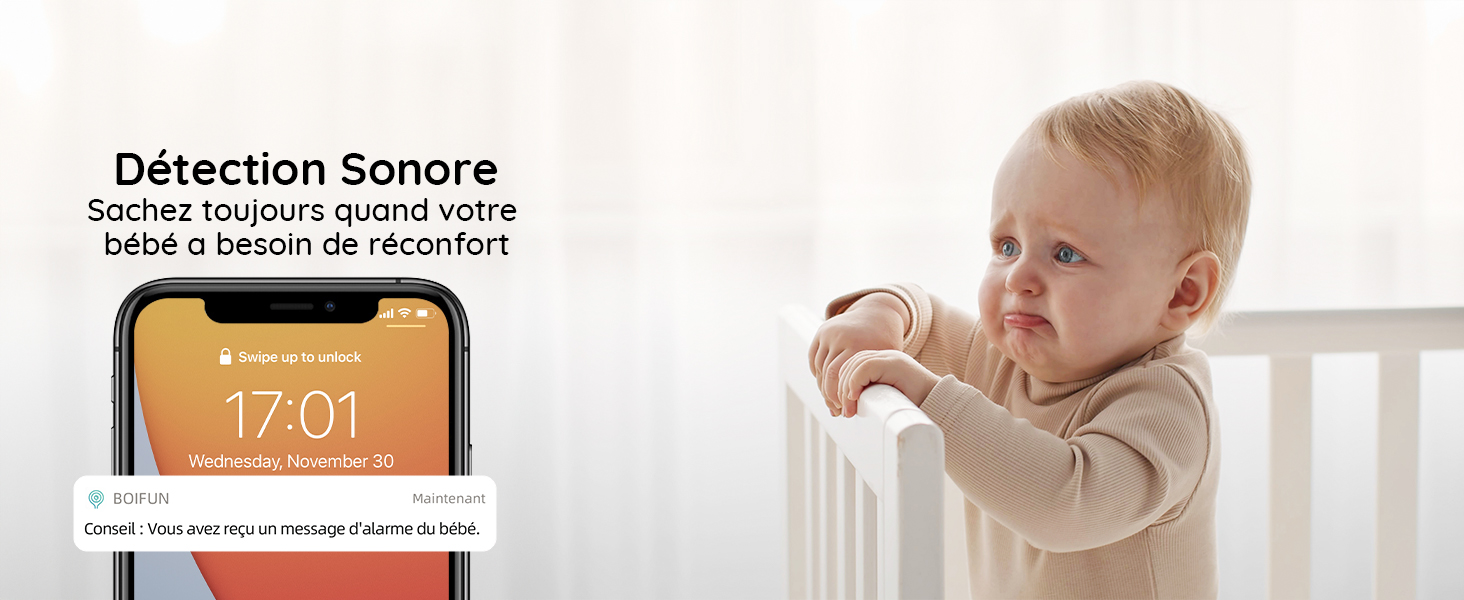
Сүрөт 4: A smartphone displaying a notification for detected movement, with a baby in a crib in the background.
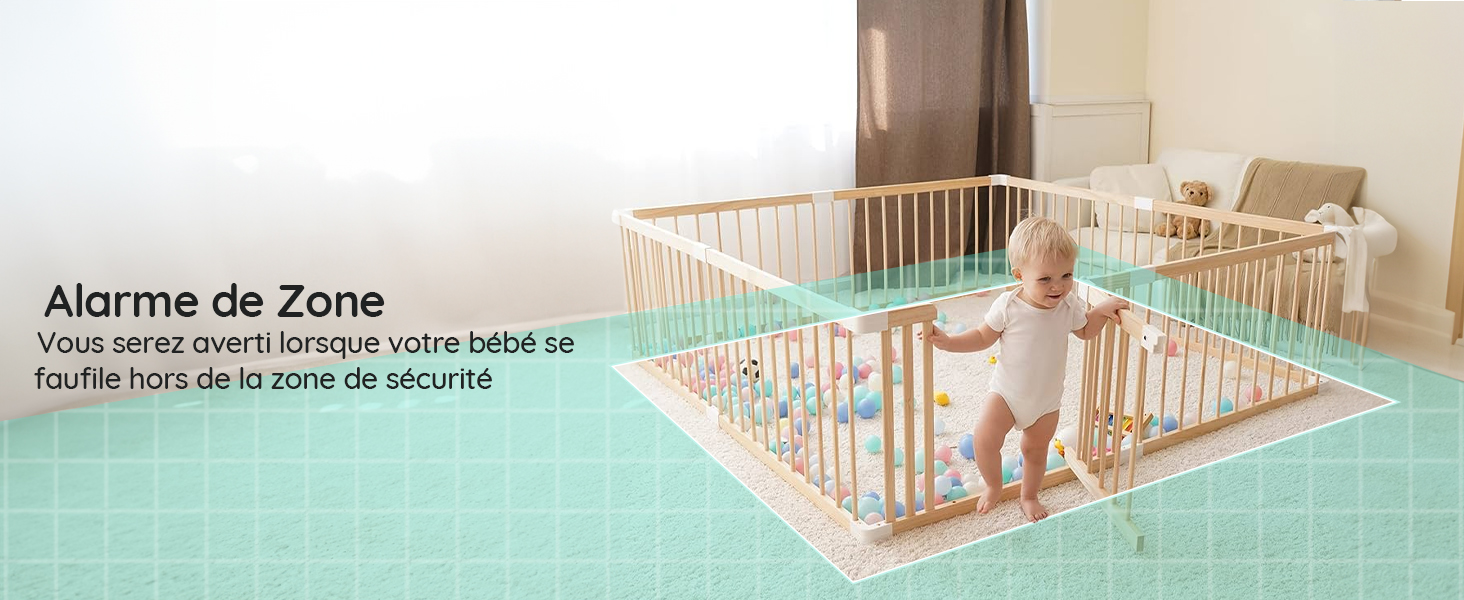
Сүрөт 5: A smartphone displaying a notification for detected sound, with a crying baby in the background.
4.4 Customizable Zone Alarm
Камералардын ичиндеги белгилүү бир аймактарды коюңуз view to trigger an alarm if your baby enters or exits them.
Сүрөт 6: A baby playing in a playpen, with a visual overlay indicating a configured zone alarm area.
4.5 4X Digital Zoom
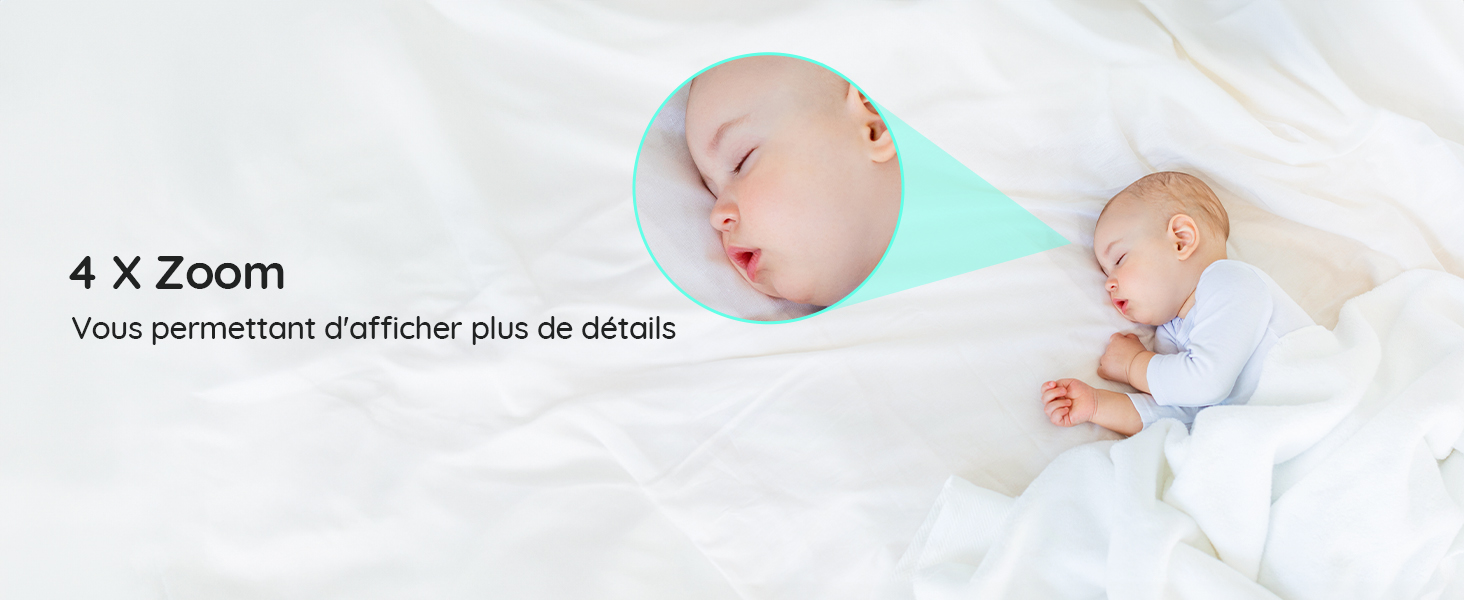
Zoom in on your baby to see more details without disturbing them.
Сүрөт 7: A sleeping baby, with a magnified inset showing the baby's face in detail, demonstrating the 4X zoom feature.
4.6 Invisible Infrared Night Vision
Monitor your baby clearly in low-light conditions without disturbing their sleep with visible red lights.
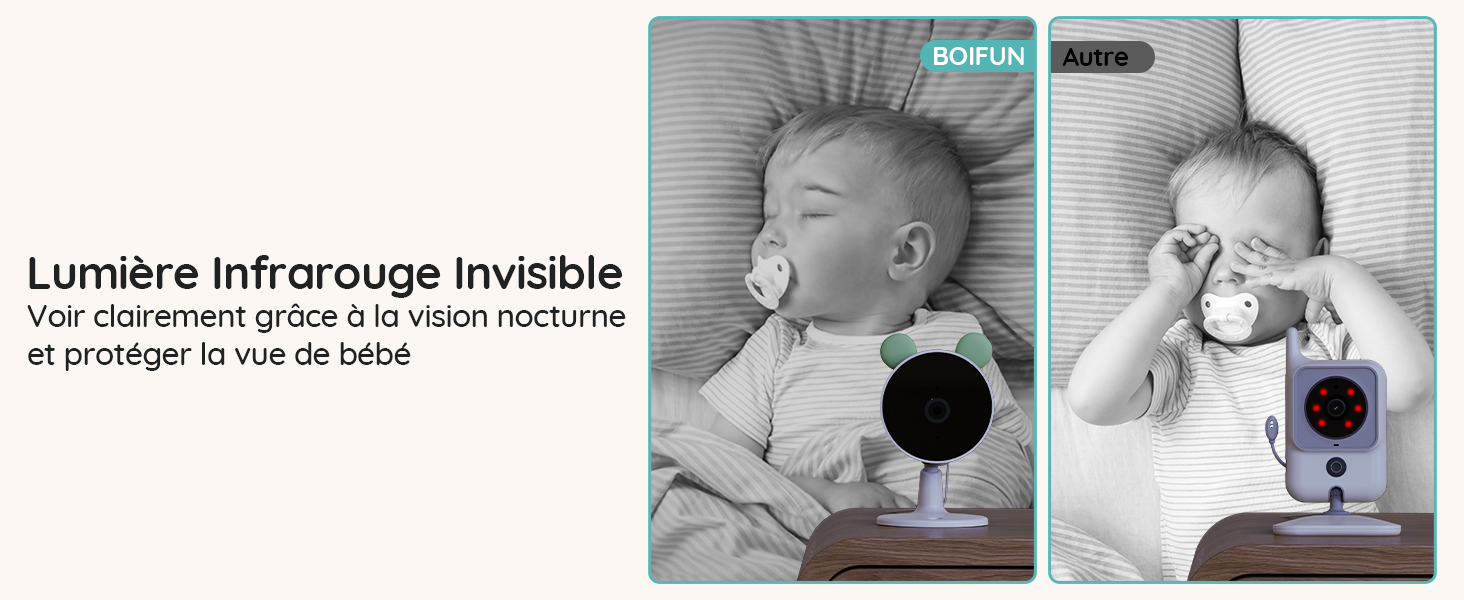
Сүрөт 8: A comparison showing the BOIFUN camera's invisible infrared night vision on the left, and a standard camera with visible red IR lights on the right, both monitoring a sleeping baby.
4.7 Статус жарыктары
The camera's status lights can be turned off to ensure a peaceful sleeping environment for your baby.
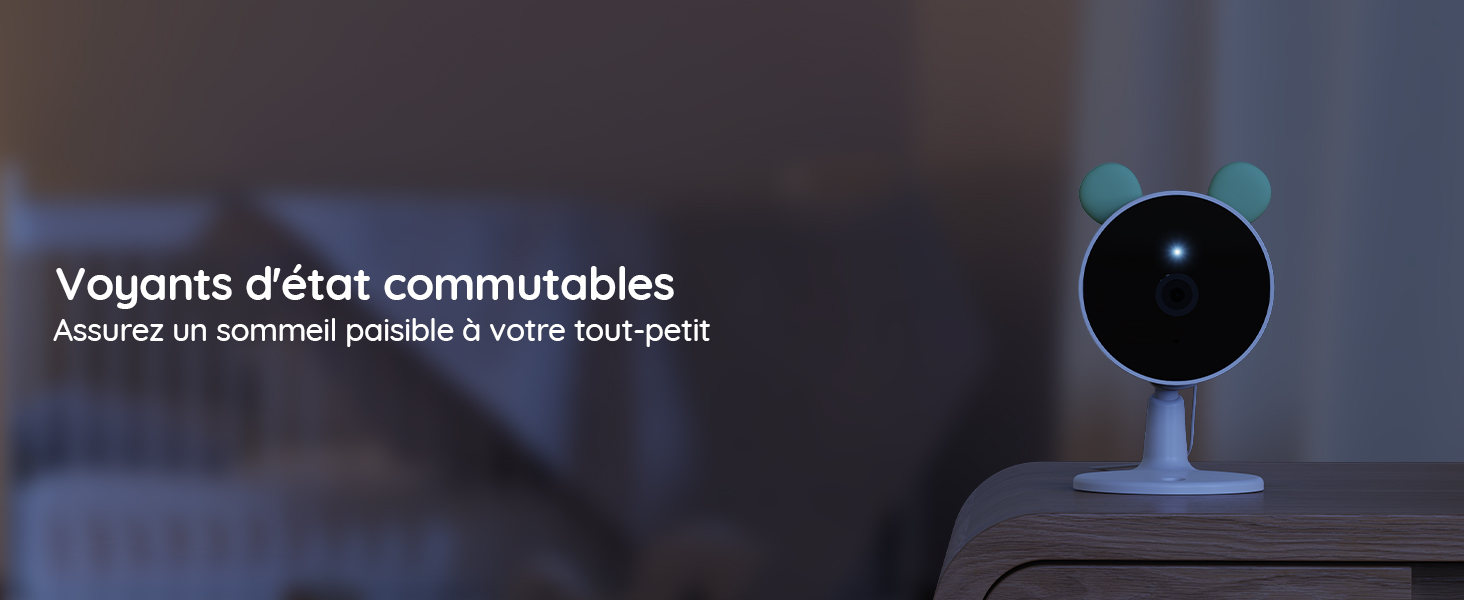
Сүрөт 9: A baby camera monitoring a sleeping baby in a dark room, with its status light turned off to avoid disturbance.
4.8 Бешик ырлары
Play soothing lullabies directly from the camera to help your baby fall asleep.
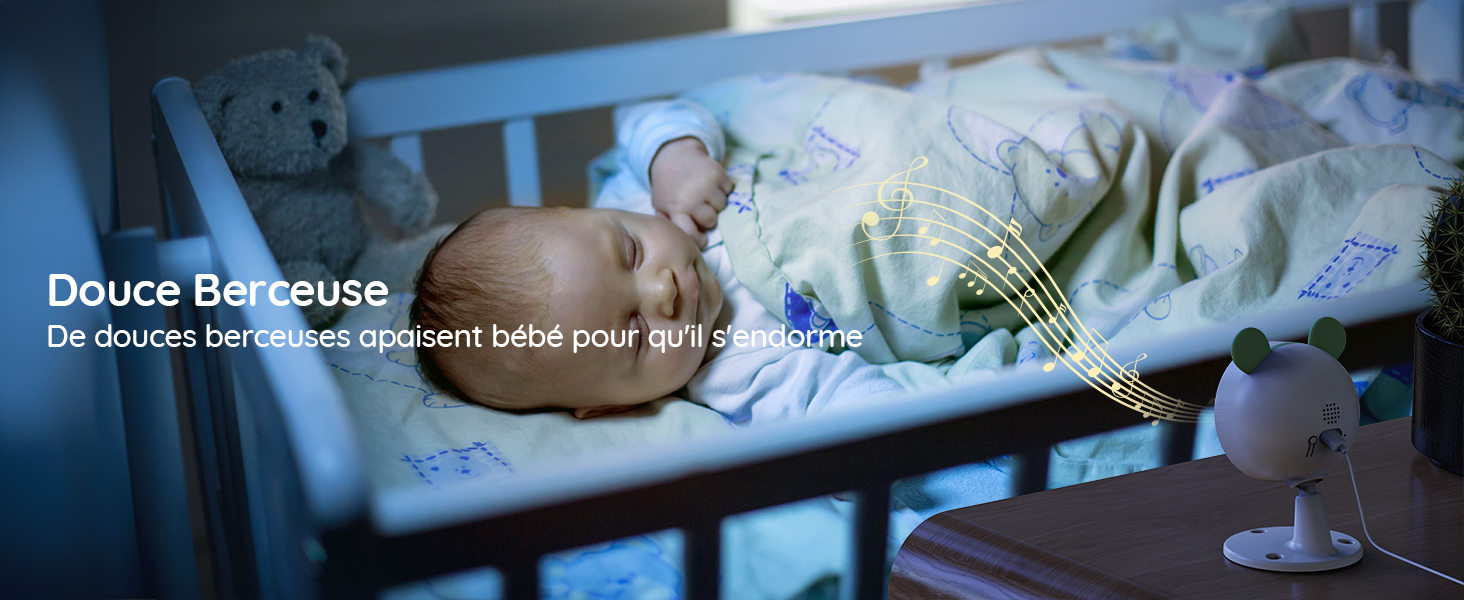
Сүрөт 10: A baby sleeping peacefully in a crib, with musical notes emanating from the baby camera, indicating the lullaby feature.
4.9 Эки тараптуу аудио
Communicate with your baby through the monitor or app using the two-way audio feature.

Сүрөт 11: A woman in a kitchen speaking into the baby monitor, with speech bubbles illustrating the two-way audio communication feature.
4.10 Тамактандыруу эскертүүлөрү
Set up feeding reminders to help maintain your baby's feeding schedule.
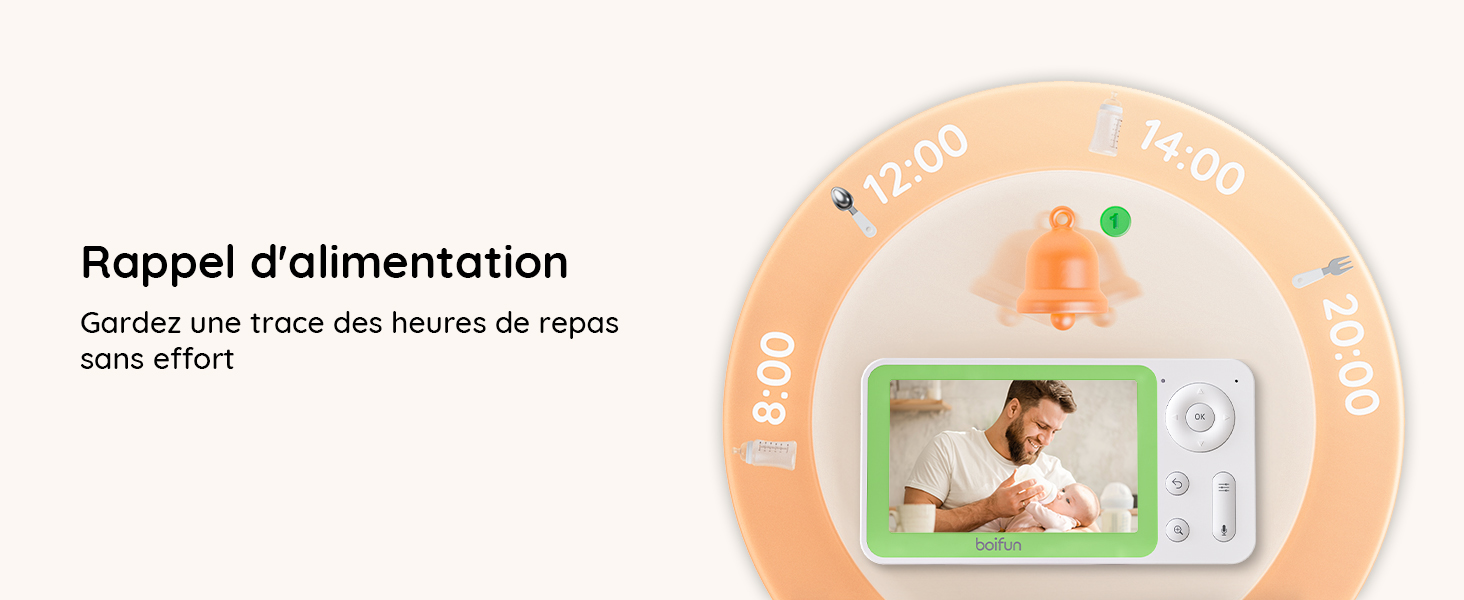
Сүрөт 12: The baby monitor screen showing a visual representation of a feeding reminder schedule, with times and icons.
4.11 Manual Angle Adjustment
The camera's angle can be manually adjusted to achieve the desired viewаймак.
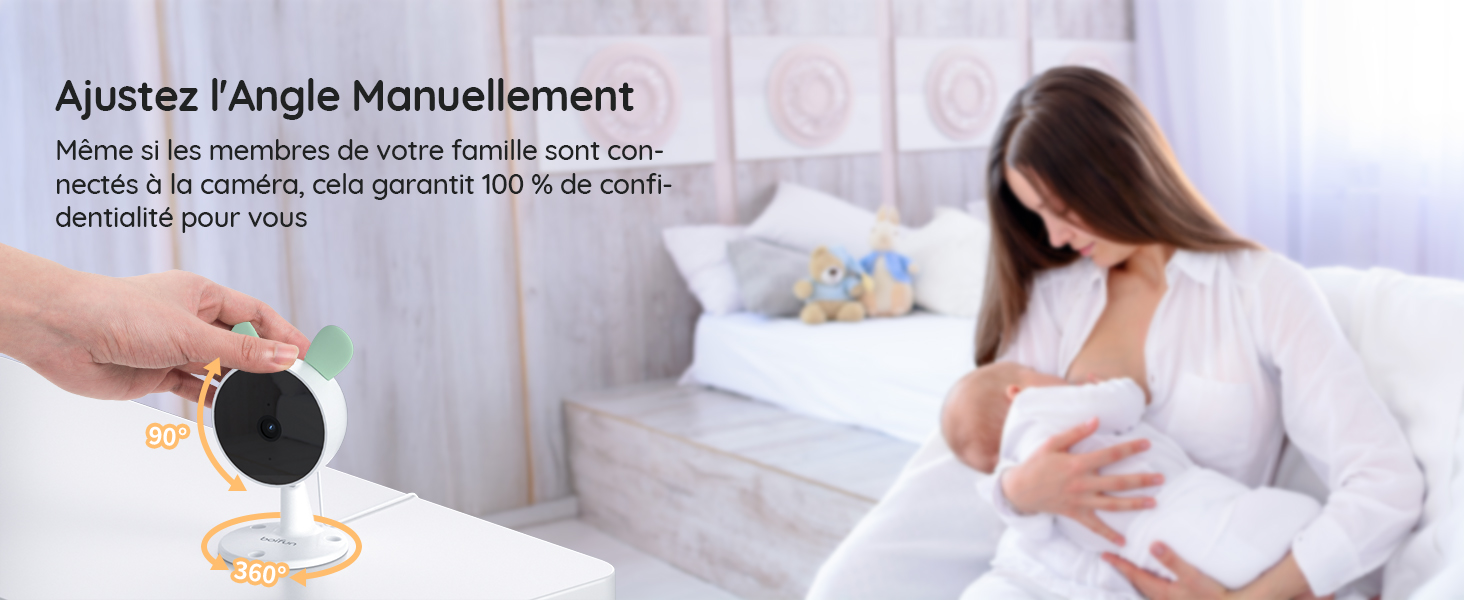
Сүрөт 13: A hand manually adjusting the camera lens, demonstrating the camera's flexible positioning.
5. Техникалык тейлөө
5.1 Тазалоо
To clean the monitor and cameras, use a soft, dry cloth. Do not use liquid cleaners or aerosols. Ensure devices are powered off before cleaning.
5.2 Батареянын иштөө мөөнөтү
The parent unit features a long-lasting battery, providing approximately 6 hours of active monitoring and up to 4 days in standby mode.

Сүрөт 14: The monitor displaying a full battery icon, indicating extended battery life for continuous monitoring.
6. Кыйынчылыктарды
6.1 Байланыш маселелери
- No signal on monitor: Ensure both cameras and the monitor are powered on and within range. Try re-pairing the cameras as described in Section 3.2.
- App connection failure: Verify your Wi-Fi network is 2.4 GHz. Ensure the camera is properly reset and follow the app pairing steps in Section 3.3 carefully. Check your Wi-Fi signal strength.
6.2 Сүрөттүн сапаты
- бүдөмүк сүрөт: Clean the camera lens with a soft cloth. Ensure there is adequate lighting (for day mode) or that night vision is active (for night mode).
- Түнкү көрүү иштебей жатат: Ensure the room is dark enough for night vision to activate automatically. Check for any obstructions blocking the infrared sensors.
6.3 Аудио маселелери
- Үн жок: Check the volume settings on the parent unit and your mobile app. Ensure the camera's microphone is not obstructed.
- Feedback/Static: Move the monitor further away from the camera to reduce interference.
7. Техникалык шарттар
| Өзгөчөлүк | Деталь |
|---|---|
| Бренд | BOIFUN |
| Модель аты | Baby 7SM-2 |
| Connectivity Protocol | Wi-Fi 2.4 ГГц |
| Өзгөчөлүктөр | Motion Detector, Night Vision |
| Шайкеш түзмөктөр | Monitor, Smartphones and Tablets |
| Түс | Кара |
| Элементтердин саны | 1 (System includes 2 cameras) |
| Форма фактору | Купол |
| Ички материал | Акрилонитрил бутадиен стирол (ABS) |
| Башкаруу ыкмасы | Колдонмо |
| Батареялар талап кылынат | Ооба |
| Батареянын күчү | 2500 миллионampсаатына (мАч) |
| Чоңойтуу түрү | Digital Zoom |
| Масштабды көбөйтүү | 4X |
| Элементтин өлчөмдөрү | 12.5 x 7.1 x 6.5 сантиметр |
| Түнкү көрүү диапазону | 5 метр |
| Түнкү көрүнүш түрү | Invisible Infrared (940 nm) |
8. Кепилдик жана колдоо
BOIFUN is committed to providing high-quality products and excellent customer service.
- Кепилдик: This product comes with a 3-year quality guarantee.
- Кайтаруулар: 90 күндүк акысыз кайтаруу саясатынан пайдаланыңыз.
- Кардарларды колдоо: Individual after-sales assistance and quick responses are available 24 hours a day.
Бардык суроолор же колдоо үчүн биз менен байланышыңыз: admin@boifun.net


Сүрөт 15: Icons representing professional after-sales support, 90-day free return policy, and a 3-year quality guarantee.