
Introduction
Thank you for choosing the BCUOZ 4 Lesn Dash Cam M8. This manual provides detailed instructions for the installation, operation, and maintenance of your dash camera. Please read this manual thoroughly before use to ensure proper functionality and to maximize your device's performance.
Продукт бүттүview
The BCUOZ 4 Lesn Dash Cam M8 is a comprehensive vehicle recording system designed to capture events from multiple perspectives. It features a 1080P resolution, a 2.4-inch IPS screen, and a unique 4-lens system for front, left, right, and rear views. Key features include infrared night vision, loop recording, G-sensor collision detection, and 24-hour parking monitoring.
Негизги өзгөчөлүктөрү:
- 1080P HD жаздыруу: Таза видеолорду тартатtage.
- 4-Lens System: Records simultaneously from front, left, right, and rear perspectives. The interior camera can rotate 360 degrees.
- 2.4 дюймдук IPS экран: Provides a clear display for live view жана ойнотуу.
- Инфракызыл (ИК) түнкү көрүү: Ensures clear recording in low-light conditions, especially for the interior camera with 3 IR LED fill lights.
- Цикл жаздыруу: Эң эски тамак-ашты автоматтык түрдө кайра жазатtage эс тутум картасы толгондо, үзгүлтүксүз жаздырууну камсыз кылат.
- G-сенсор: Күтүлбөгөн соккуларды же кагылышууларды аныктайт жана учурдагы видео флэш-дискти автоматтык түрдө кулпулайтtagанын кайра жазылышын болтурбоо үчүн д.
- 24 саат бою унаа токтотуучу жайды көзөмөлдөө: Monitors your vehicle even when parked, recording events triggered by motion or impact (requires hardwire kit, not included).
- Оңой орнотуу: Mounts securely to the windshield using suction cups and connects via the cigarette lighter.

Image: The BCUOZ 4 Lesn Dash Cam M8 displaying simultaneous views from its four cameras on the 2.4-inch IPS screen.

Image: Visual representation of the 4-camera system, highlighting the front, built-in left/right, and rear camera components.
Пакеттин мазмуну
- BCUOZ 4 Lesn Dash Cam M8 Unit
- Унаа заряддагыч
- Сорох кубогын таһыгар
- Колдонуучунун Колдонмосу (бул документ)
- 64 ГБ Micro SD карта (алдын ала орнотулган же өзүнчө камтылган)
Жайгашуу
1. Micro SD картаны даярдаңыз
The dash cam supports up to a 64GB Micro SD card. A 64GB card is included. For optimal performance, it is recommended to format the Micro SD card within the dash cam settings before first use and periodically thereafter.
- Insert the Micro SD card into the designated slot on the dash cam.
- Алдын ала башкаруу камерасын күйгүзүңүз.
- Система жөндөөлөрү менюсуна өтүңүз.
- Select the "Format" option and confirm. This will erase all data on the card.
2. Mount the Dash Cam
The dash cam is designed for easy and secure mounting to your vehicle's windshield using the included suction cup mount.
- Алдыңкы айнегиңиздин камерасын орното турган жерди тазалаңыз. Анын чаң менен майдан таза экенин текшериңиз.
- Соргуч чөйчөктүн бекиткичин аспаптар панелинин камерасына бекитиңиз.
- Press the suction cup firmly against the cleaned windshield surface and engage the locking mechanism to secure it.
- Алдыңкы камеранын так көрүнүшүн камсыз кылуу үчүн, видеокартанын бурчун тууралаңыз view of the road ahead. The interior camera can be rotated 360 degrees to capture the cabin as desired.
3. Power Connection
Берилген унаа кубаттагычын колдонуп, видеорегистраторду унааңыздын кубат булагына туташтырыңыз.
- Insert the small end of the car charger cable into the power input port on the dash cam.
- Унааңыздын кубаттагычынын чоңураак учун унааңыздын тамеки күйгүзгүч розеткасына сайыңыз.
- Унааңыздын от алдыруу системасы күйгүзүлгөндө, видеорегистратор автоматтык түрдө күйүп, жаздыра баштайт.
Иштөө нускамалары
Негизги операция
- Күйгүзүү/өчүрүү: The dash cam powers on automatically with vehicle ignition and powers off when the ignition is turned off. You can also manually power it on/off using the power button.
- Жаздыруу: Once powered on, the dash cam automatically begins continuous loop recording. A recording indicator (e.g., flashing red dot) will be visible on the screen.
- Экрандагы дисплей: The 2.4-inch IPS screen can display live views from multiple cameras simultaneously. Use the menu buttons to switch display modes if available.
Loop жаздыруу
The dash cam records video in segments (e.g., 1, 3, or 5 minutes) and stores them on the Micro SD card. When the card is full, the oldest unlocked files жаңы жаздыруулар менен автоматтык түрдө үстүнө жазылат. Бул кол менен кийлигишүүсүз үзгүлтүксүз жаздырууну камсыз кылат.
- To adjust loop recording duration, access the settings menu.
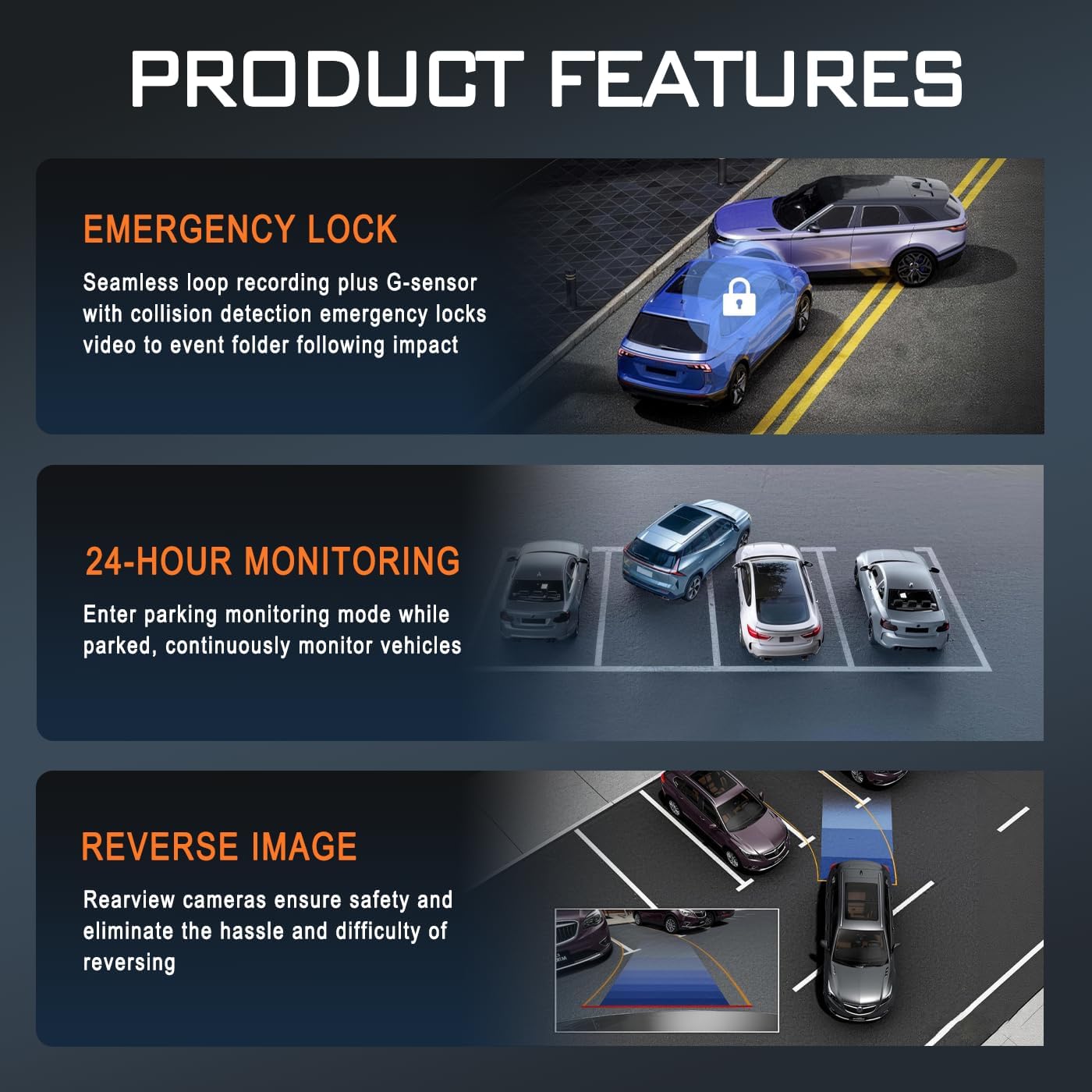
Image: Illustration of key product features: Emergency Lock (G-sensor), 24-Hour Monitoring, and Reverse Image functionality.
G-сенсор (авариялык кулпу)
The built-in G-sensor detects sudden acceleration, braking, or impacts. When triggered, it automatically locks the current video segment, preventing it from being overwritten by loop recording. These locked fileфайлдар Micro SD картадагы өзүнчө папкада сакталат.
- The G-sensor sensitivity can be adjusted in the settings menu (e.g., Low, Medium, High, Off).
24 саат бою унаа токтотуучу жайды көзөмөлдөө
When enabled, the parking monitor allows the dash cam to continue monitoring your vehicle after it's parked and the ignition is off. It can detect impacts or motion and automatically start recording. This feature requires a continuous power supply, typically achieved through a hardwire kit (sold separately) connected to your vehicle's fuse box.
- Ensure a hardwire kit is installed for continuous 24-hour parking monitoring.
- The parking mode settings (e.g., time-lapse recording, impact detection) can be configured in the menu.
Infrared Night Vision
The dash cam is equipped with infrared technology to enhance recording clarity in low-light or dark conditions. The interior camera utilizes 3 IR LED fill lights to capture clear images of the cabin occupants even in complete darkness.
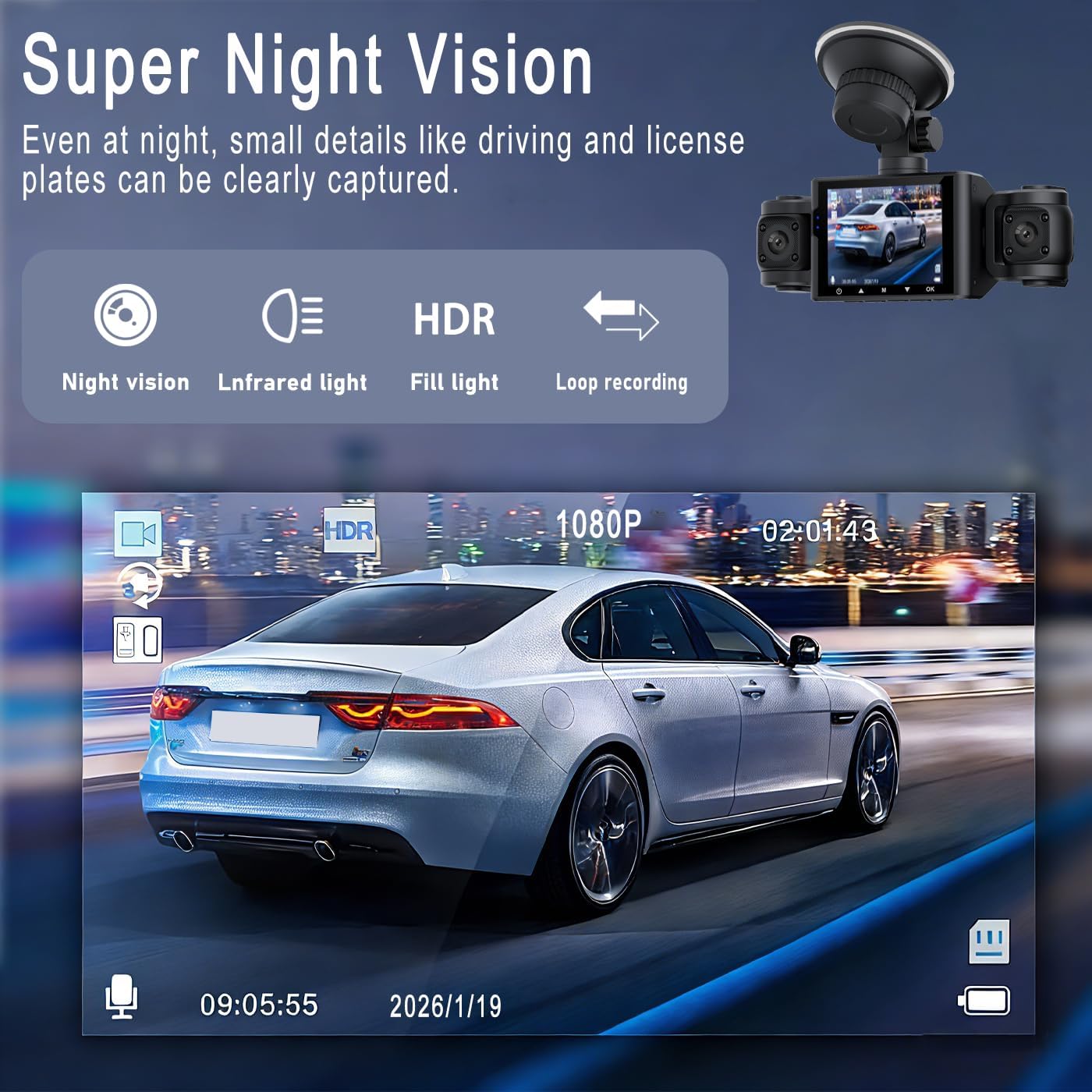
Сүрөт: Мисample of Super Night Vision performance, showing clear capture of details like license plates in low light.

Сүрөт: деталдуу view of the dash cam's lens system, highlighting features like aspheric high-index lens and optical plating for enhanced image quality in various lighting conditions.
Ойнотуу жана File Башкаруу
- Түзмөктө ойнотуу: Stop recording, then navigate to the playback menu on the dash cam's screen to view жазылган видеолор.
- Компьютерде ойнотуу: Remove the Micro SD card from the dash cam and insert it into a computer's card reader. Video files can be accessed and played using standard media players.
- File Уюм: Videos are typically organized into folders such as "Normal," "Event" (for G-sensor triggered recordings), and "Parking" (for parking mode recordings).
Техникалык тейлөө
- Линзаларды тазалоо: Regularly clean the camera lenses with a soft, lint-free cloth to ensure clear video quality. Avoid abrasive materials.
- Micro SD Card Maintenance: Format the Micro SD card every 2-4 weeks to prevent data corruption and ensure optimal recording performance. Back up any important files форматтоодон мурун.
- Иштөө температурасы: Камераны экстремалдык температурага узак убакытка калтыруудан сактаңыз.
- Программалык камсыздоонун жаңыртуулары: Өндүрүүчүнү текшериңиз webиштин натыйжалуулугун жогорулатуу жана жаңы функцияларды кошуу үчүн мезгил-мезгили менен сайттагы микропрограммалык камсыздоонун жаңыртууларын карап туруңуз.
Проблемаларды чечүү
| Көйгөй | Мүмкүн чечим |
|---|---|
| Dash камерасы күйбөйт. |
|
| Камера жазууну токтотот же "Карт толук" катасын көрсөтөт. |
|
| Video footage бүдөмүк же түшүнүксүз. |
|
| Parking monitor is not working. |
|
| G-sensor is too sensitive or not sensitive enough. |
|
Техникалык шарттар
| Модель аты | M8 |
| Бренд | Жалпы |
| Видео тартуунун резолюциясы | 1080p |
| Screen Size | 2.4 Inches (IPS Display) |
| Линзанын конфигурациясы | 4-lens system (Front, Left, Right, Rear) |
| Өзгөчөлүктөр | Loop Recording, IR Night Vision, G-Sensor, 24hr Parking Mode |
| Байланыш технологиясы | Көмөкчү |
| Flash эс тутум түрү | Micro SD (supports up to 64GB) |
| Монтаж түрү | Башкаруу панелине орнотуу (соргуч чөйчөк) |
| Продукциянын өлчөмдөрү (D x W x Y) | 3.54"D x 0.99"W x 1.57"H (болжол менен 9см x 2.5см x 4см) |
| Элемент Салмагы | 200 грамм |
| Камтылган компоненттер | Car Charger, 64GB Micro SD Card |
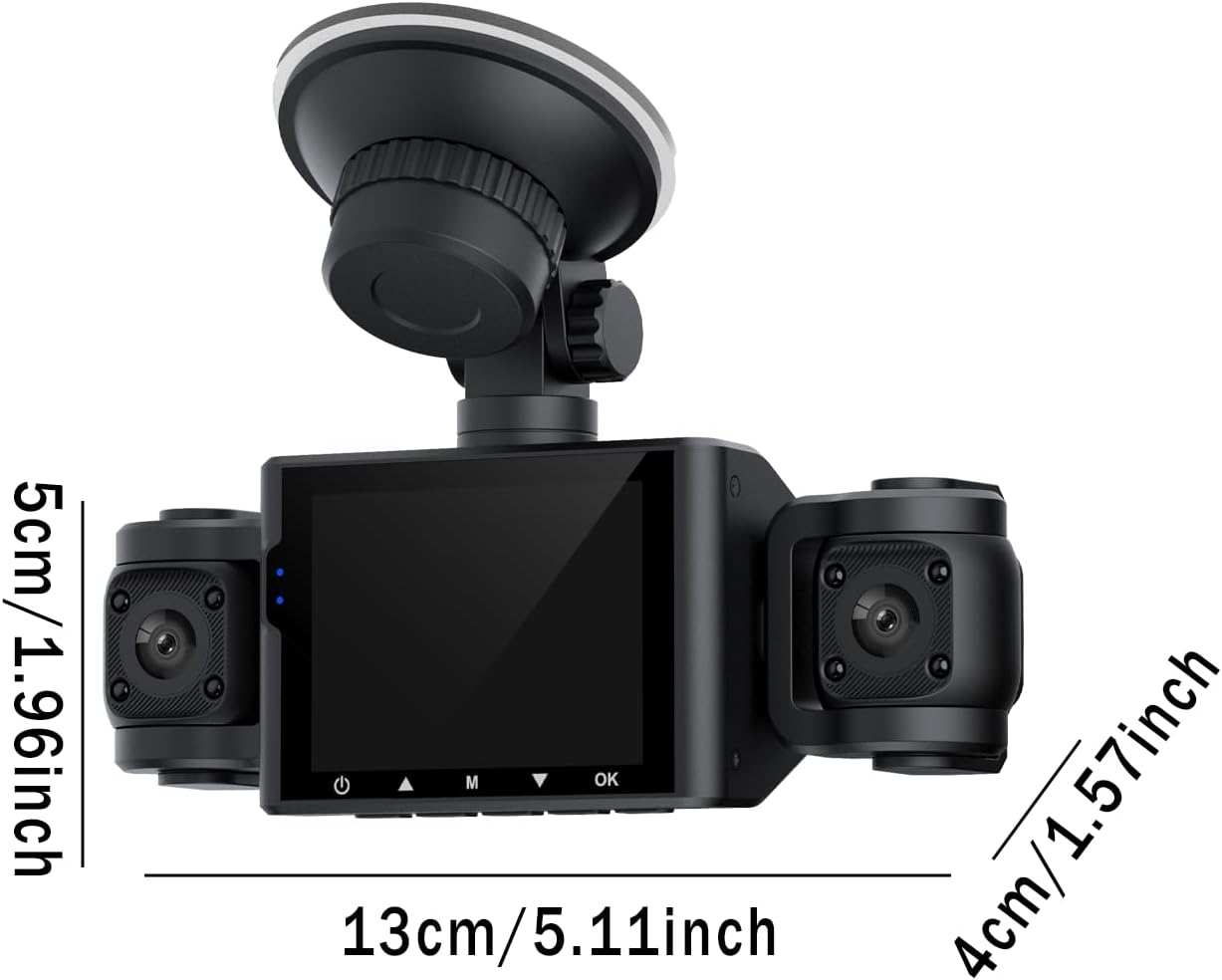
Image: Diagram showing the approximate dimensions of the dash cam unit in centimeters and inches.
Кепилдик жана колдоо
Кепилдик маалымат
This BCUOZ 4 Lesn Dash Cam M8 comes with a 2 жылдык өндүрүүчүнүн кепилдиги сатып алынган күндөн тартып. Бул кепилдик кадимки колдонуудагы материалдардын жана жасалгалоодогу кемчиликтерди камтыйт. Туура эмес колдонуудан, кырсыктардан, уруксатсыз өзгөртүүлөрдөн же табигый кырсыктардан улам келип чыккан зыянды камтыбайт. Кепилдик дооматтары үчүн сатып алганыңызды тастыктаган документти сактап коюңуз.
Кардарларды колдоо
For technical assistance, troubleshooting, or warranty inquiries, please refer to the contact information provided with your purchase or visit the manufacturer's official support website. When contacting support, please have your product model (M8) and purchase details ready.